User Guide
HeadRush Prime — User Guide v5.2.0
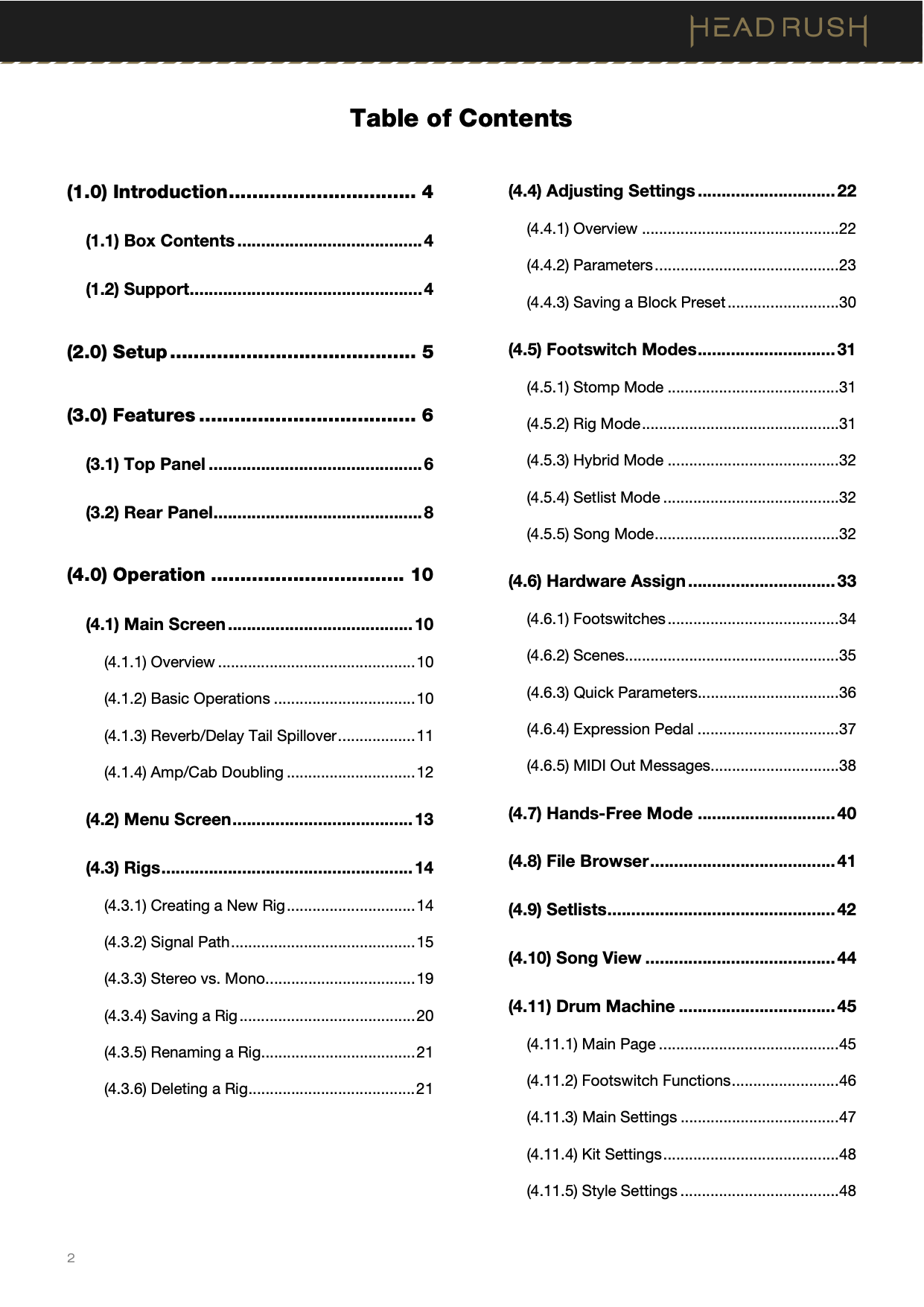
Chapter 1 — Introduction
(1.0) Introduction
(1.1) Box Contents
(1.2) Support
Chapter 2 — Setup
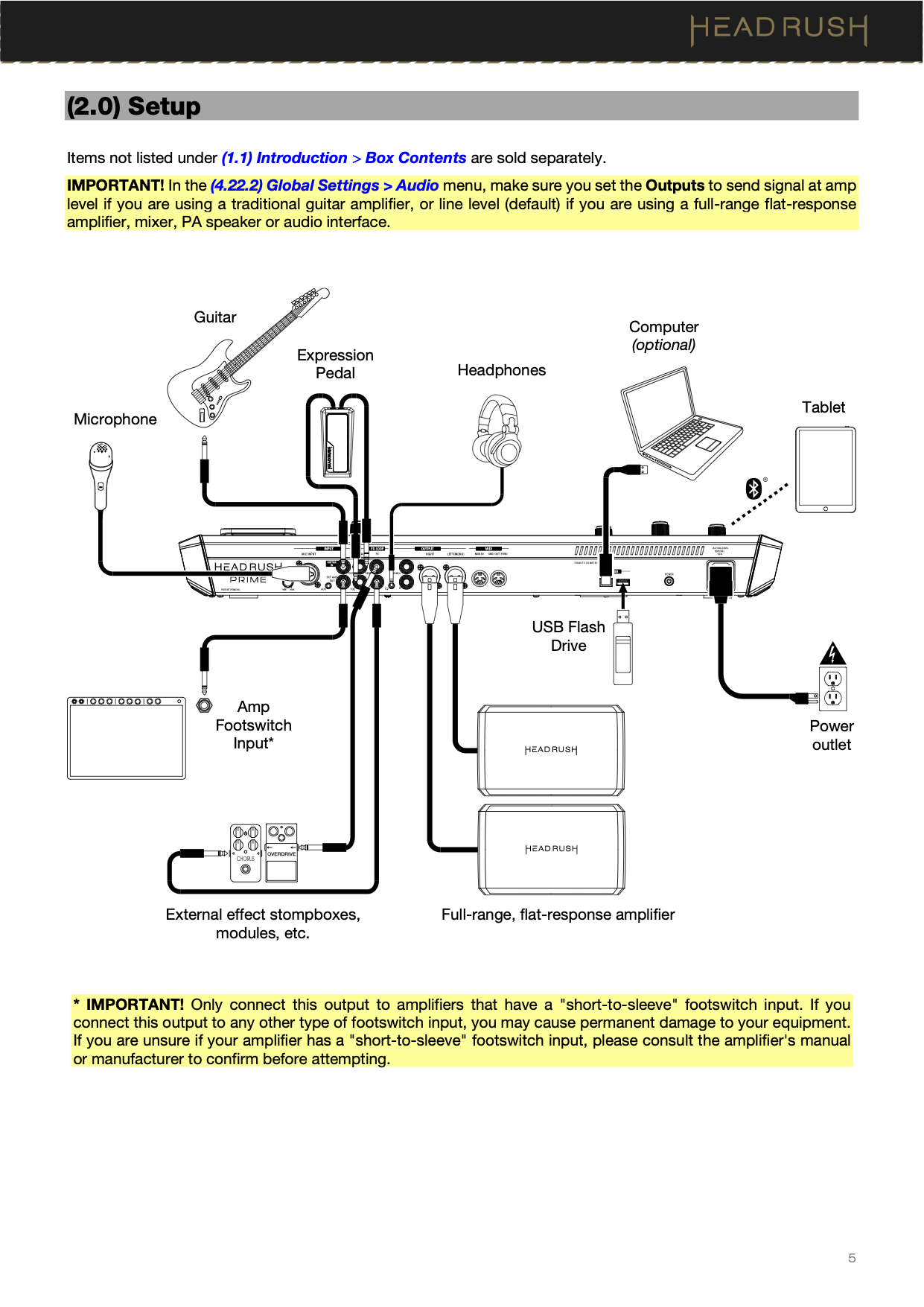
(2.0) Setup
Chapter 3 — Features
(3.0) Features
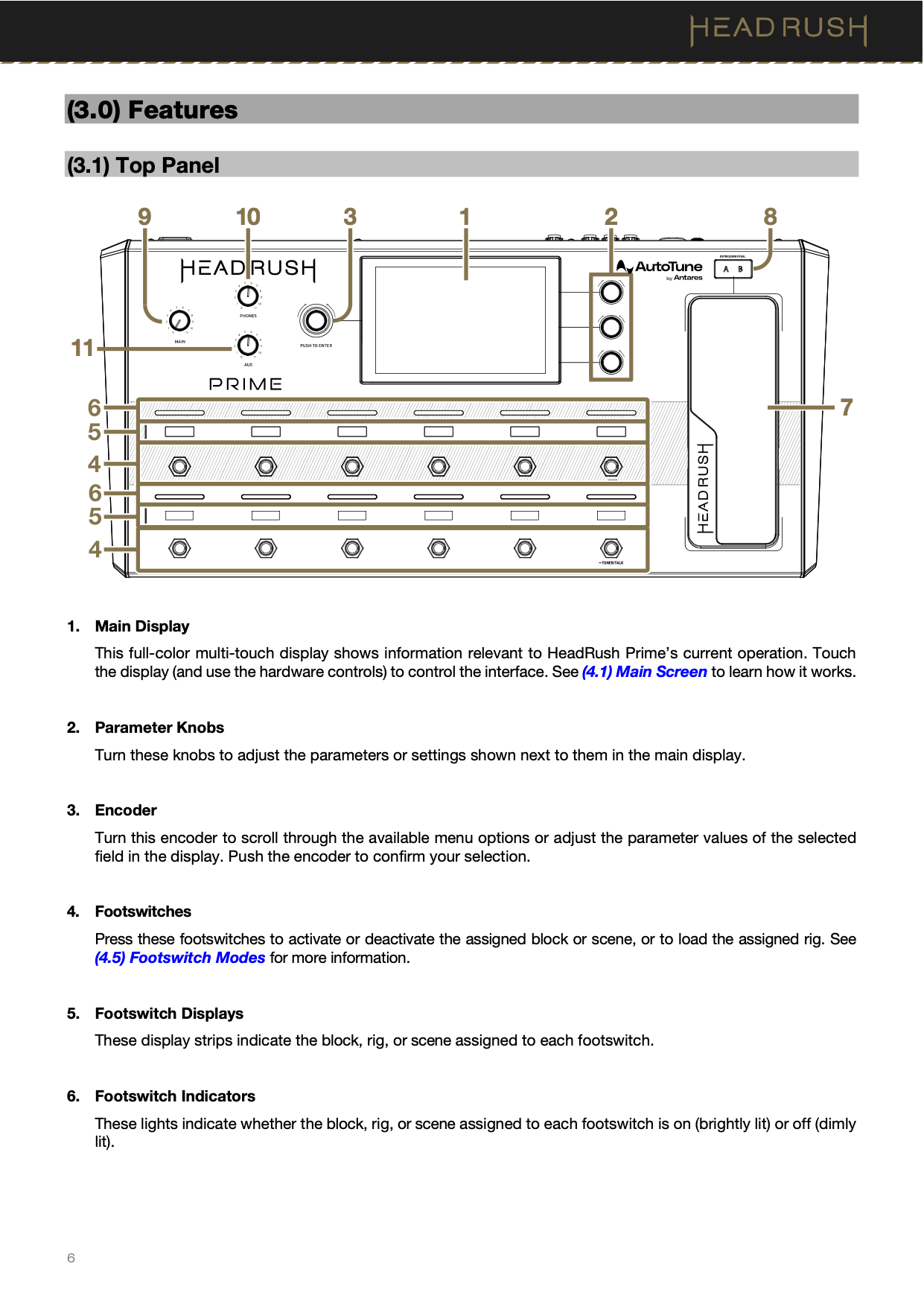
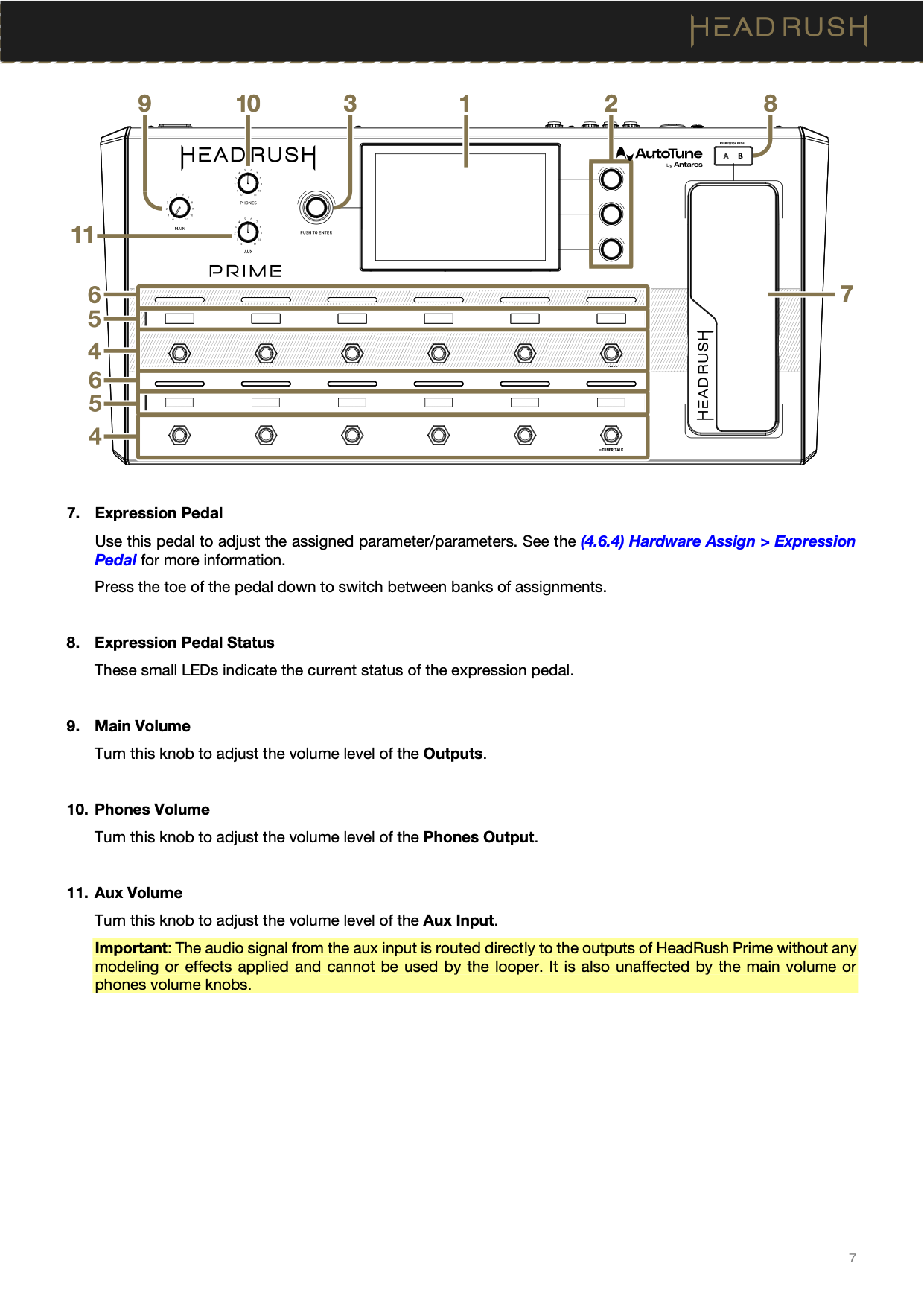
(3.1) Top Panel
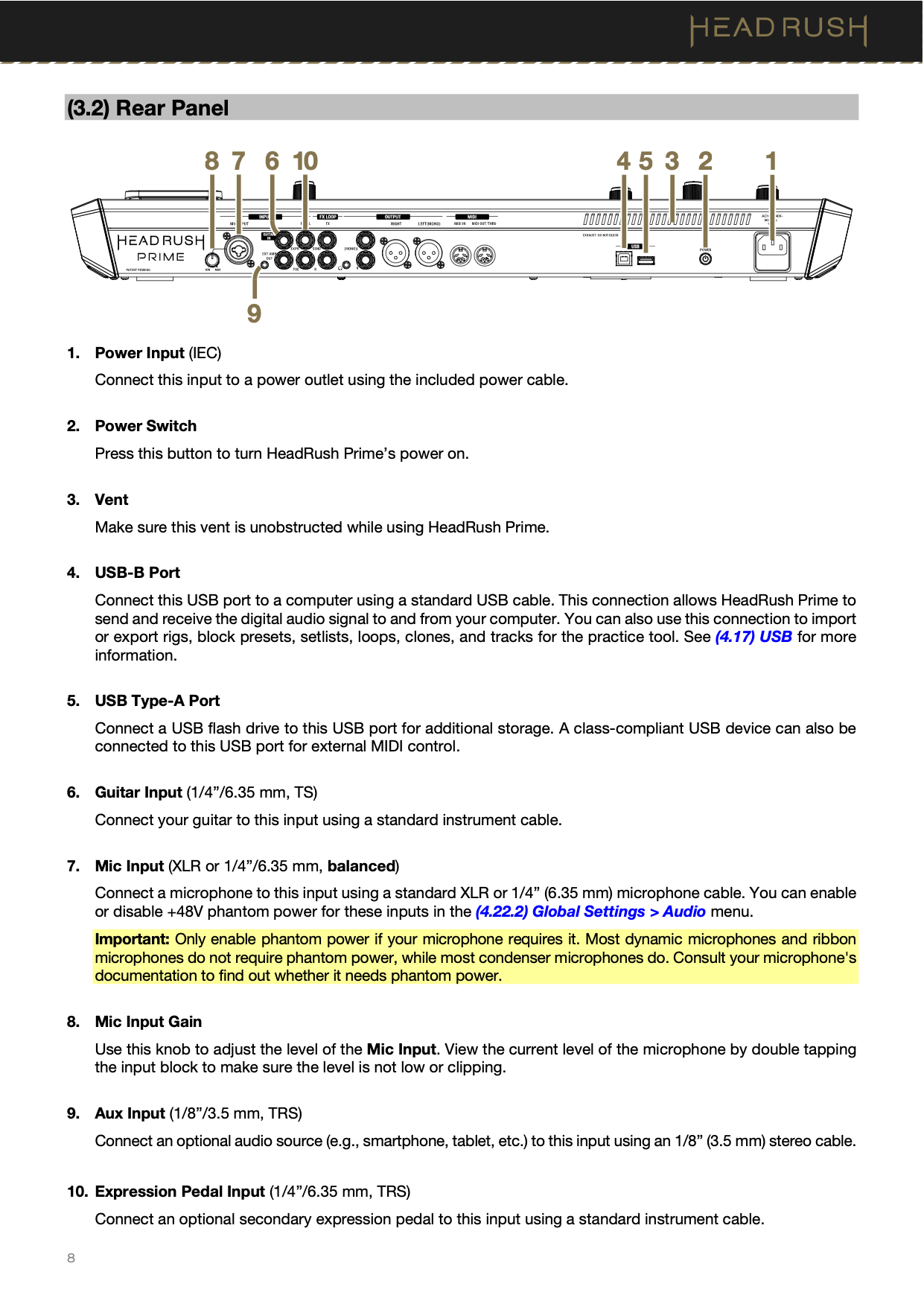
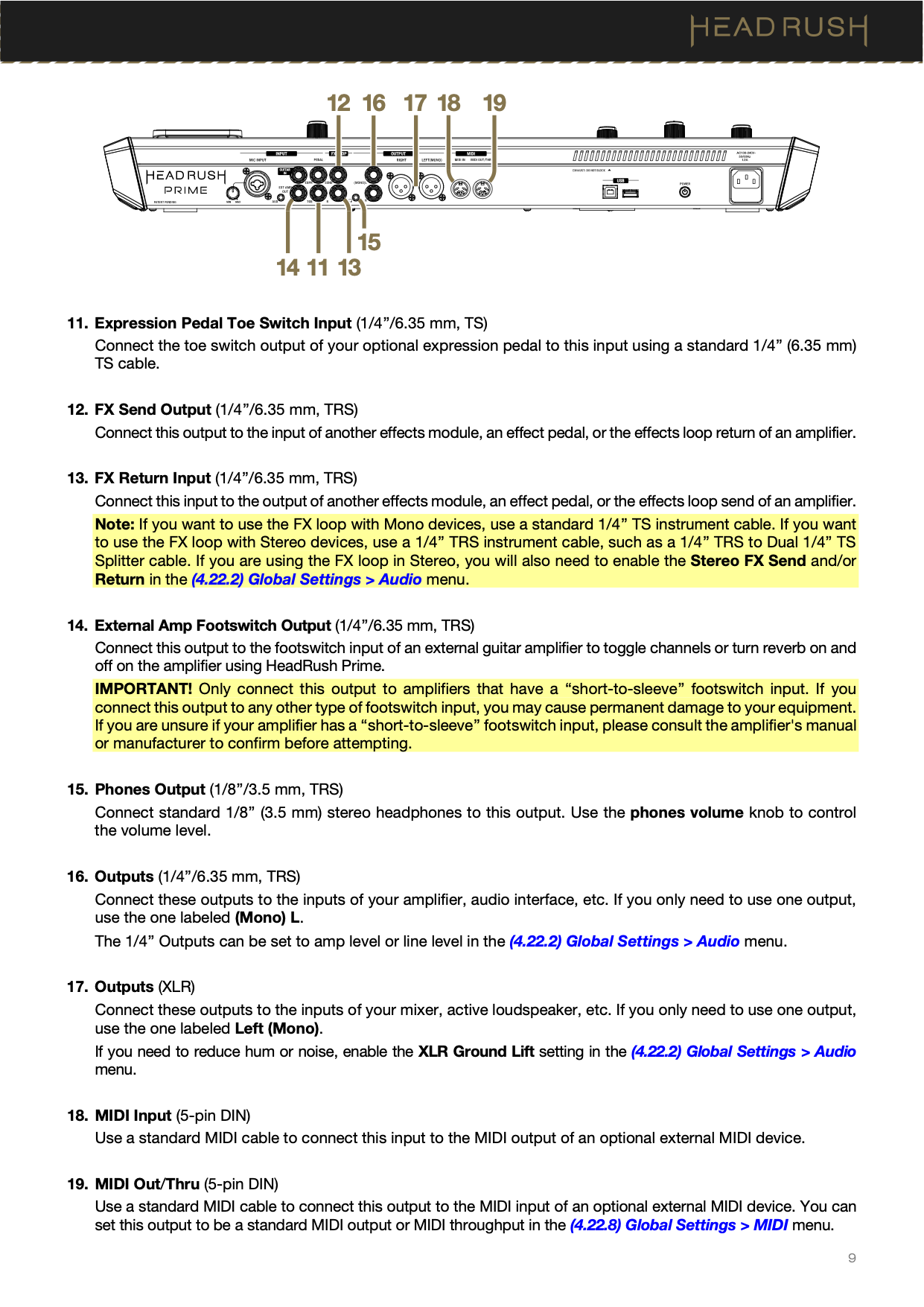
(3.2) Rear Panel
Chapter 4 — Operation
(4.0) Operation
(4.1) Main Screen
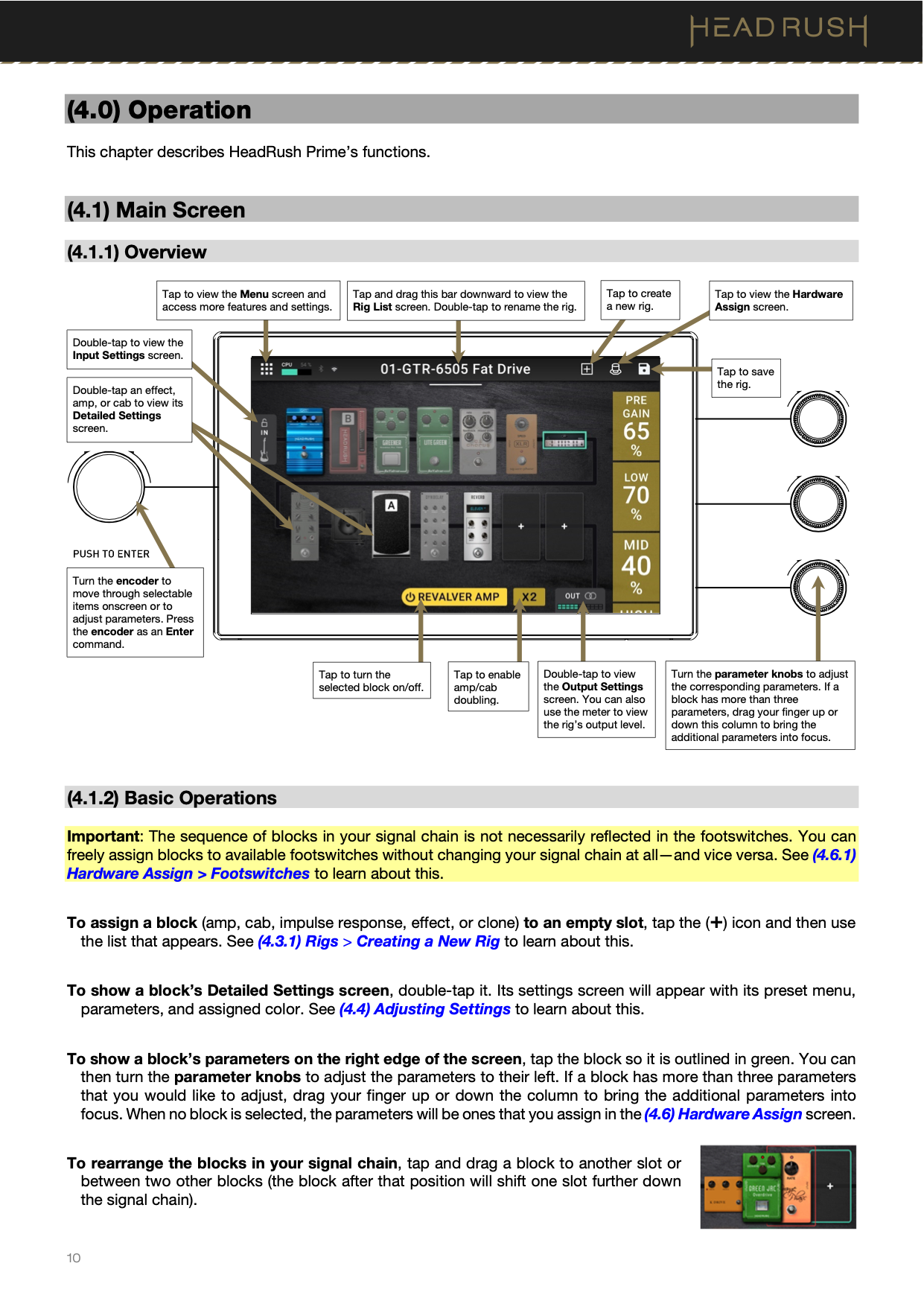
(4.1.1) Overview
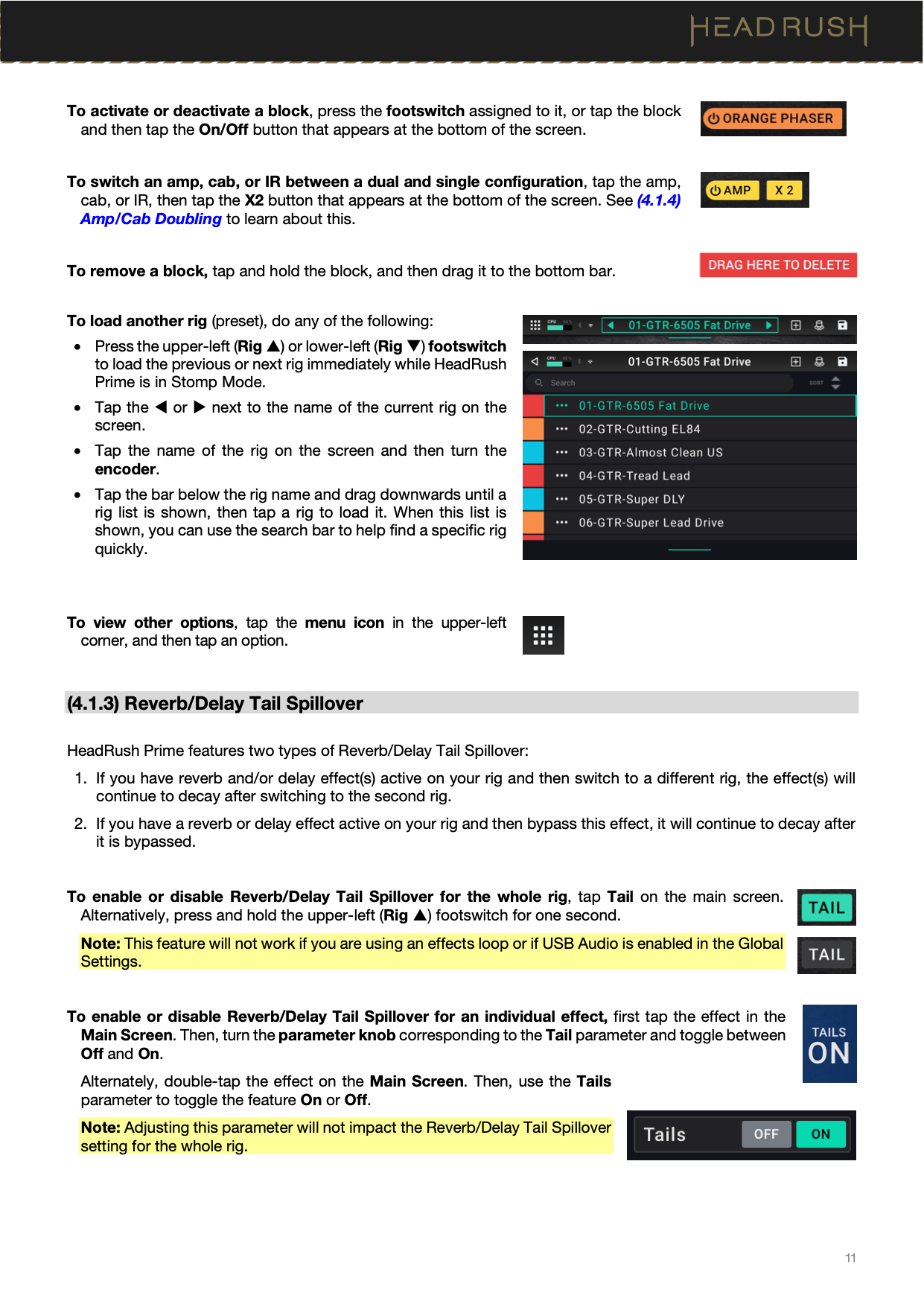
(4.1.2) Basic Operations
(4.1.3) Reverb/Delay Tail Spillover
(4.1.4) Amp/Cab Doubling
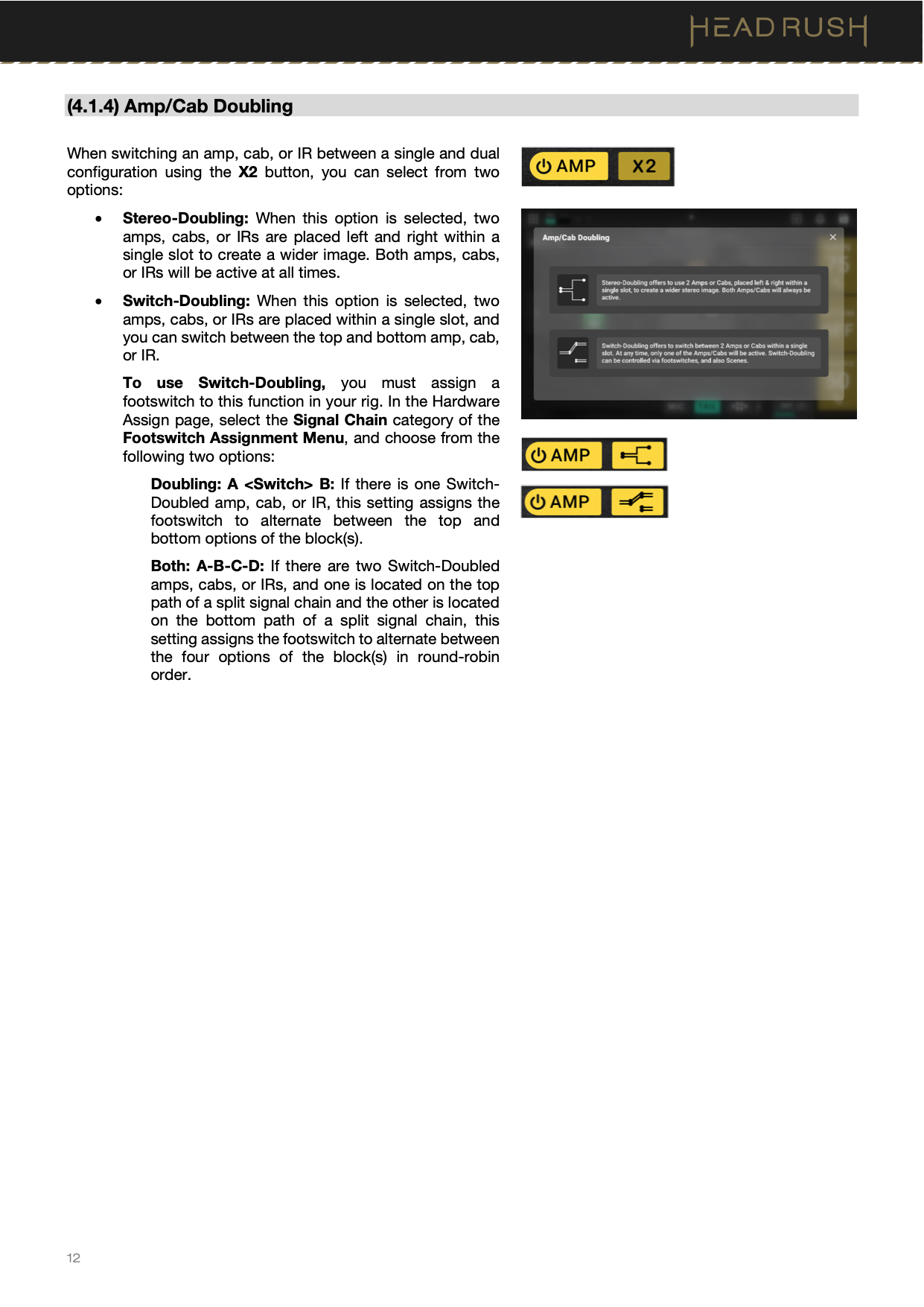
(4.2) Menu Screen
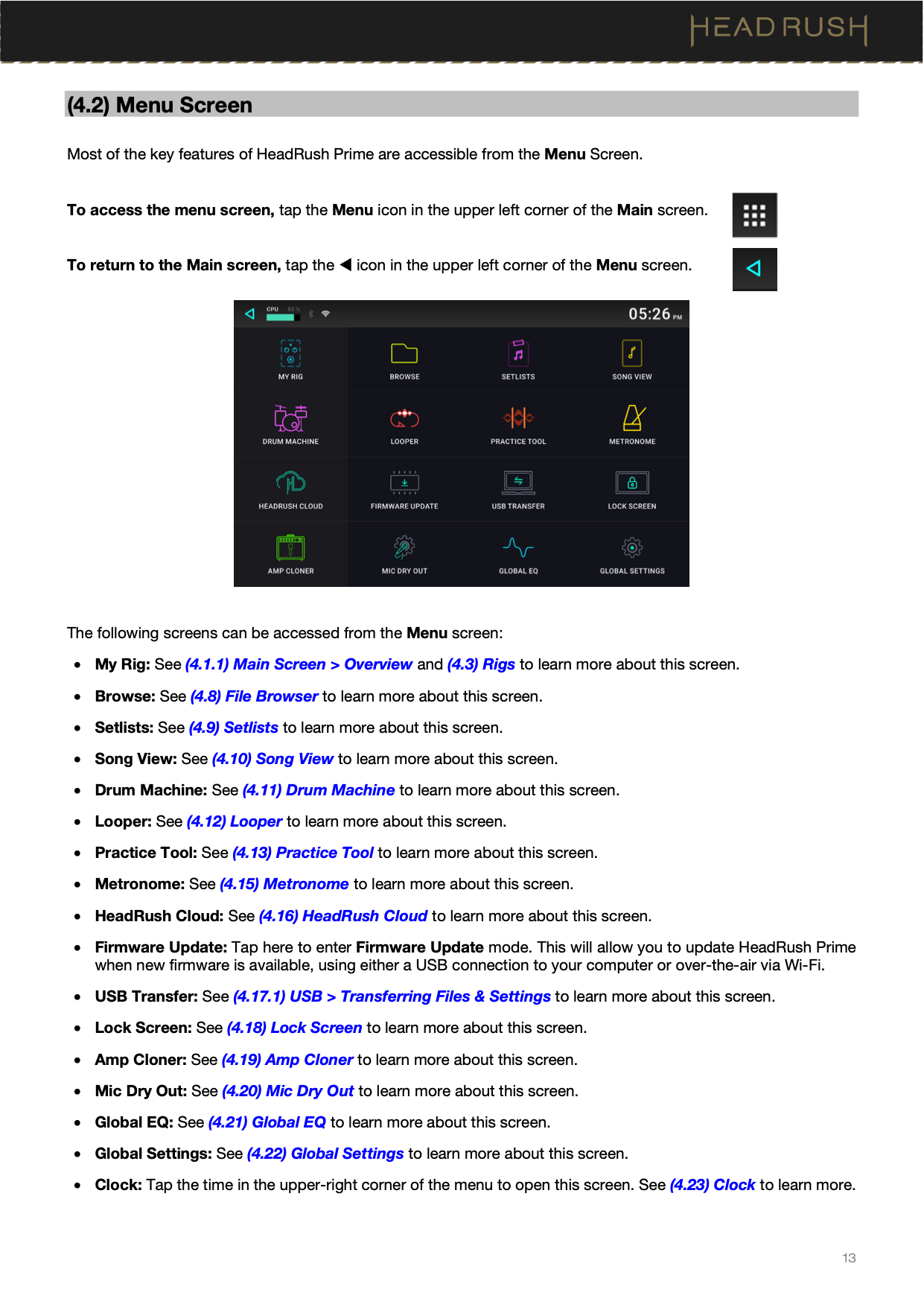
(4.3) Rigs
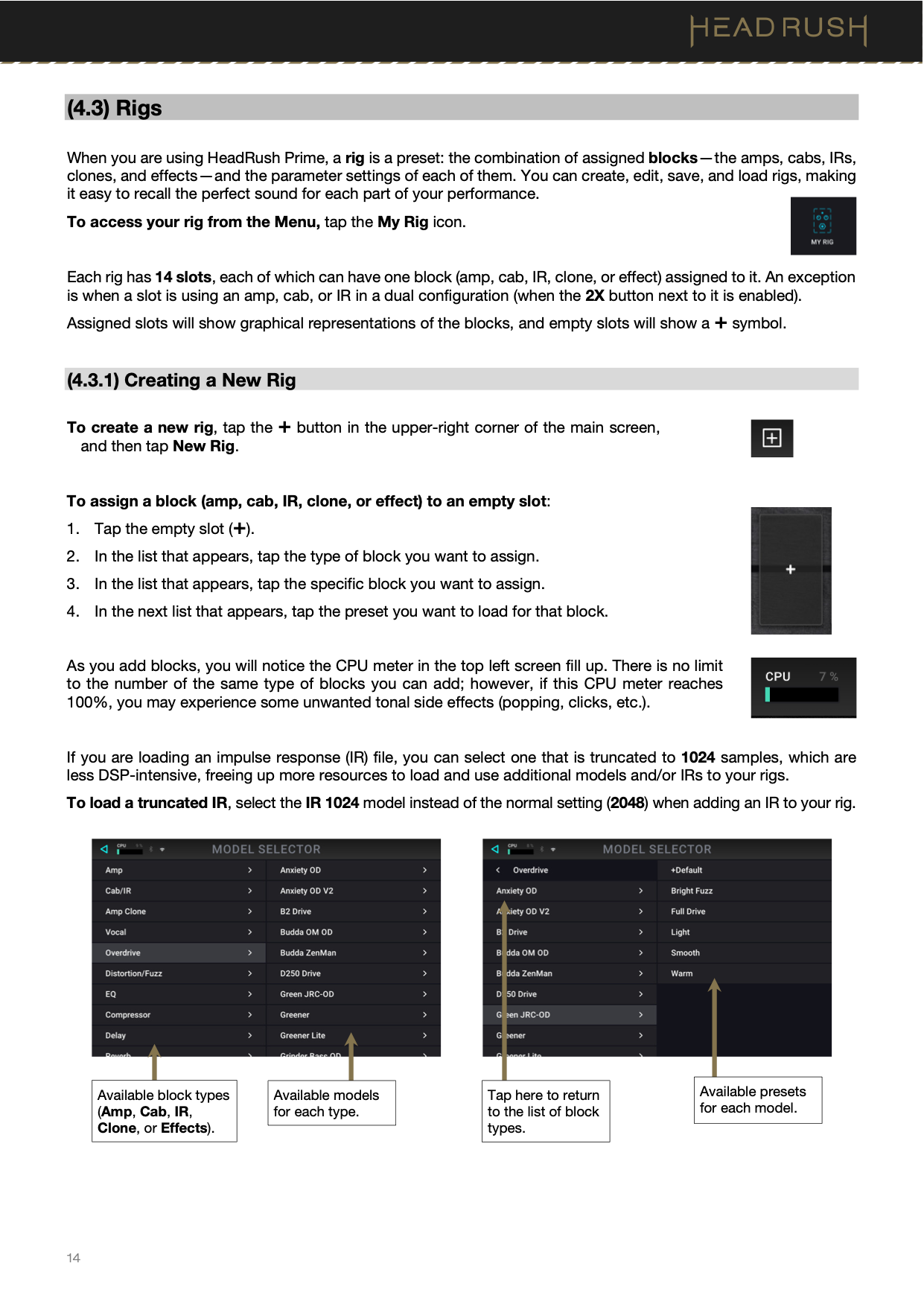
(4.3.1) Creating a New Rig
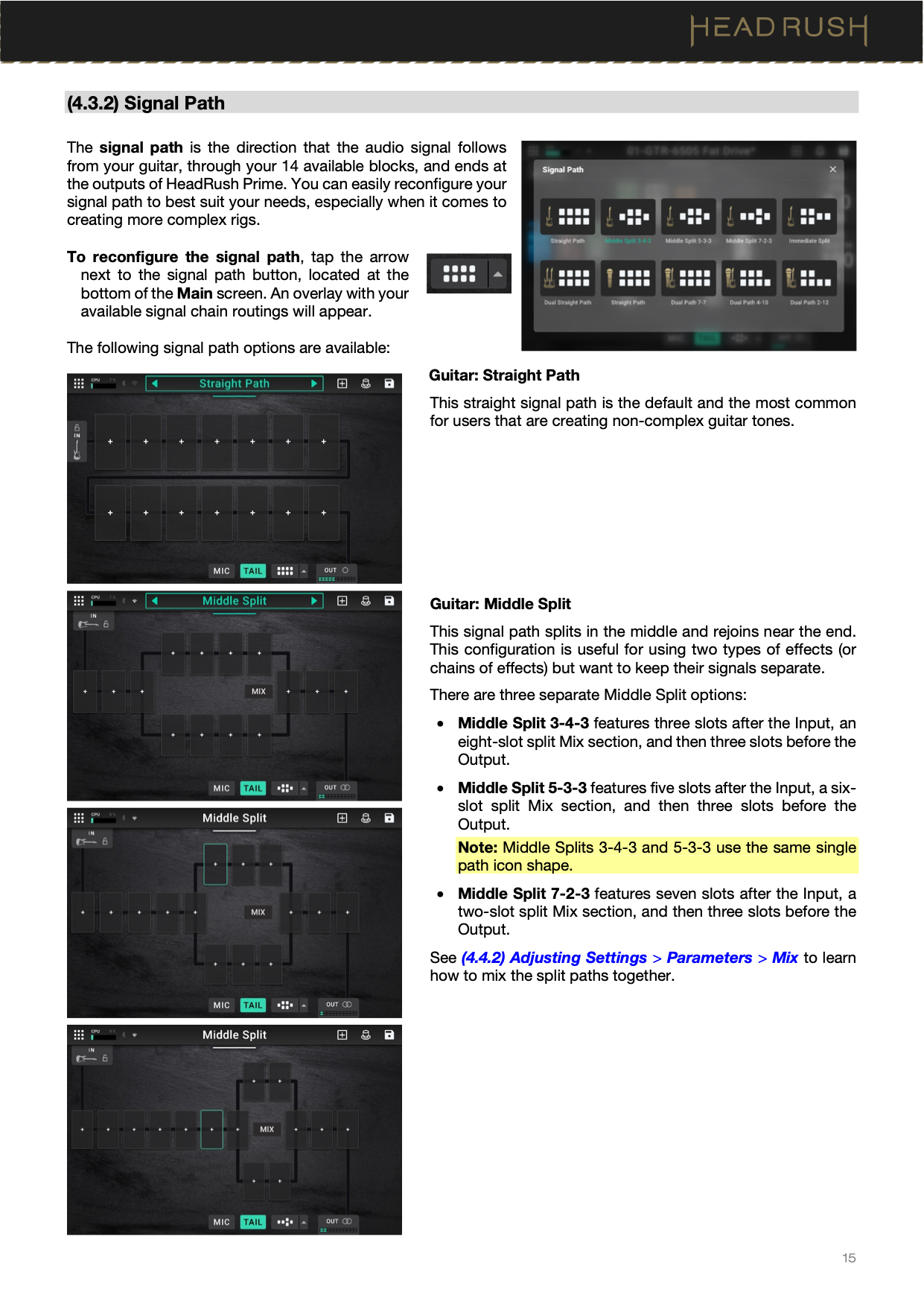
(4.3.2) Signal Path
(4.3.3) Stereo vs. Mono
(4.3.4) Saving a Rig
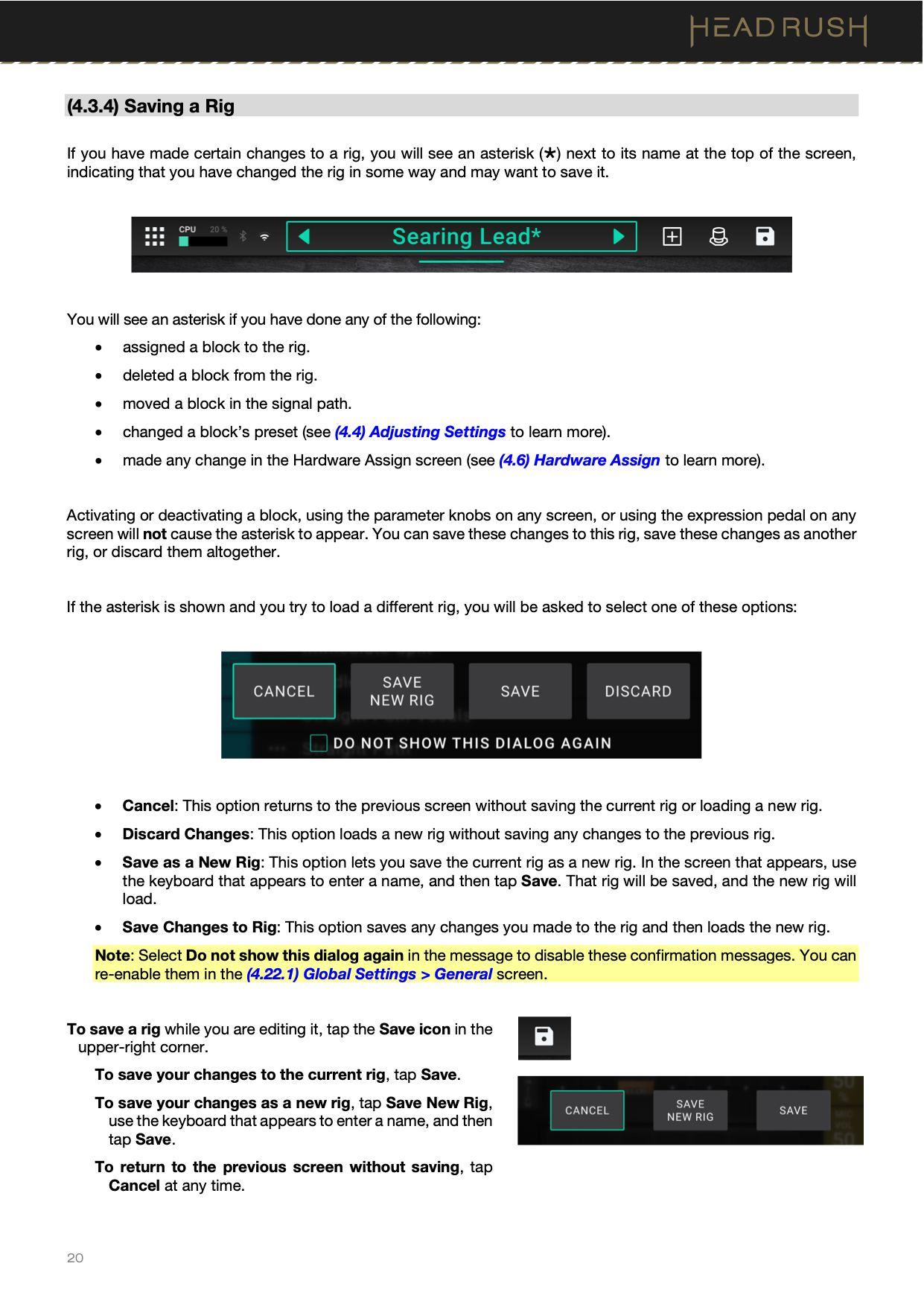
(4.3.5) Renaming a Rig
(4.3.6) Deleting a Rig
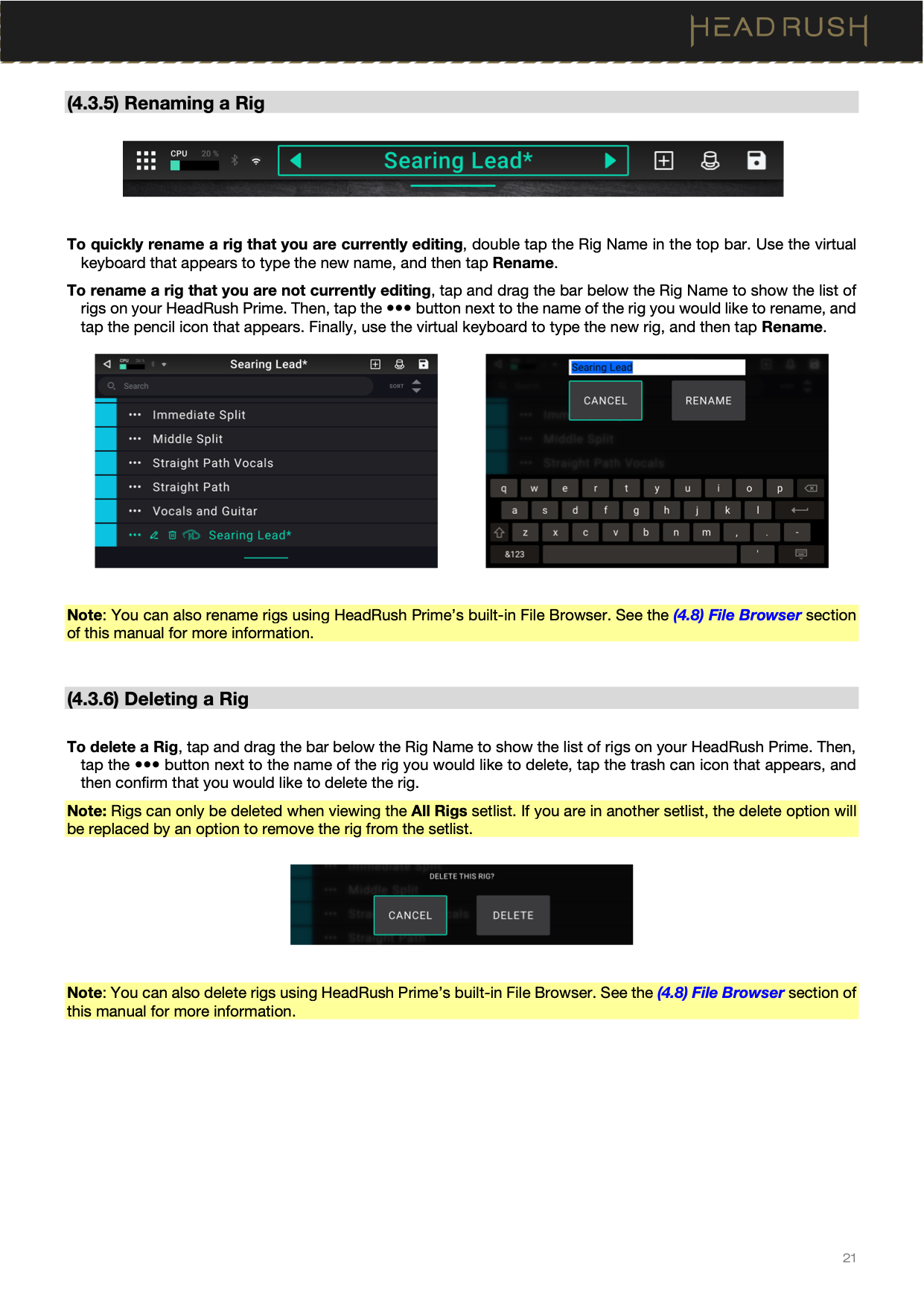
(4.4) Adjusting Settings
(4.4.1) Overview
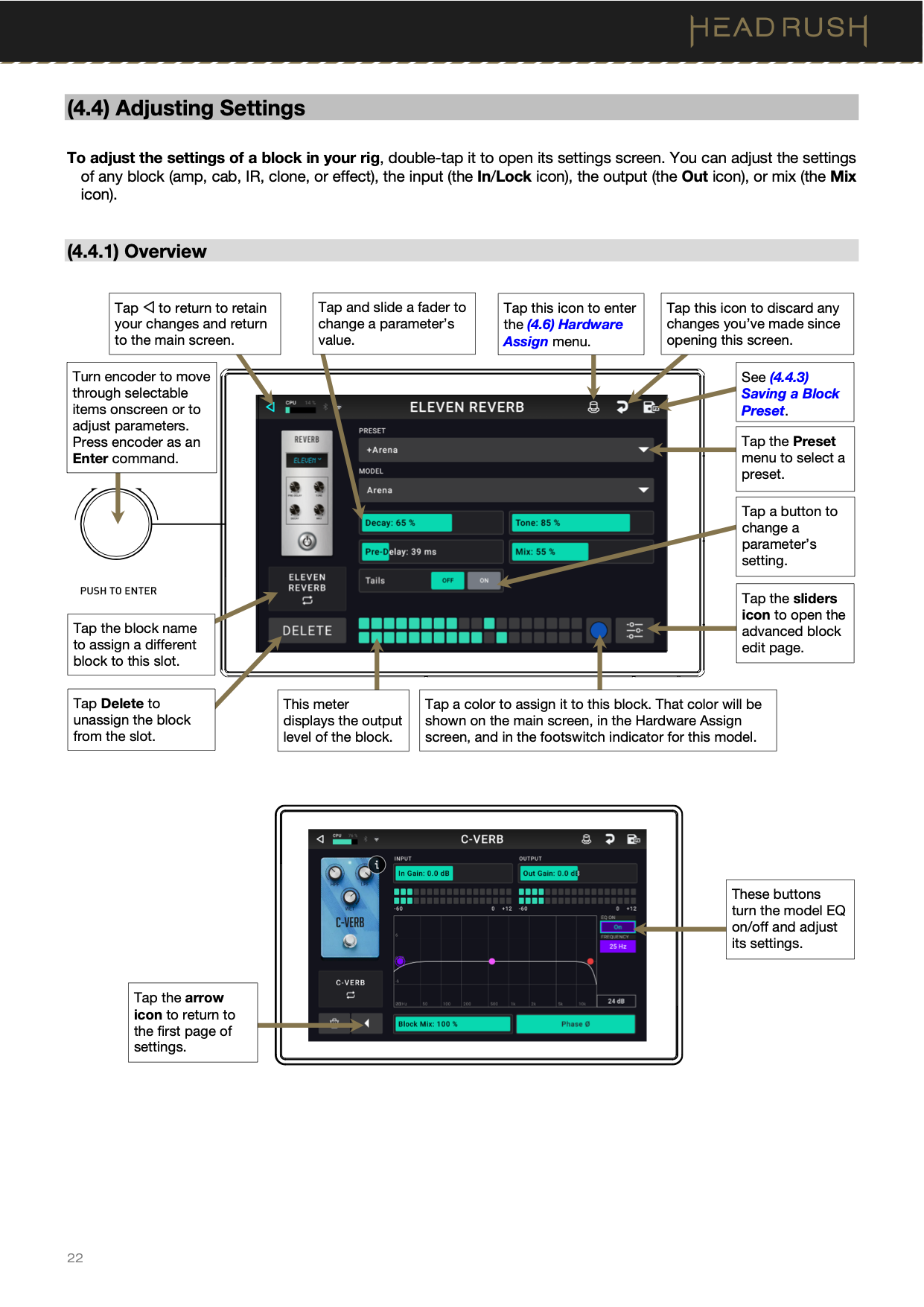
(4.4.2) Parameters
(4.4.3) Saving a Block Preset
(4.5) Footswitch Modes
(4.5.1) Stomp Mode
(4.5.2) Rig Mode
(4.5.3) Hybrid Mode
(4.5.4) Setlist Mode
(4.5.5) Song Mode
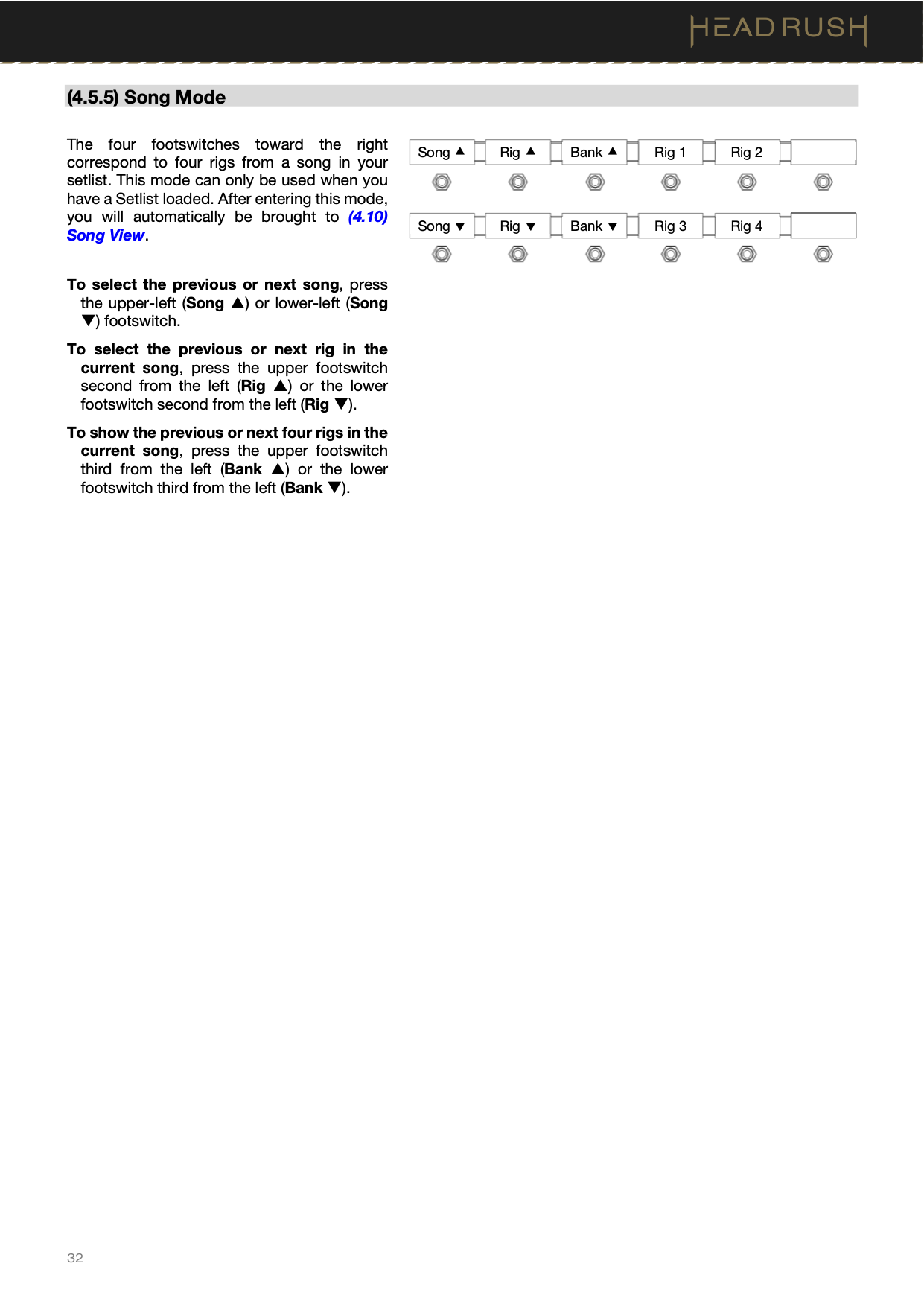
(4.6) Hardware Assign
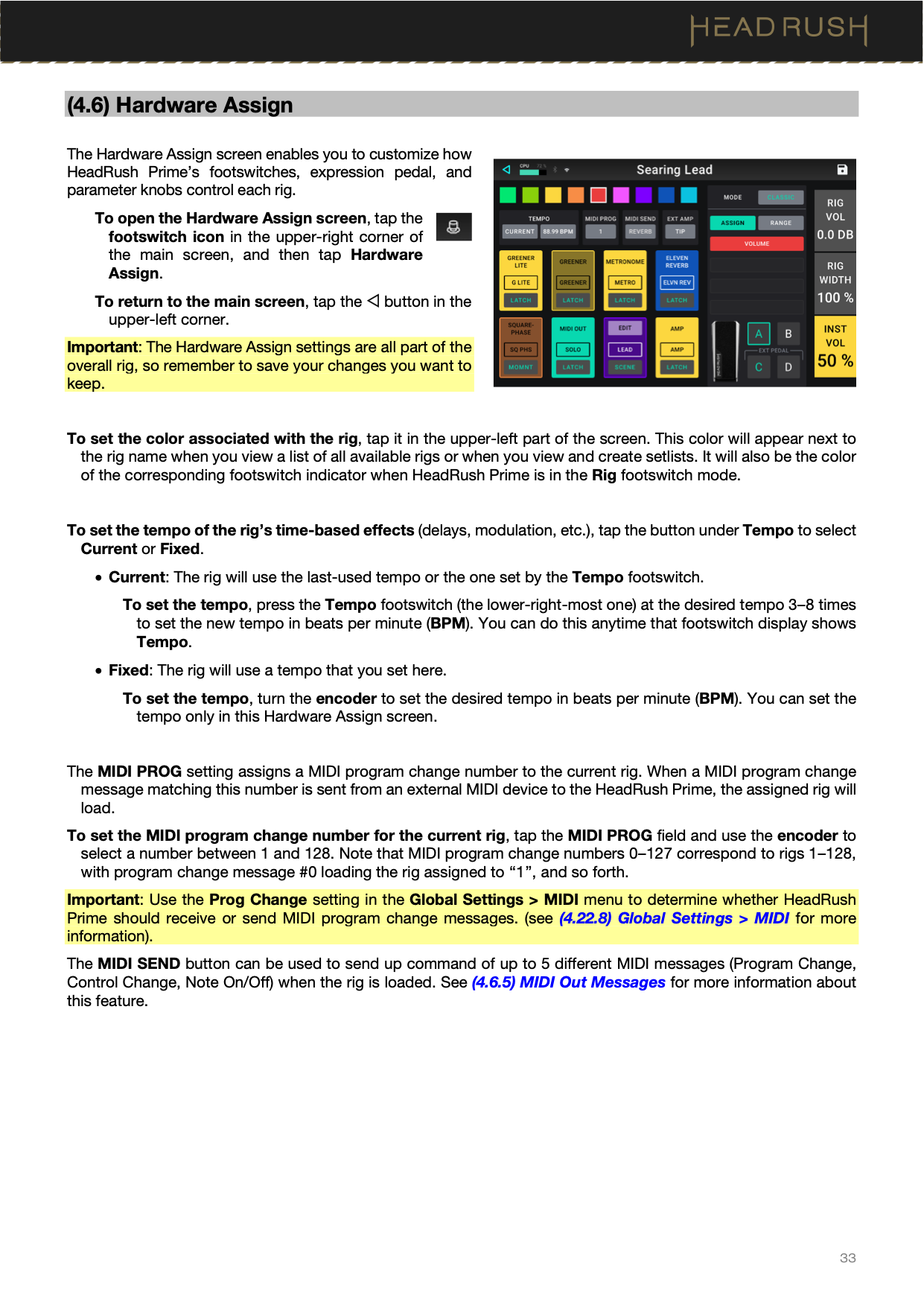
(4.6.1) Footswitches
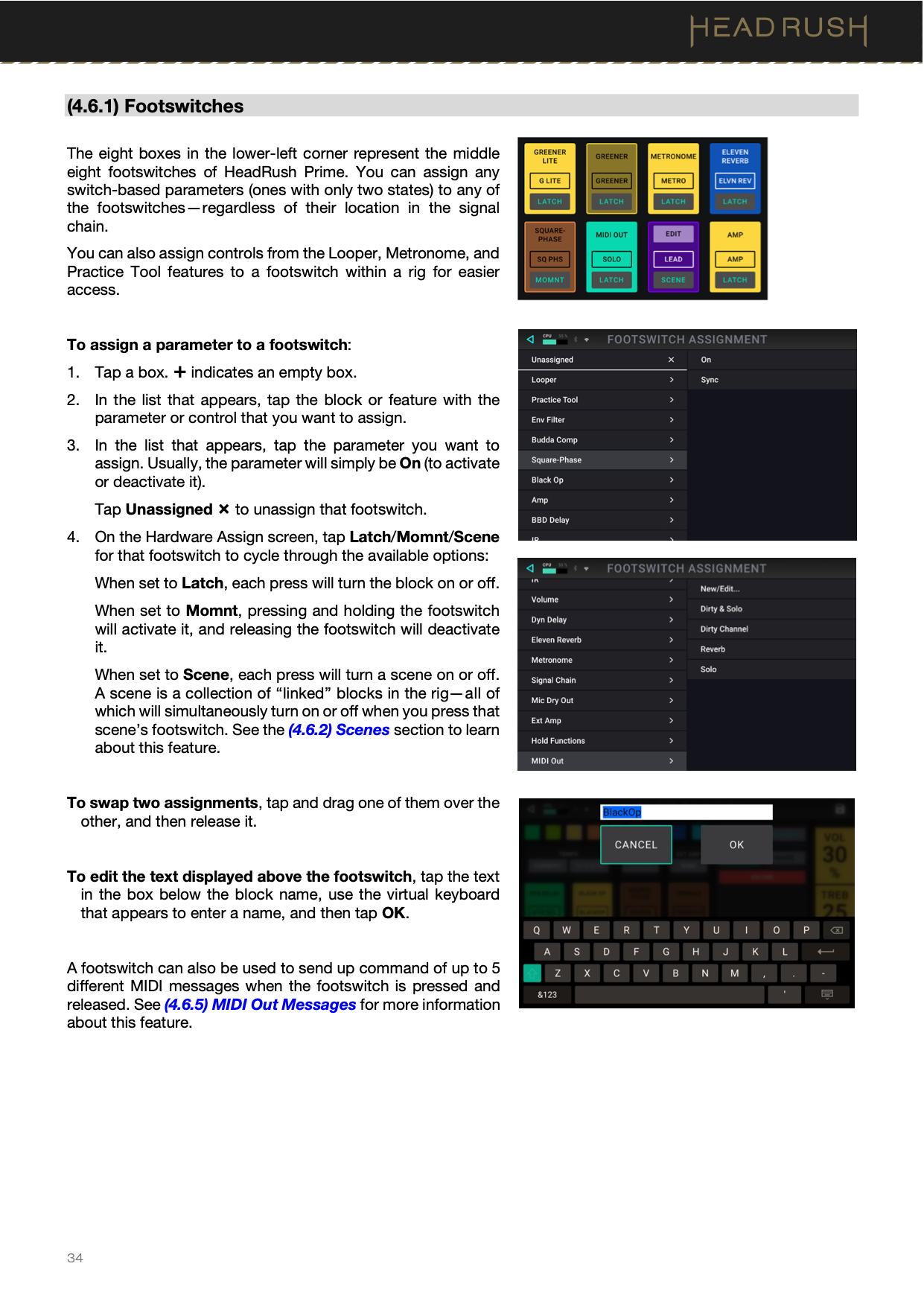
(4.6.2) Scenes
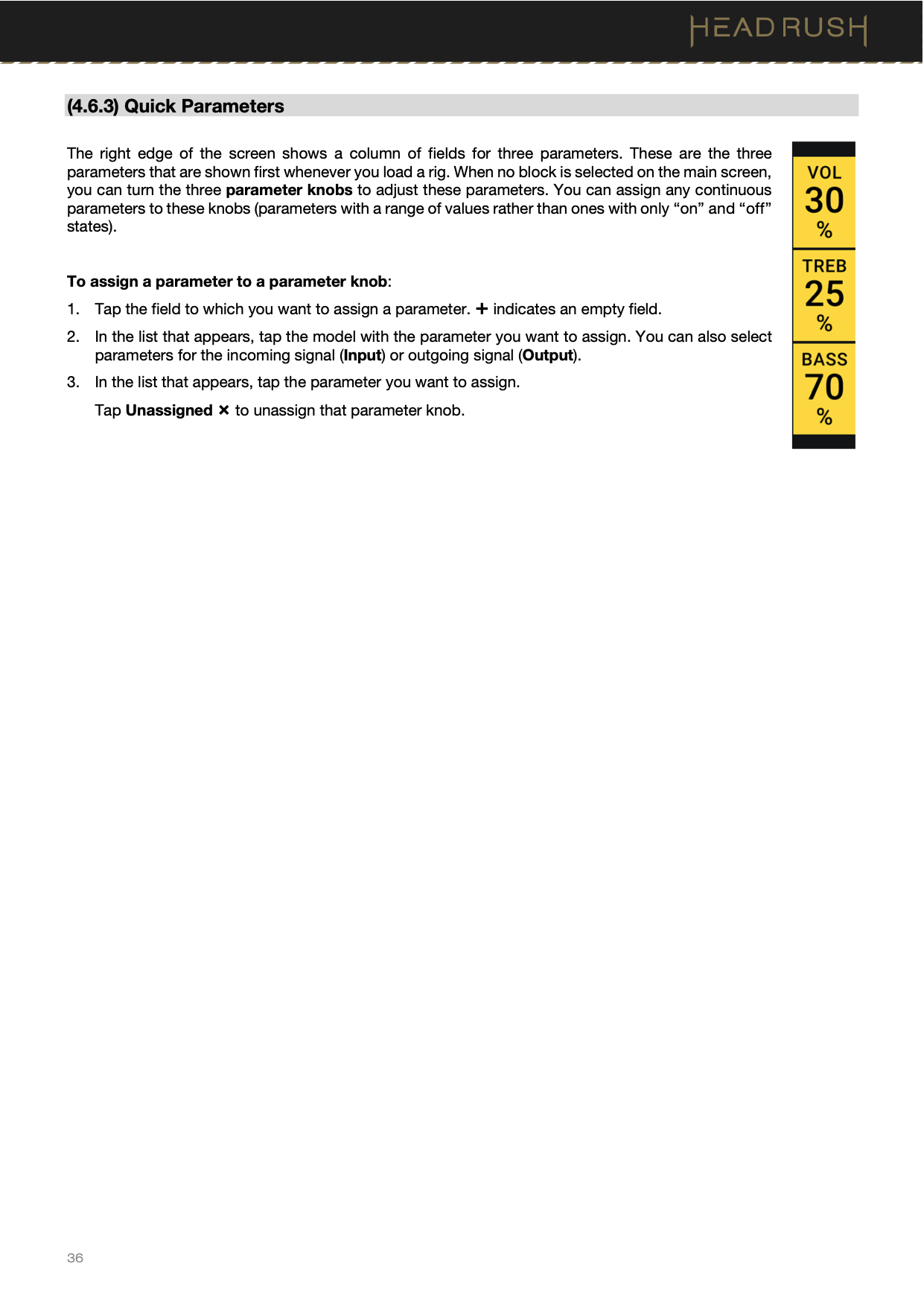
(4.6.3) Quick Parameters
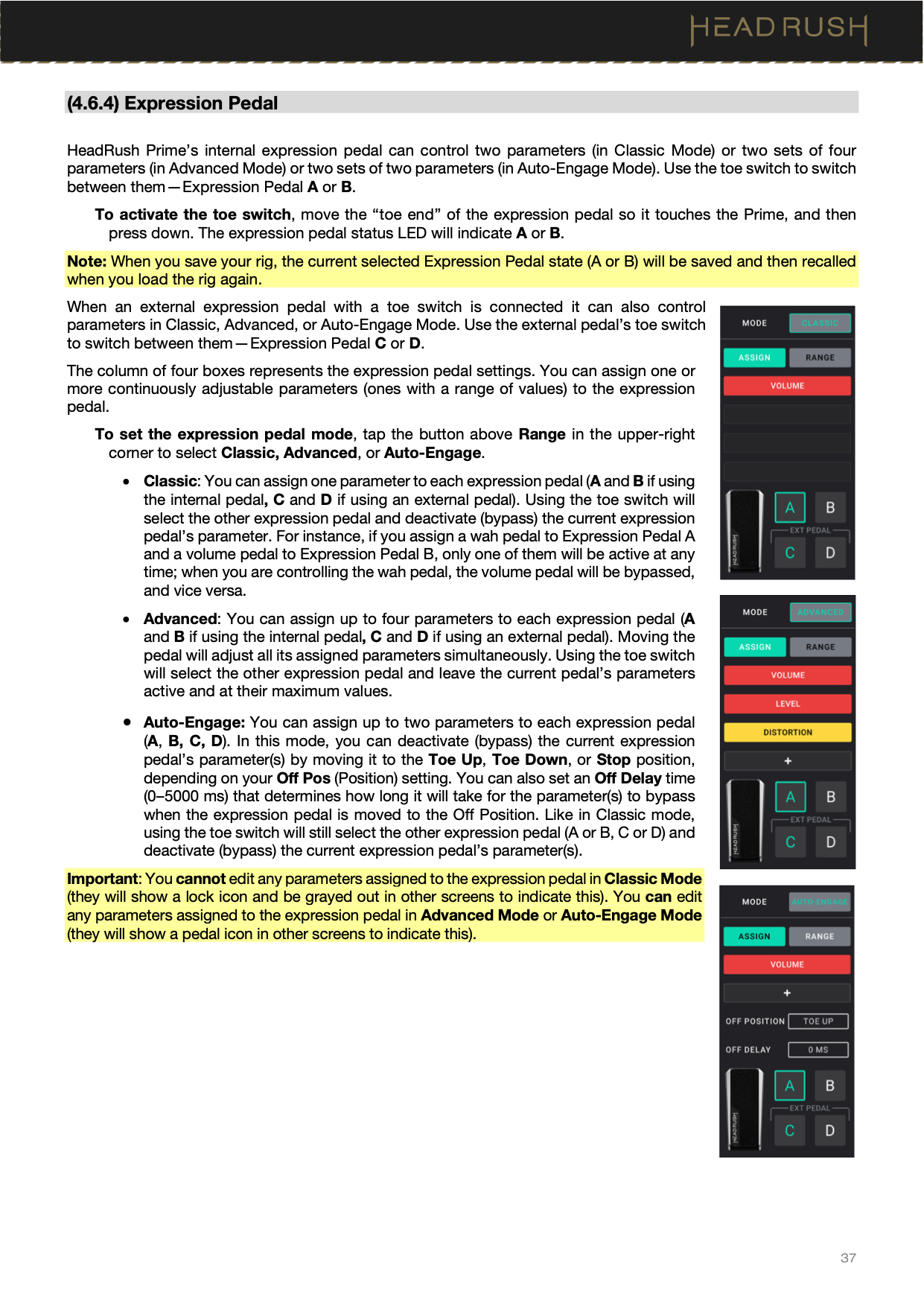
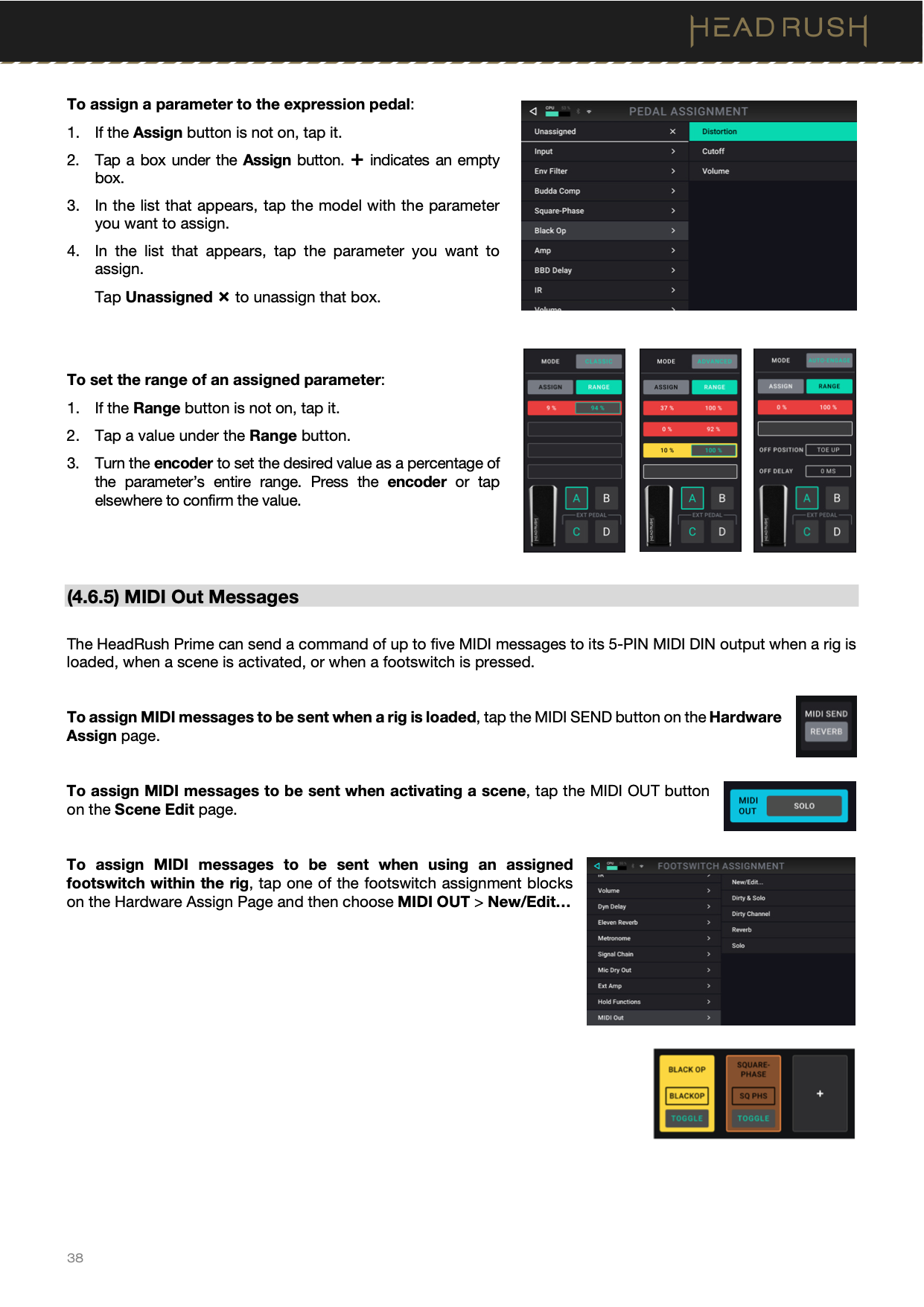
(4.6.4) Expression Pedal
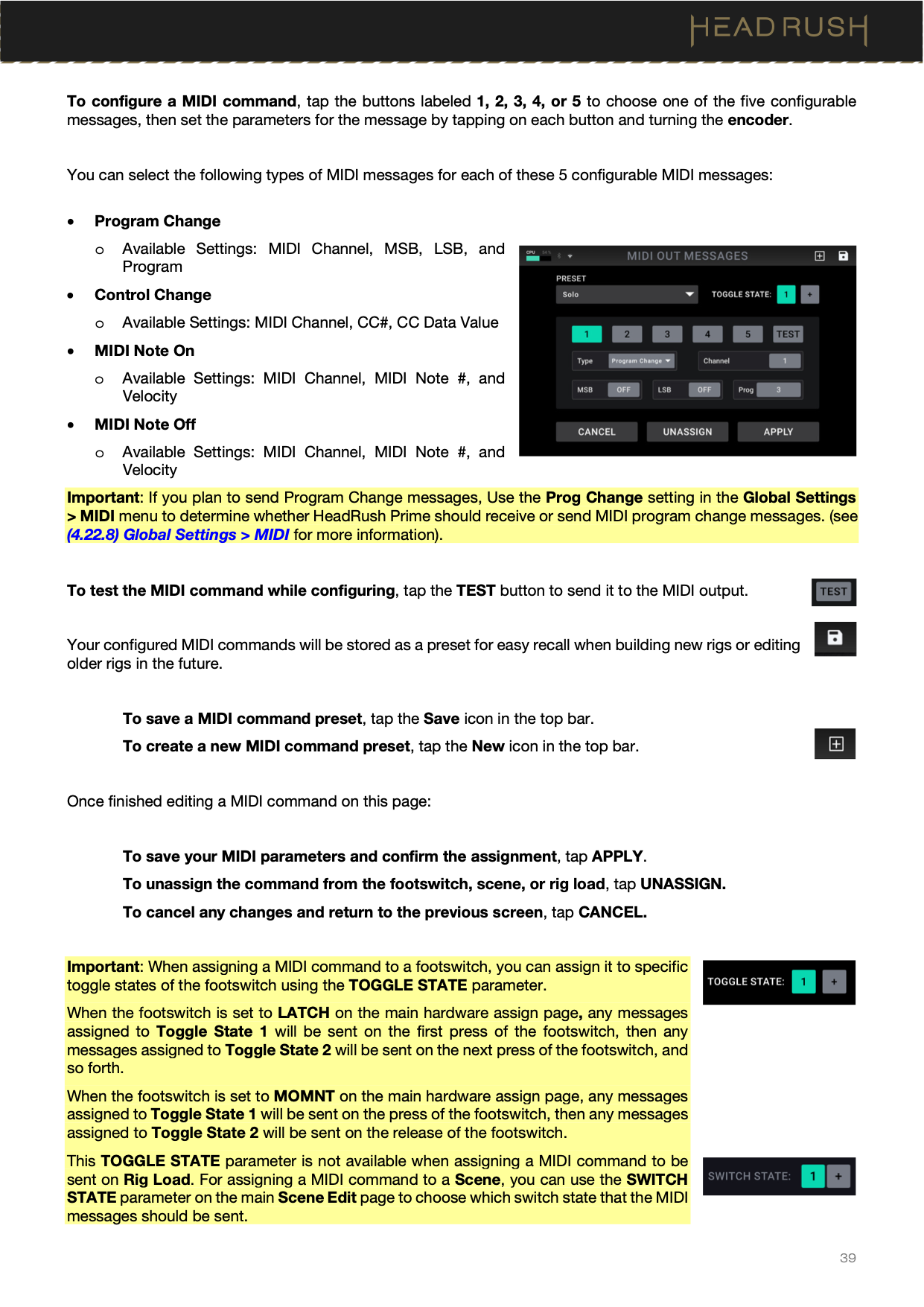
(4.6.5) MIDI Out Messages
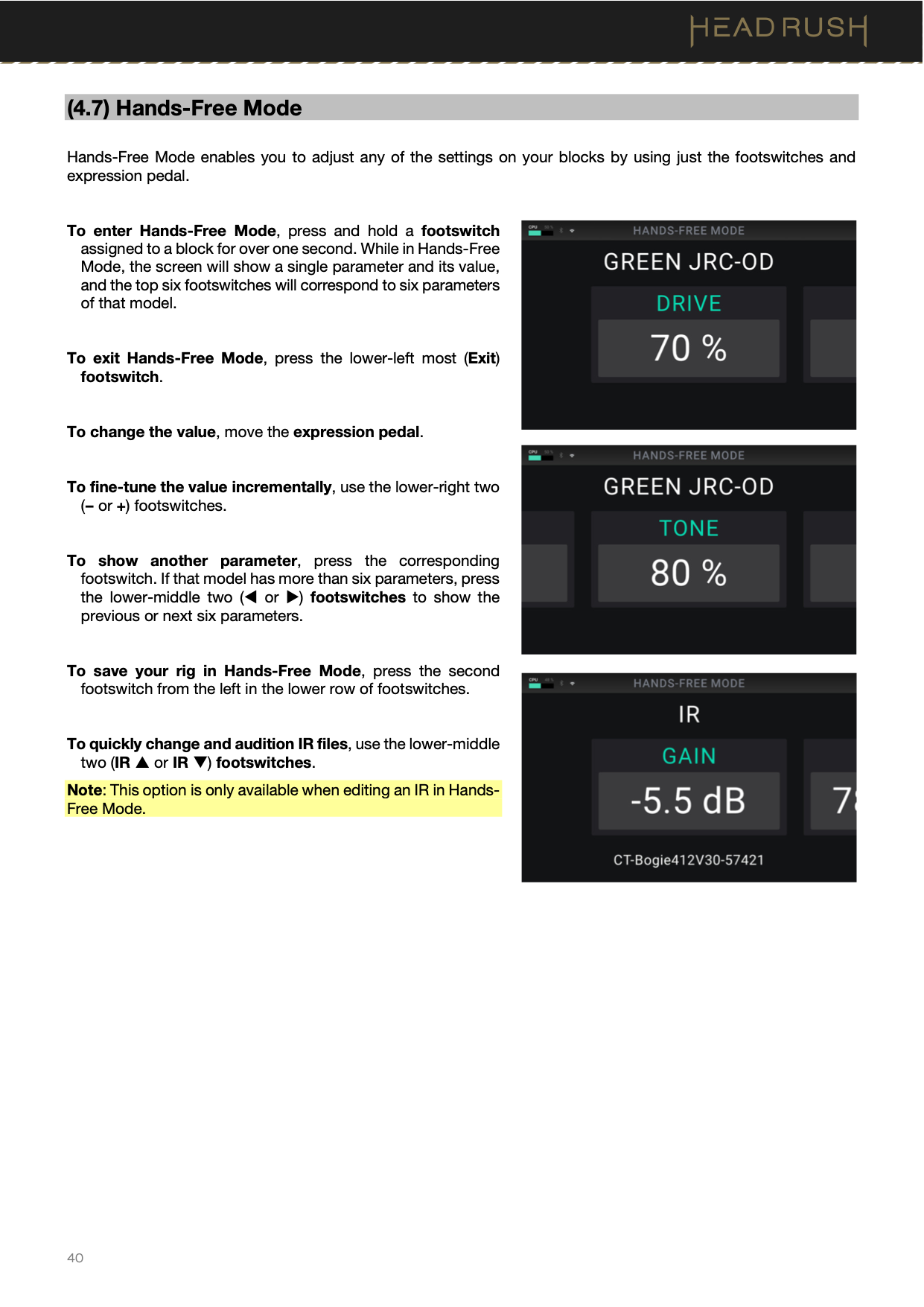
(4.7) Hands-Free Mode
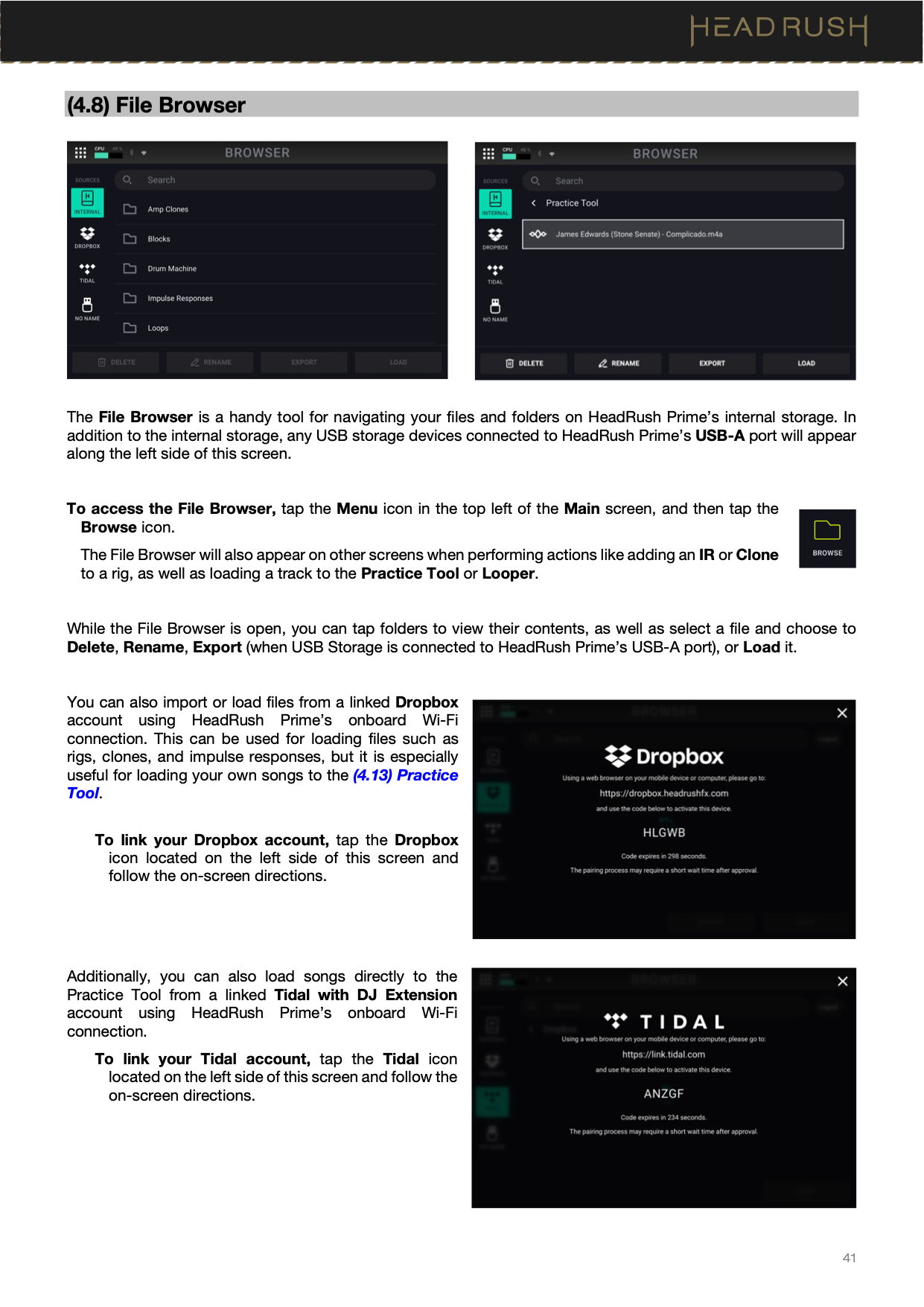
(4.8) File Browser
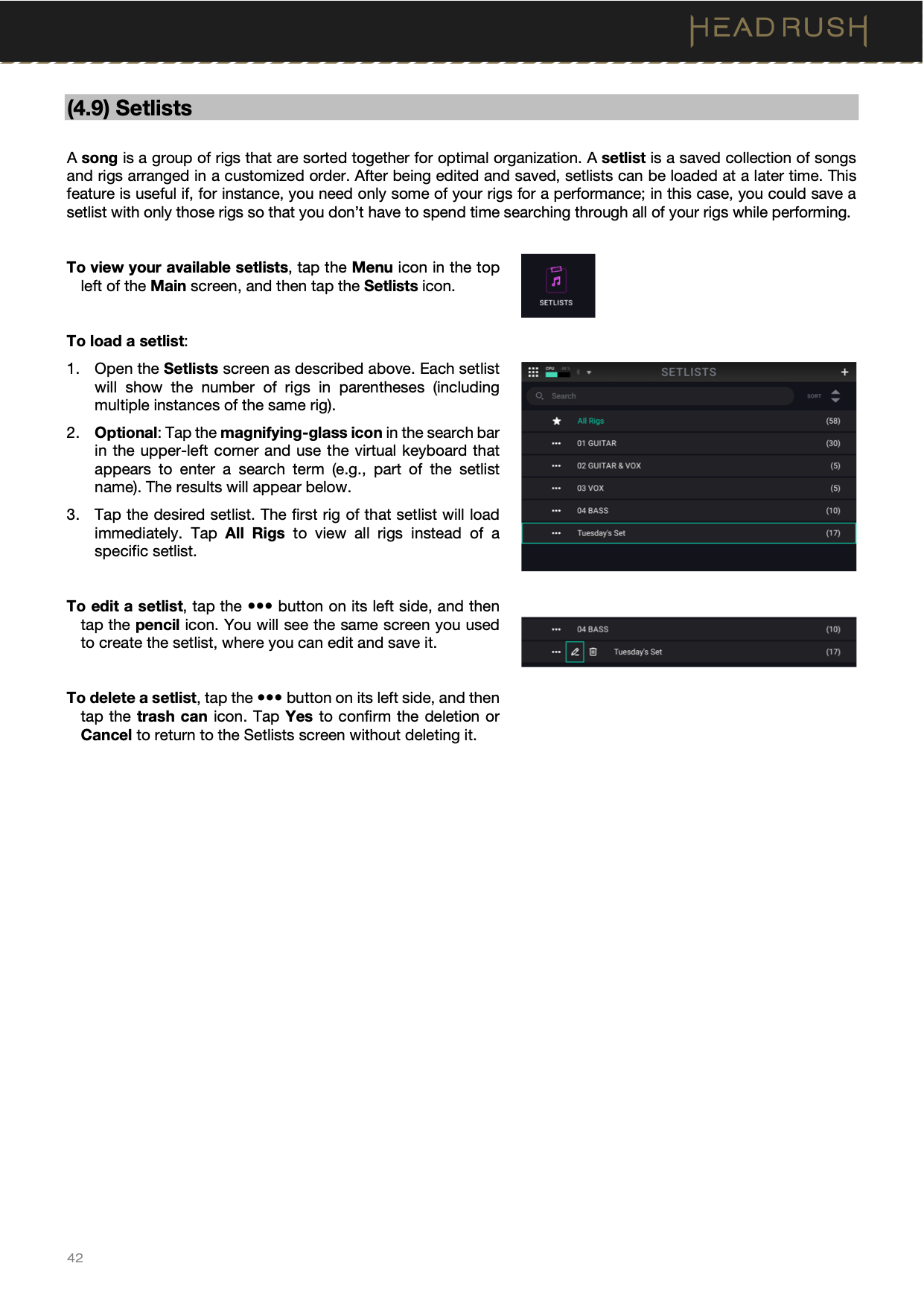
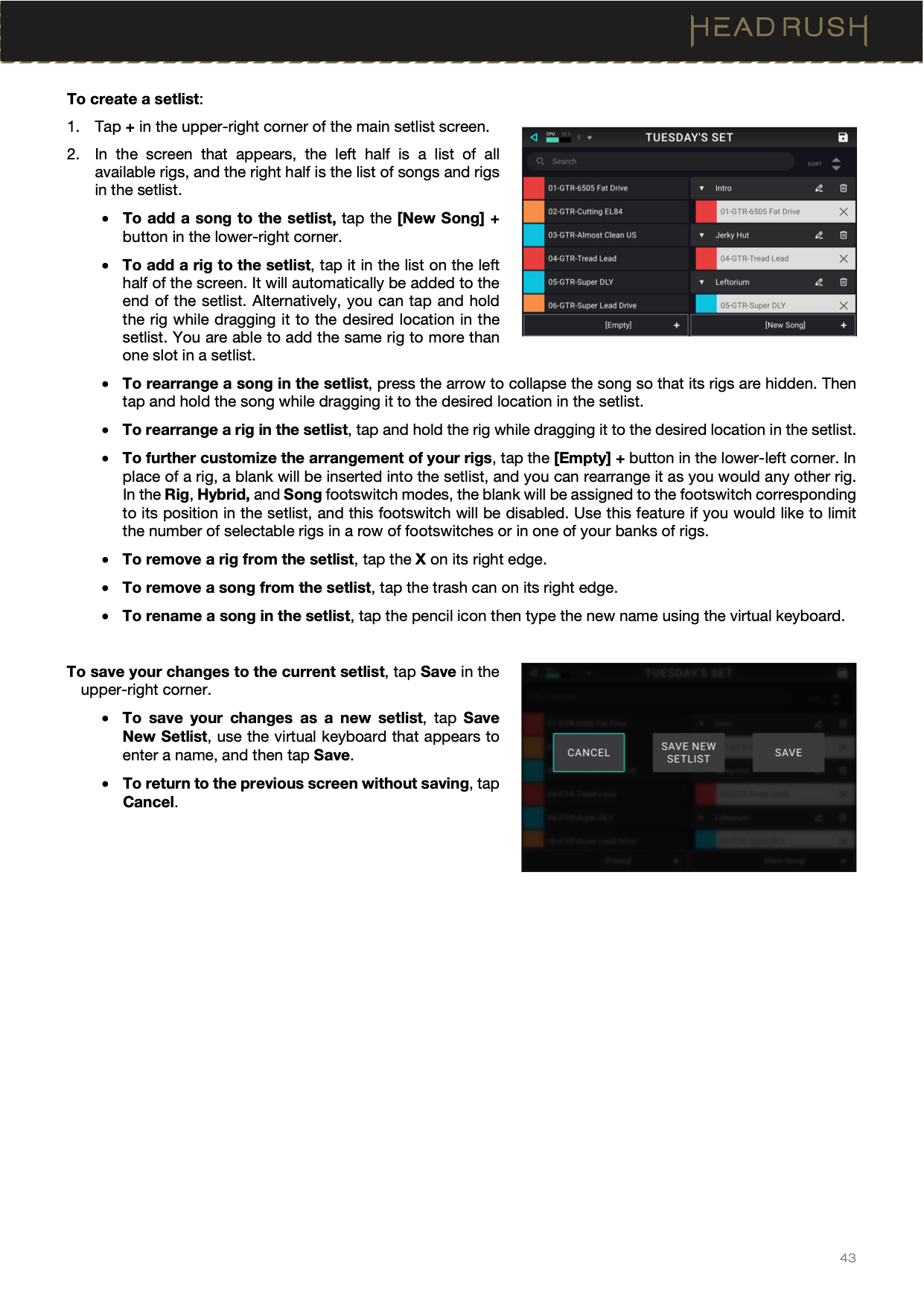
(4.9) Setlists
(4.10) Song View
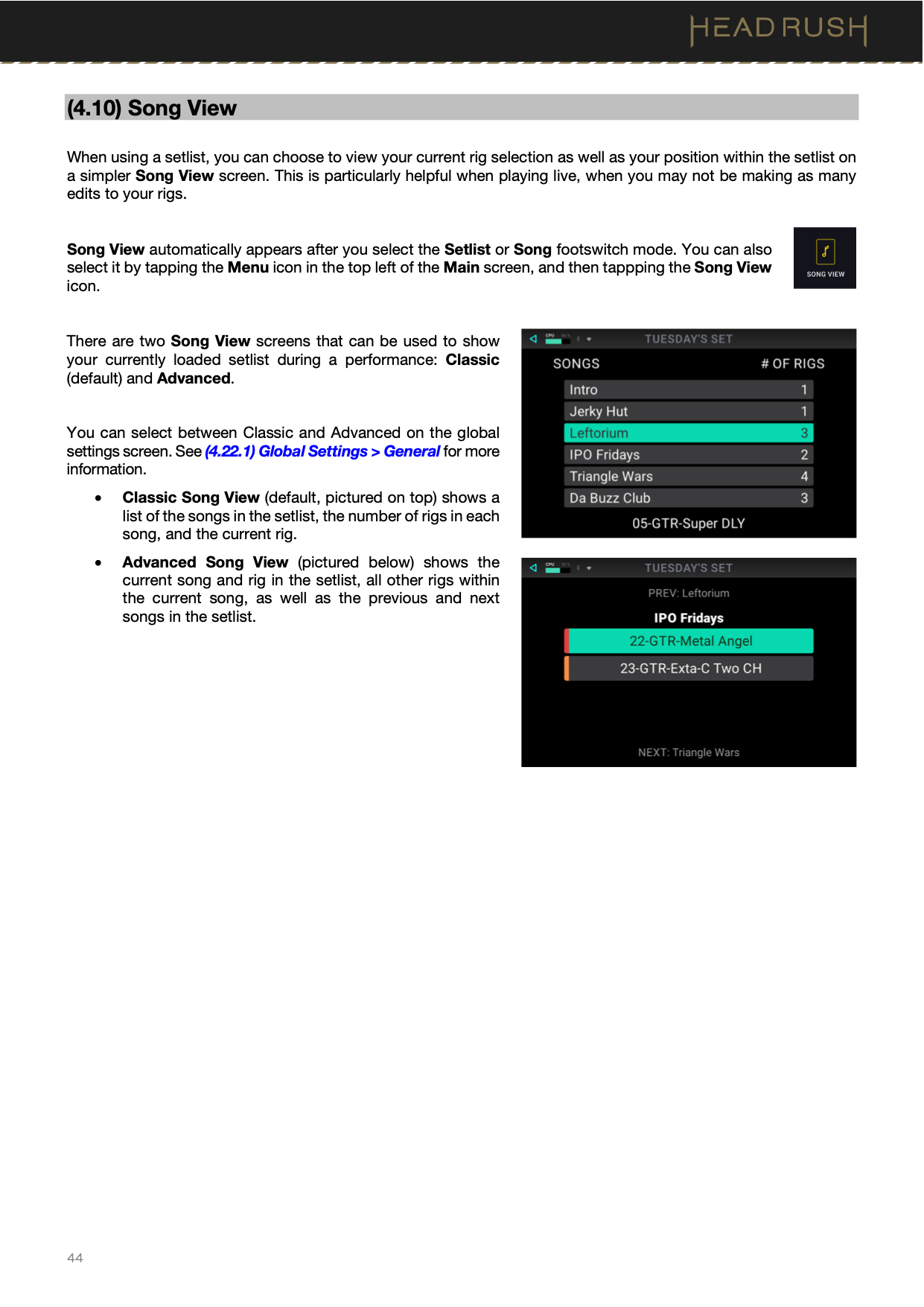
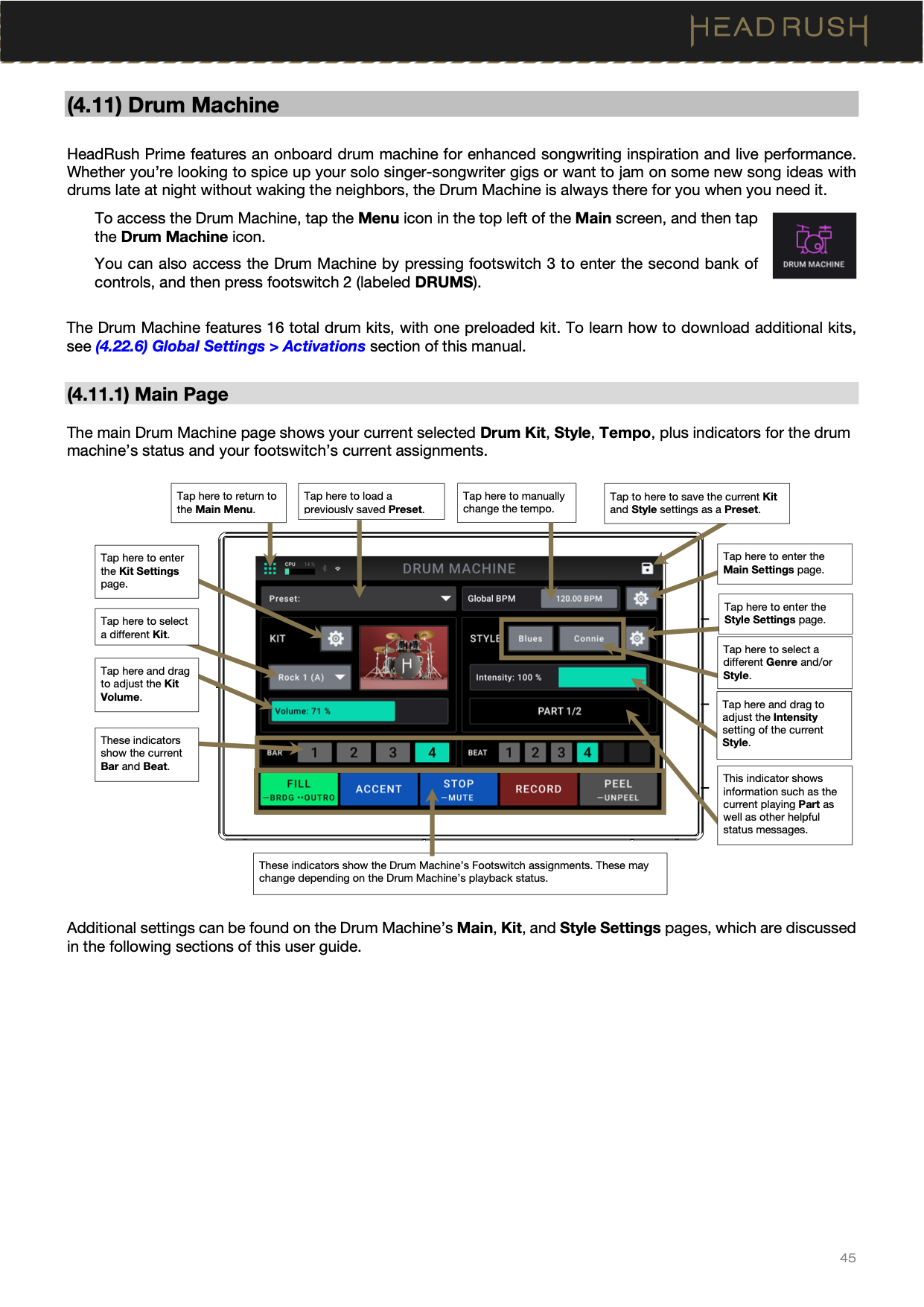
(4.11) Drum Machine
(4.11.1) Main Page
(4.11.2) Footswitch Functions
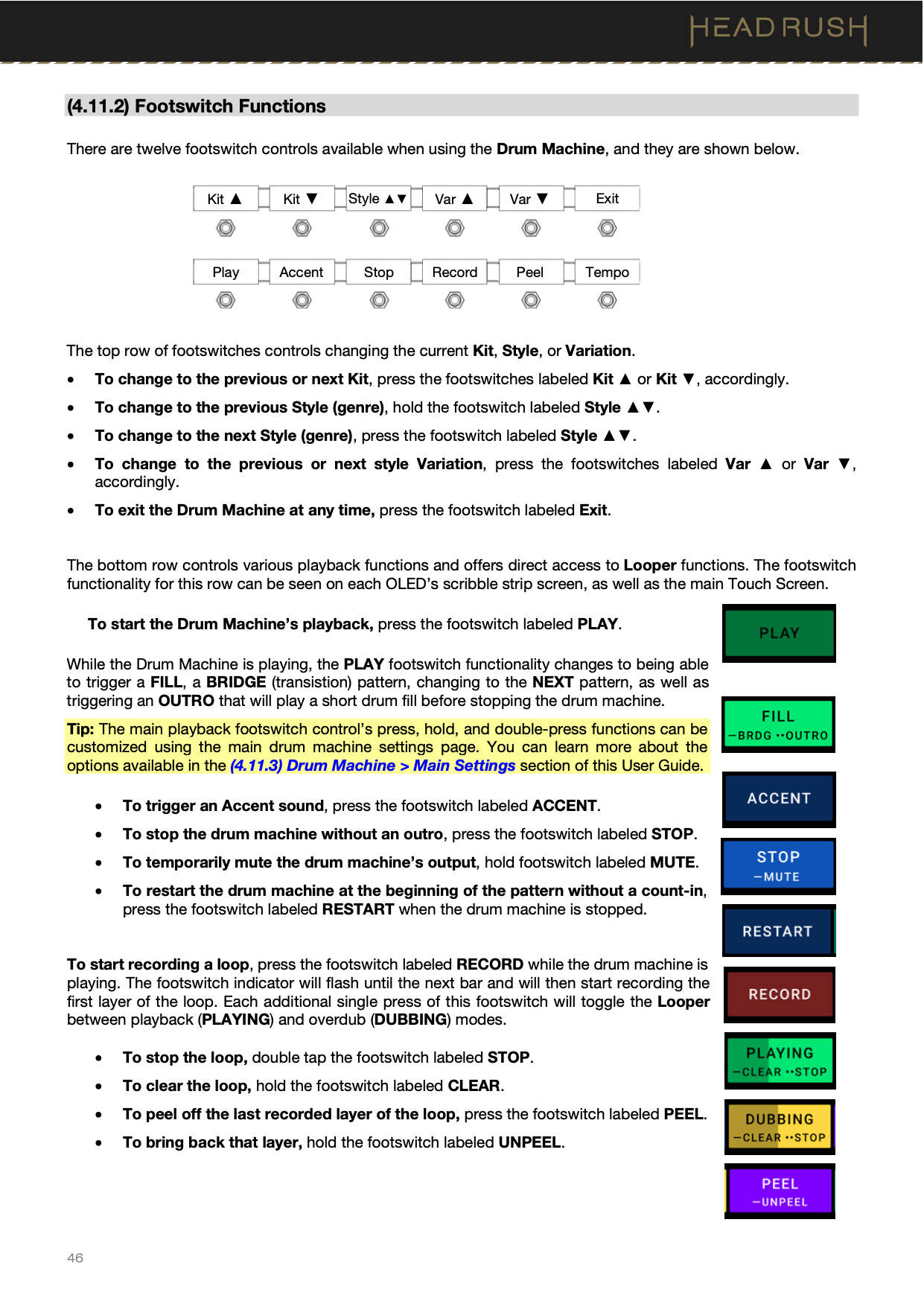
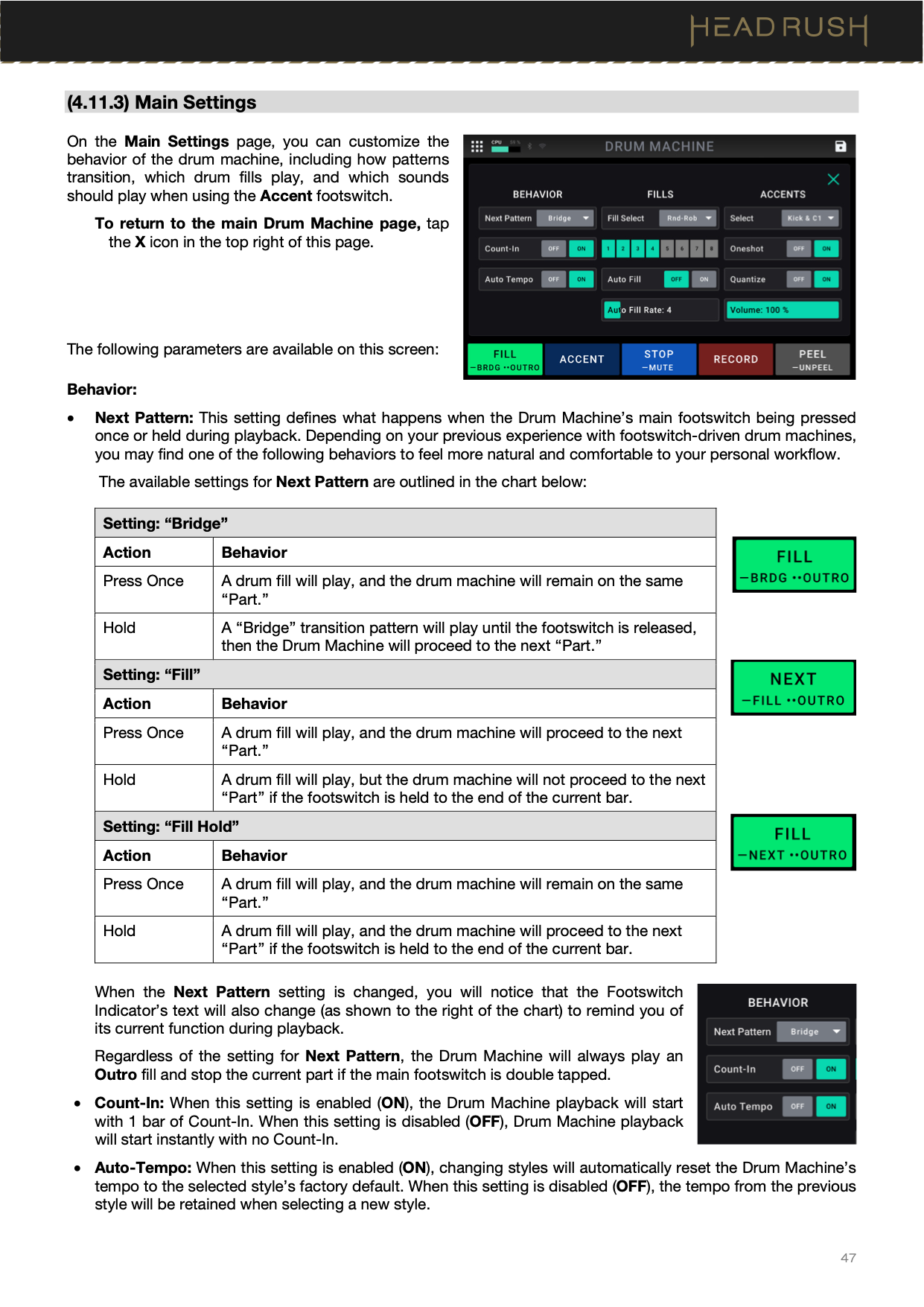
(4.11.3) Main Settings
(4.11.4) Kit Settings
(4.11.5) Style Settings
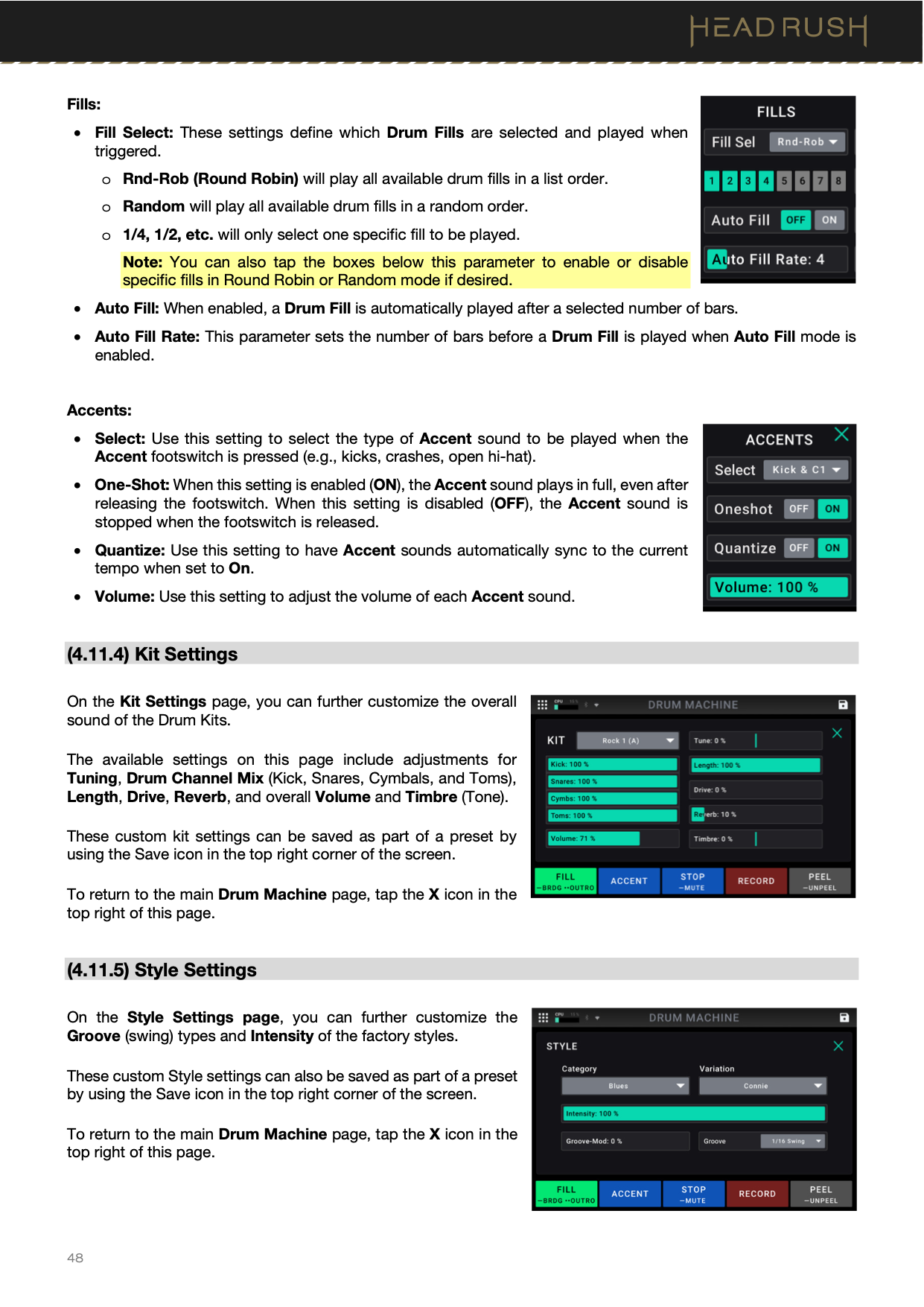
(4.12) Looper
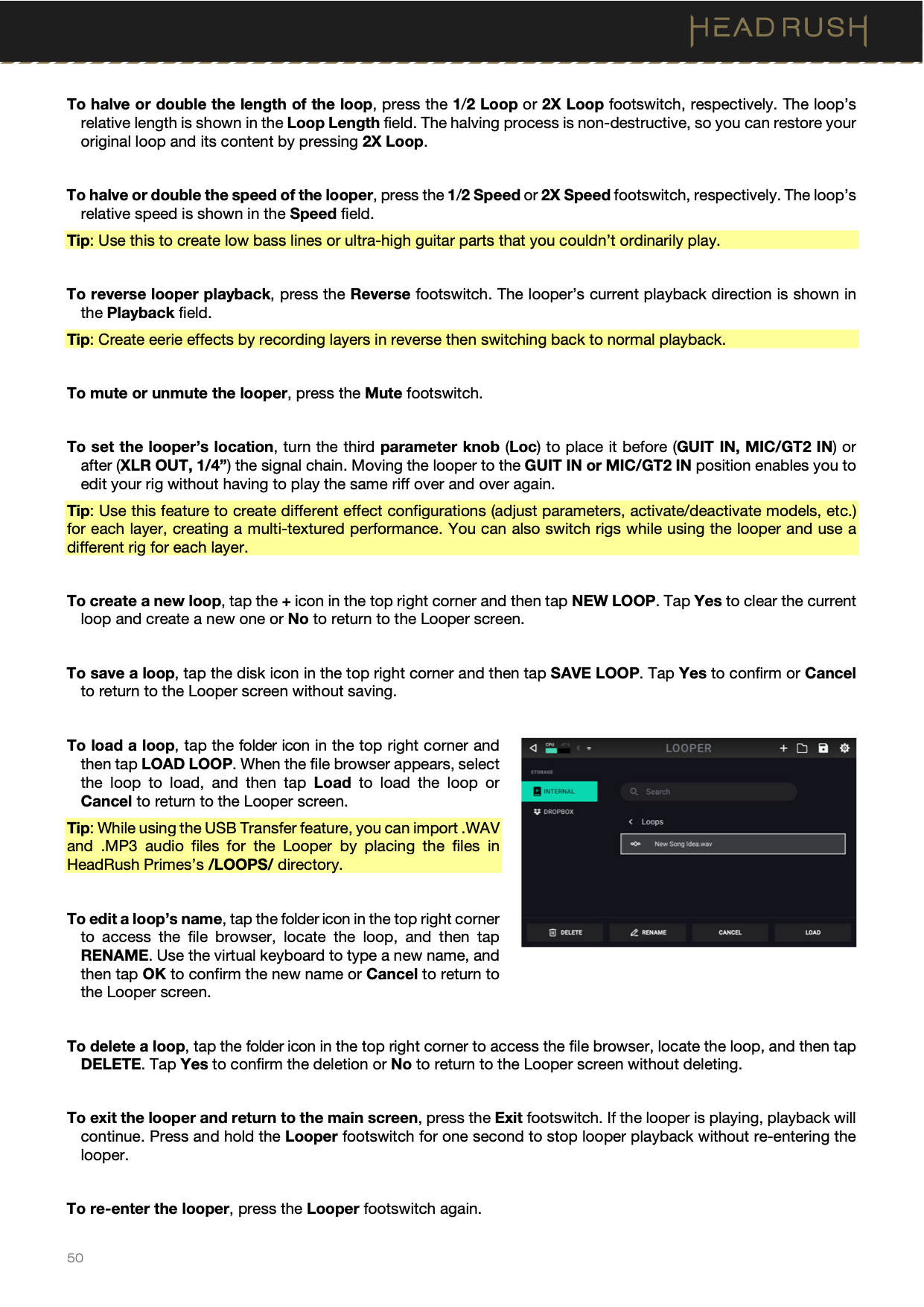
(4.12.1) Additional Looper Settings
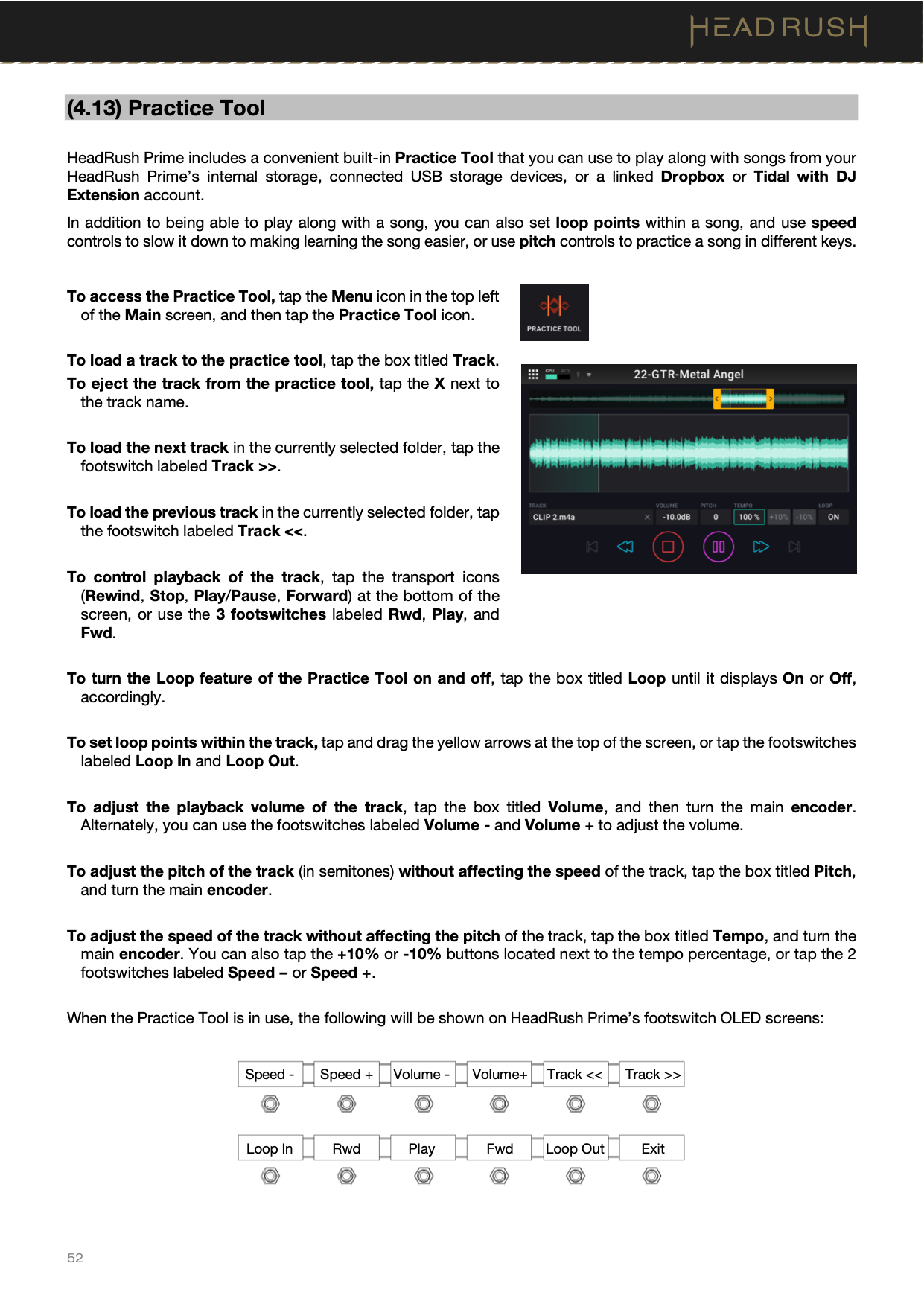
(4.13) Practice Tool
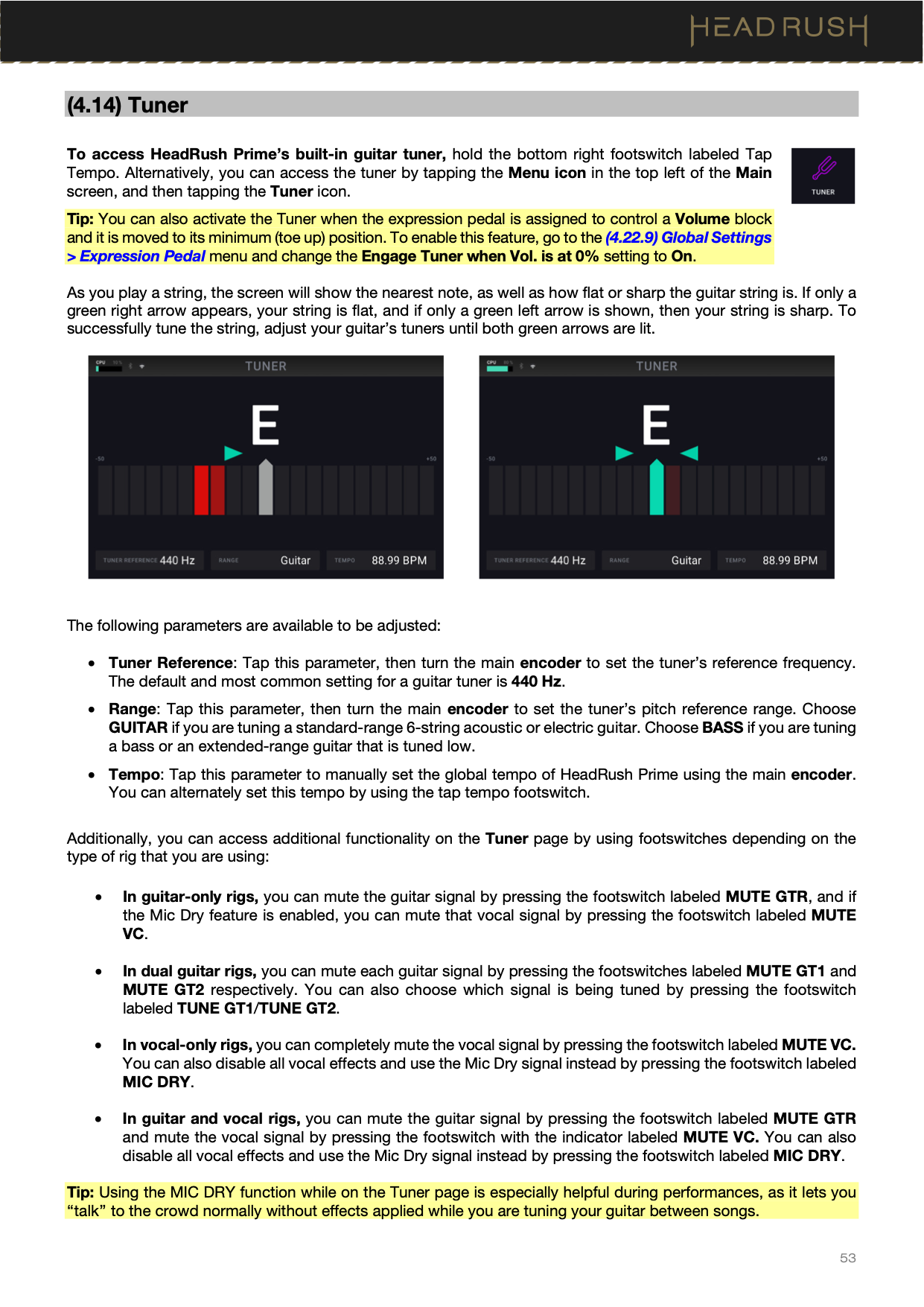
(4.14) Tuner
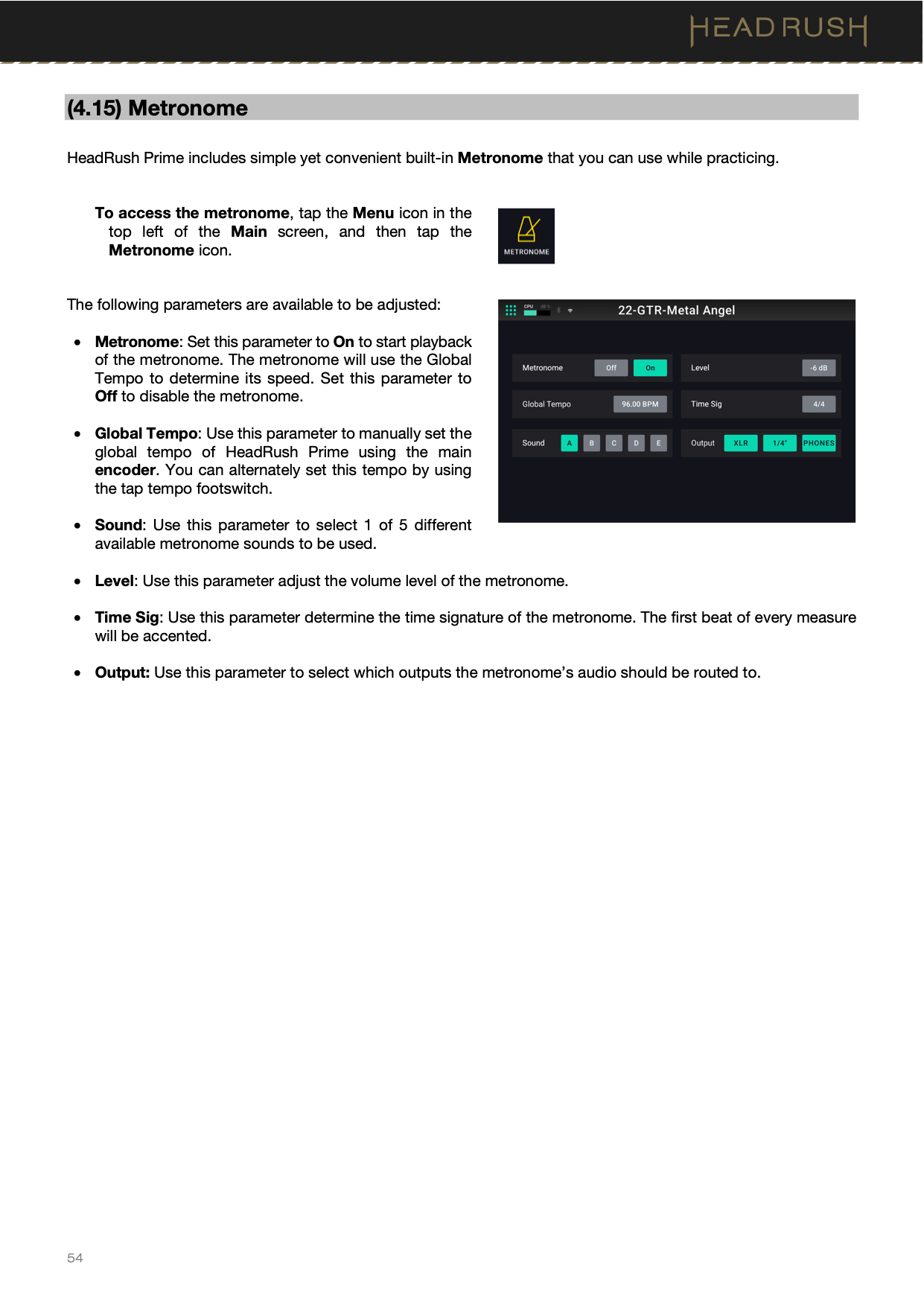
(4.15) Metronome
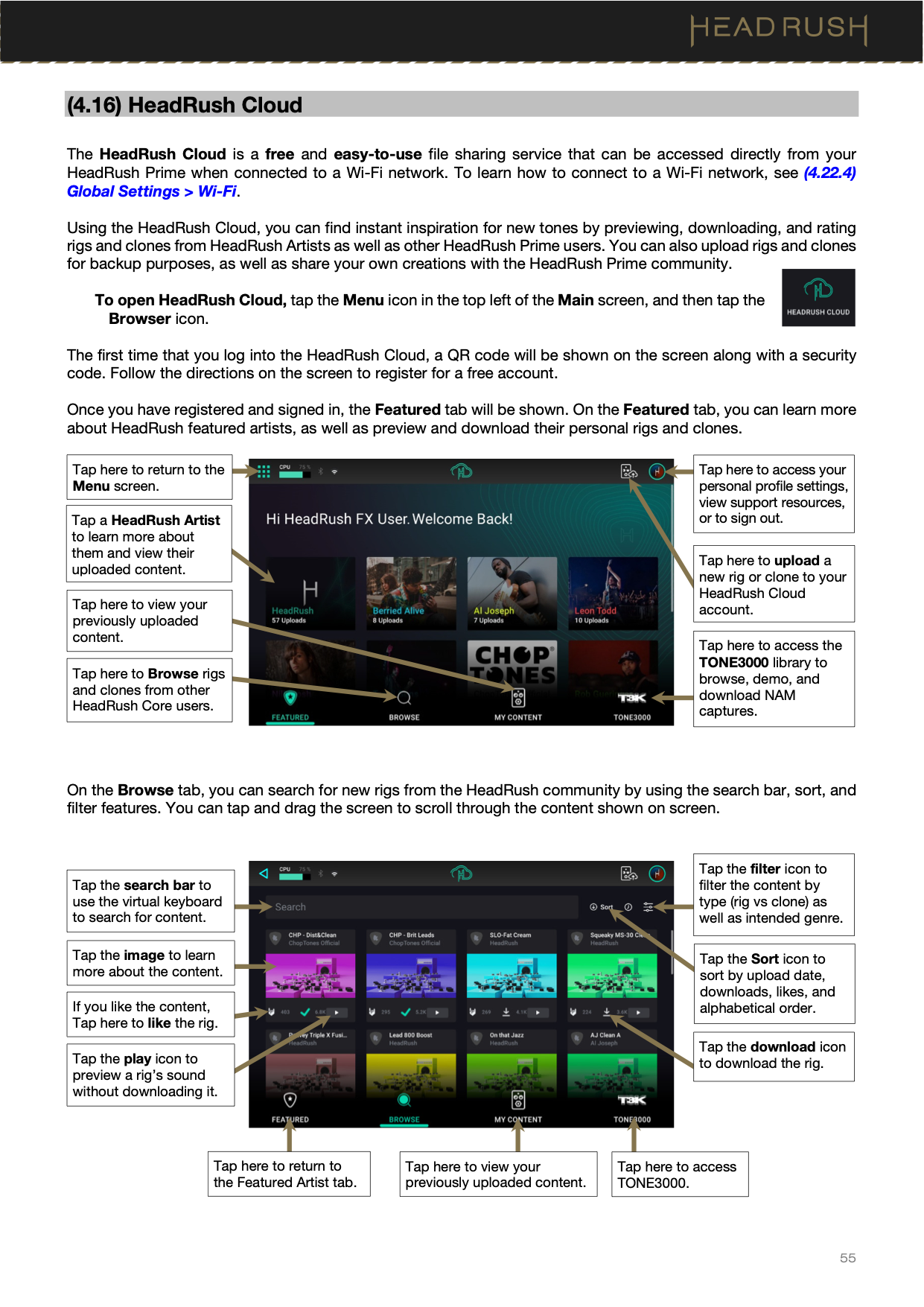
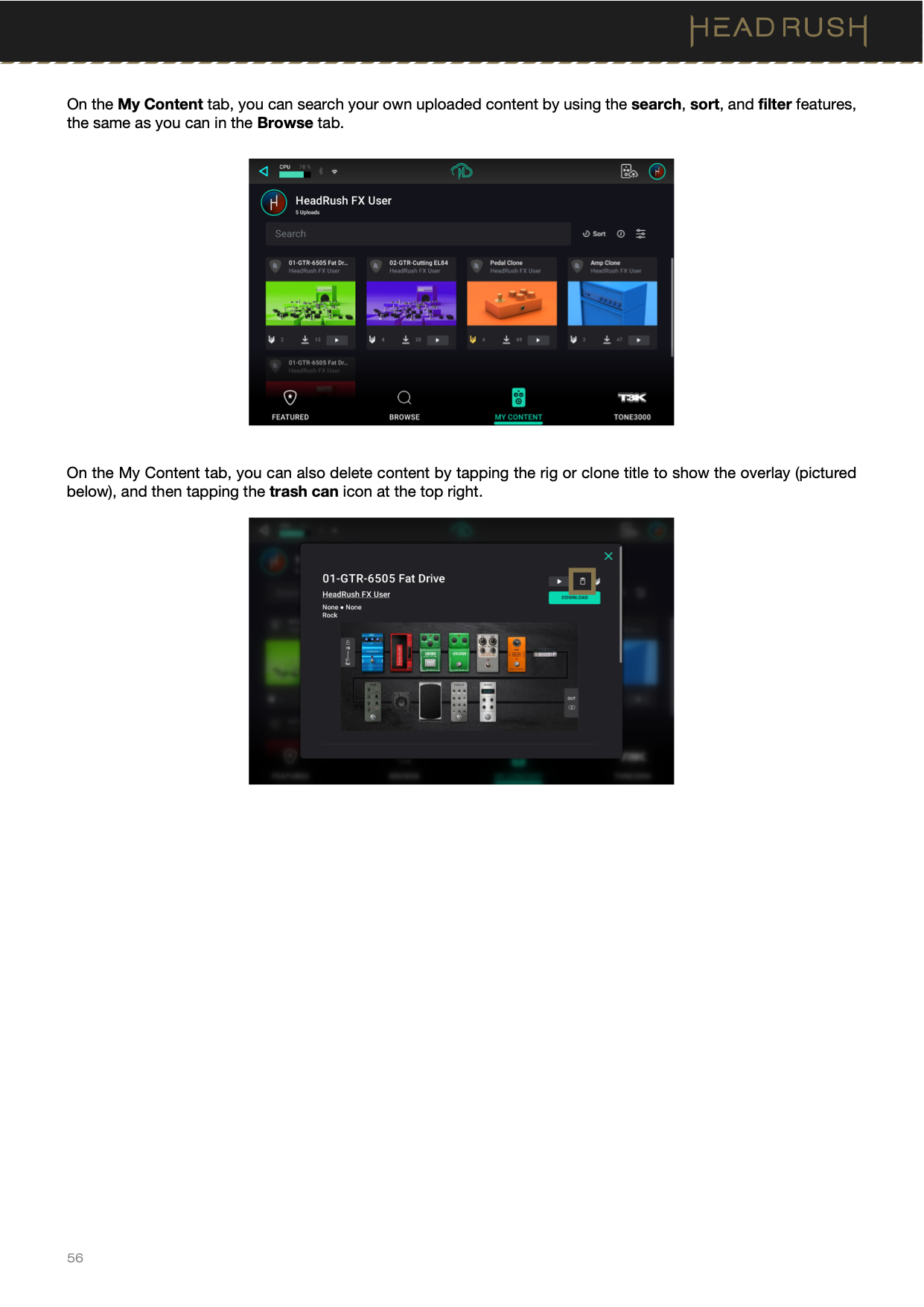
(4.16) HeadRush Cloud
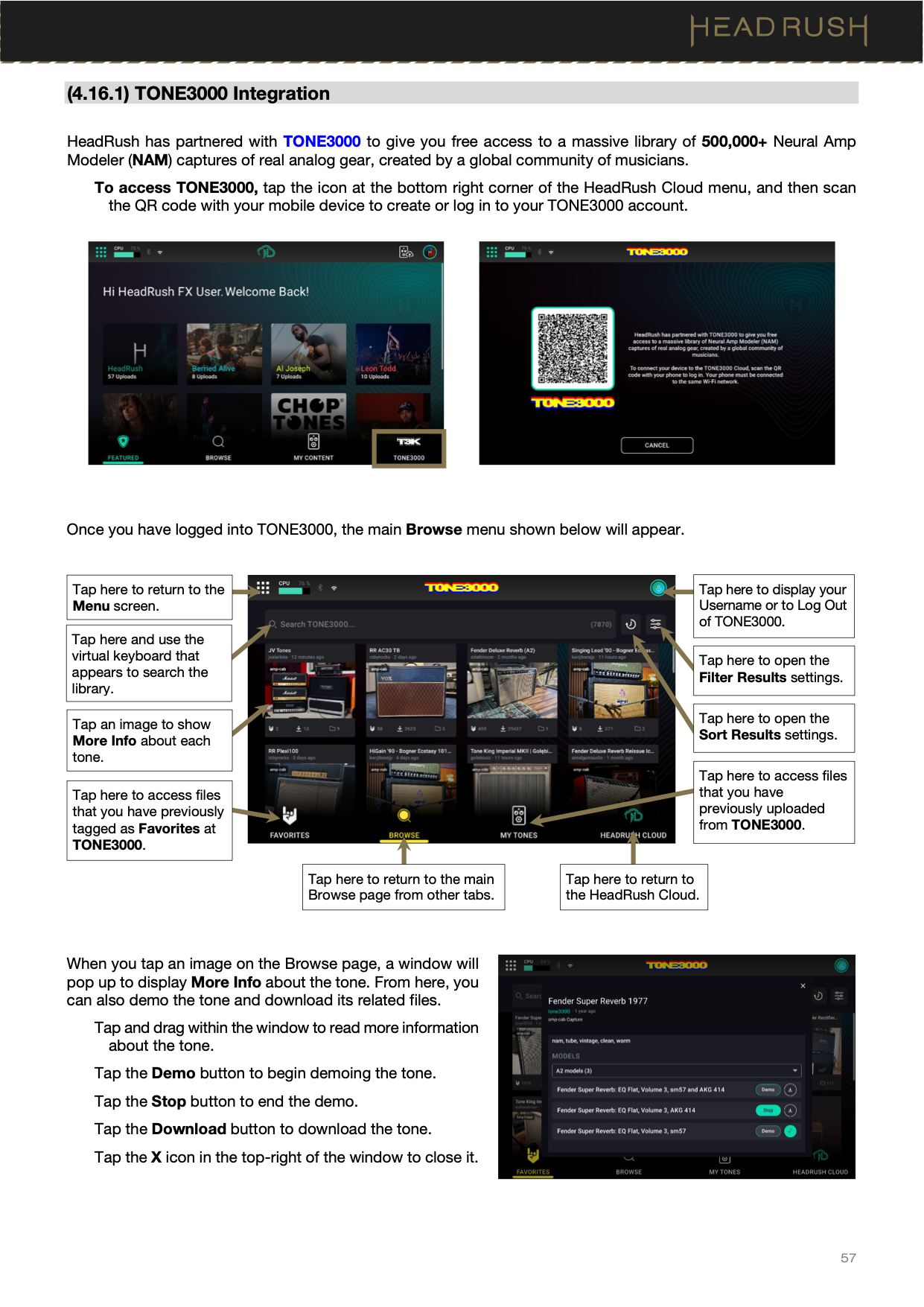
(4.16.1) TONE3000 Integration
(4.17) USB
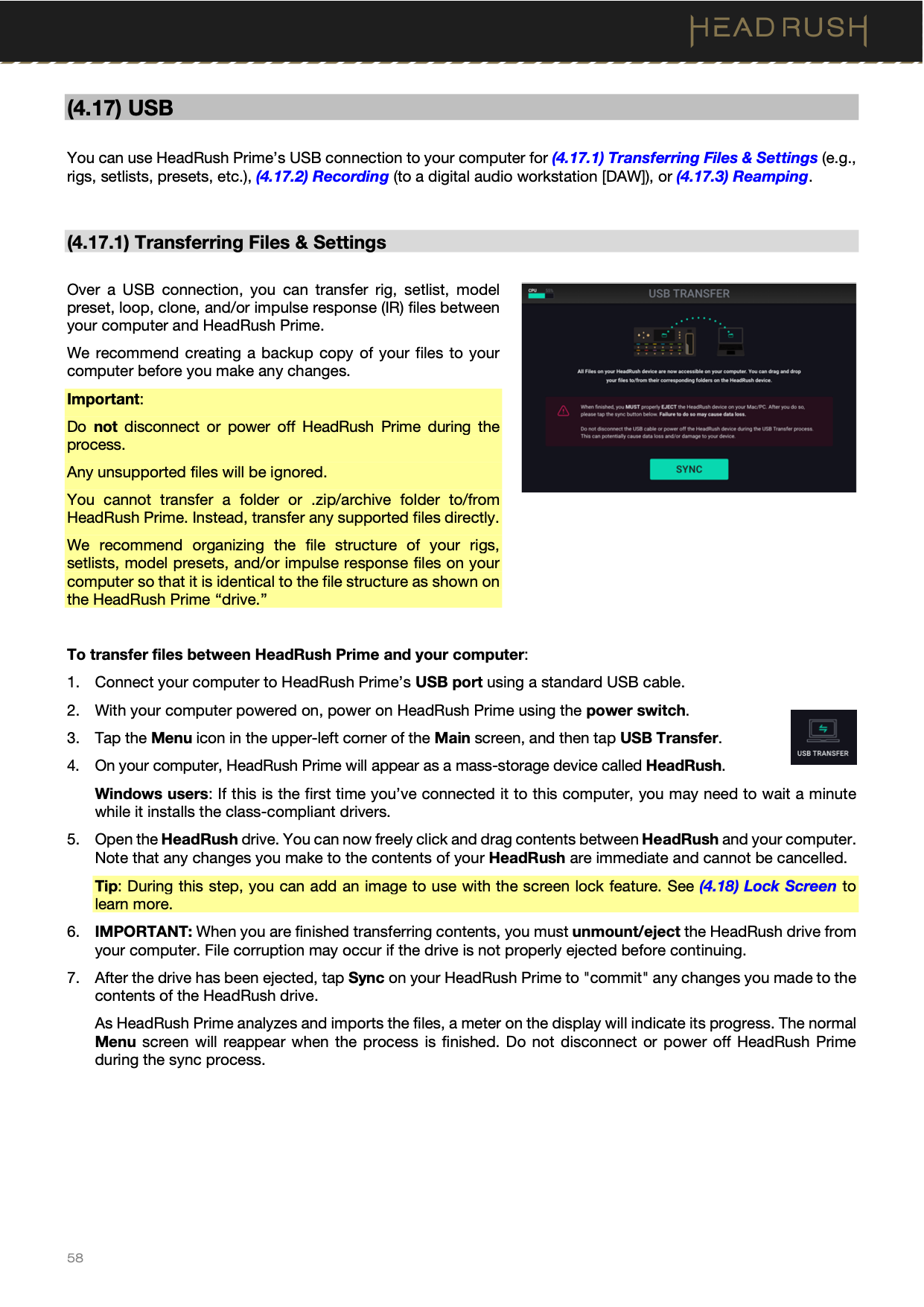
(4.17.1) Transferring Files & Settings
(4.17.2) Recording
(4.17.3) Reamping
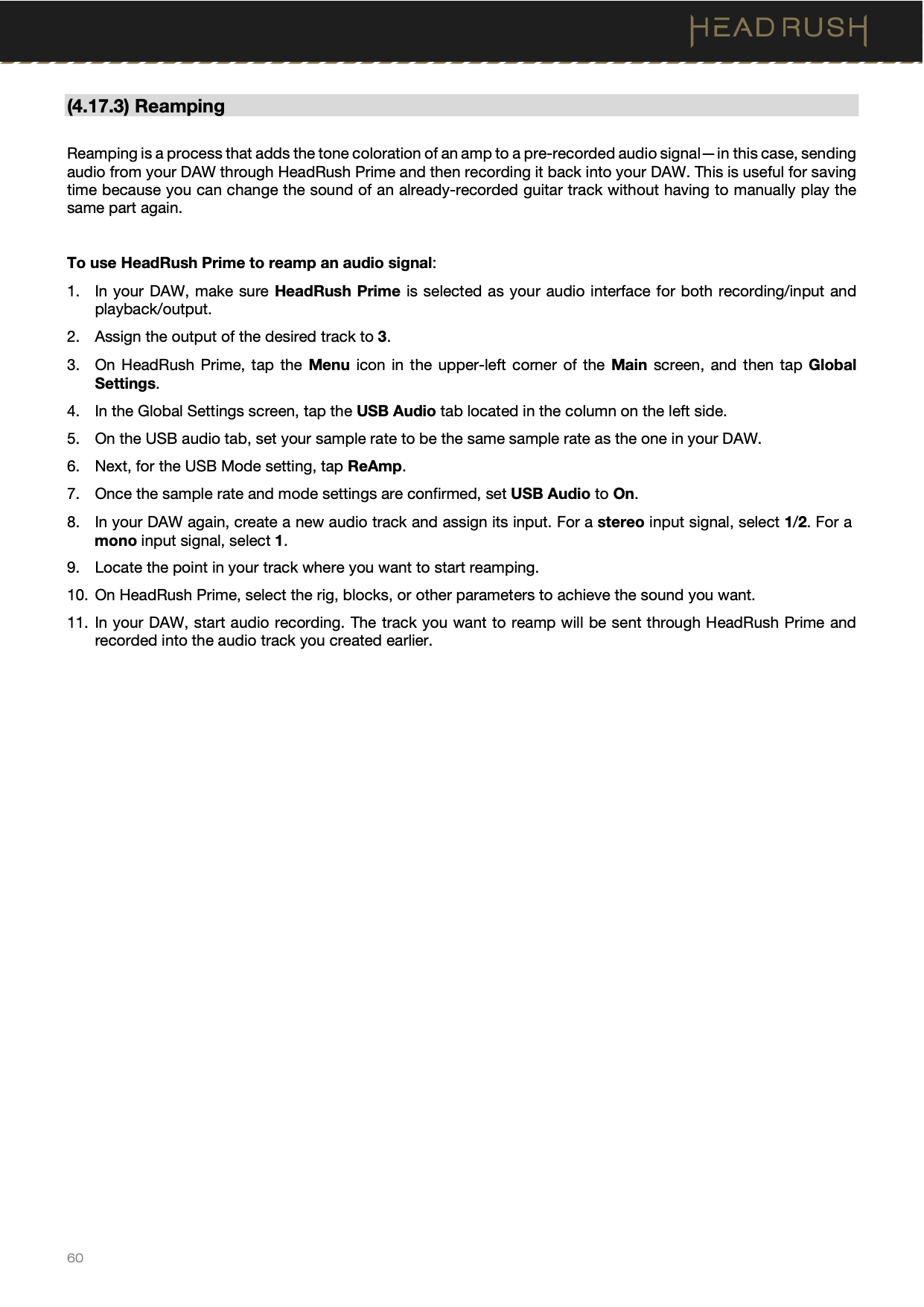
(4.18) Lock Screen
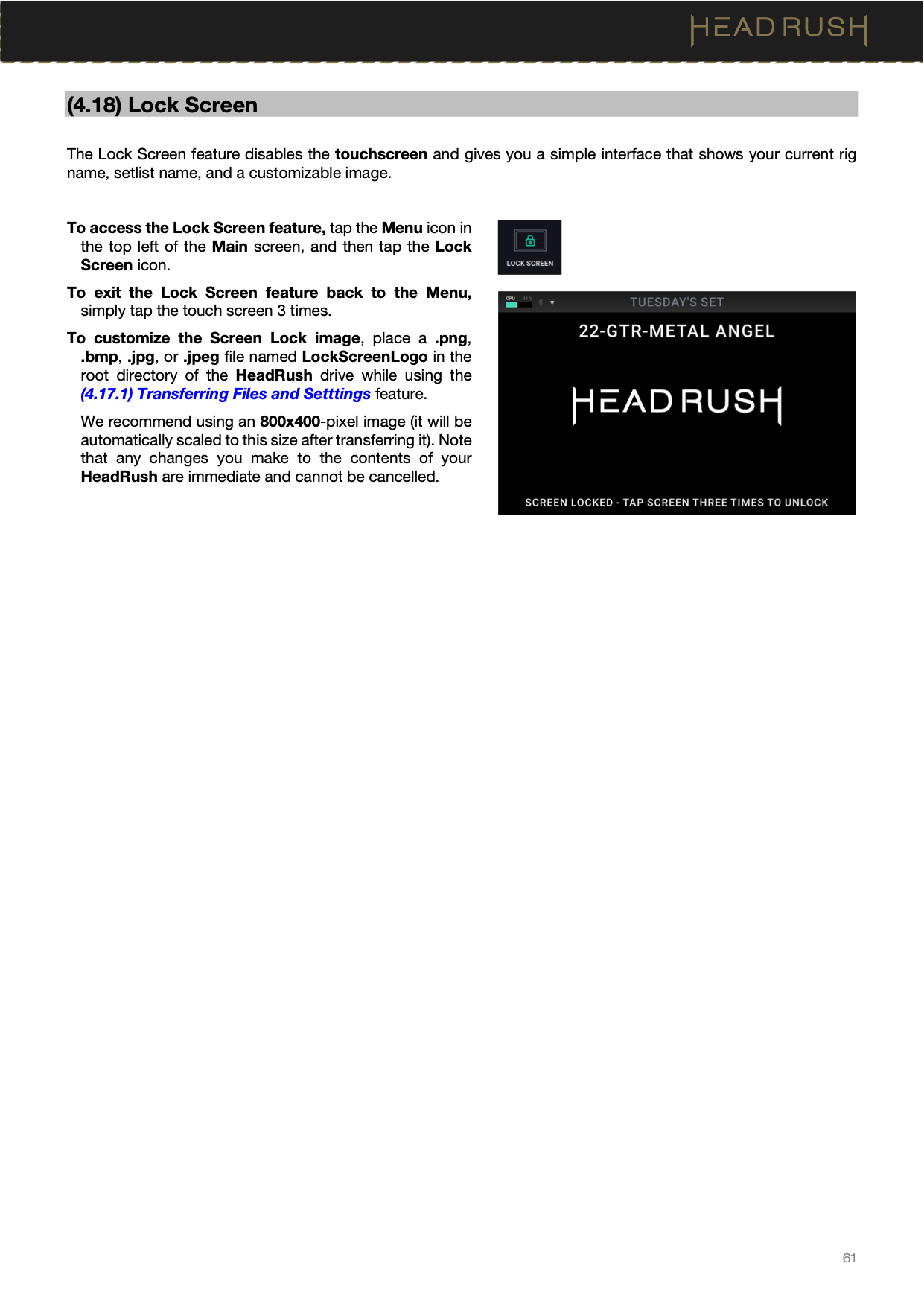
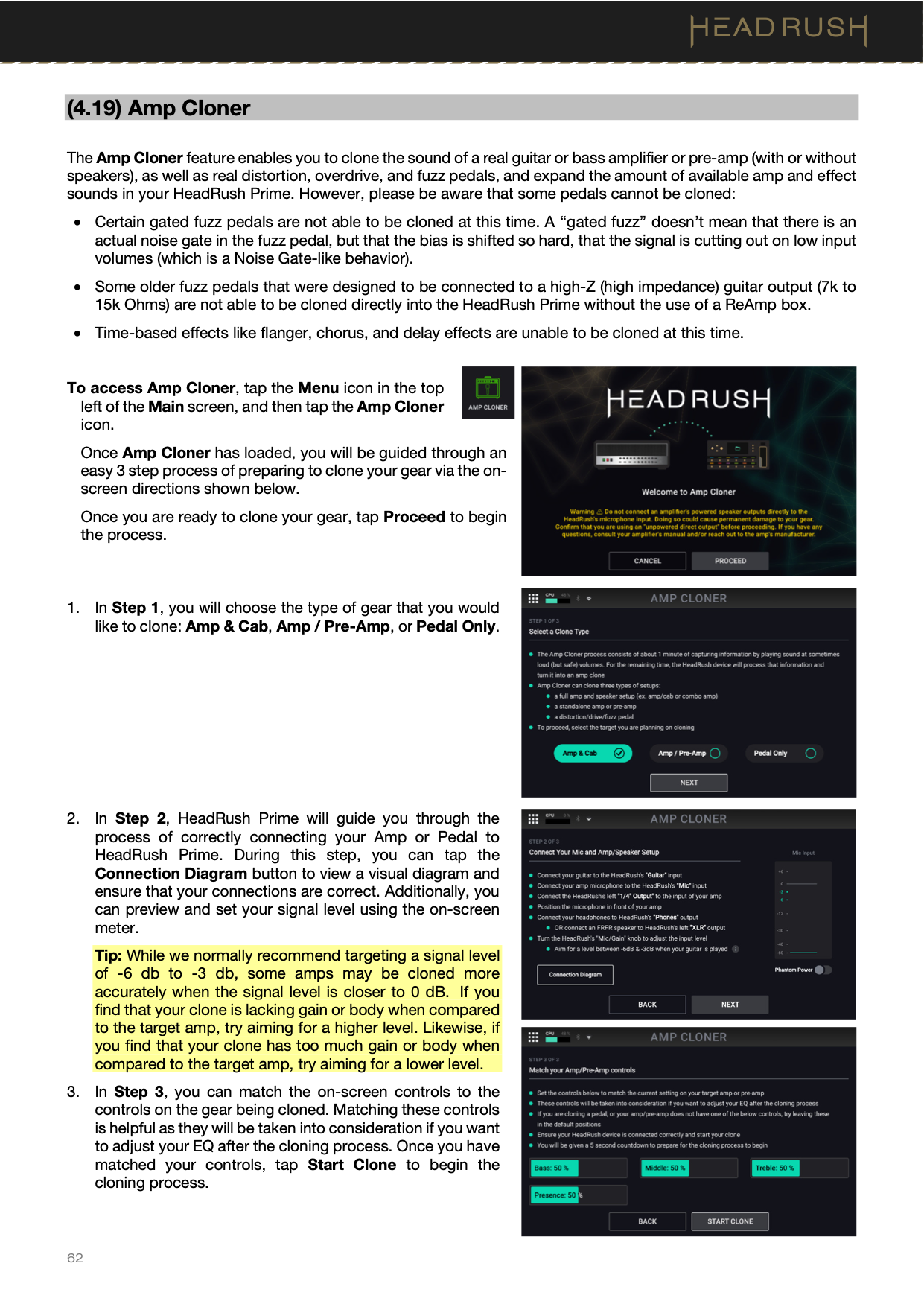
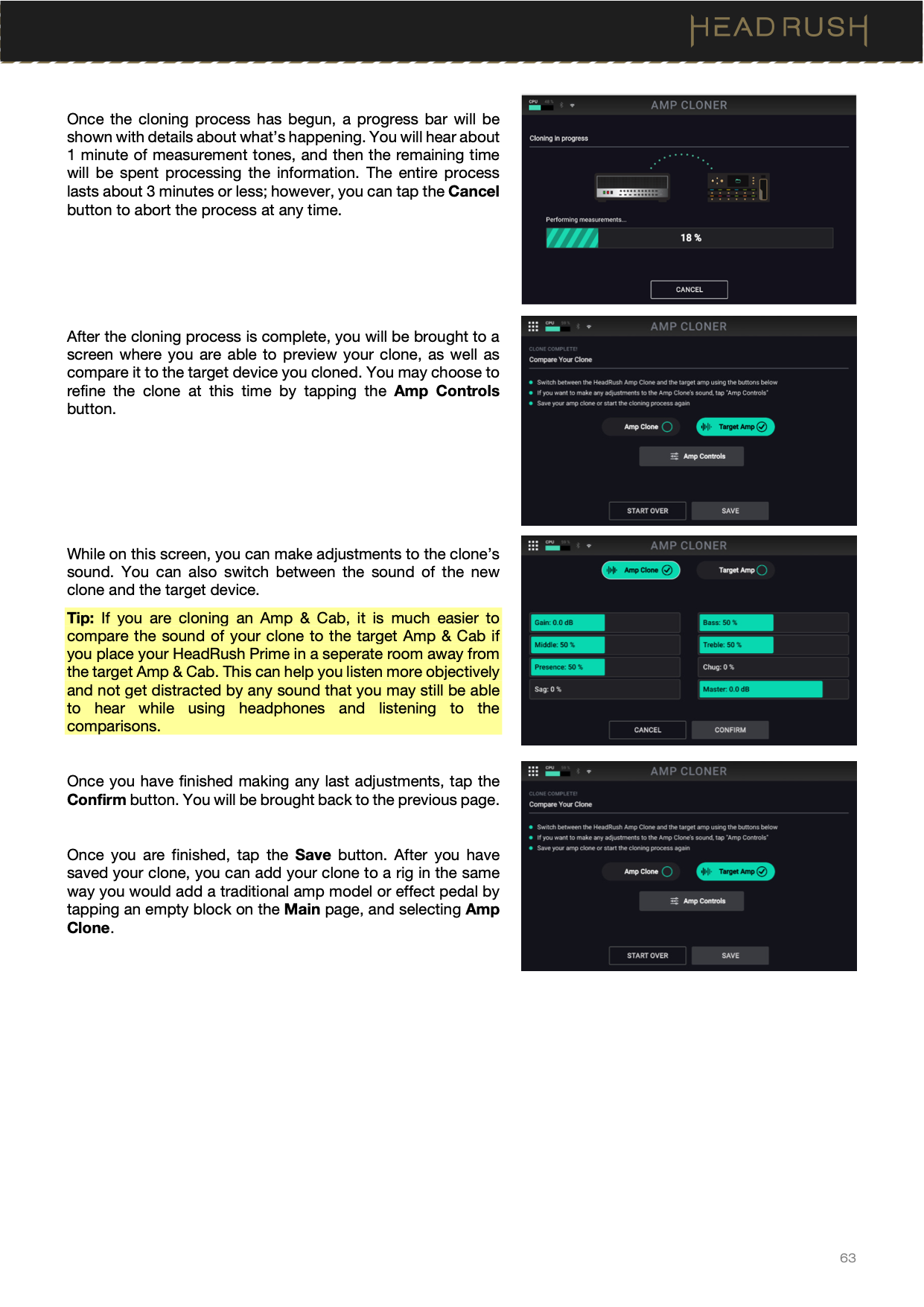
(4.19) Amp Cloner
(4.20) Mic Dry Out
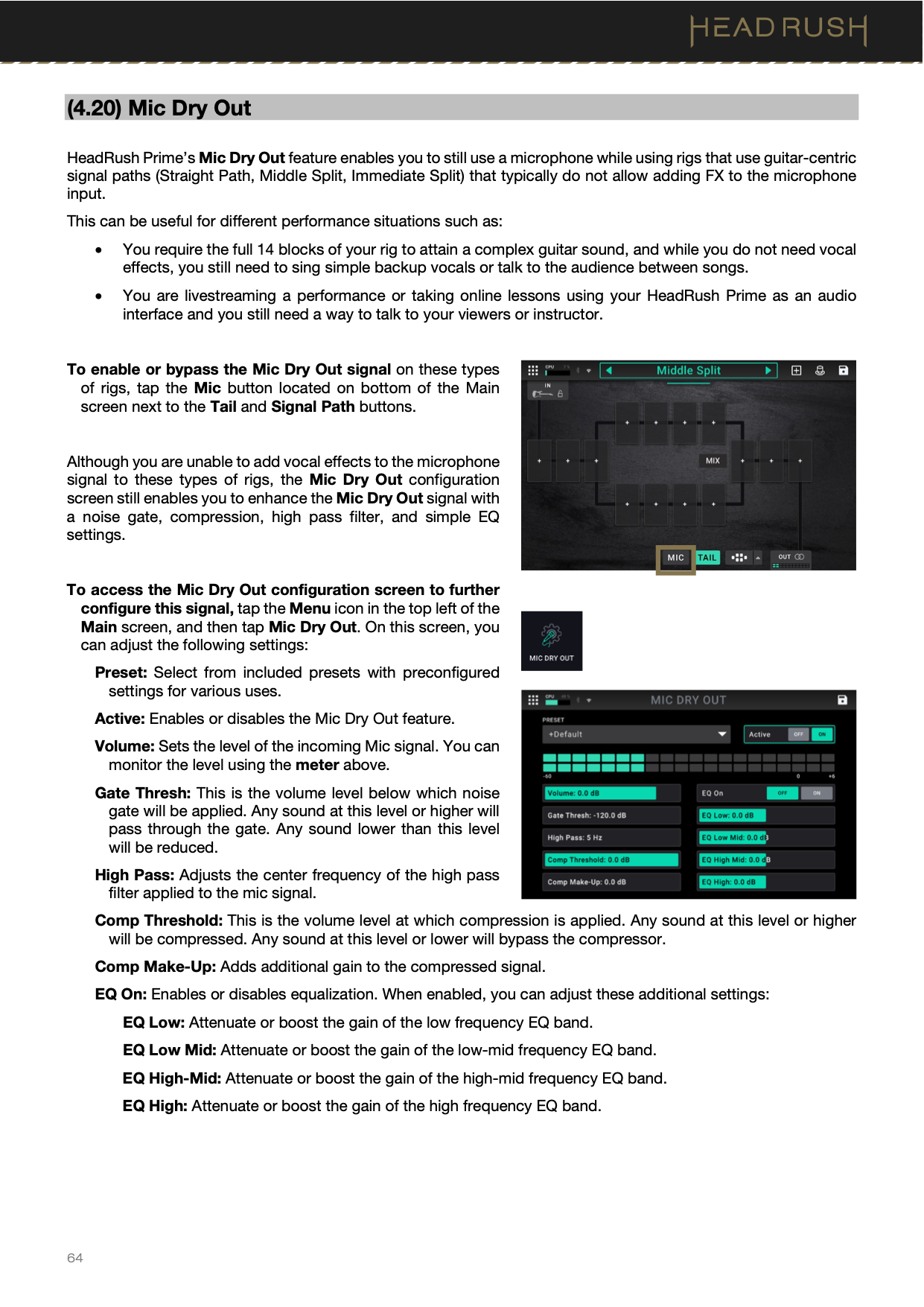
(4.21) Global EQ
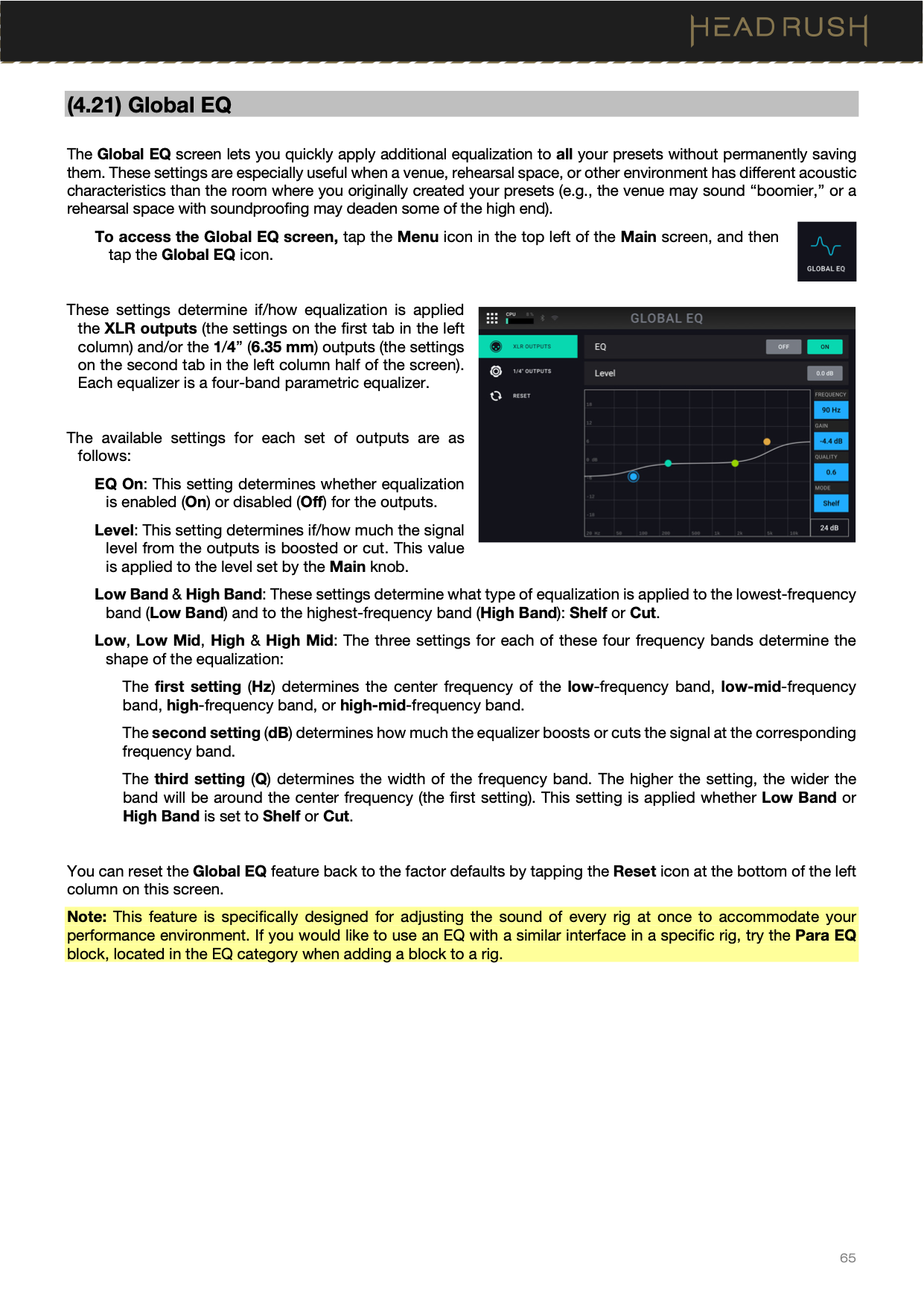
(4.22) Global Settings
(4.22.1) General
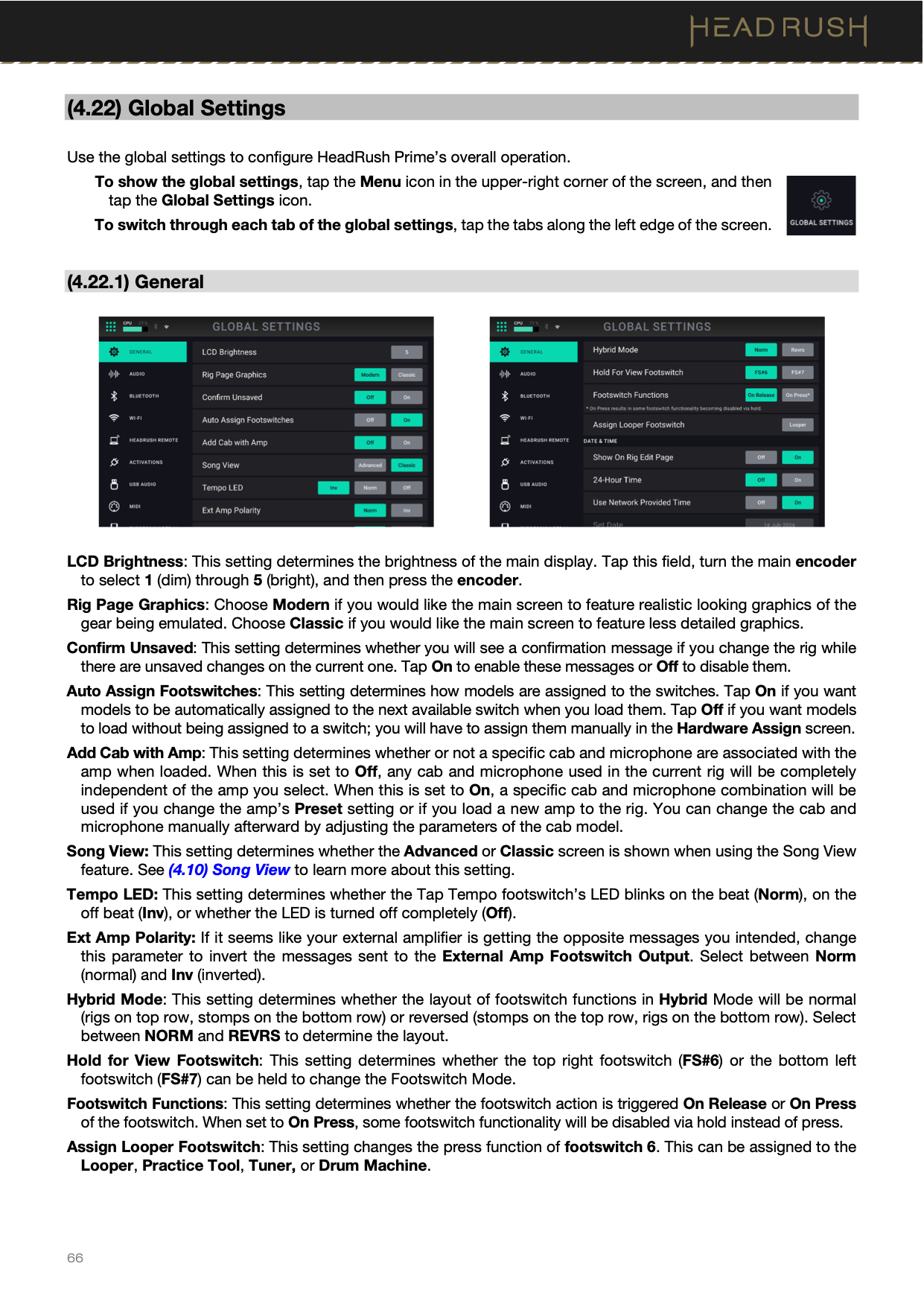
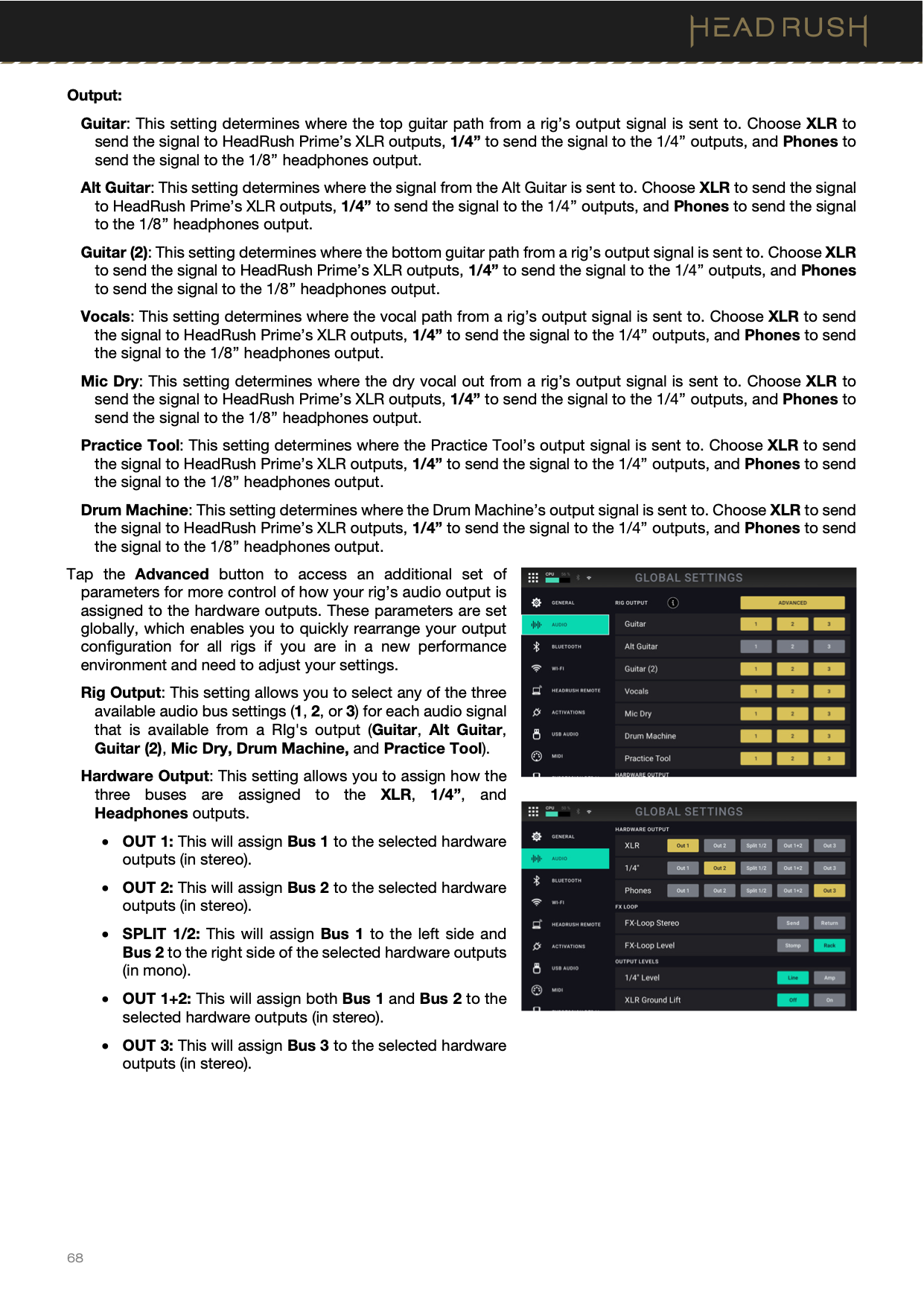
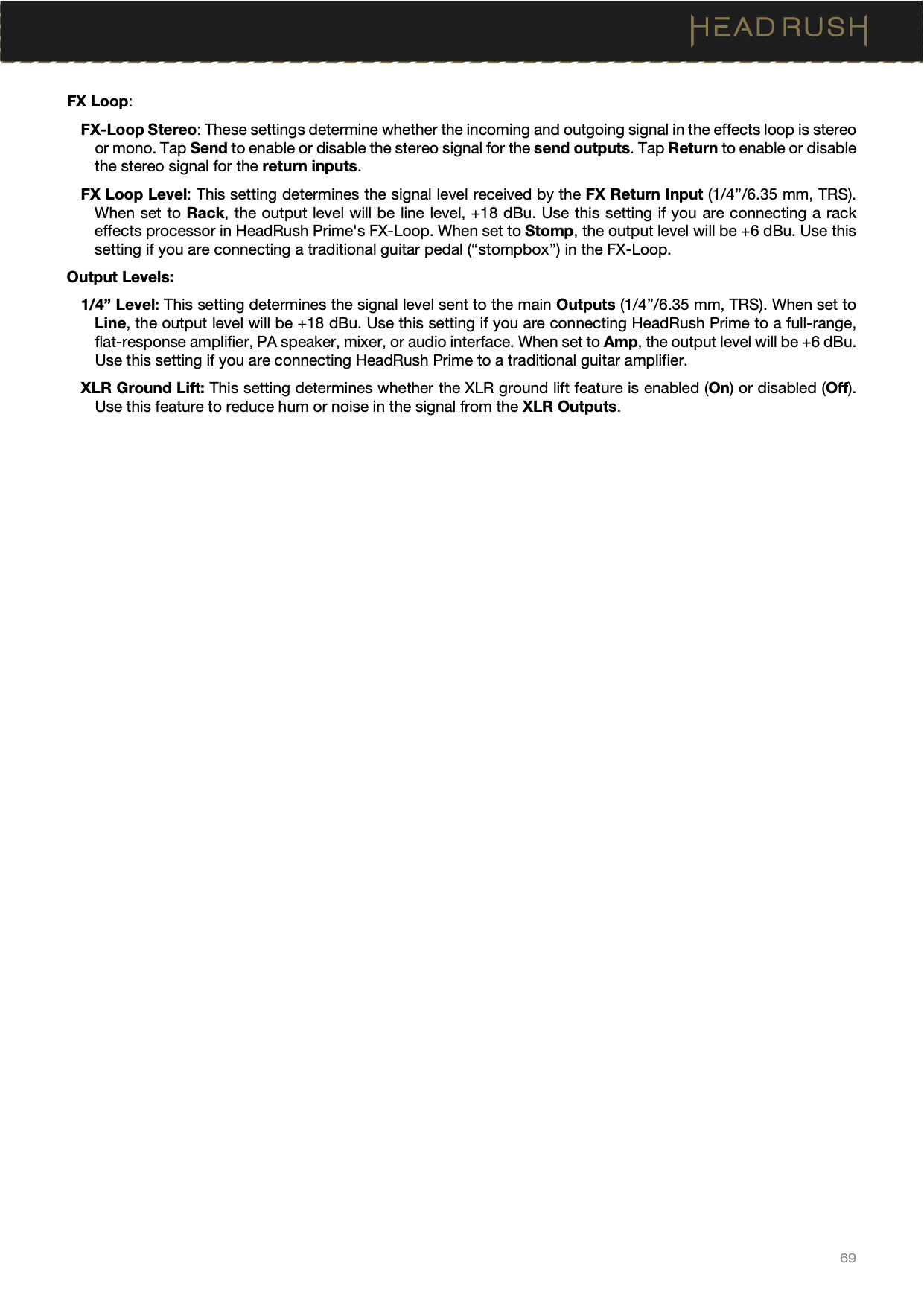
(4.22.2) Audio
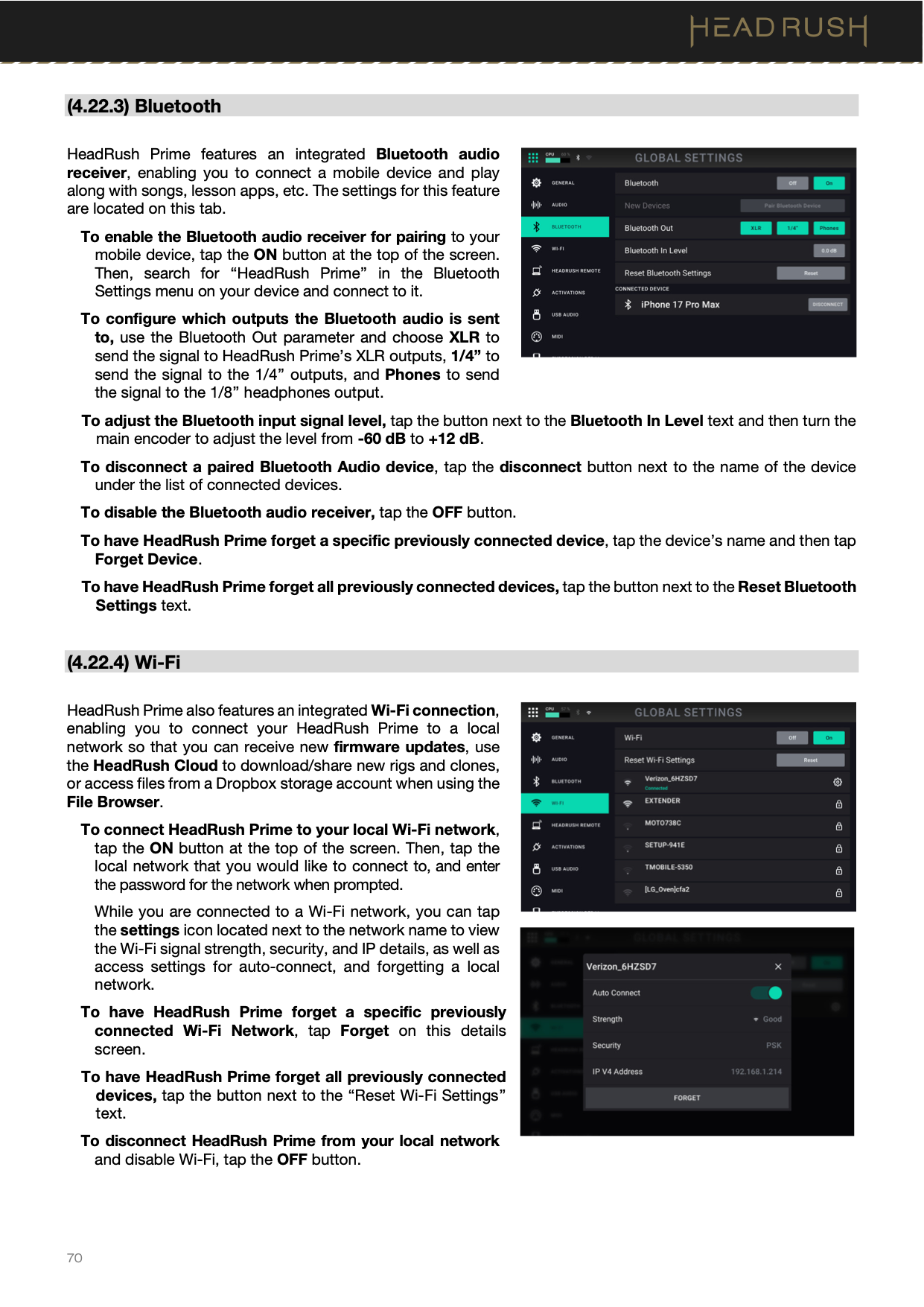
(4.22.3) Bluetooth
(4.22.4) Wi-Fi
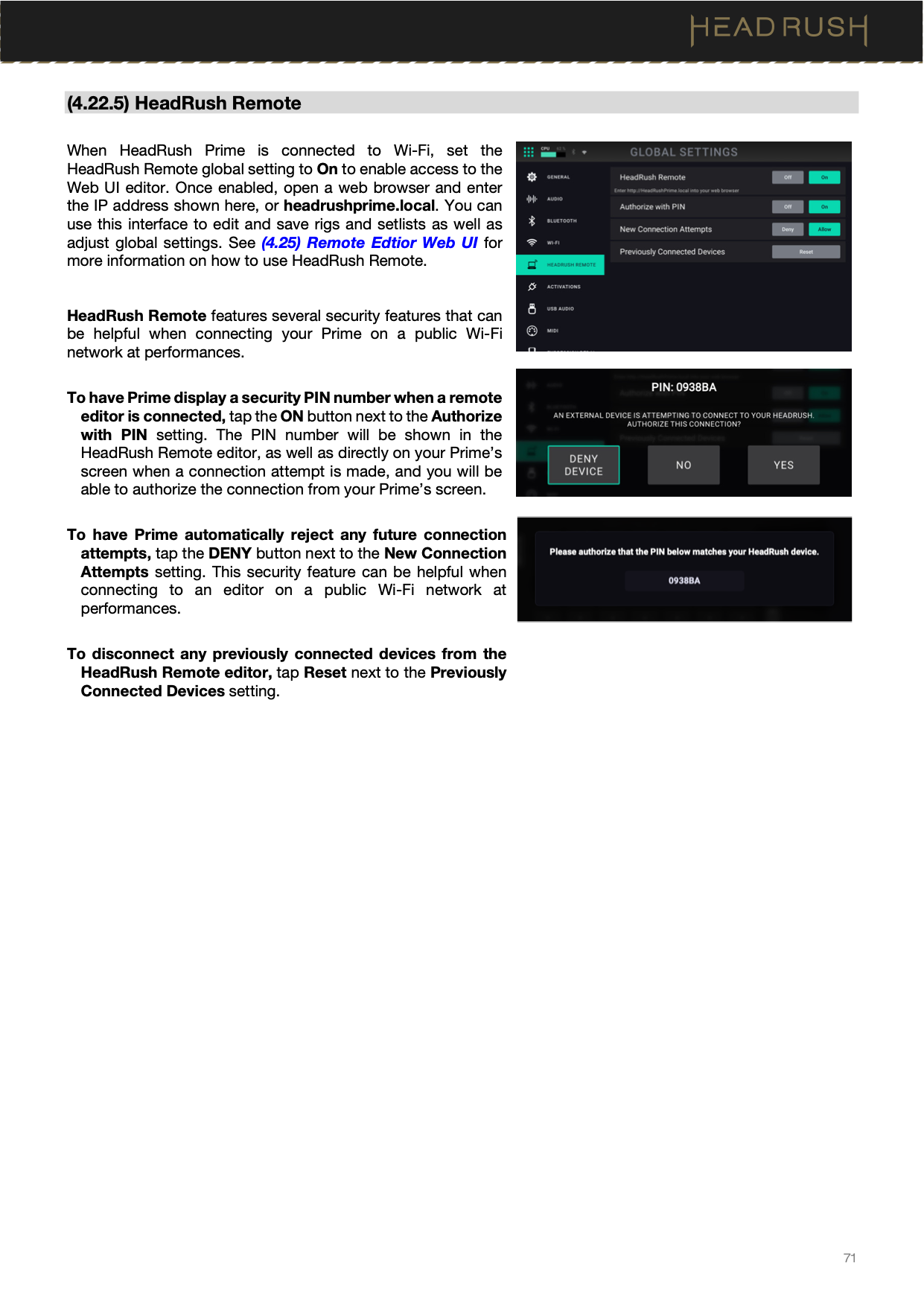
(4.22.5) HeadRush Remote
(4.22.6) Activations
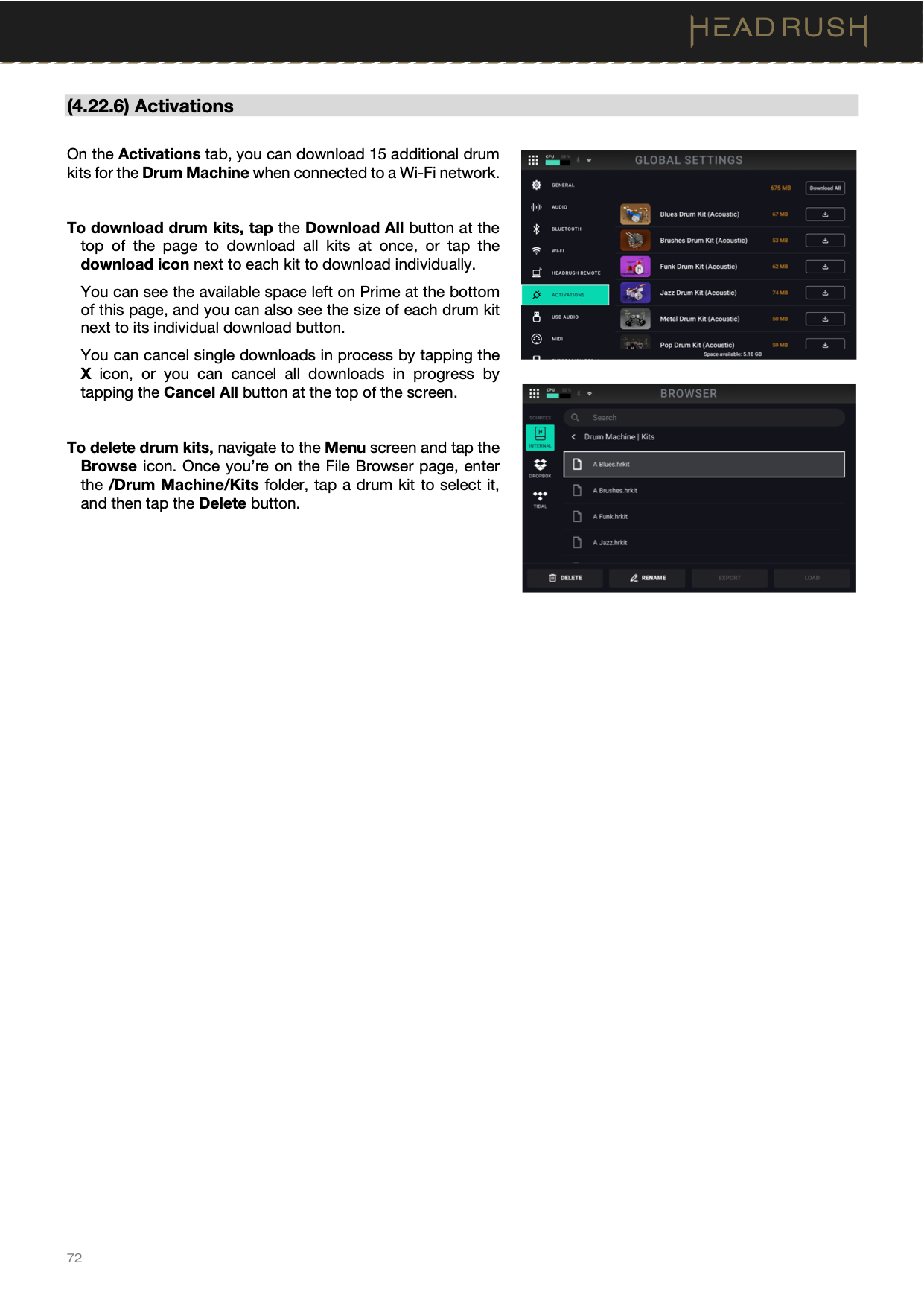
(4.22.7) USB Audio
(4.22.8) MIDI
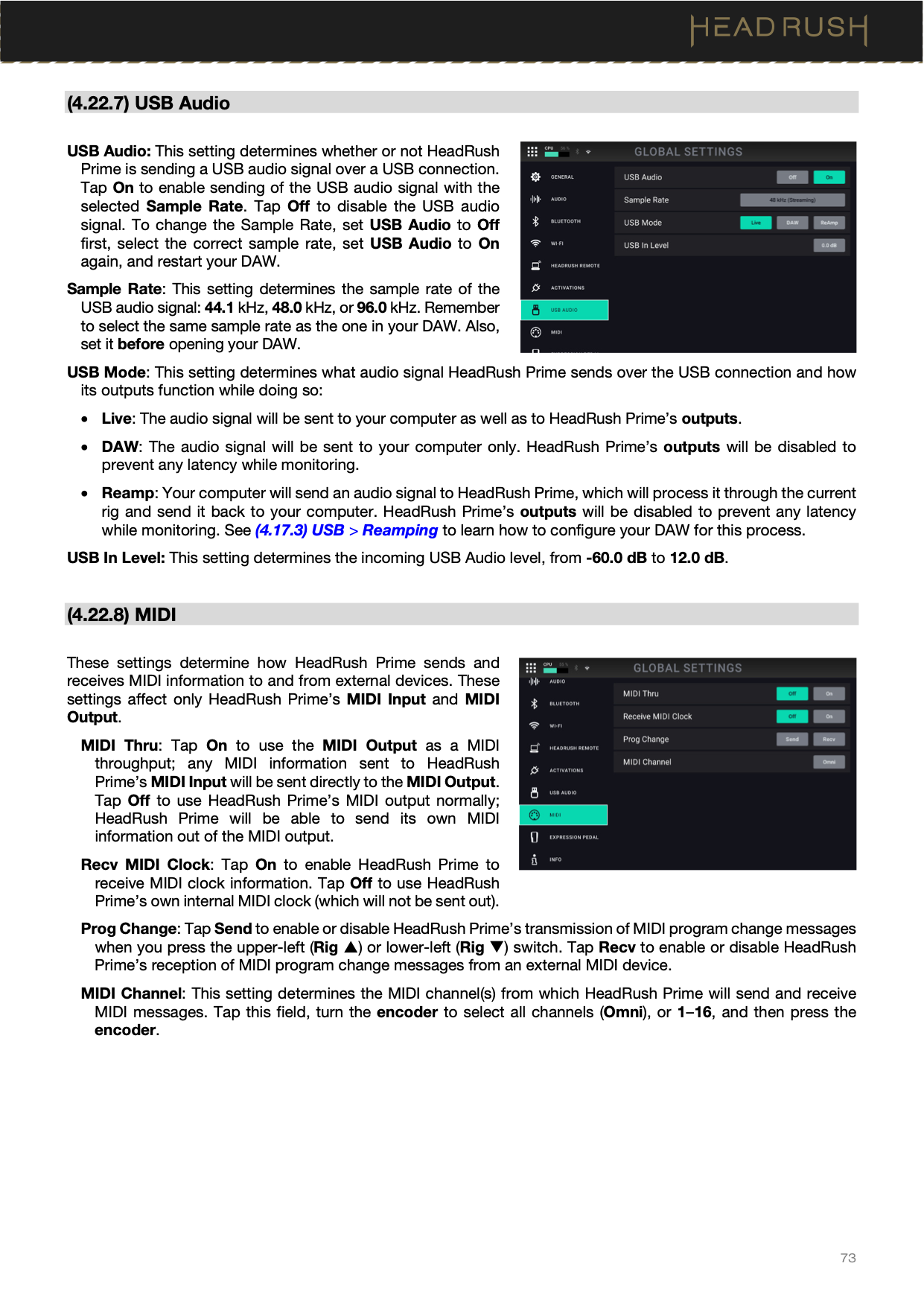
(4.22.9) Expression Pedal
(4.22.10) Info
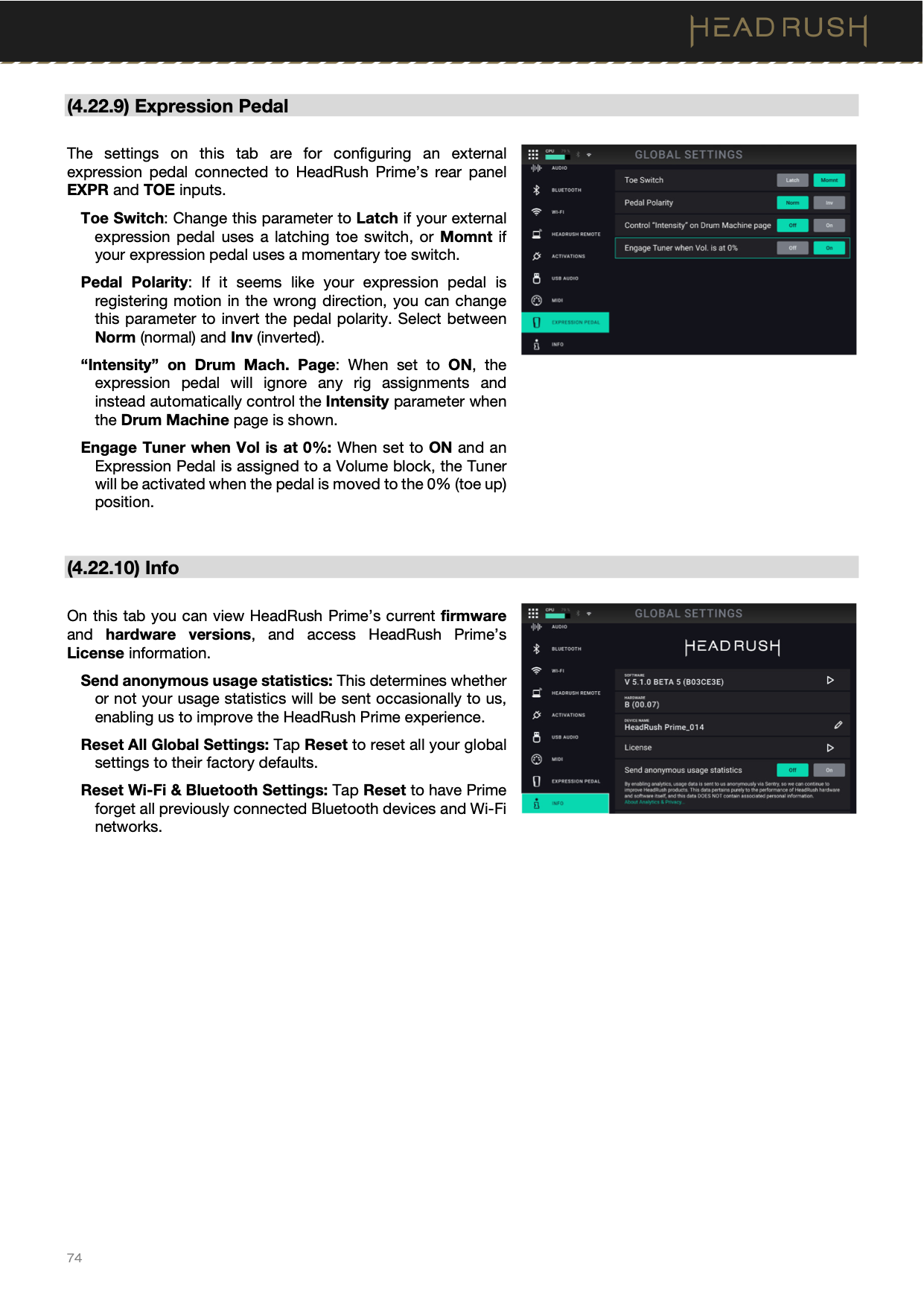
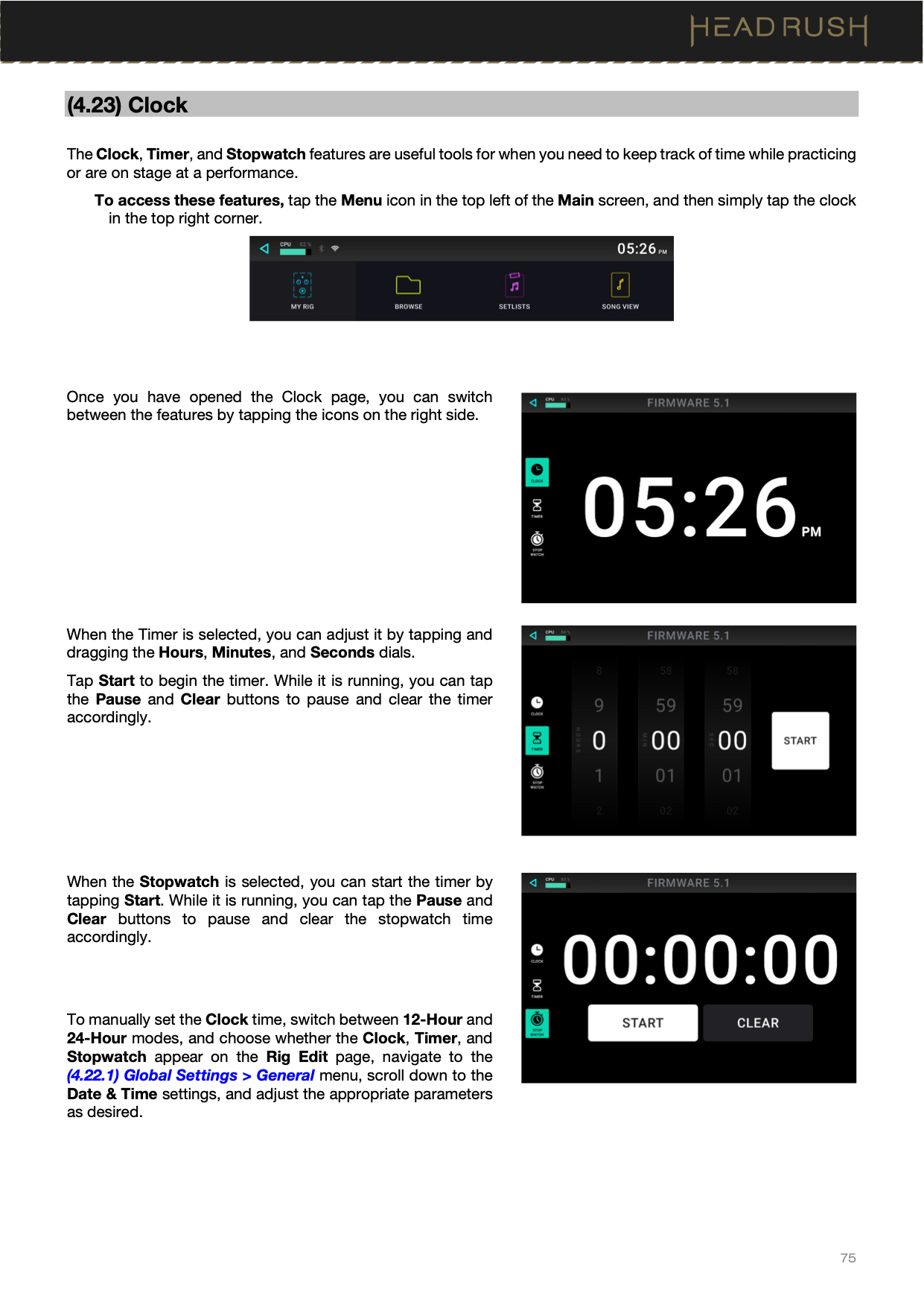
(4.23) Clock
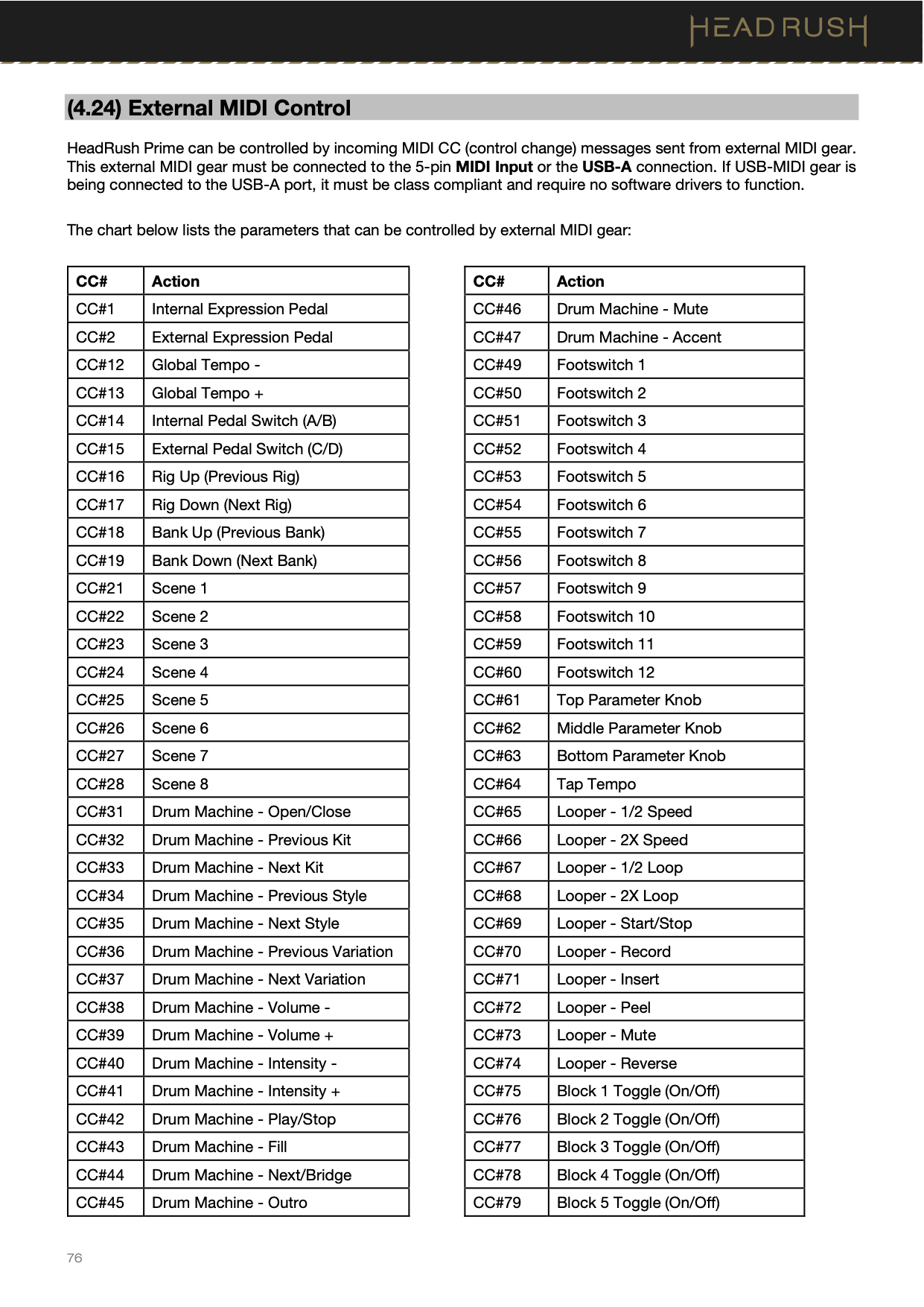
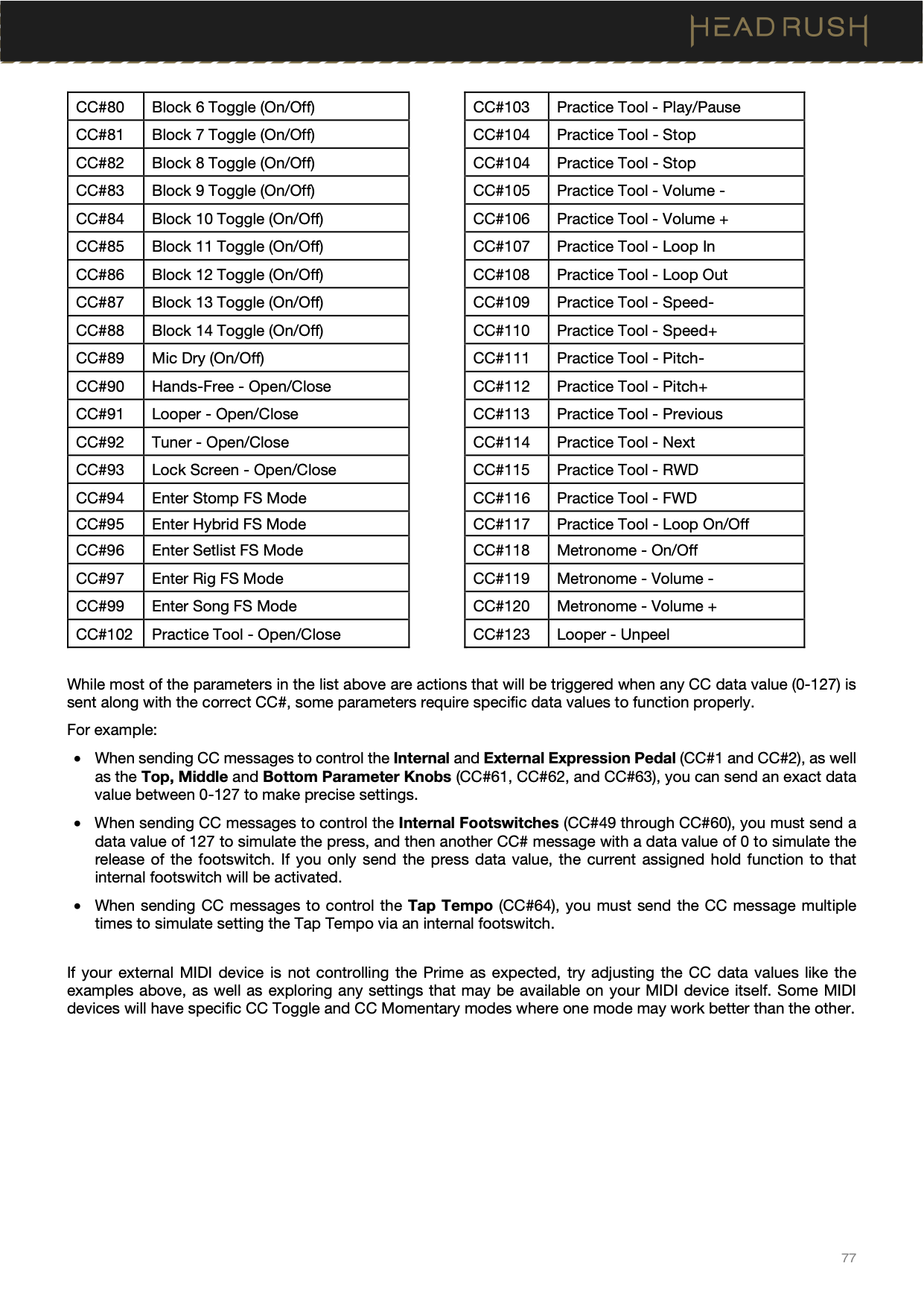
(4.24) External MIDI Control
(4.25) Remote Editor Web UI
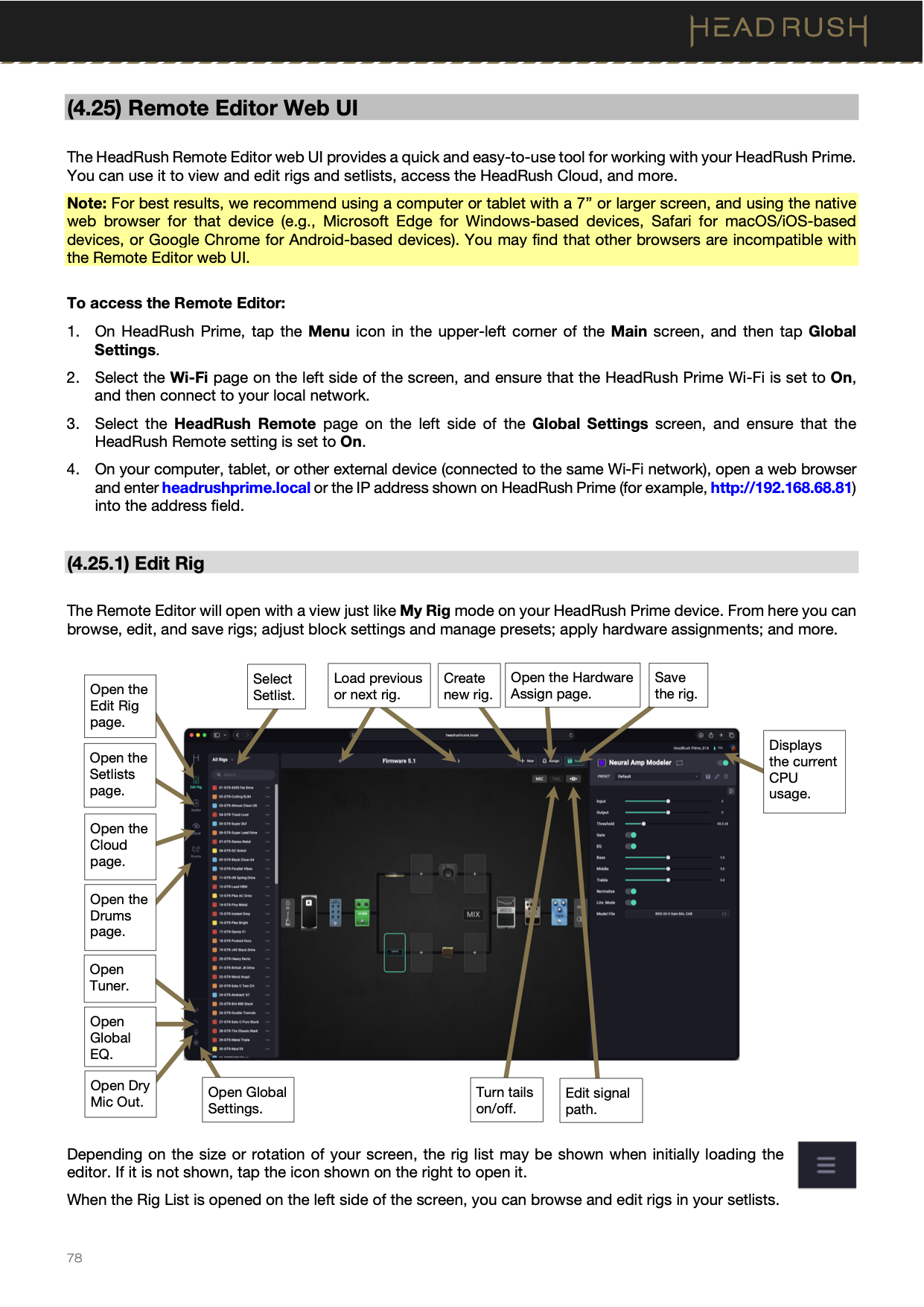
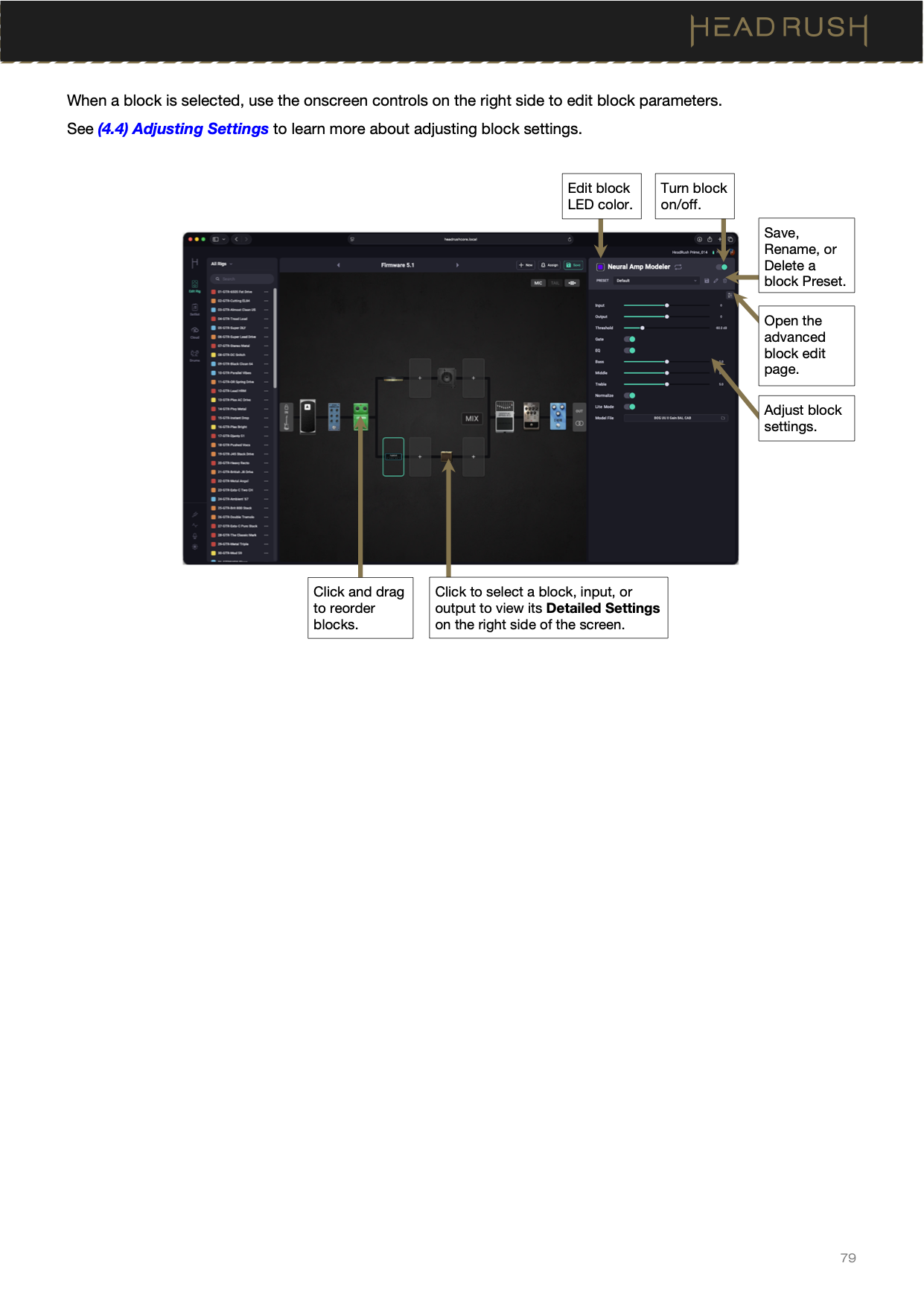
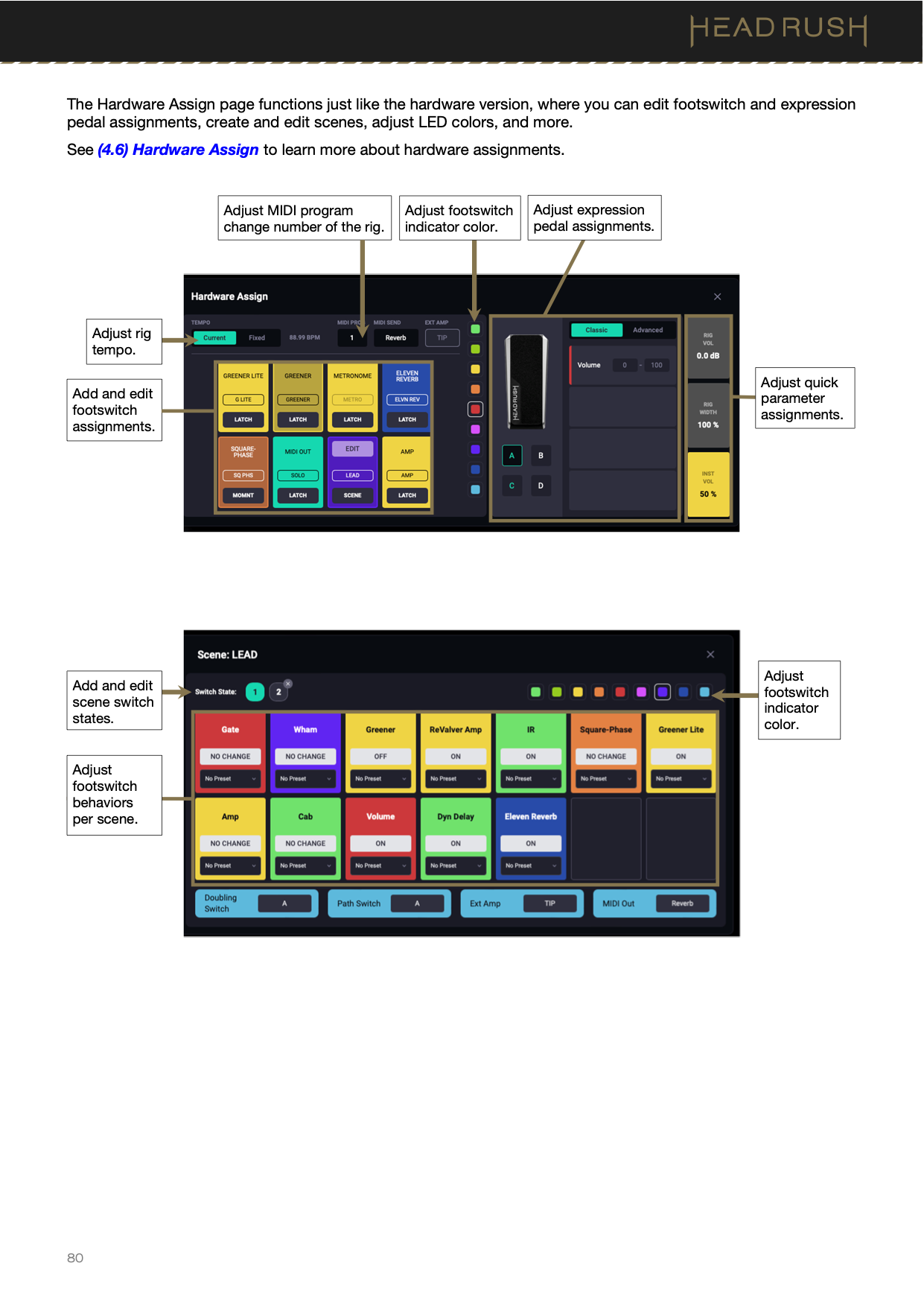
(4.25.1) Edit Rig
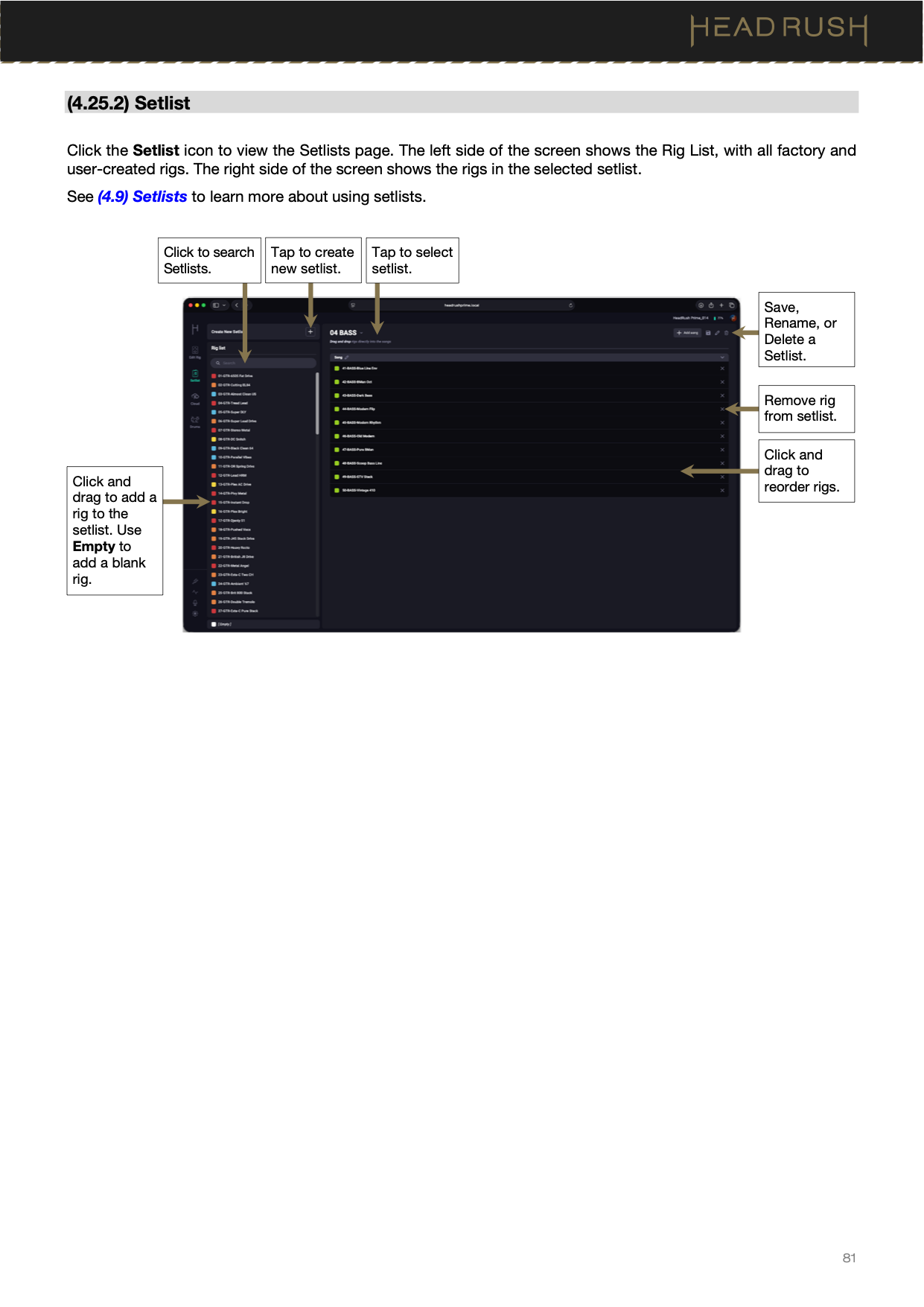
(4.25.2) Setlist
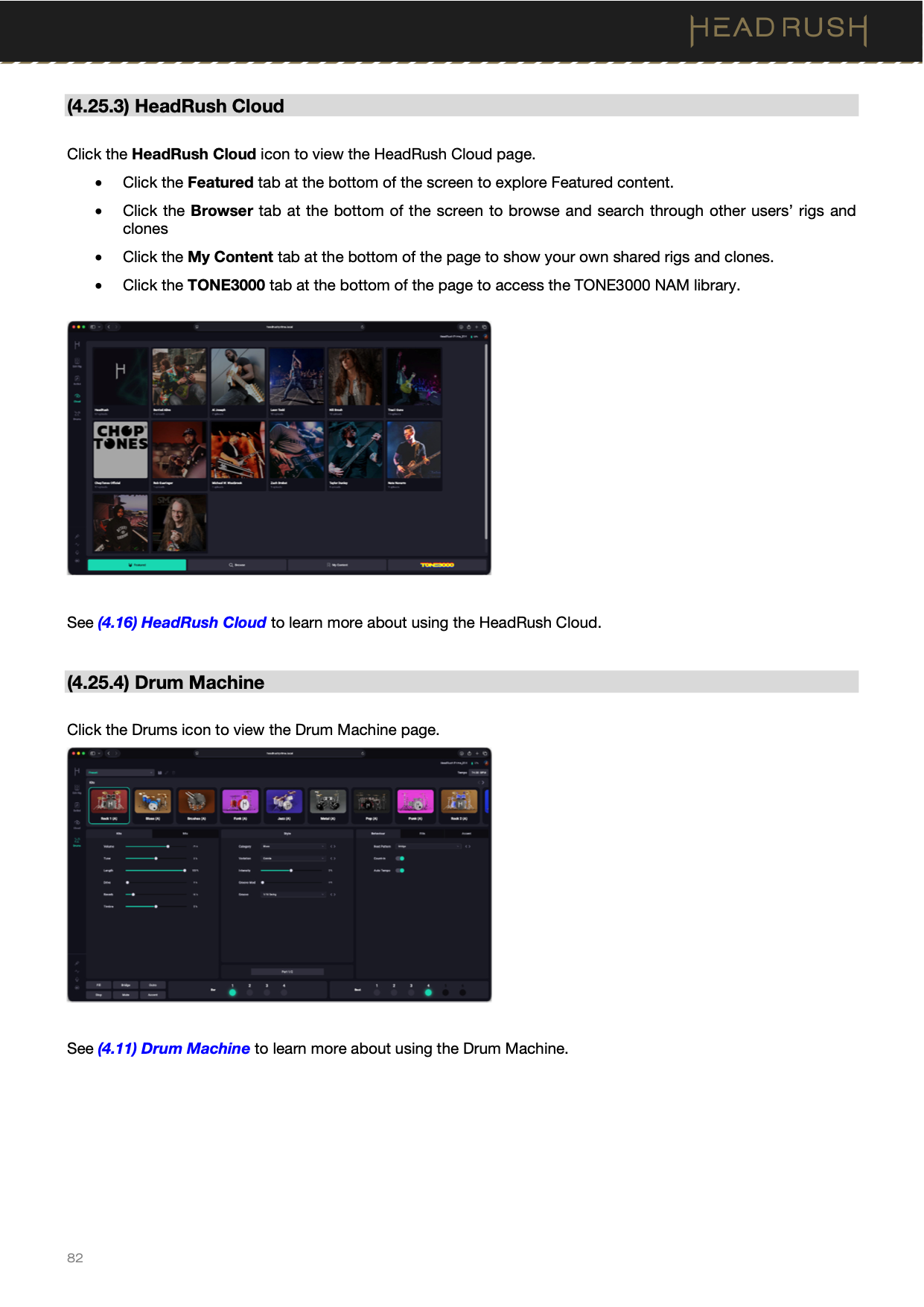
(4.25.3) HeadRush Cloud
(4.25.4) Drum Machine
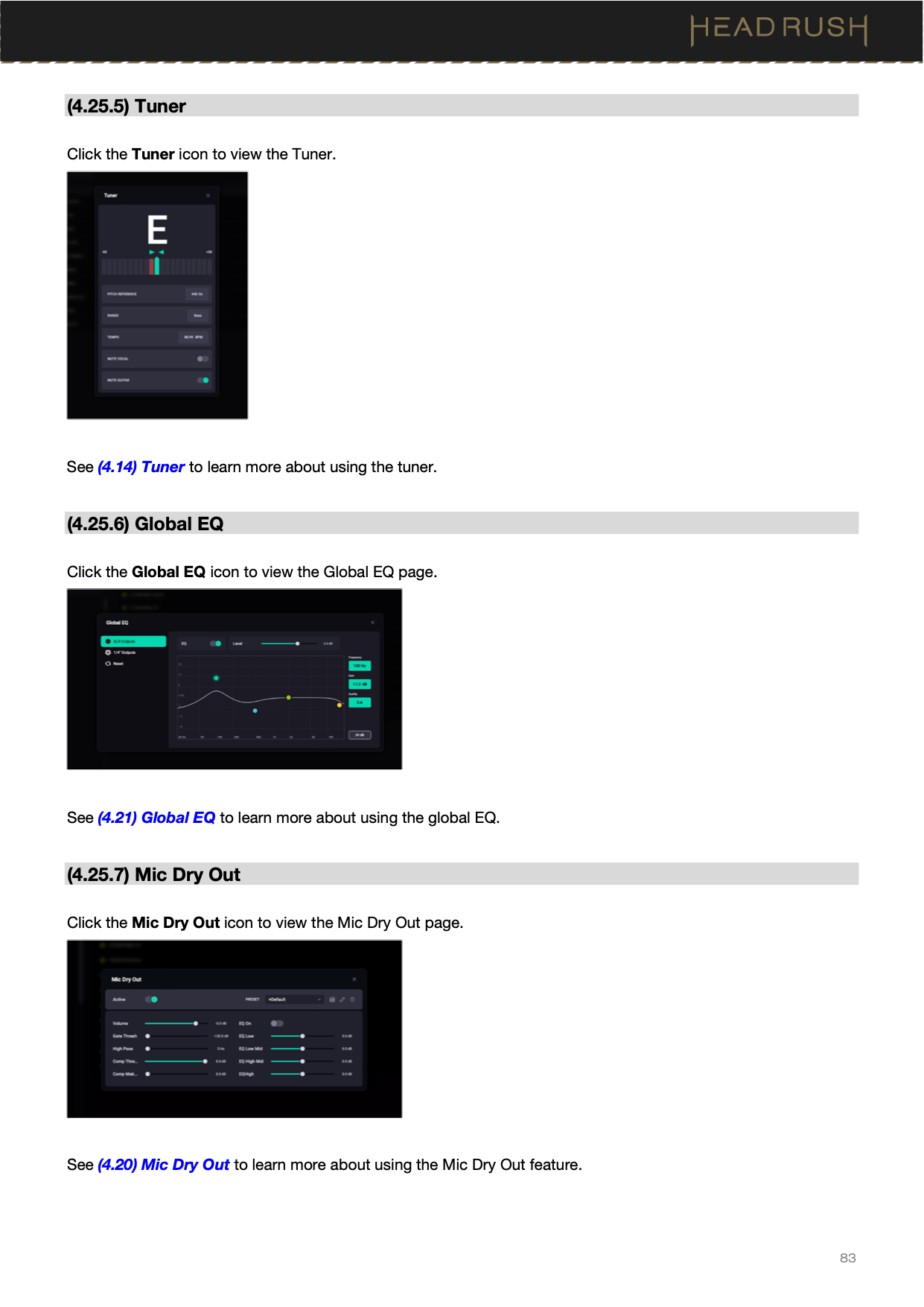
(4.25.5) Tuner
(4.25.6) Global EQ
(4.25.7) Mic Dry Out
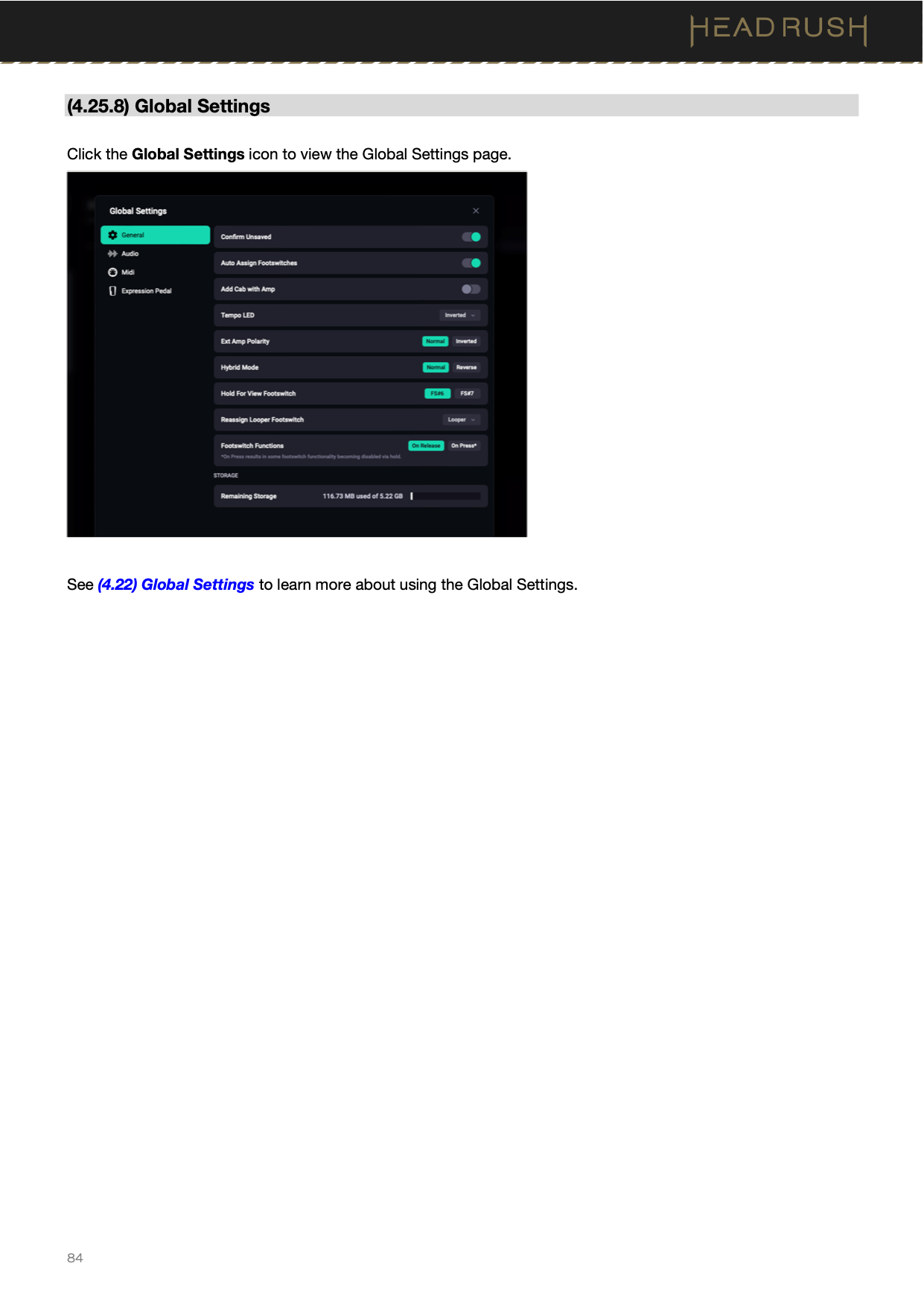
(4.25.8) Global Settings
Chapter 5 — Appendix
(5.0) Appendix
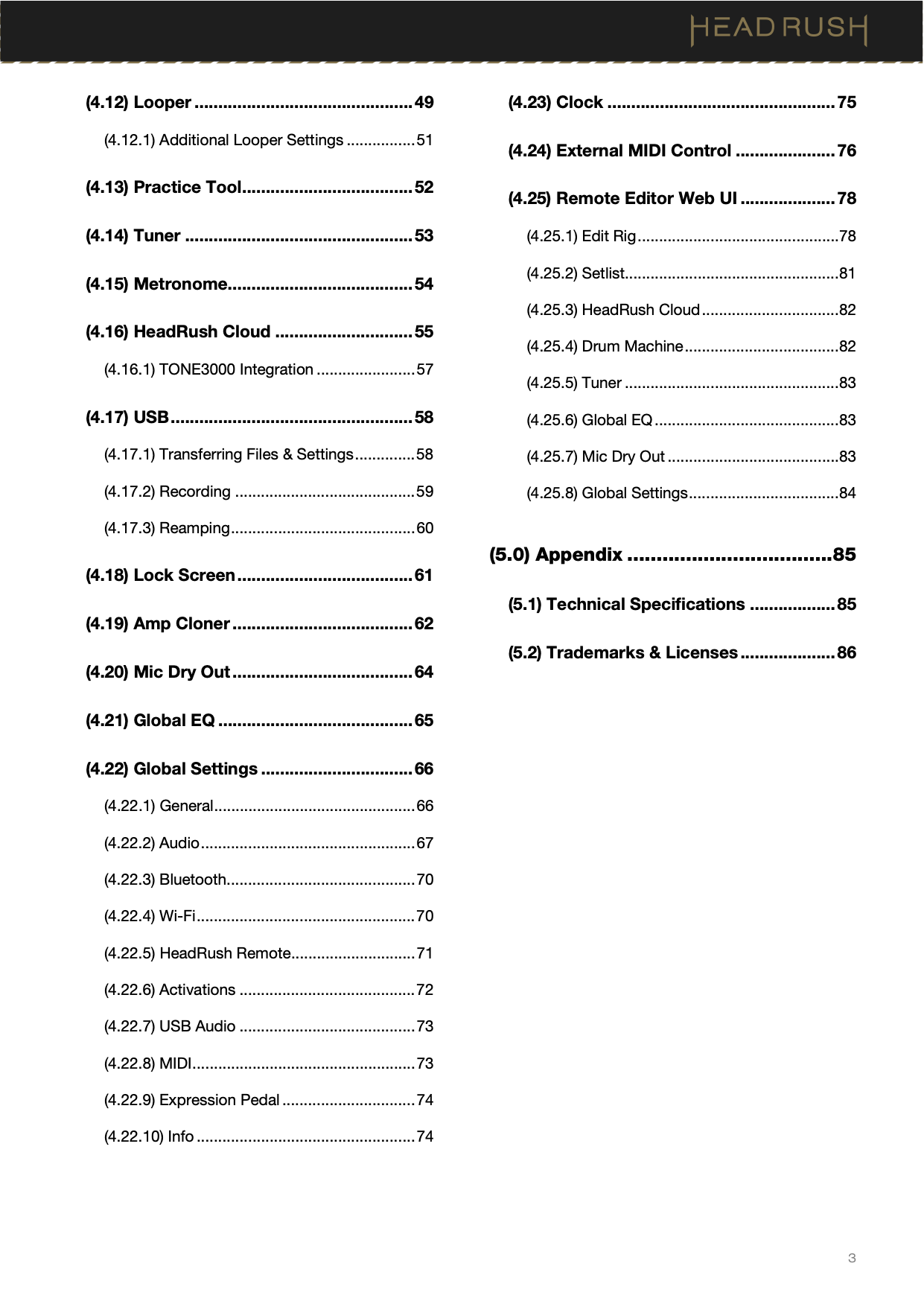
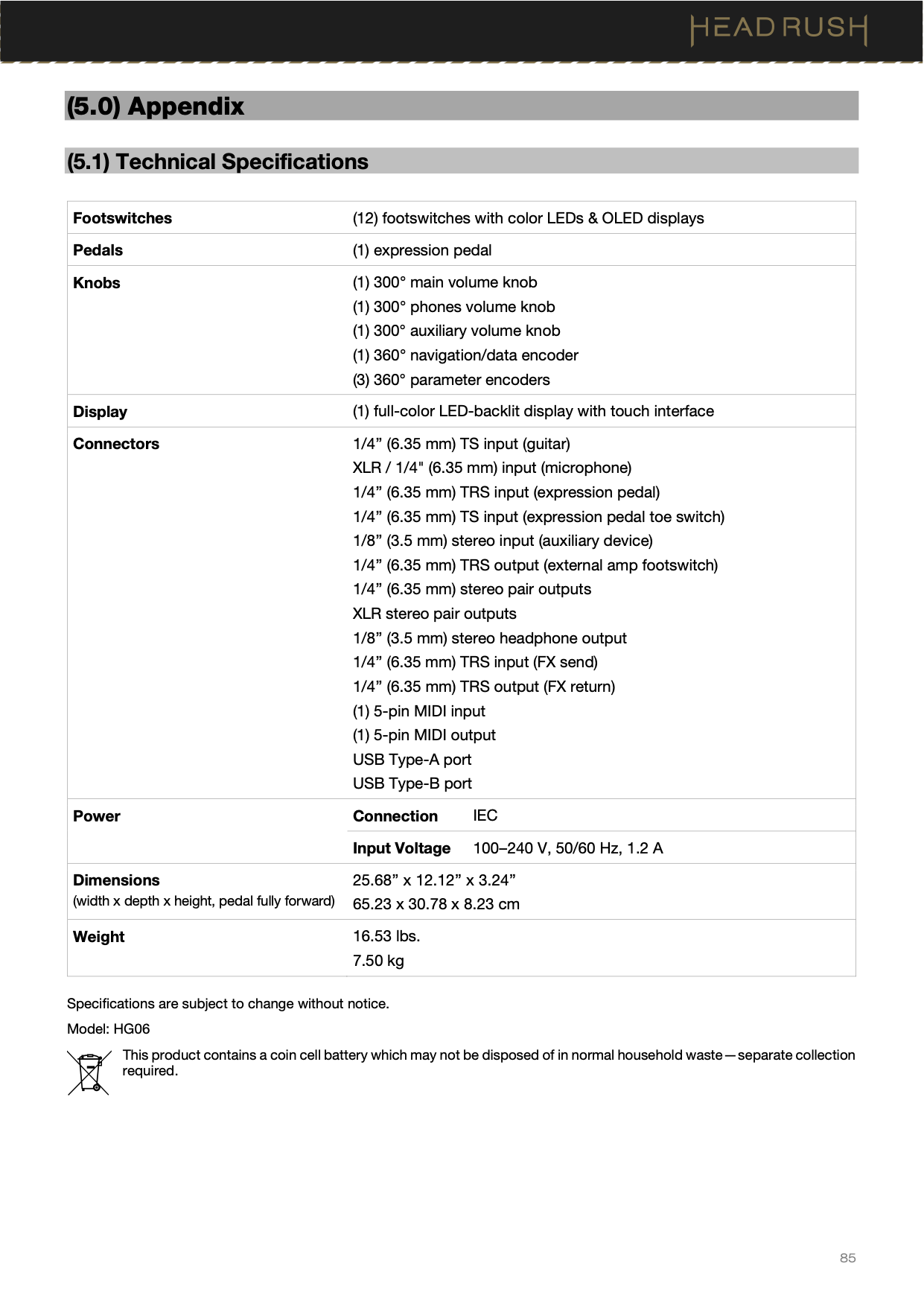
(5.1) Technical Specifications
(5.2) Trademarks & Licenses


HeadRush Core — User Guide v5.2.0
Chapter 1 — Introduction
(1.0) Introduction
(1.1) Box Contents
(1.2) Support
Chapter 2 — Setup
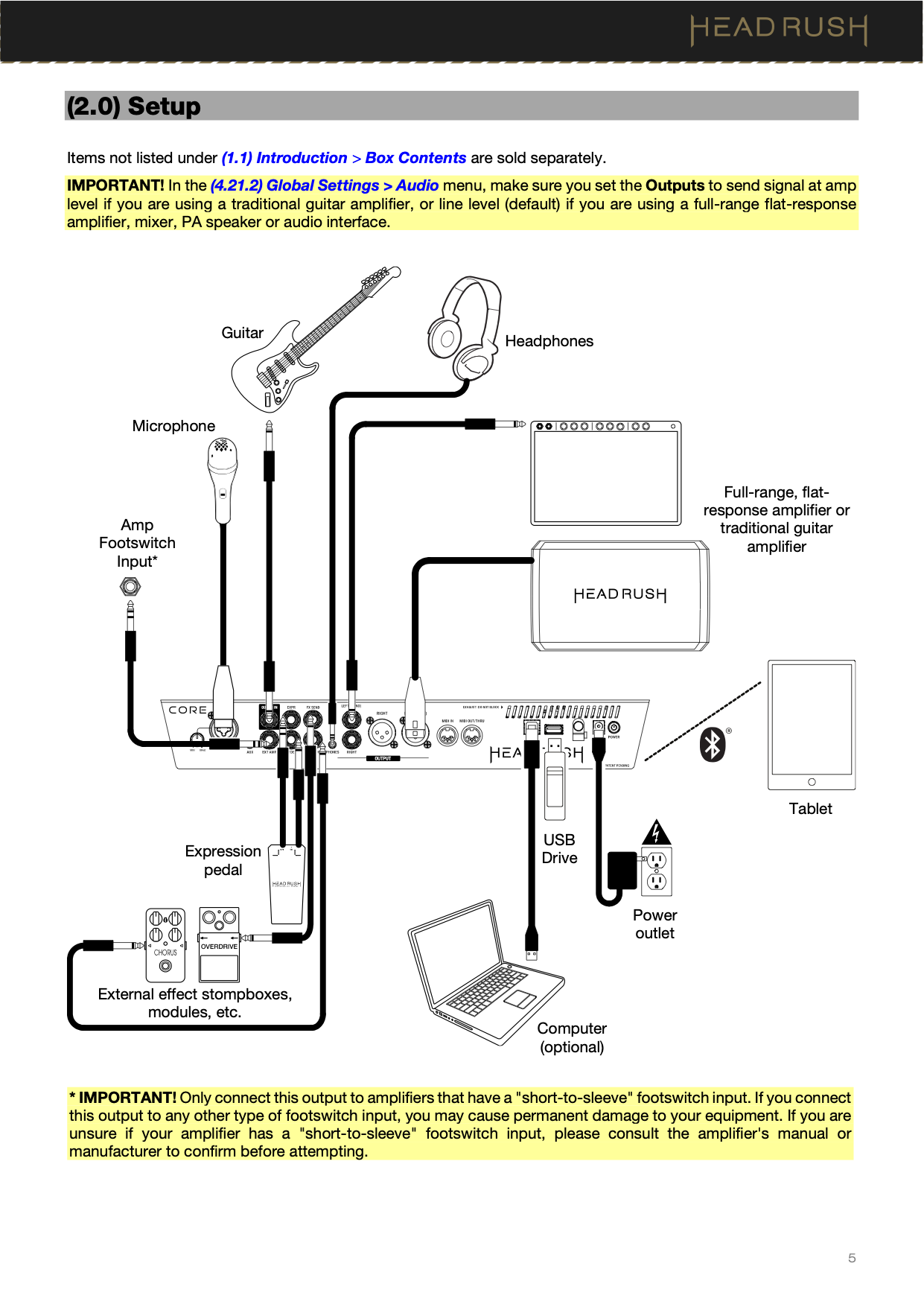
(2.0) Setup
Chapter 3 — Features
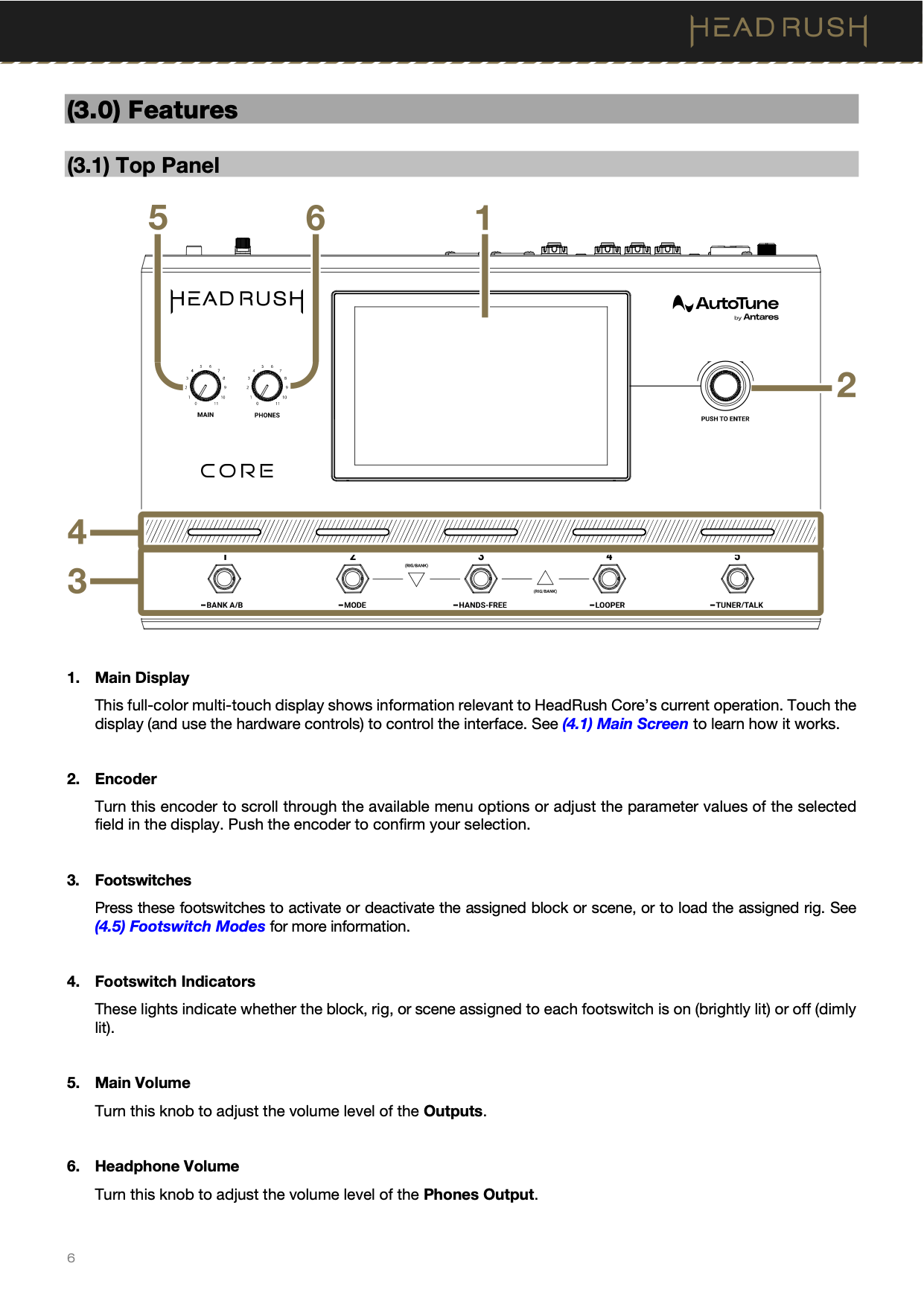
(3.0) Features
(3.1) Top Panel
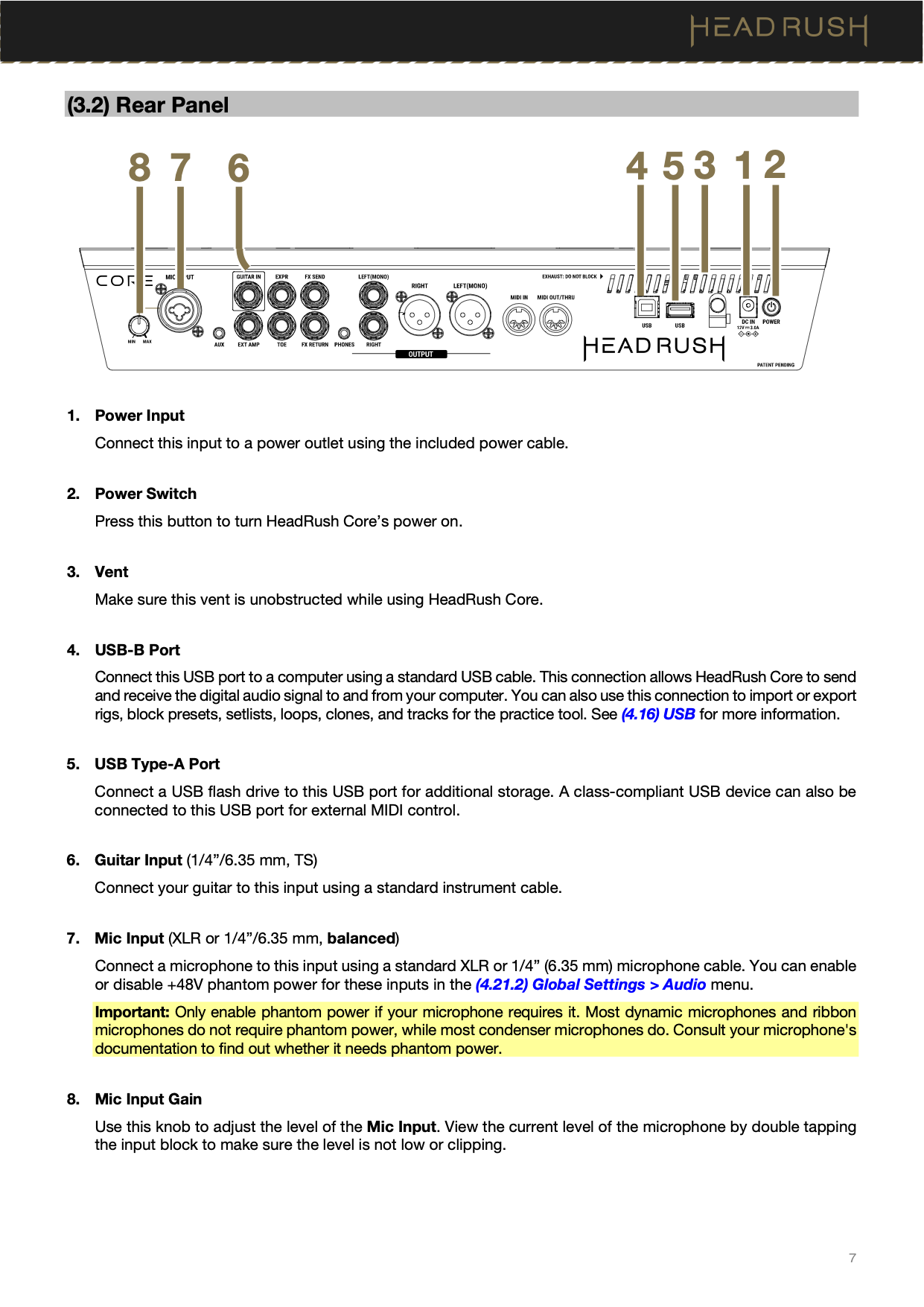
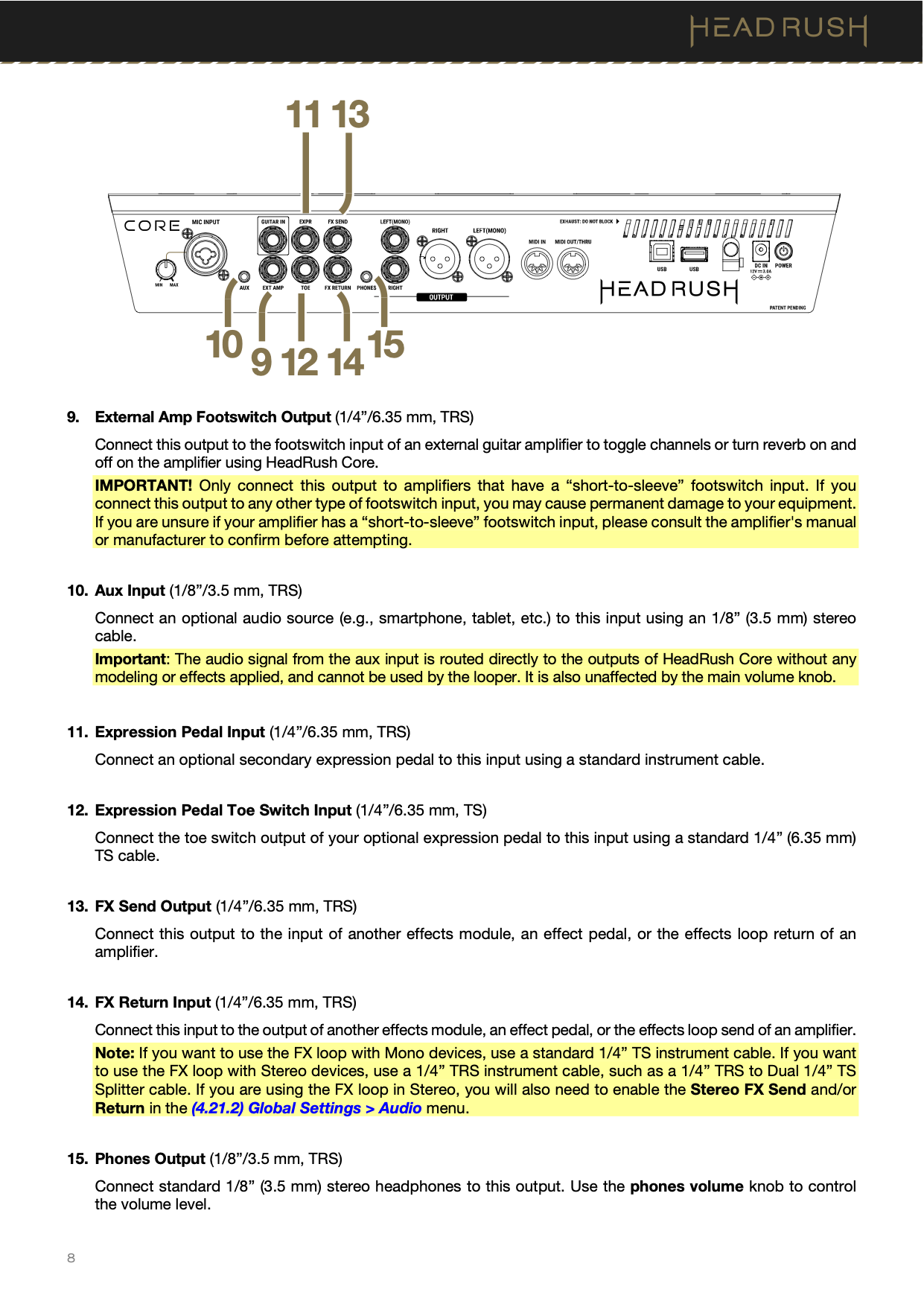
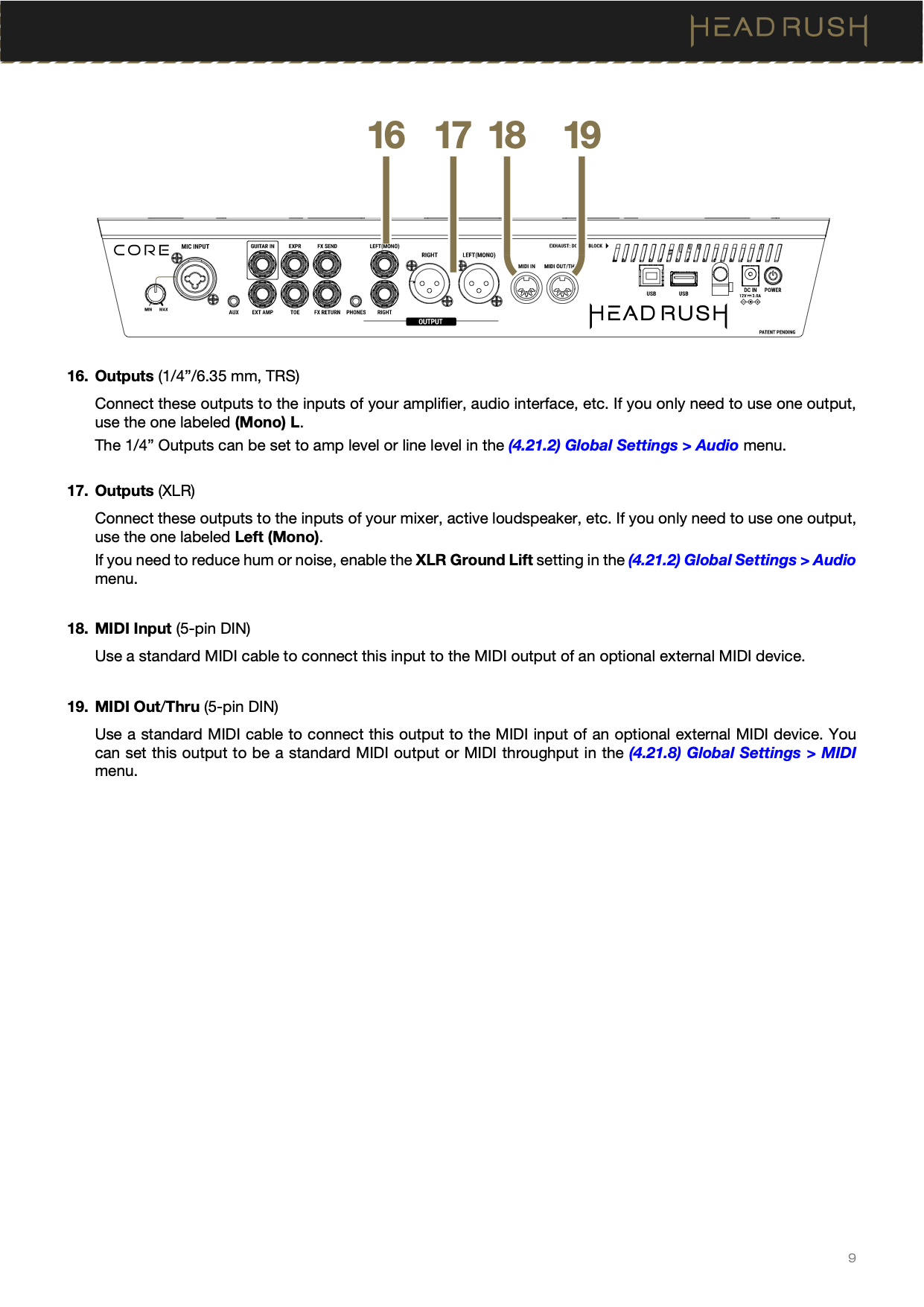
(3.2) Rear Panel
Chapter 4 — Operation
(4.0) Operation
(4.1) Main Screen
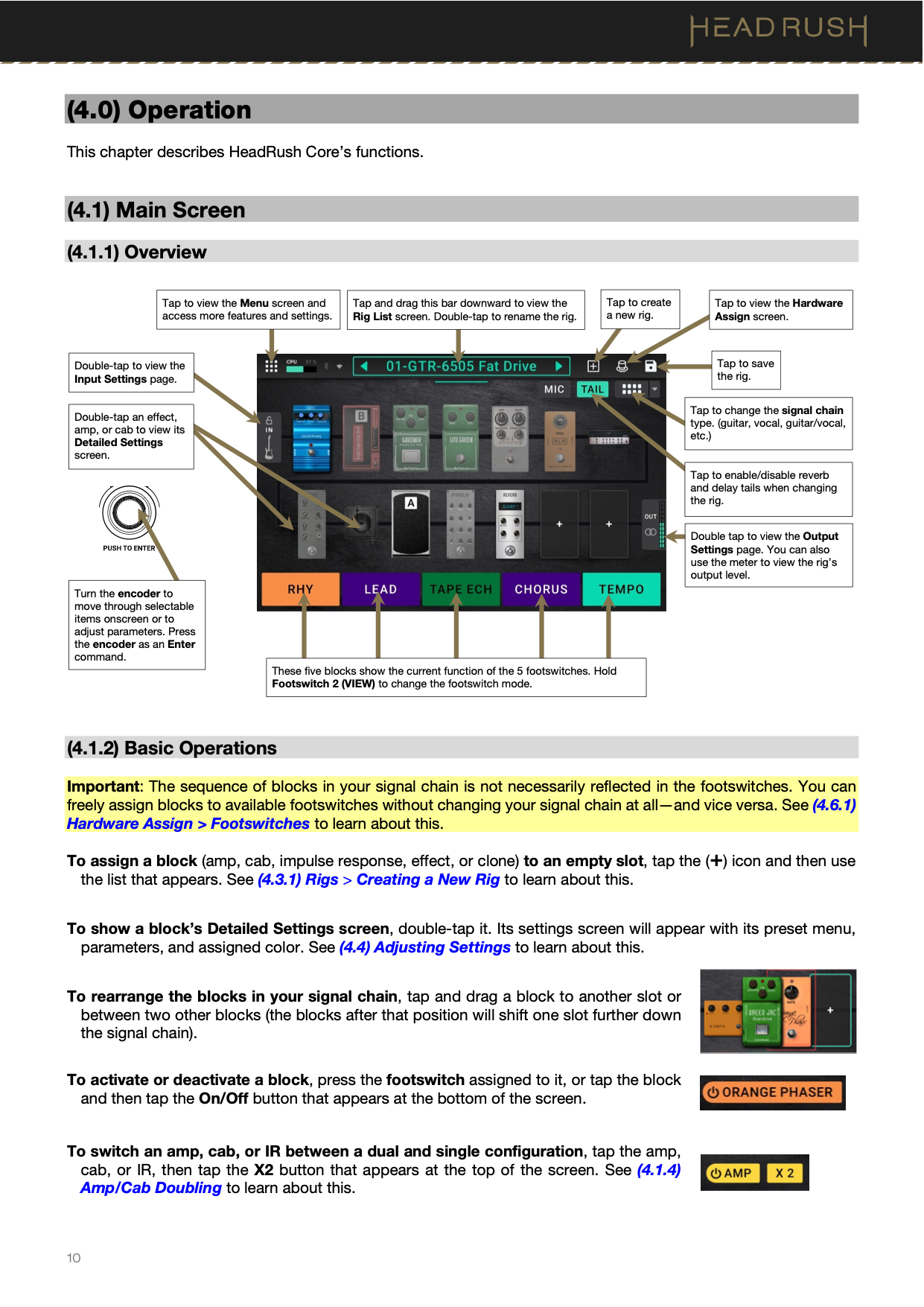
(4.1.1) Overview
(4.1.2) Basic Operations
(4.1.3) Reverb/Delay Tail Spillover
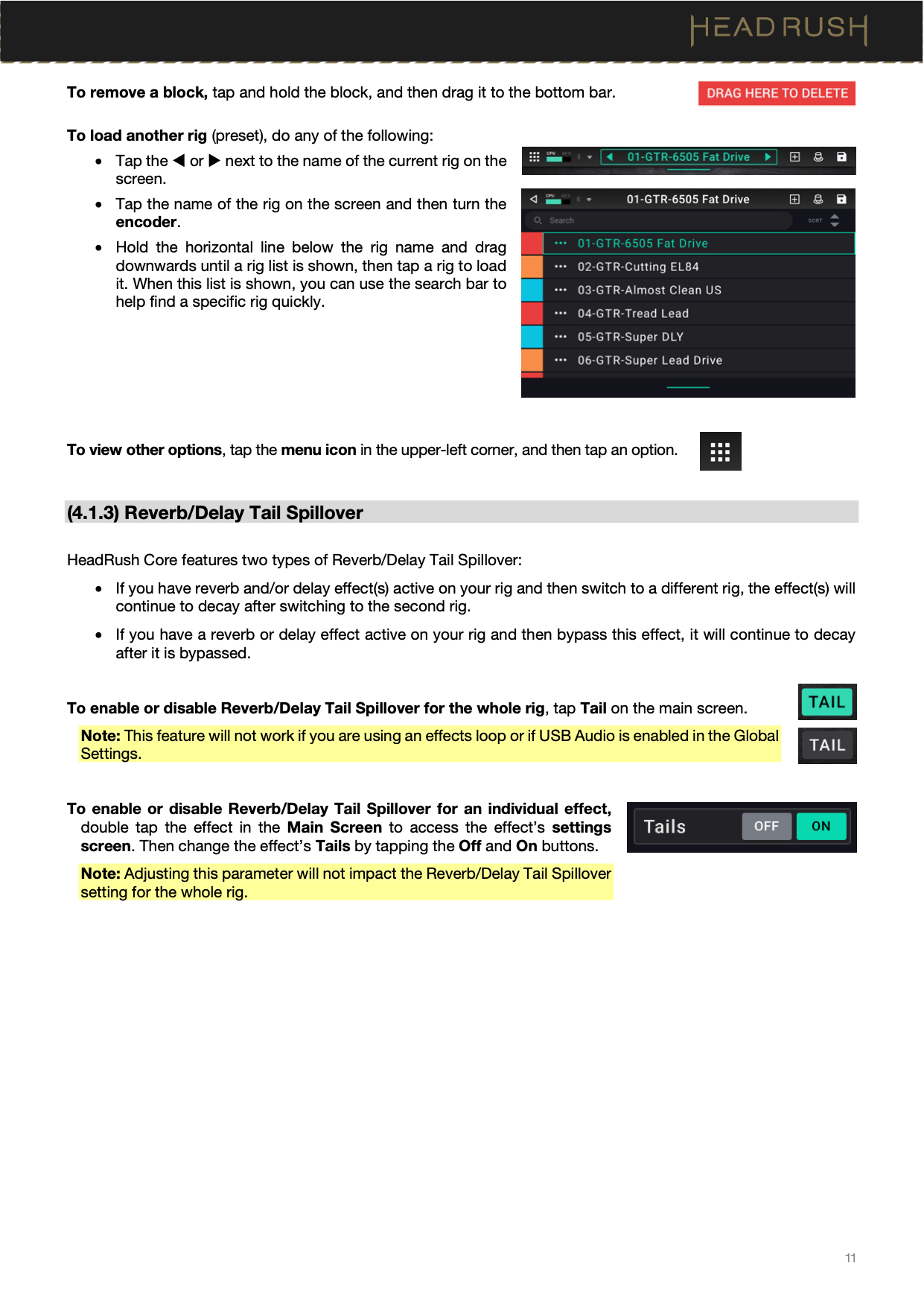
(4.1.4) Amp/Cab Doubling
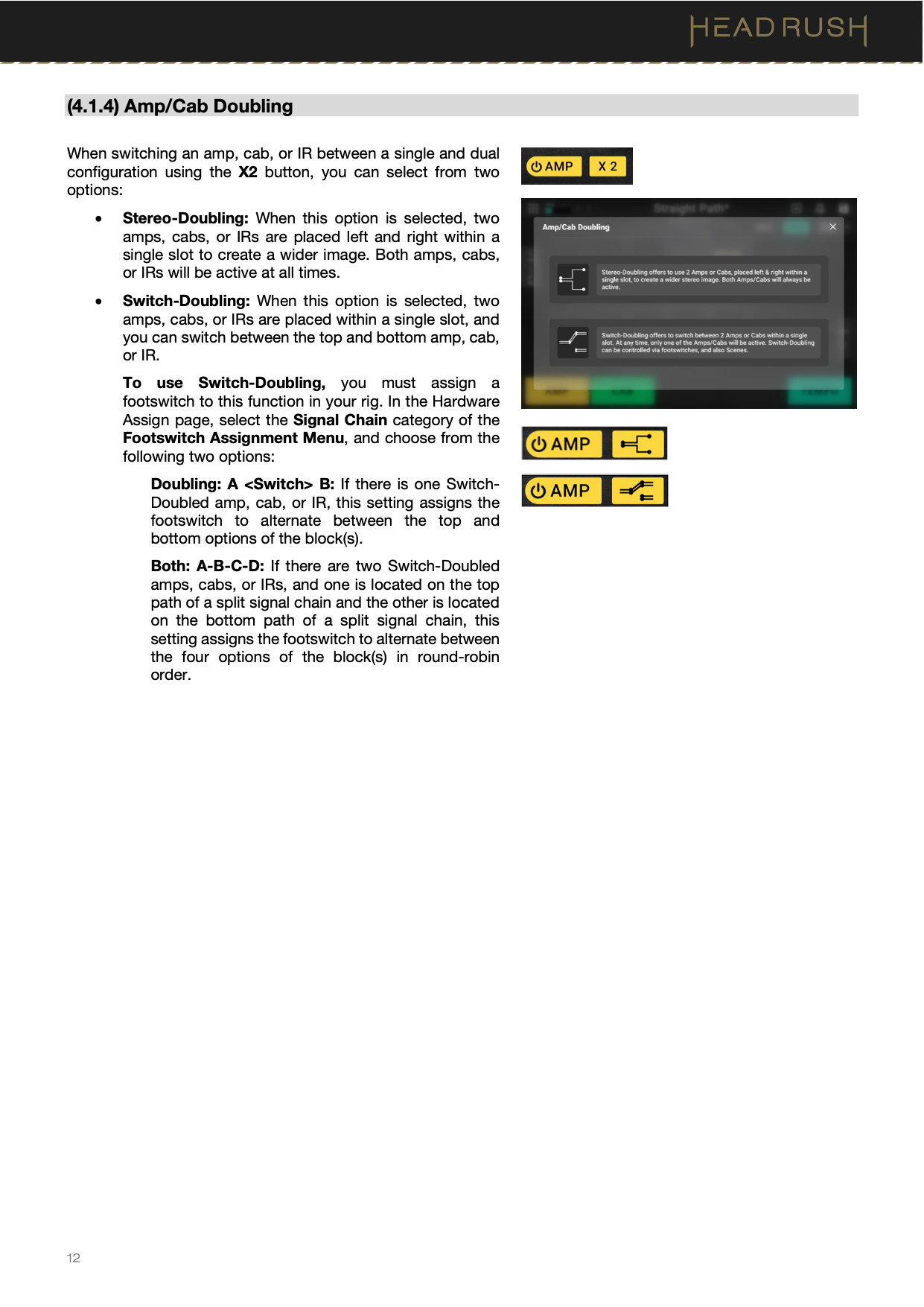
(4.2) Menu Screen
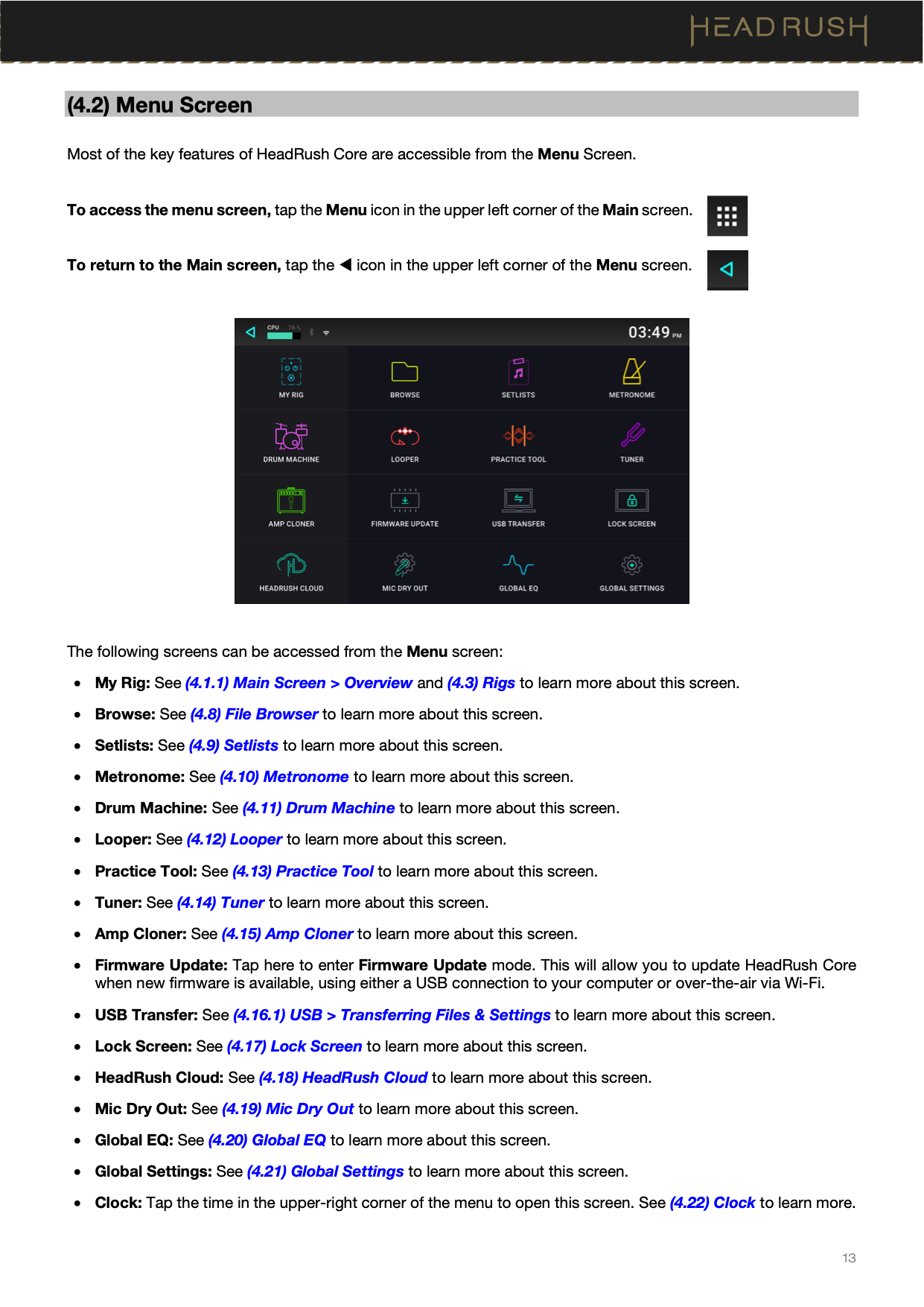
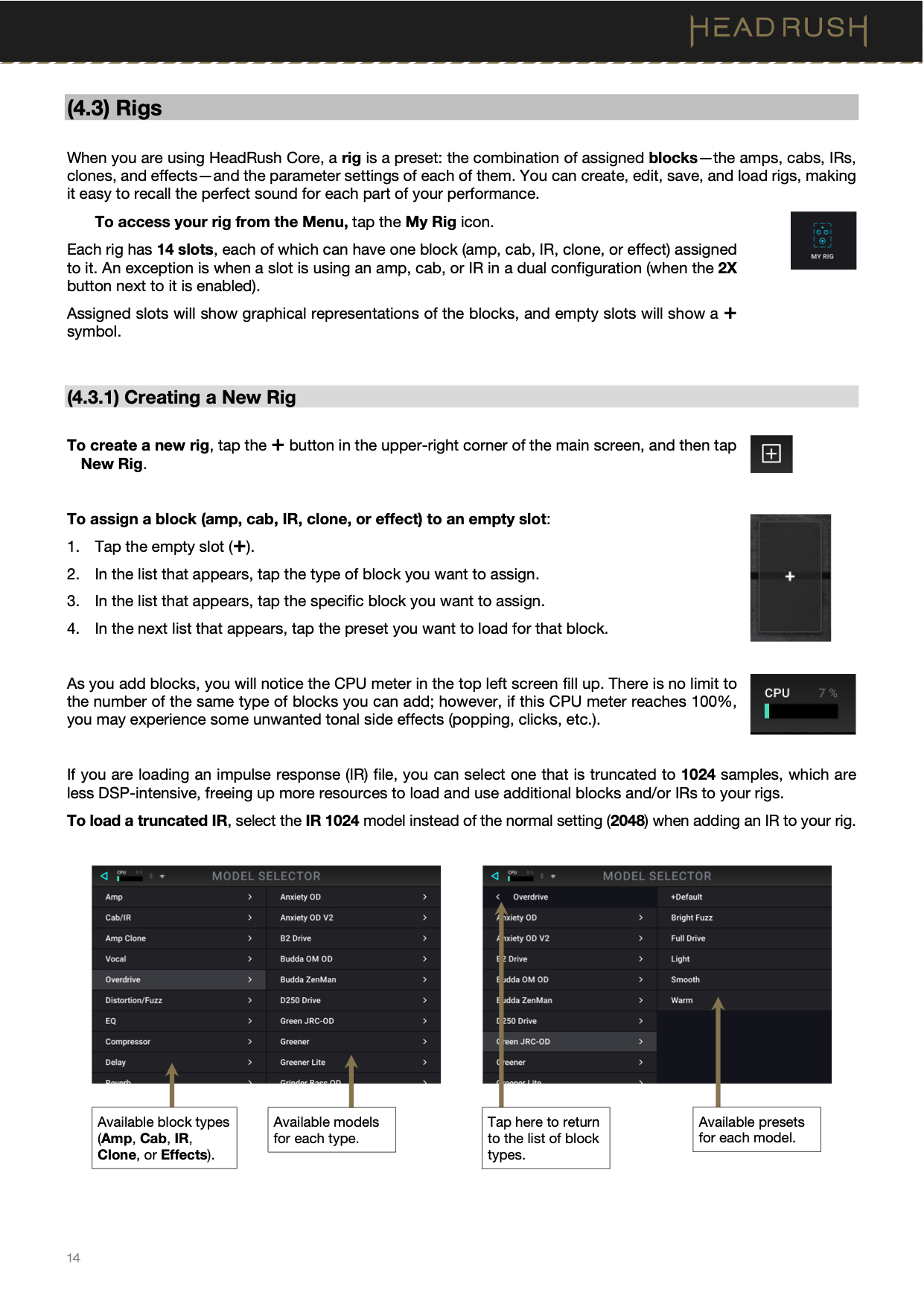
(4.3) Rigs
(4.3.1) Creating a New Rig
(4.3.2) Signal Path
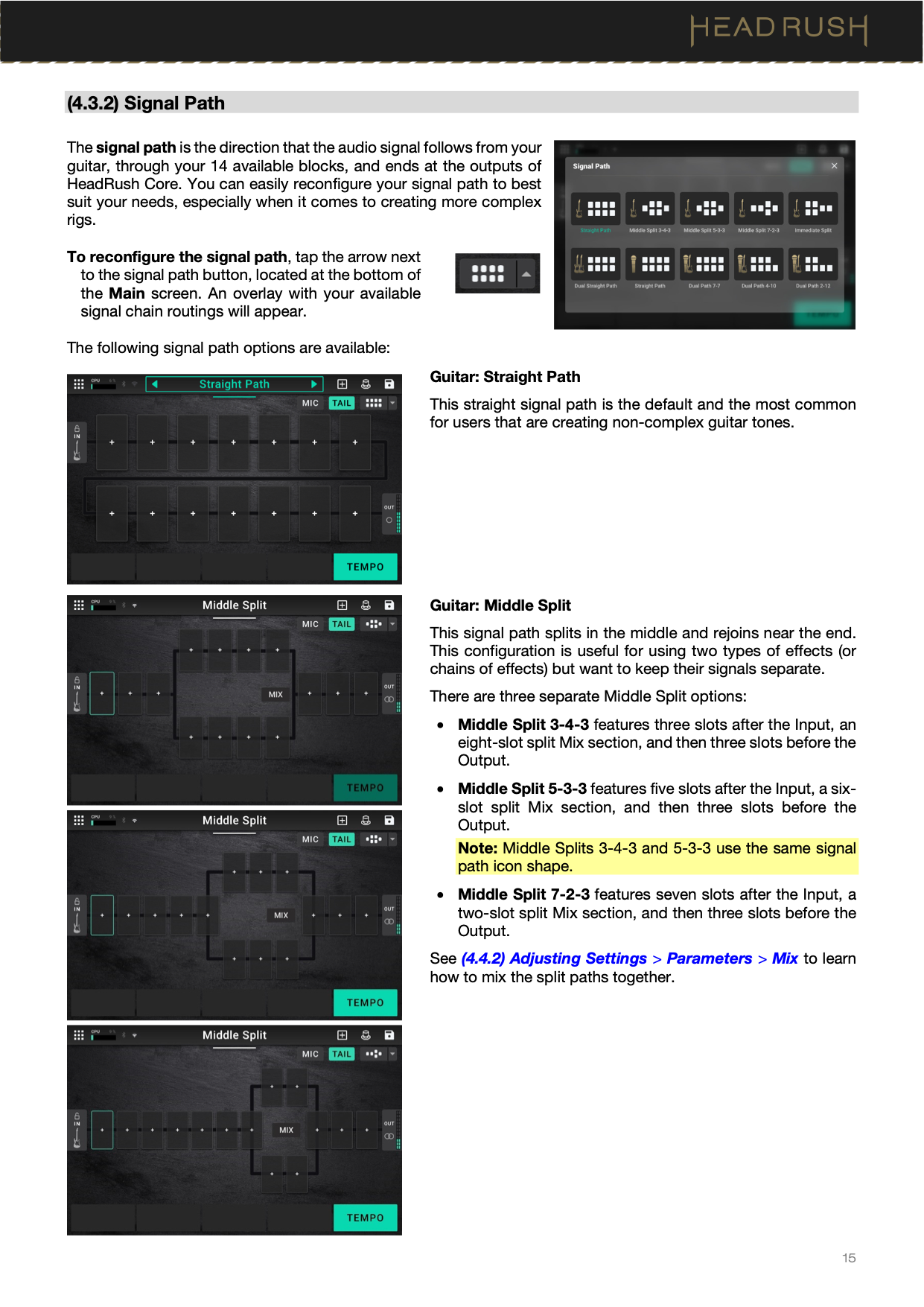
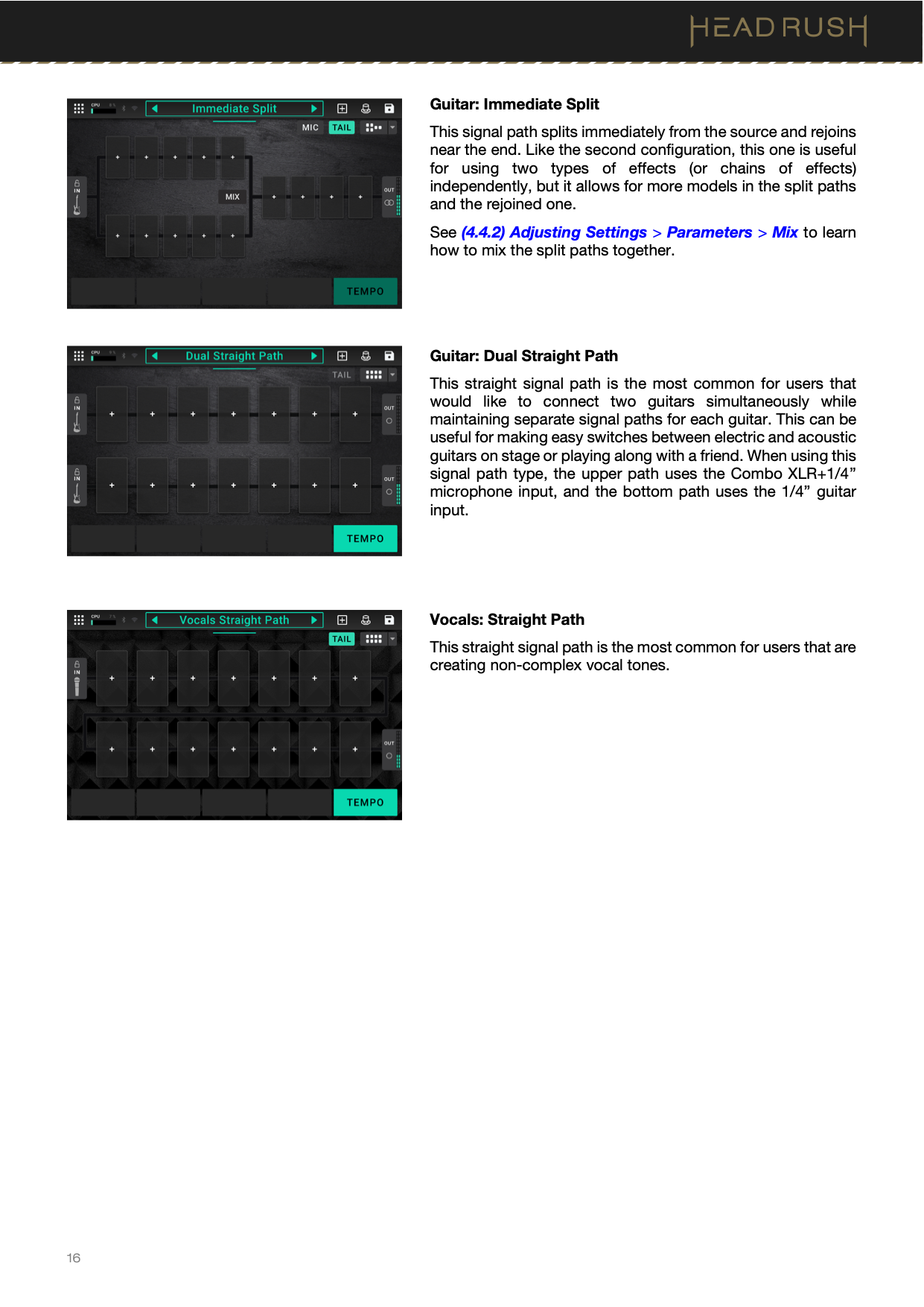
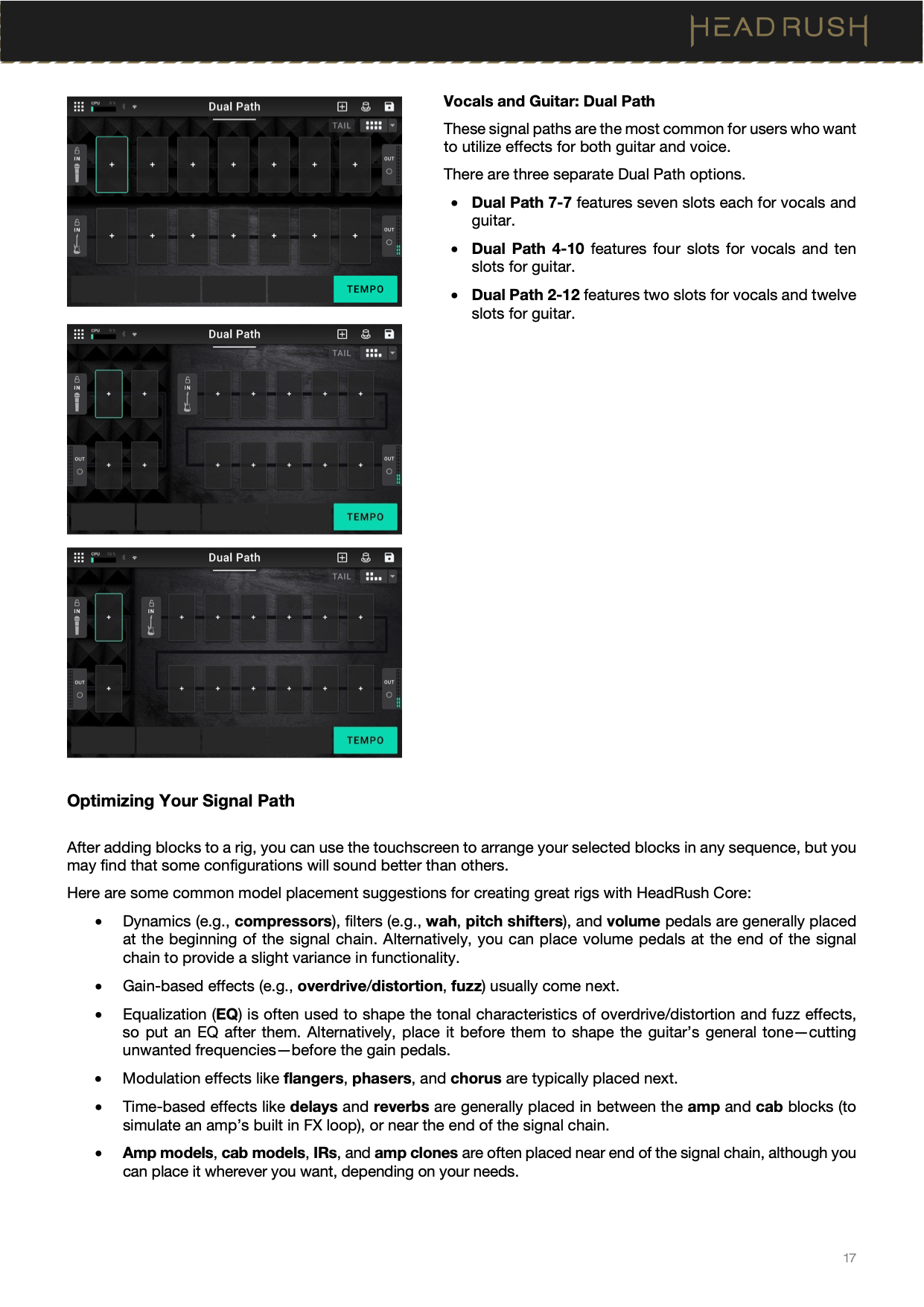
(4.3.3) Stereo vs. Mono
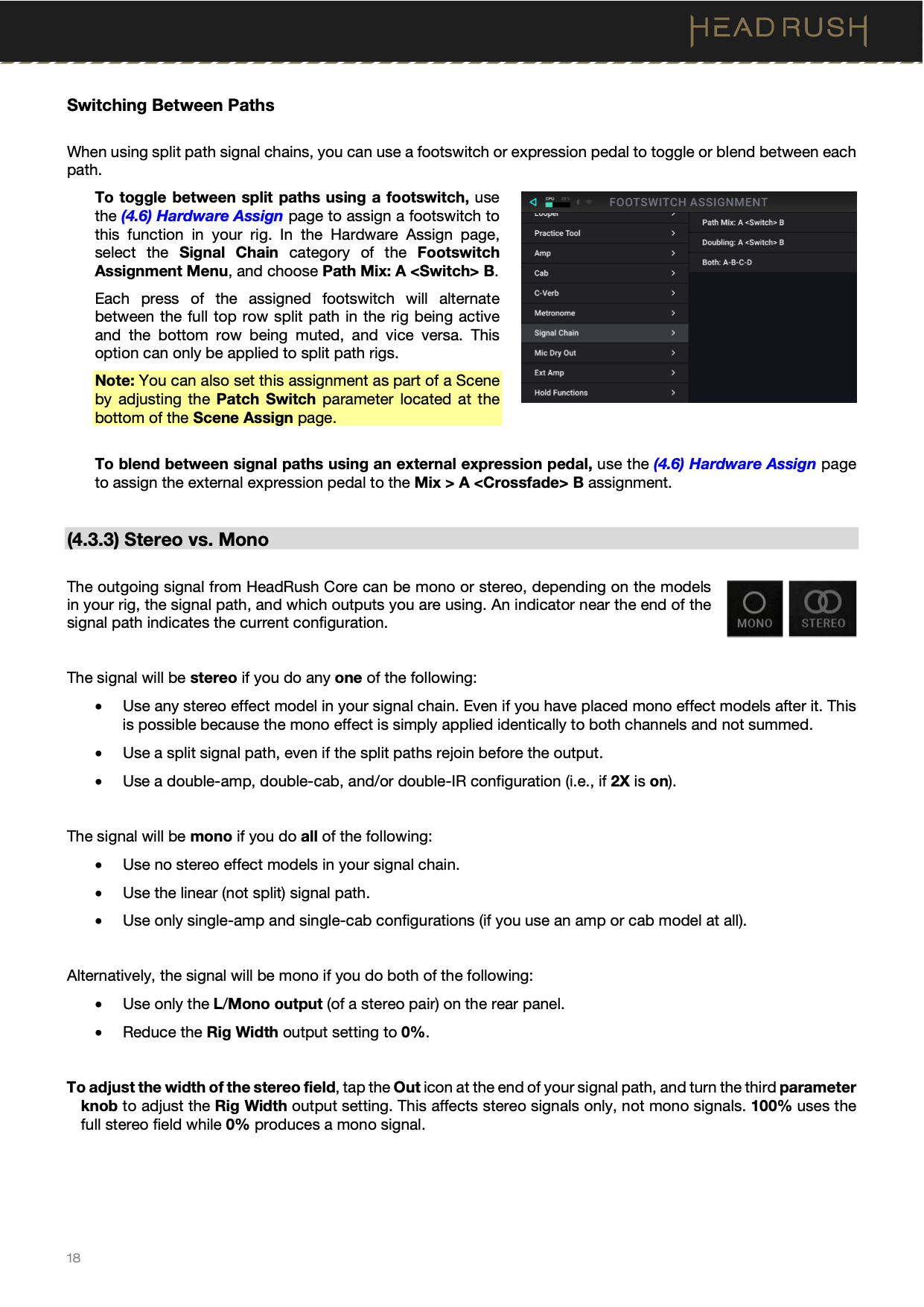
(4.3.4) Saving a Rig
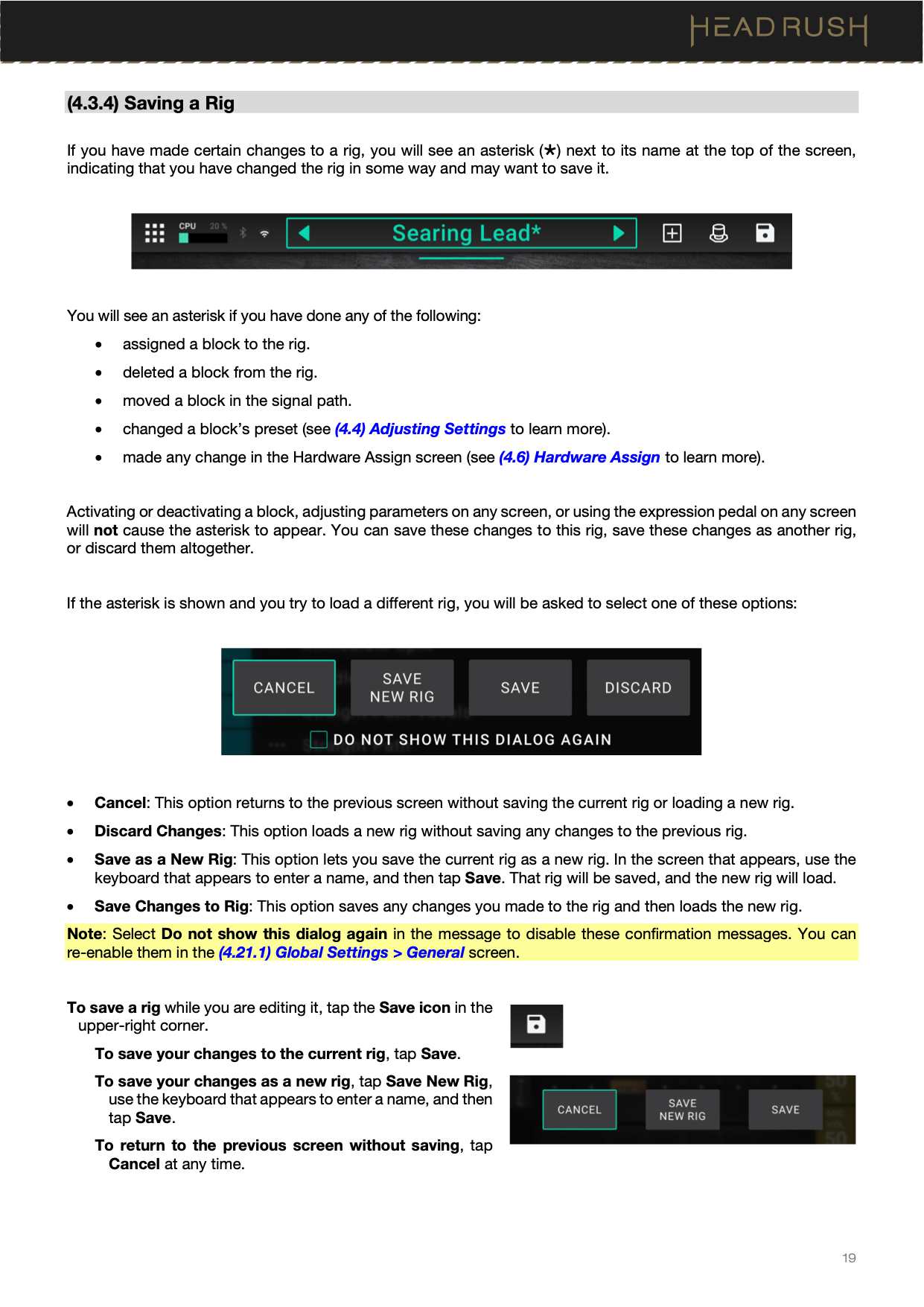
(4.3.5) Renaming a Rig
(4.3.6) Deleting a Rig
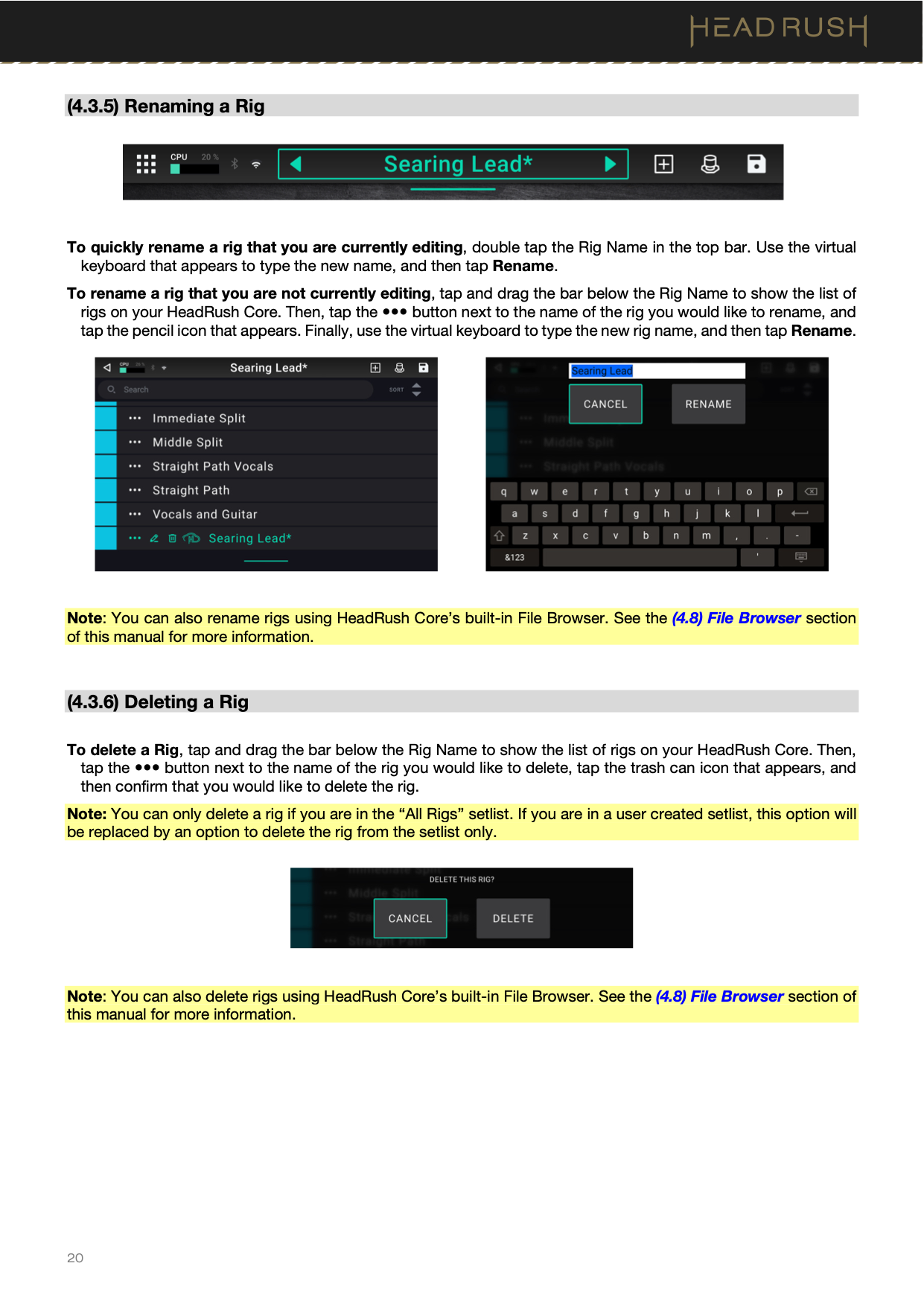
(4.4) Adjusting Settings
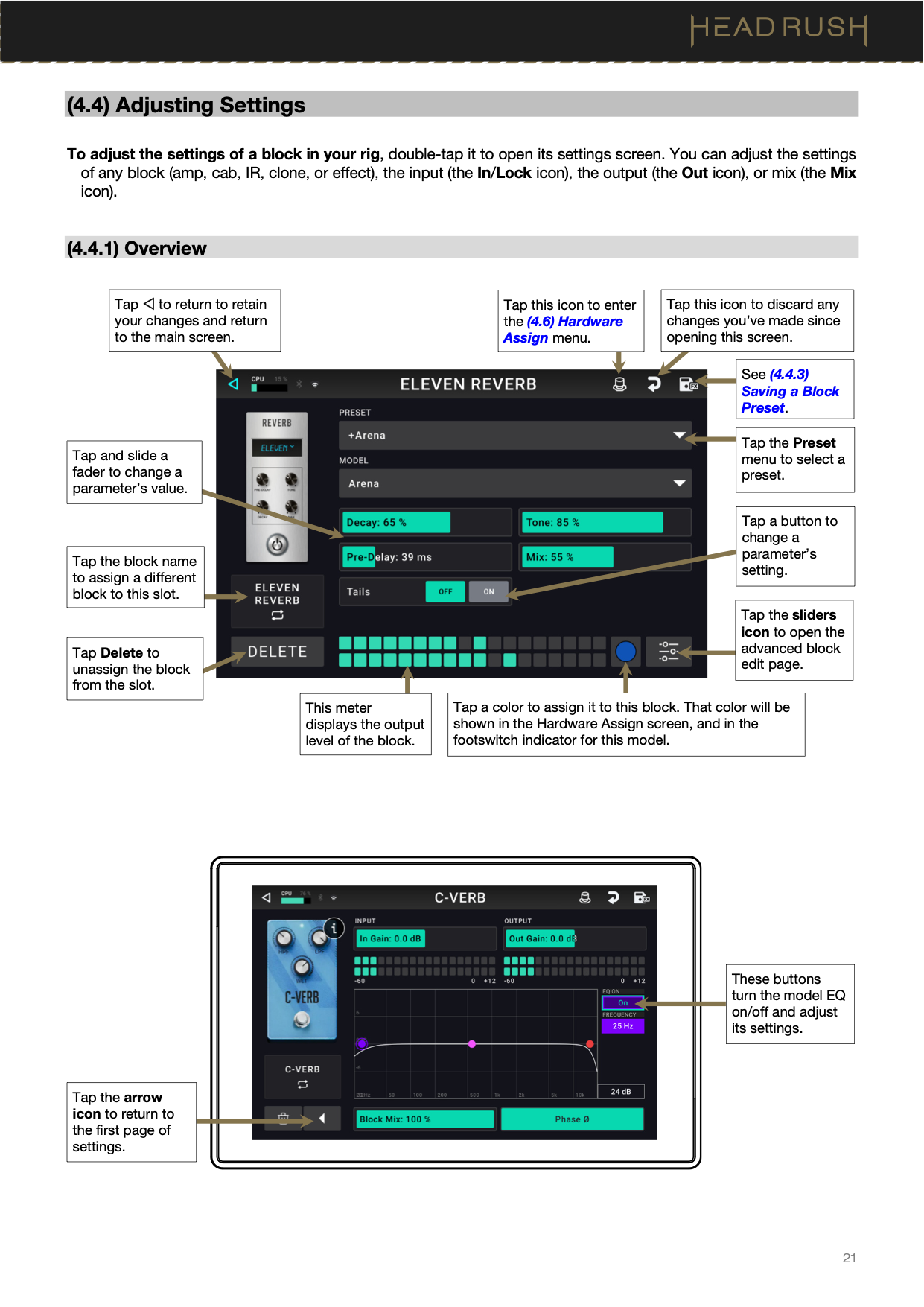
(4.4.1) Overview
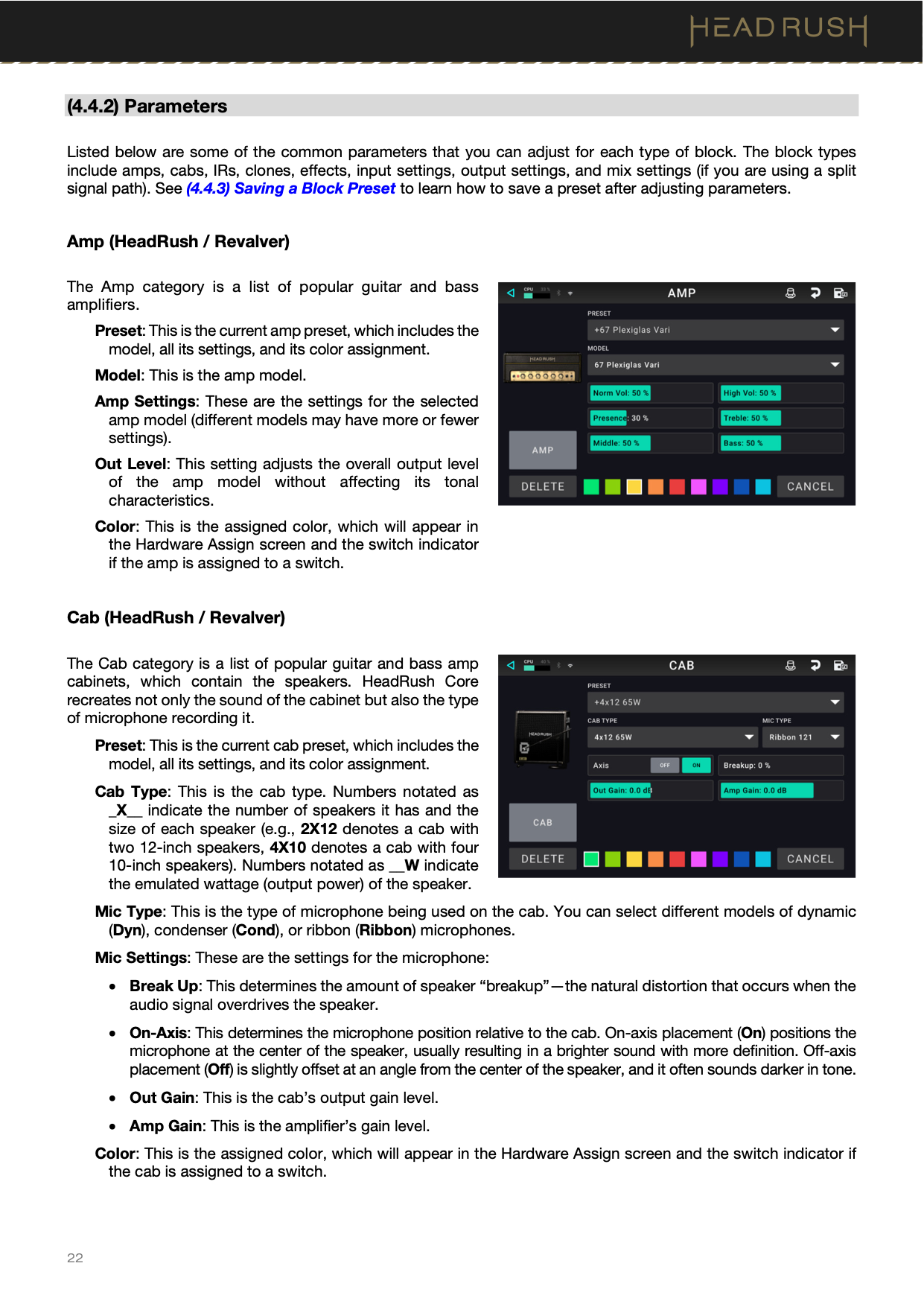
(4.4.2) Parameters
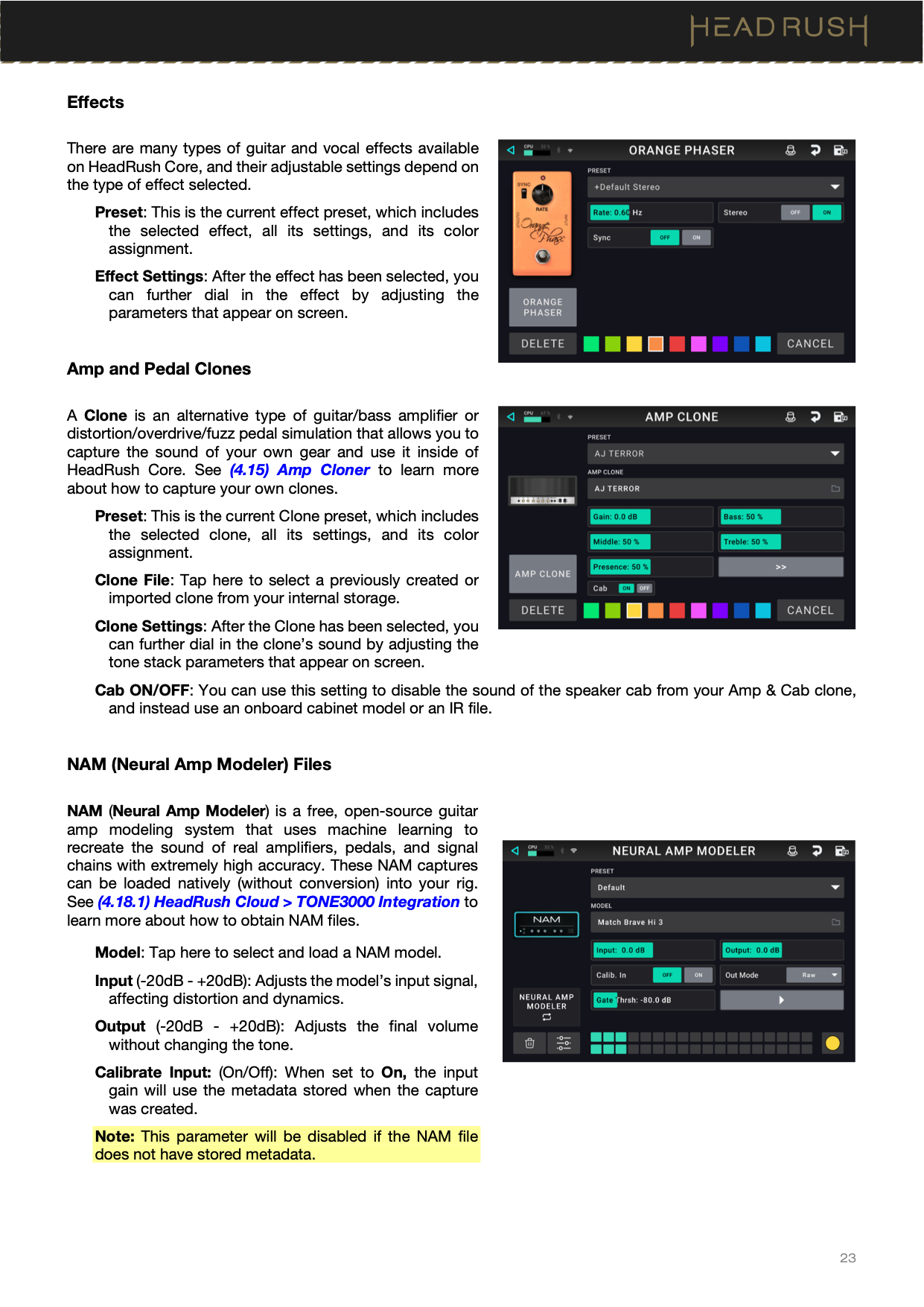
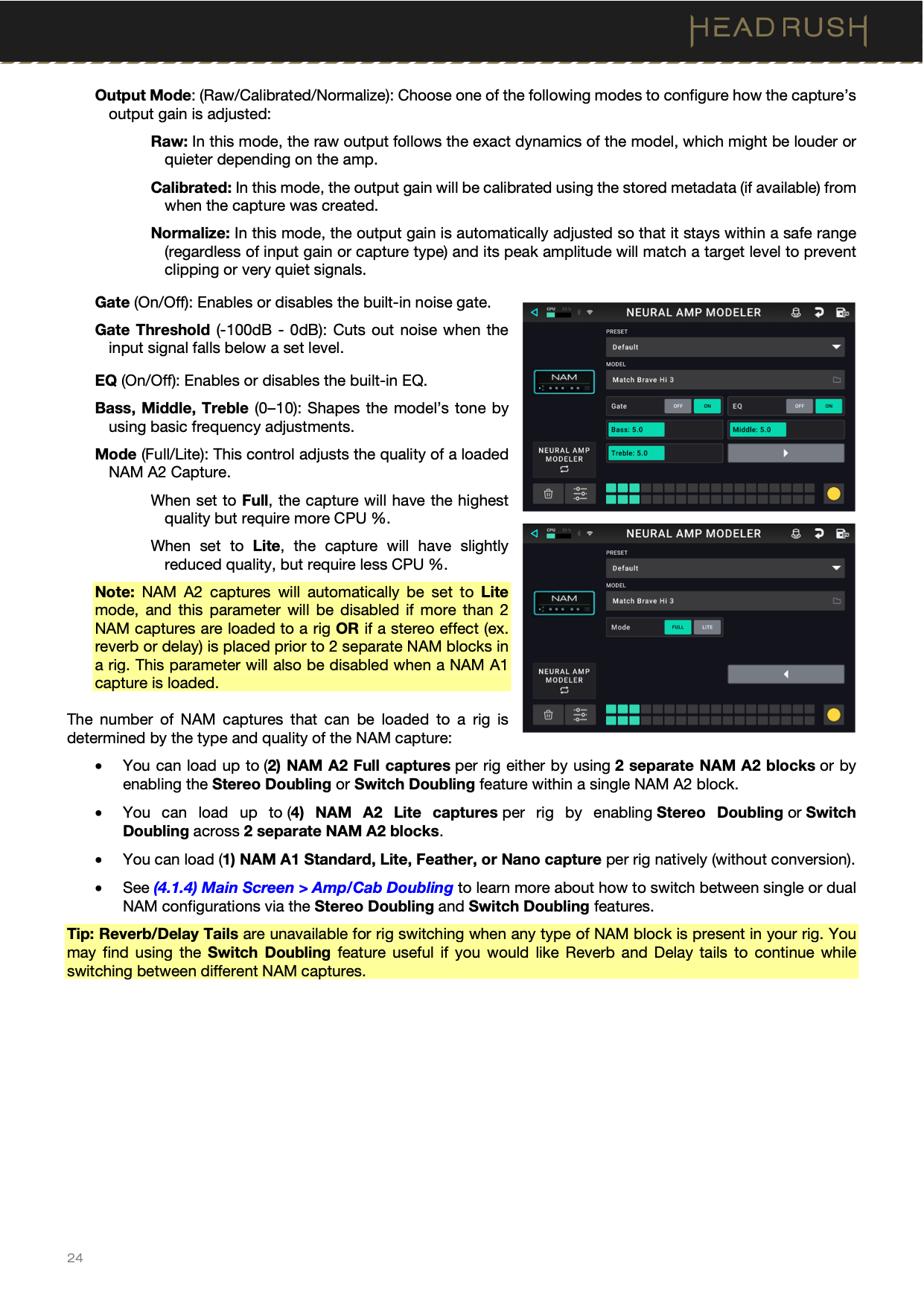
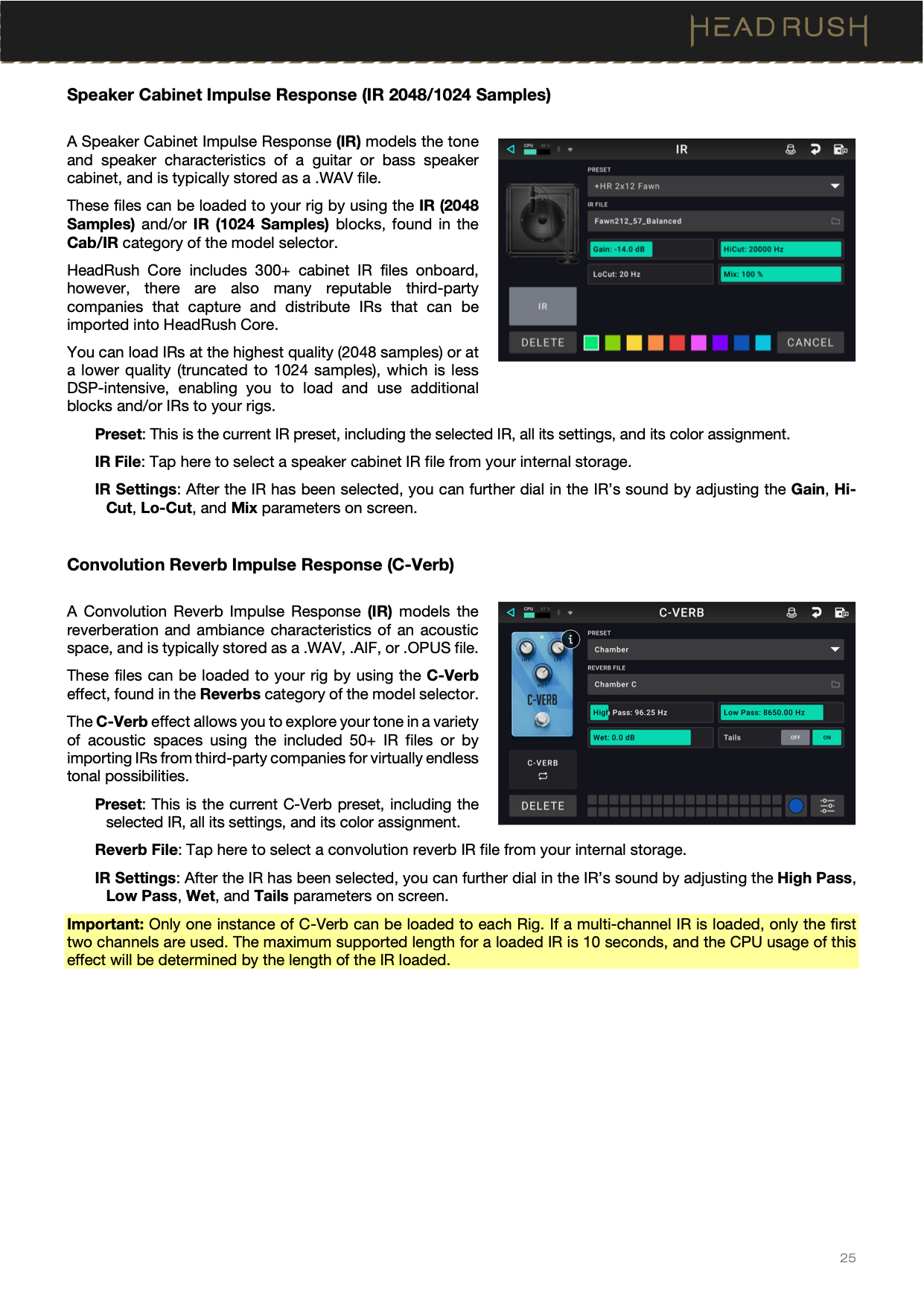
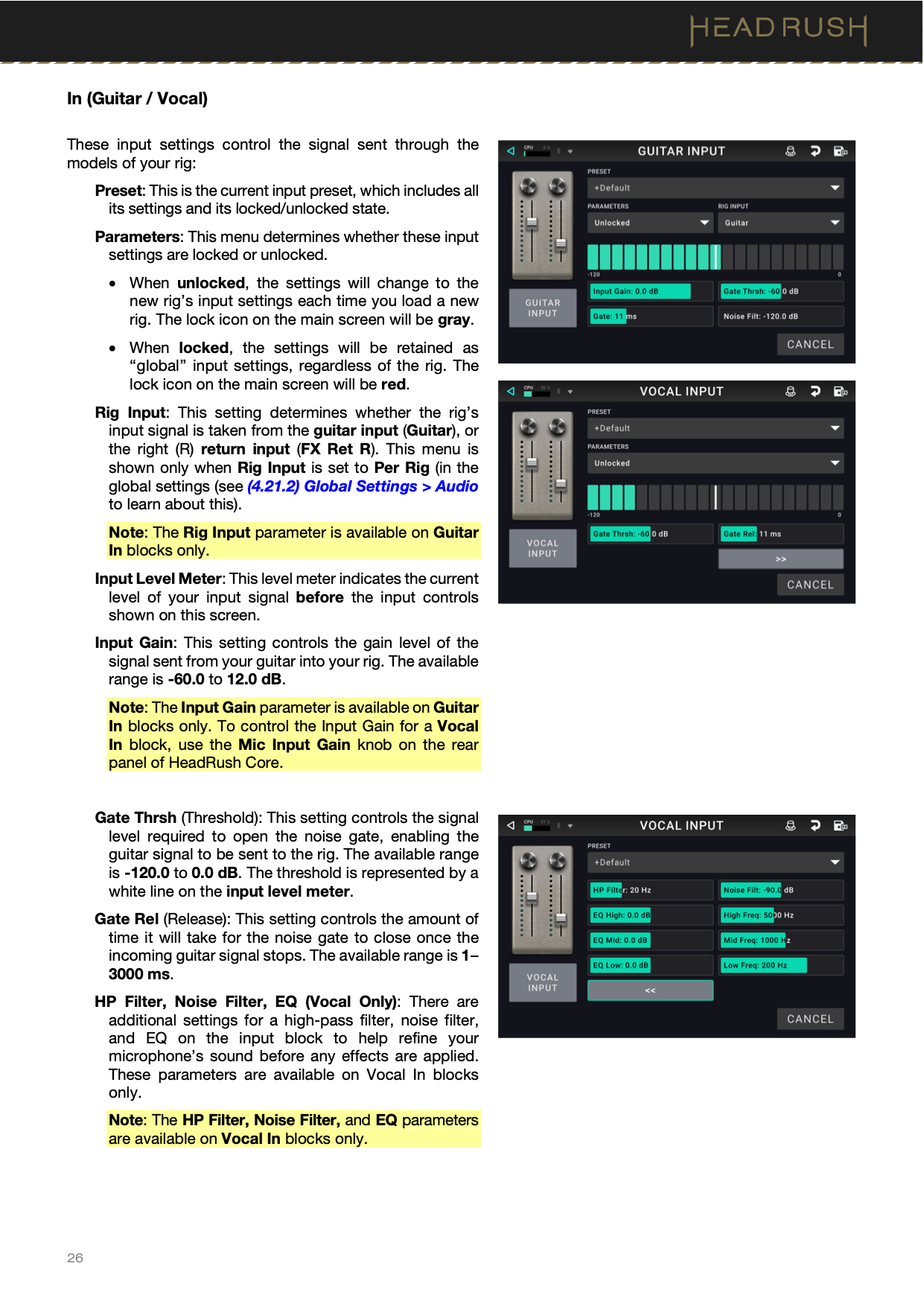
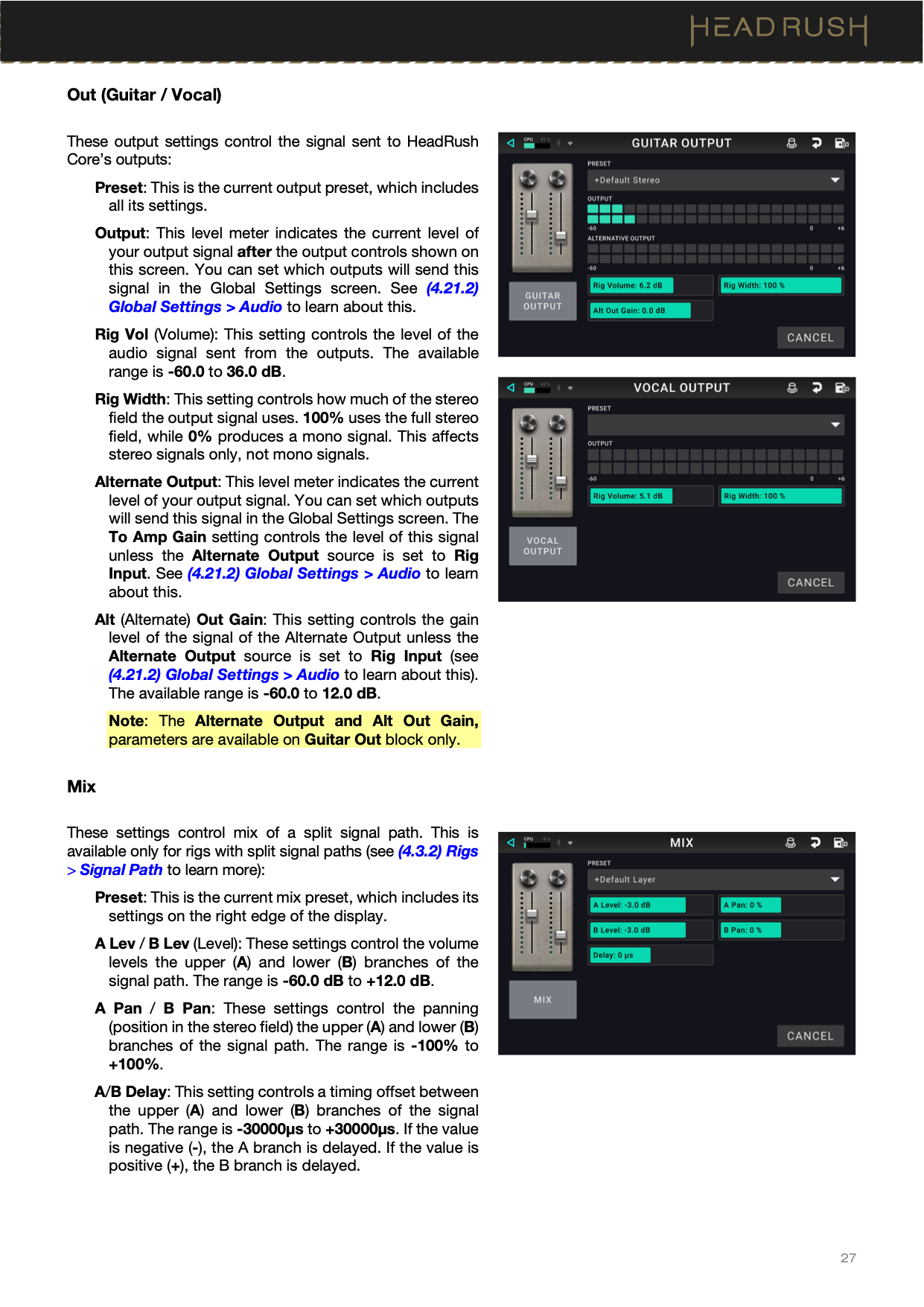
(4.4.3) Saving a Block Preset
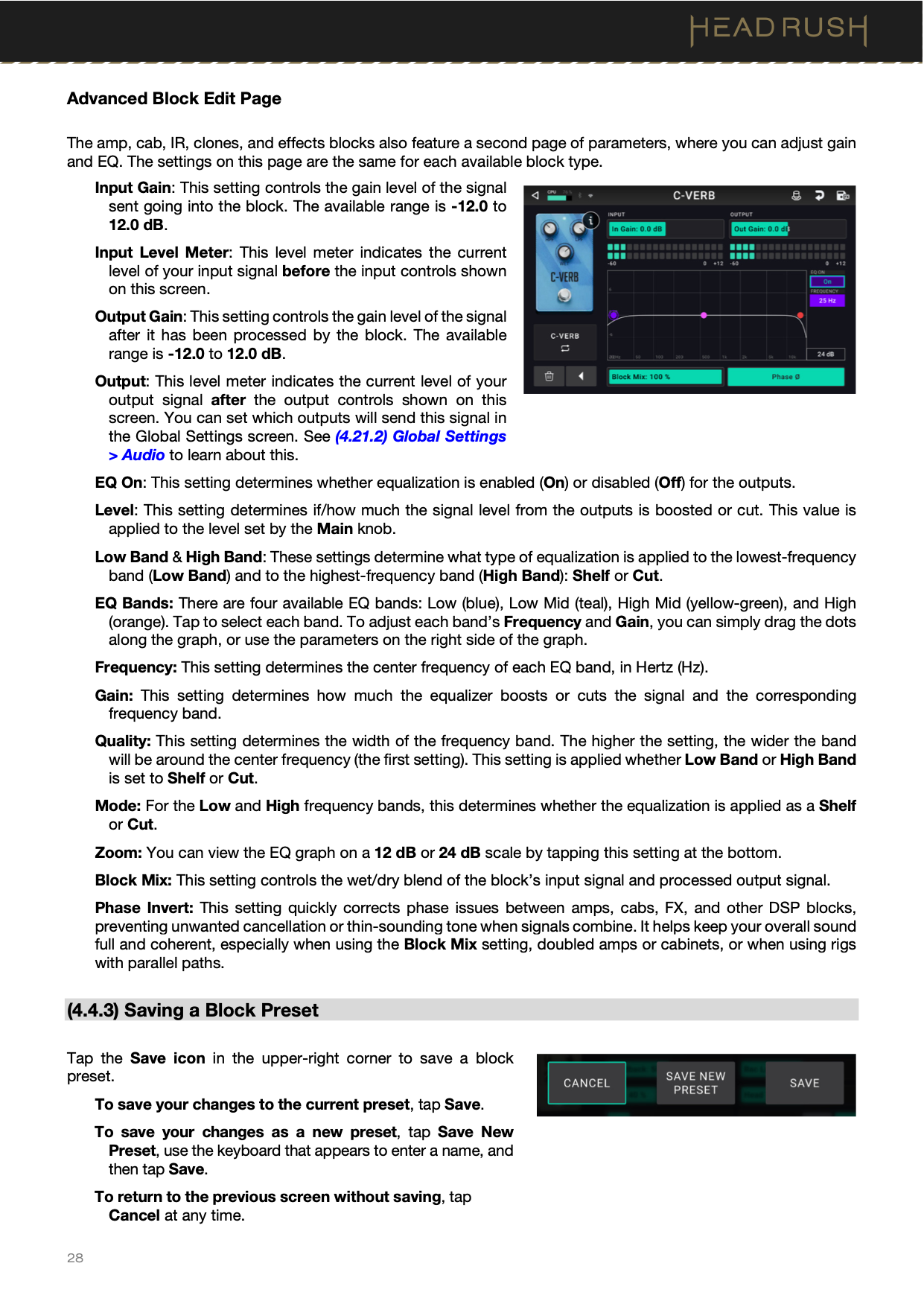
(4.5) Footswitch Modes
(4.5.1) Stomp Mode
(4.5.2) 3-Rig Mode
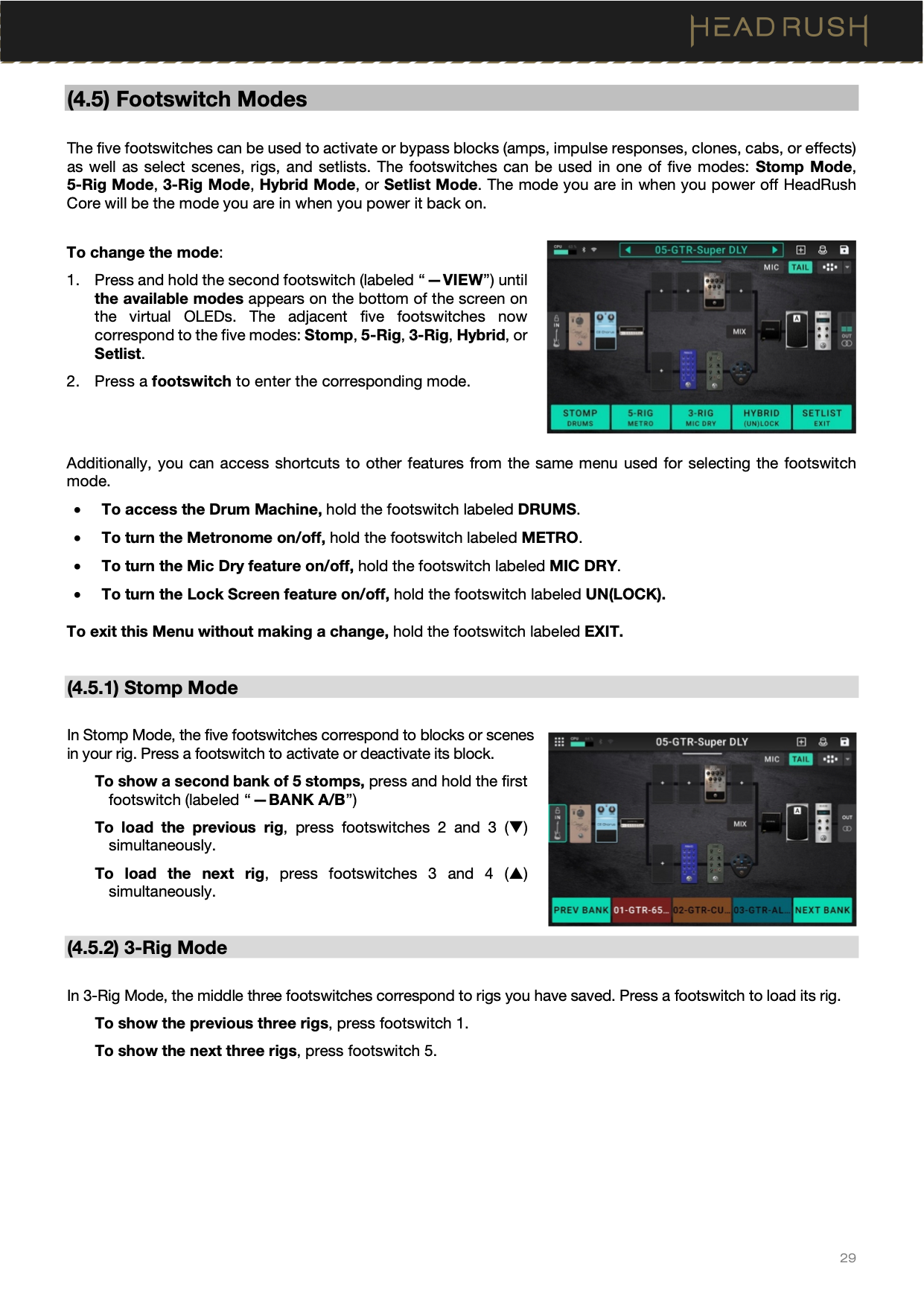
(4.5.3) 5-Rig Mode
(4.5.4) Hybrid Mode
(4.5.5) Setlist Mode
(4.6) Hardware Assign
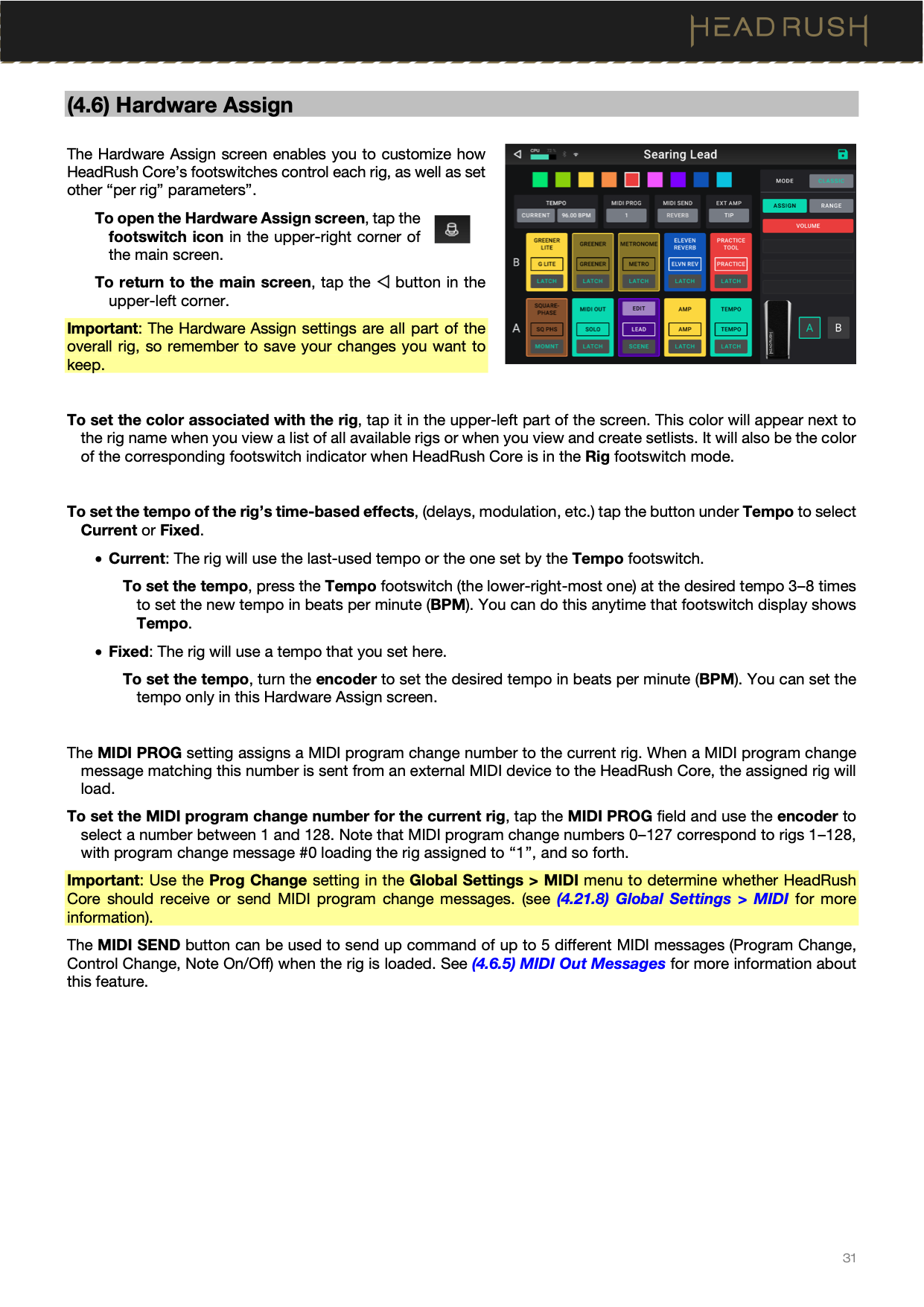
(4.6.1) Footswitches
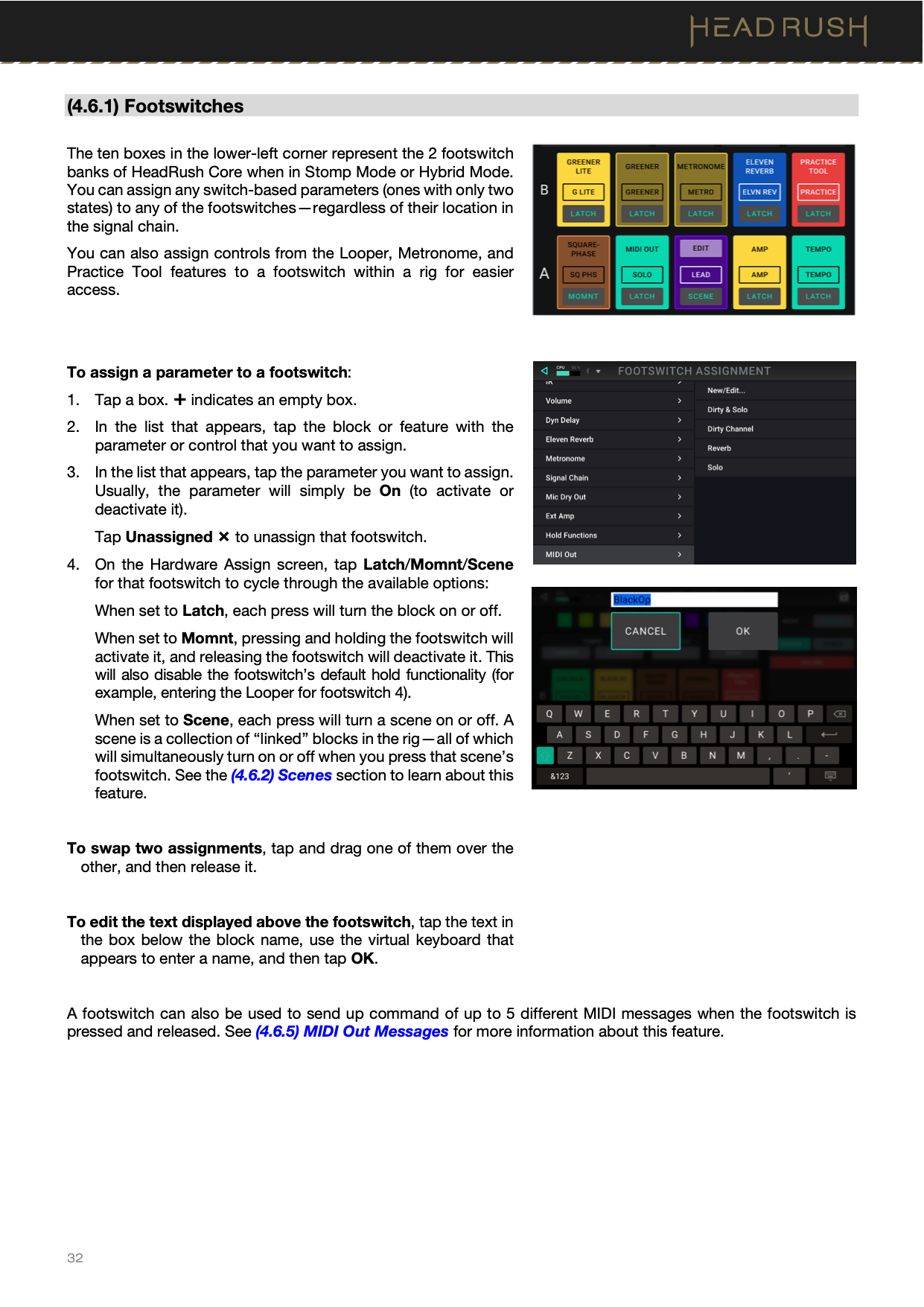
(4.6.2) Scenes
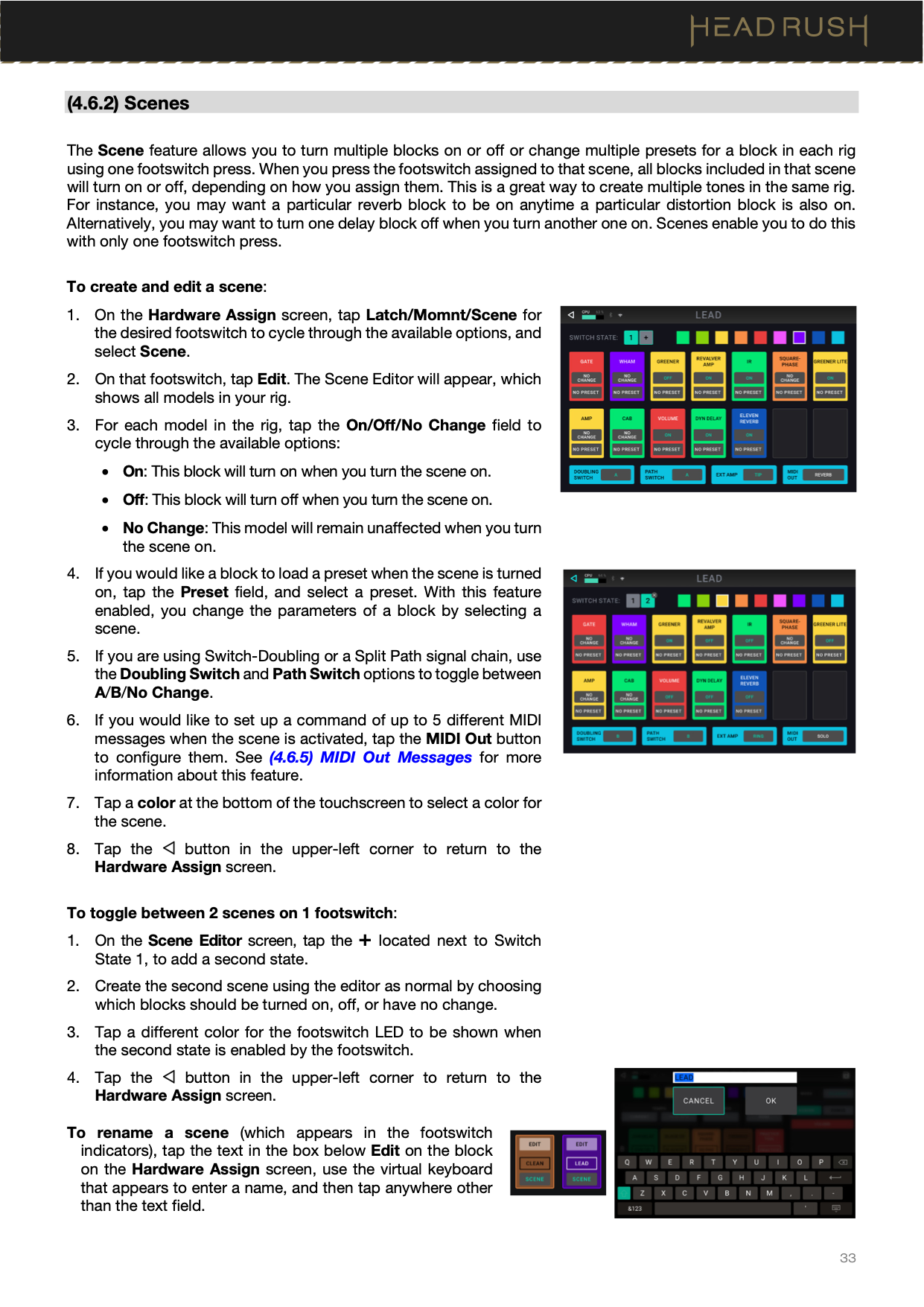
(4.6.3) Expression Pedal
(4.6.4) Ext Amp
(4.6.5) MIDI Out Messages
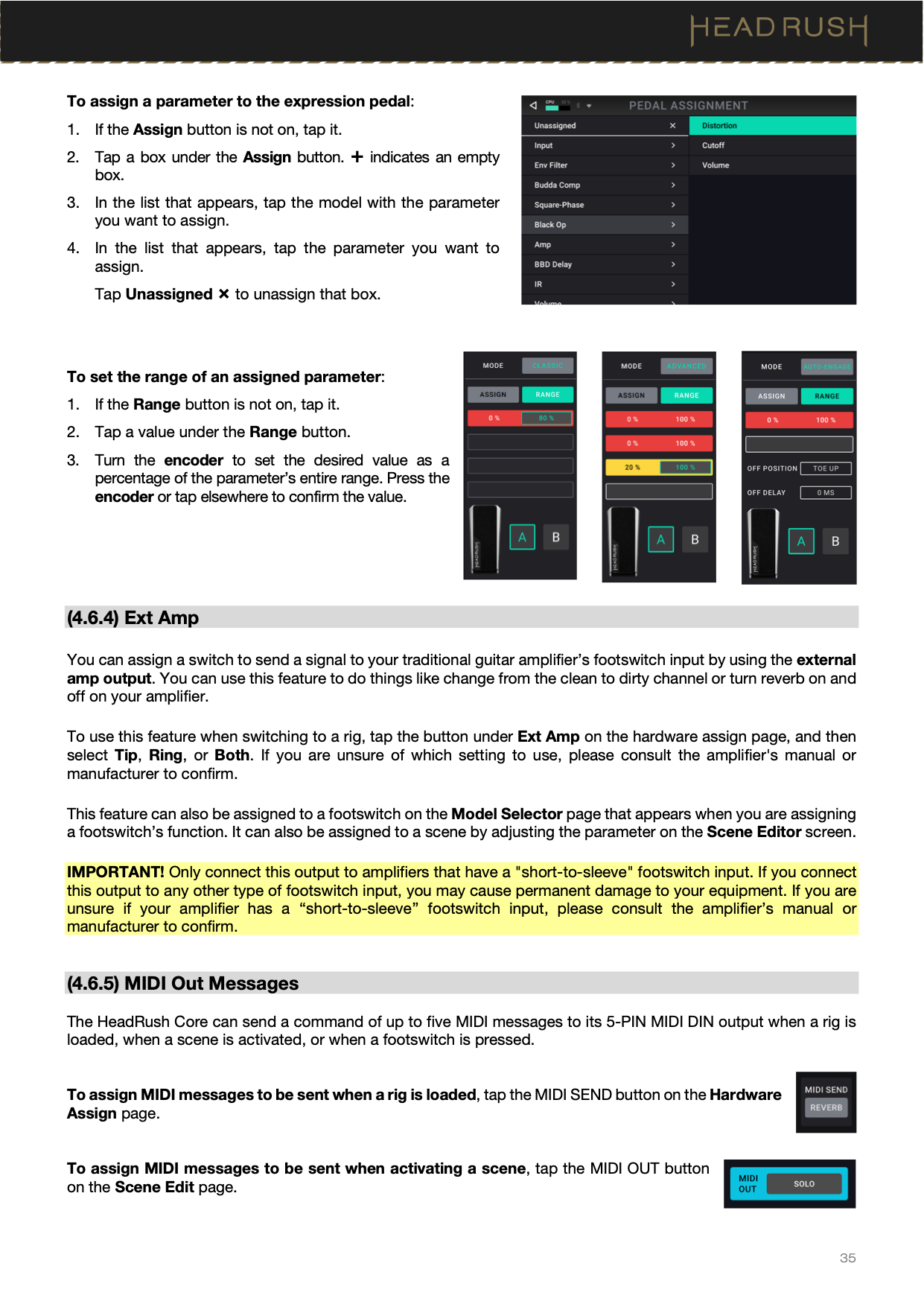
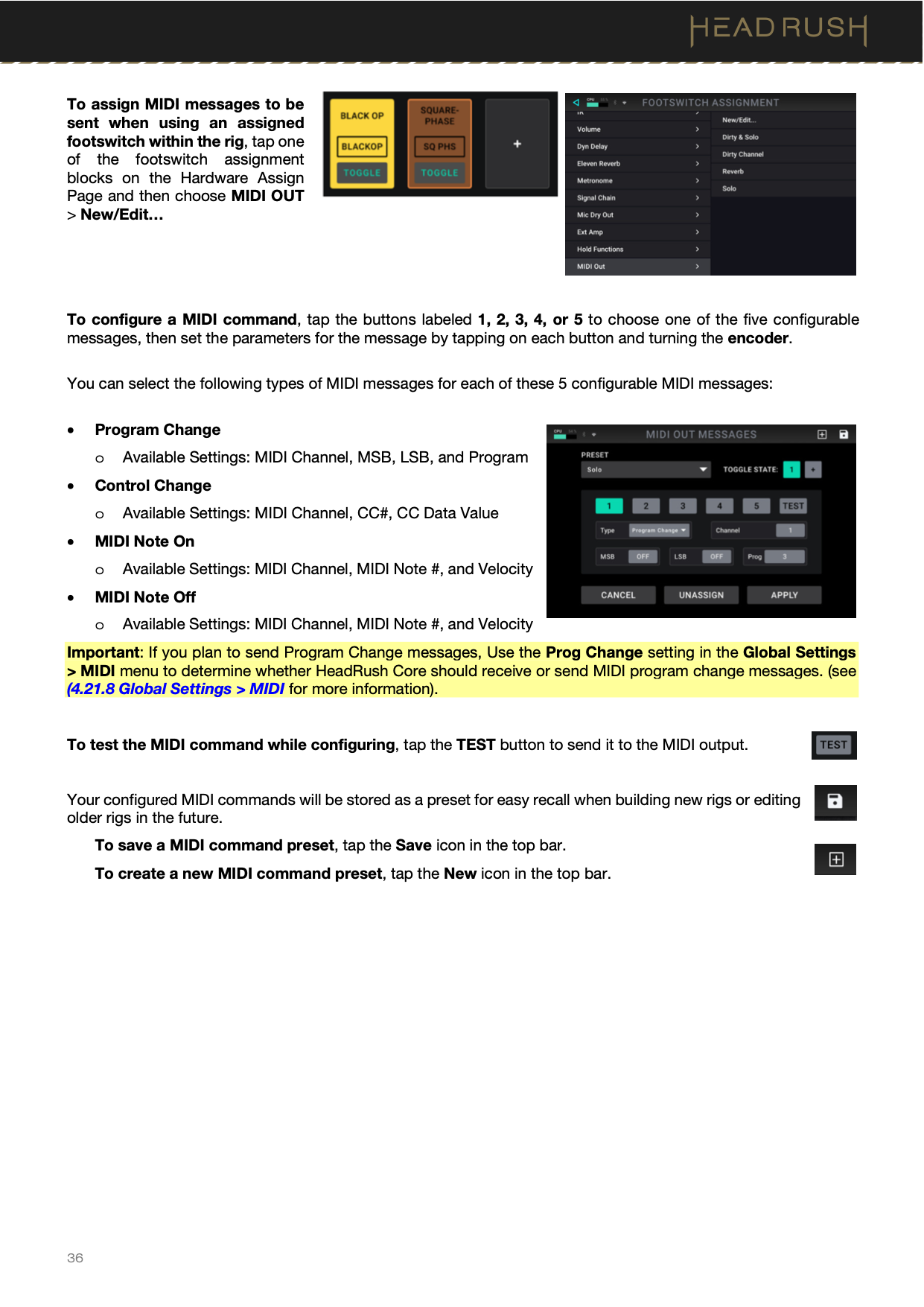
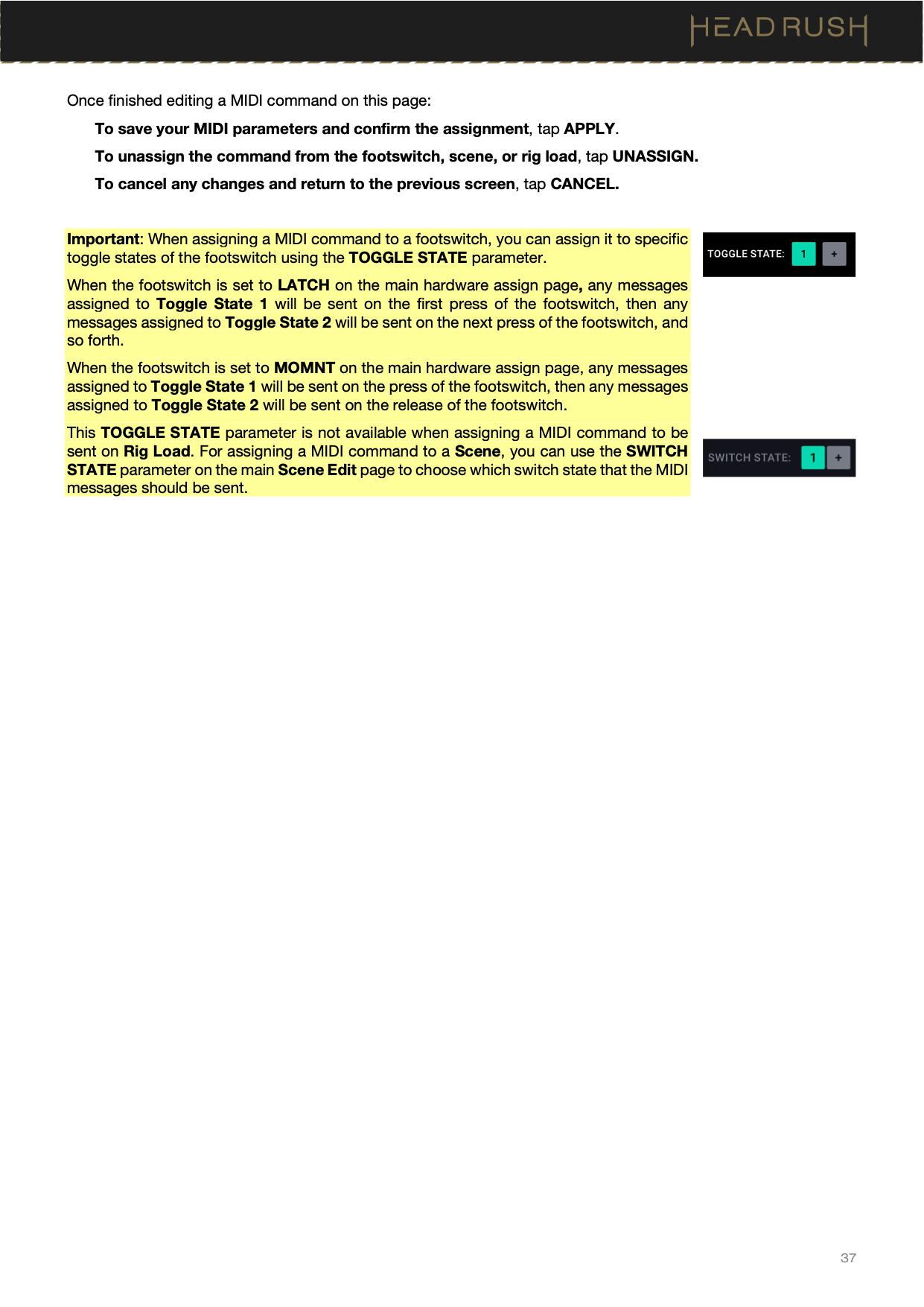
(4.7) Hands-Free Mode
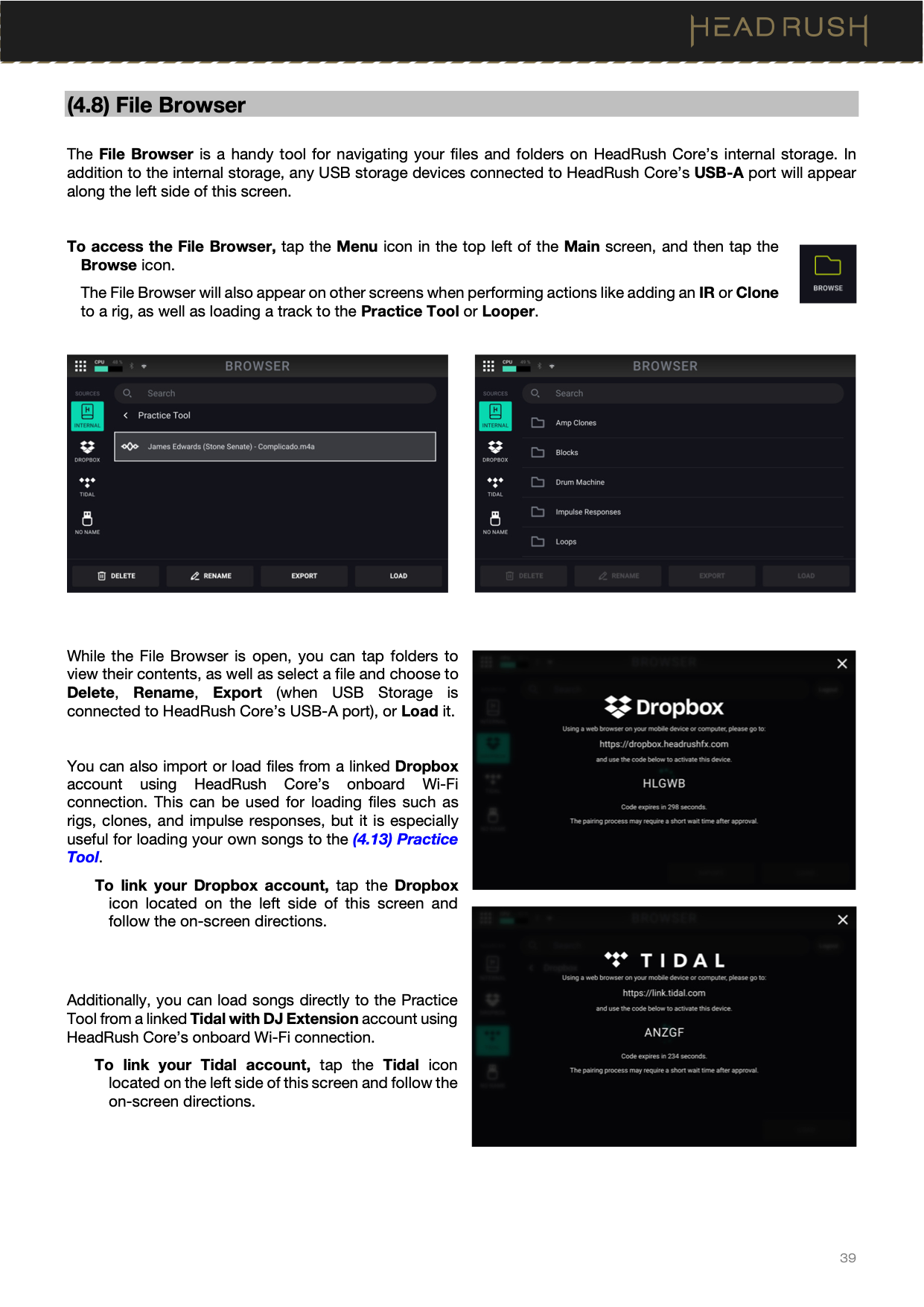
(4.8) File Browser
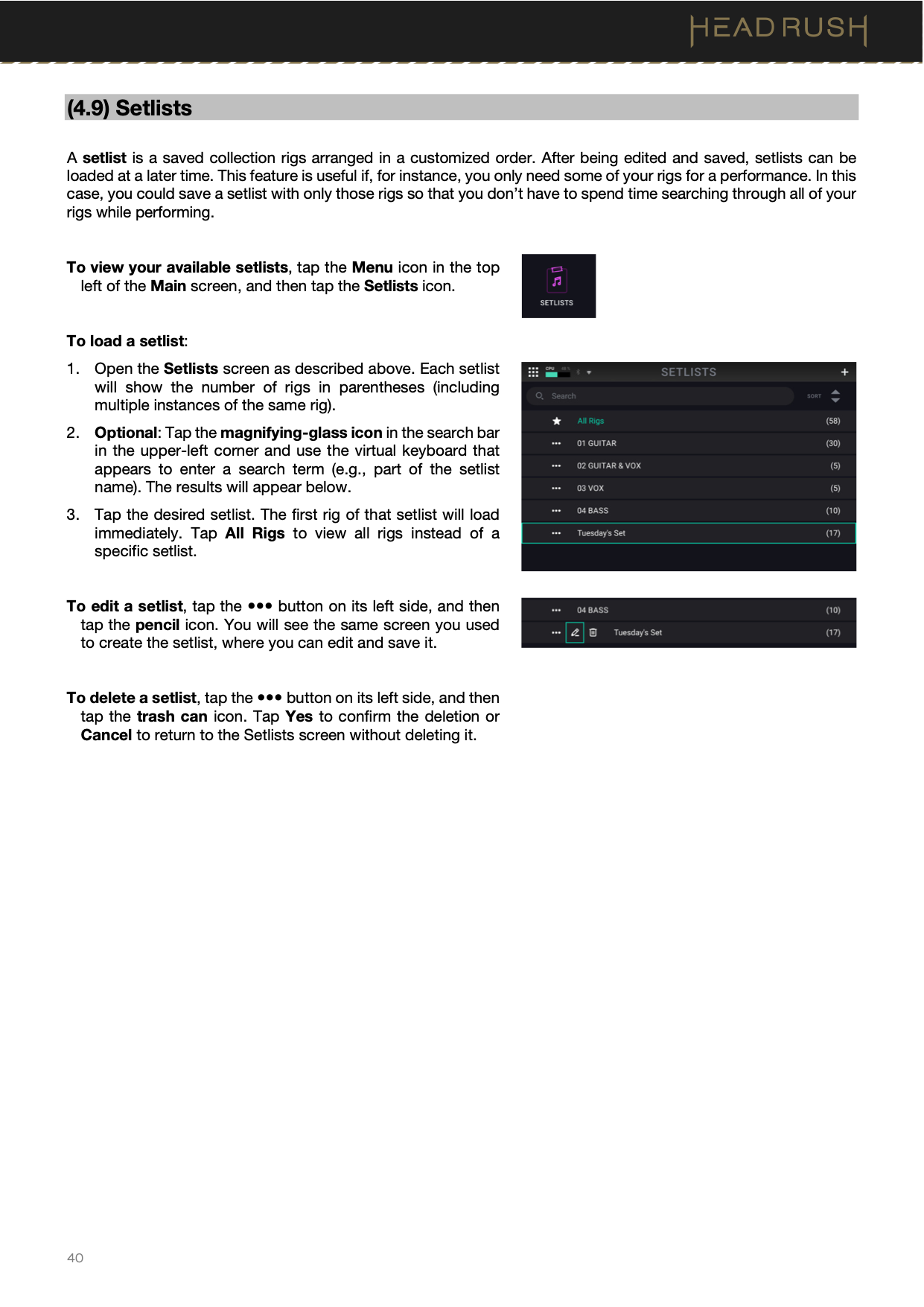
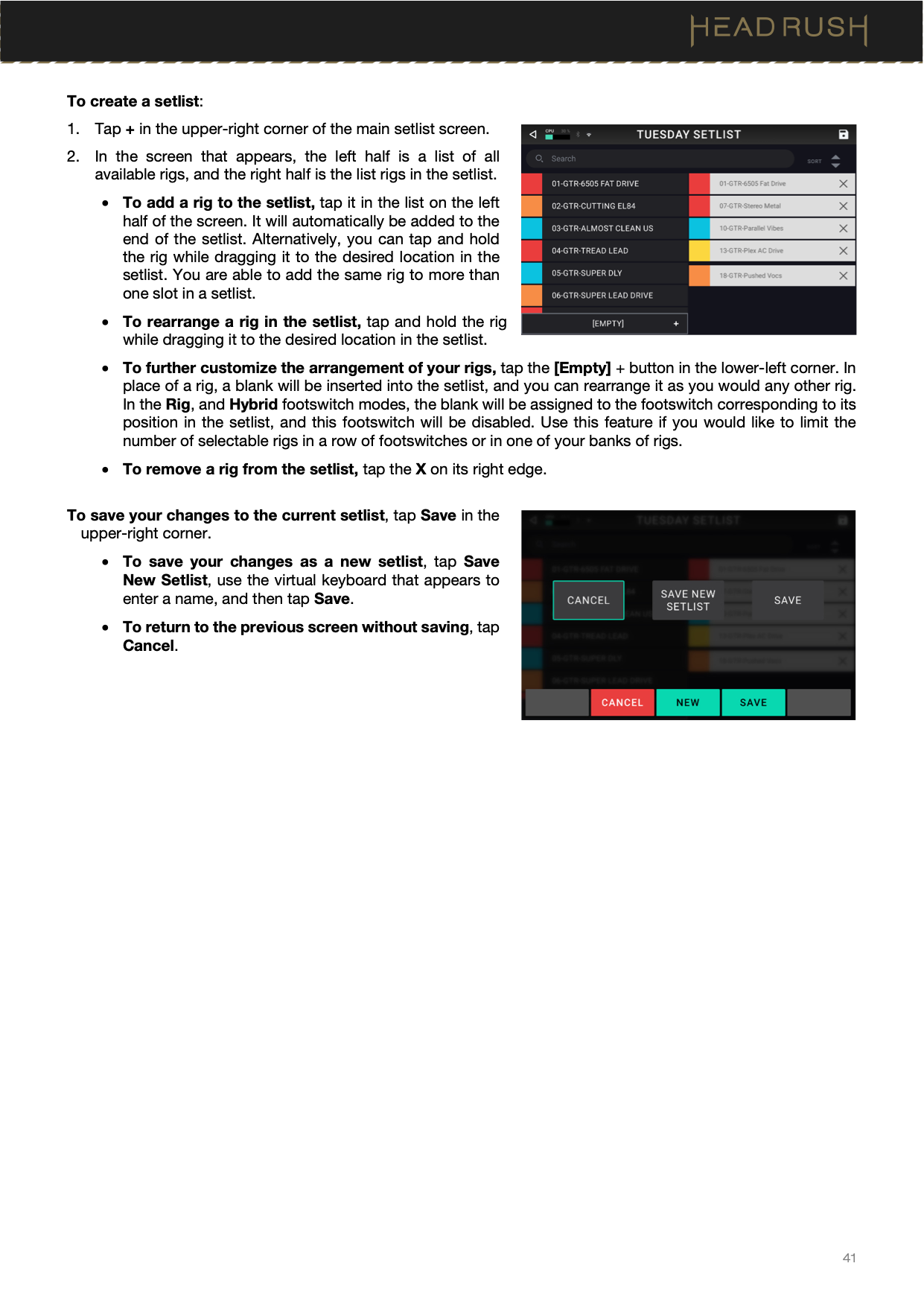
(4.9) Setlists
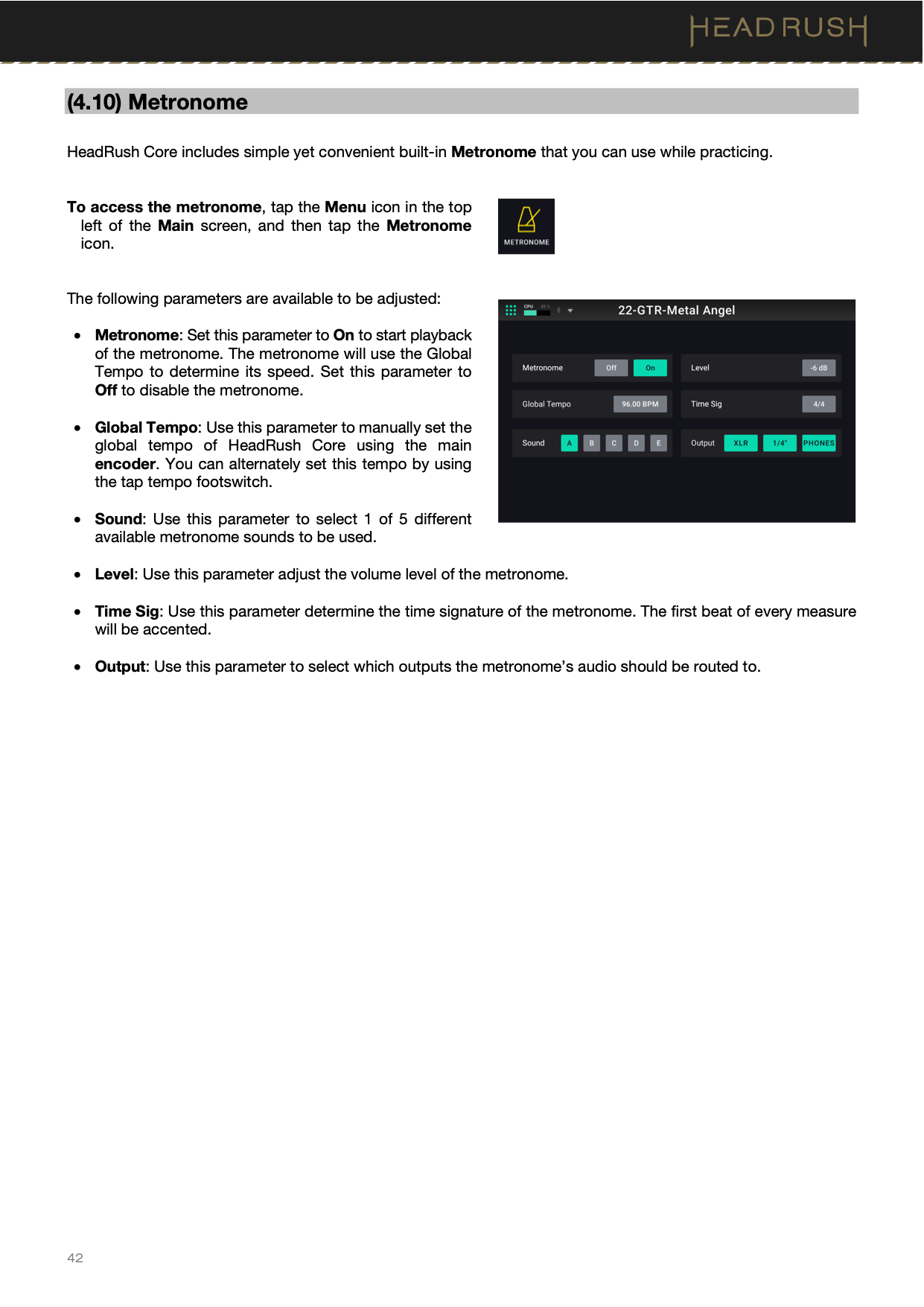
(4.10) Metronome
(4.11) Drum Machine
(4.11.1) Main Page
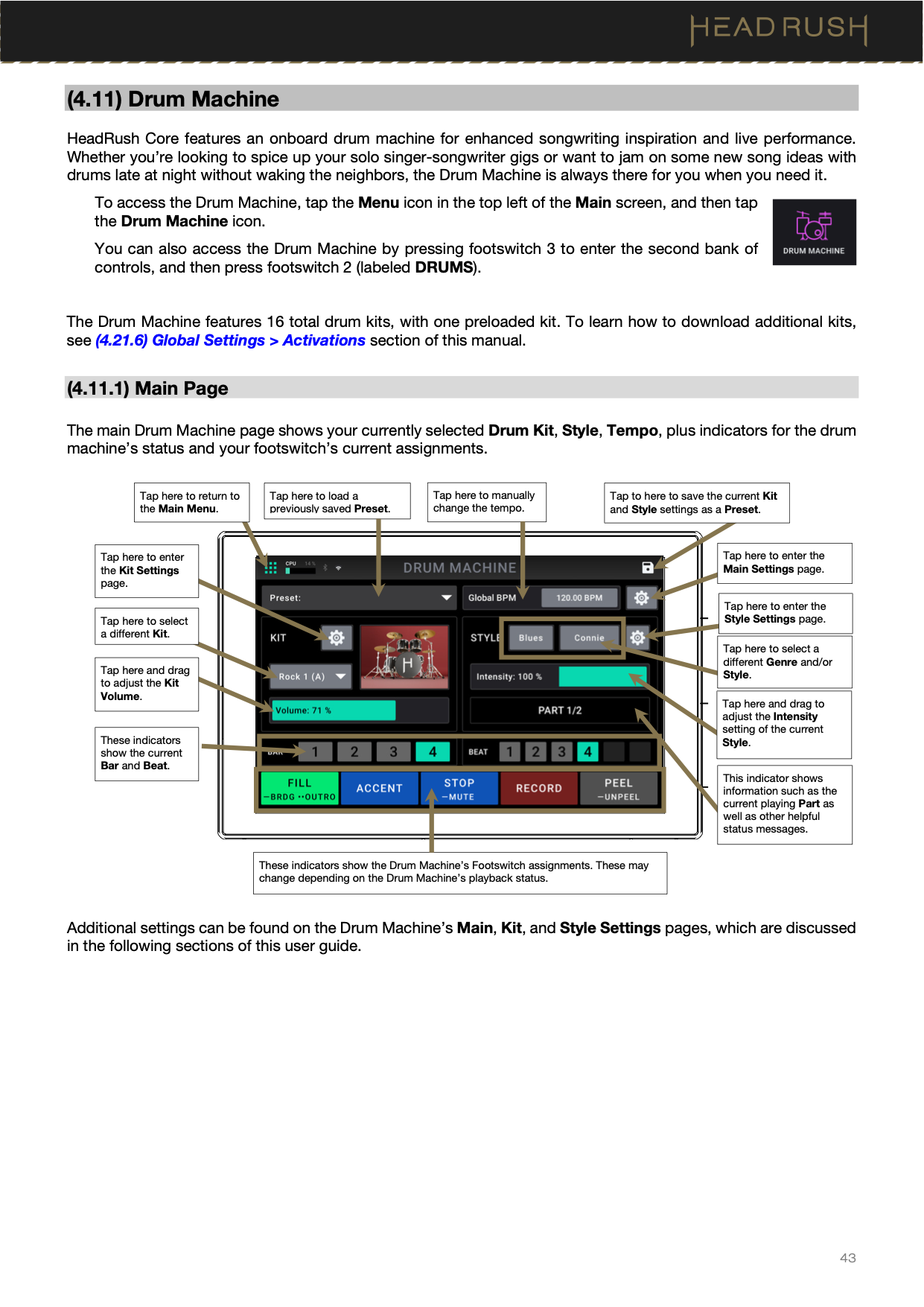
(4.11.2) Footswitch Controls
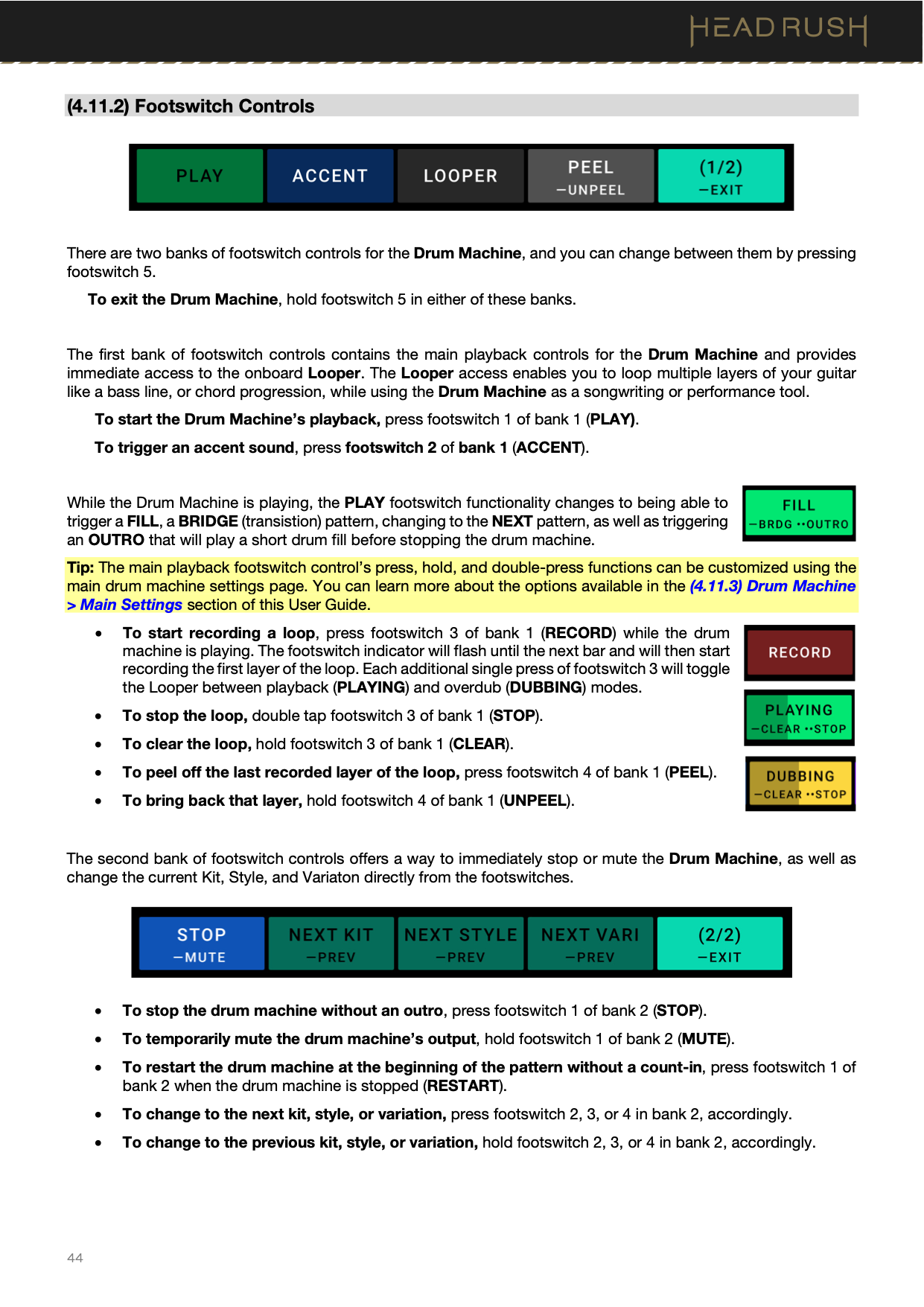
(4.11.3) Main Settings
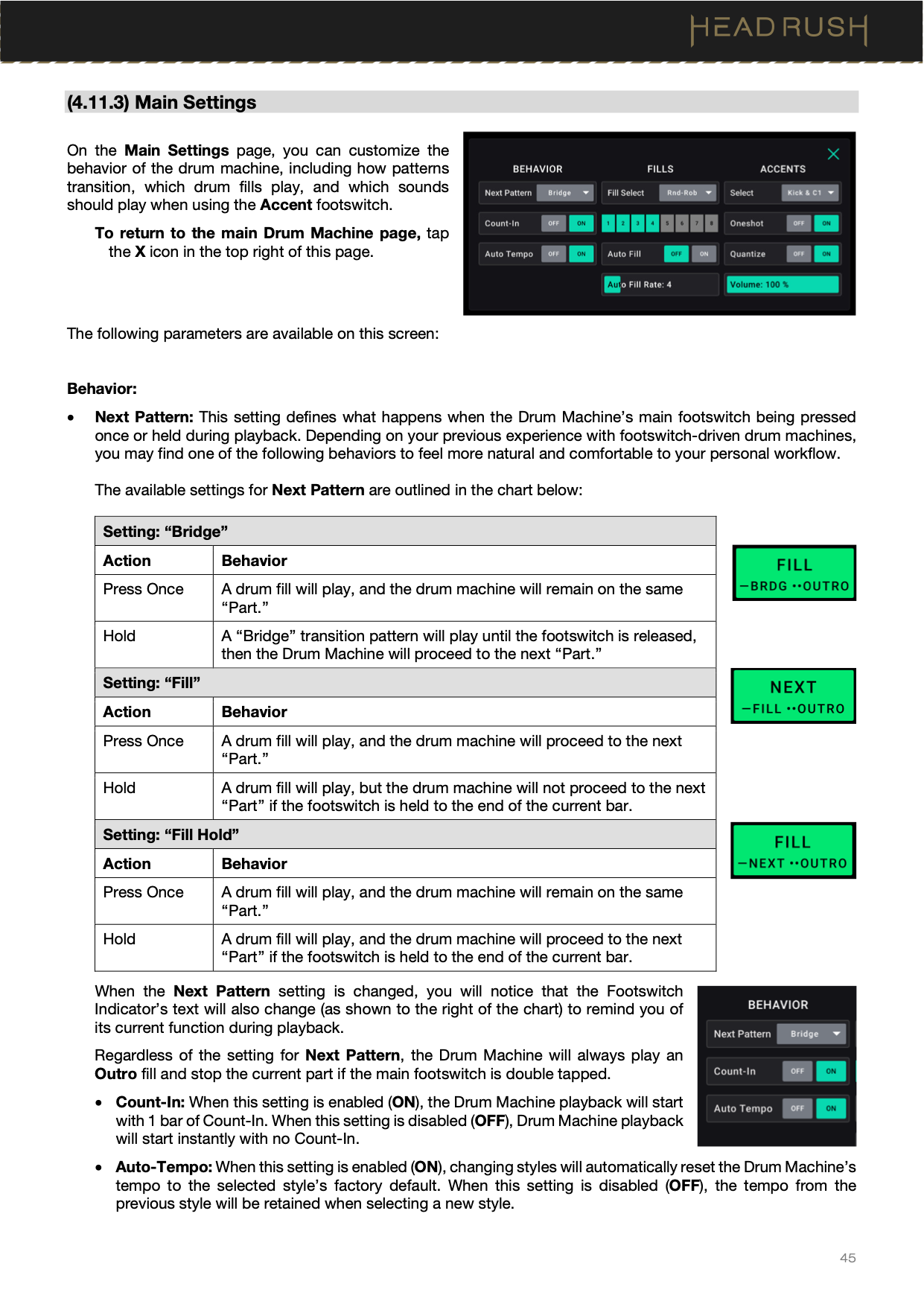
(4.11.4) Kit Settings
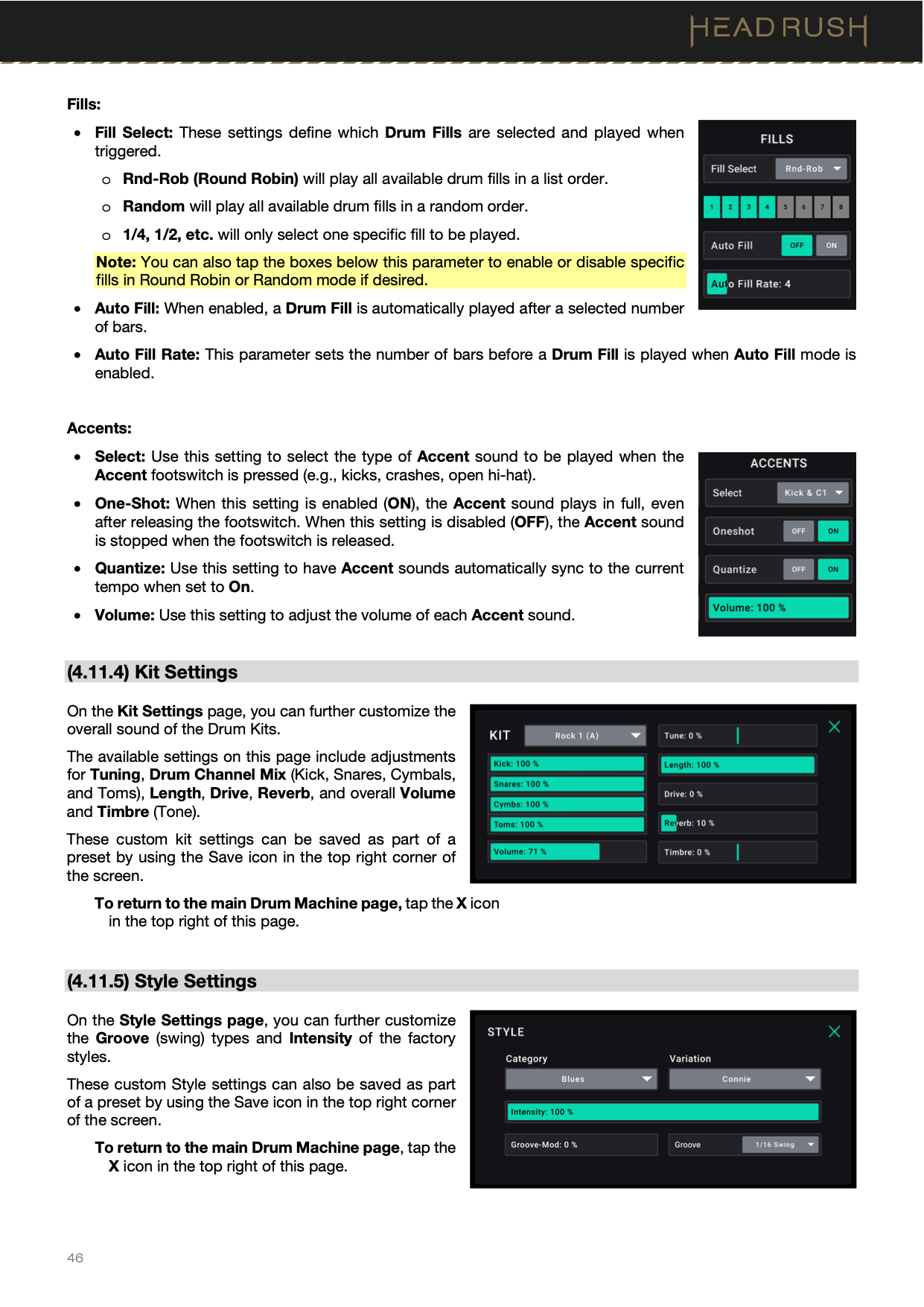
(4.11.5) Style Settings
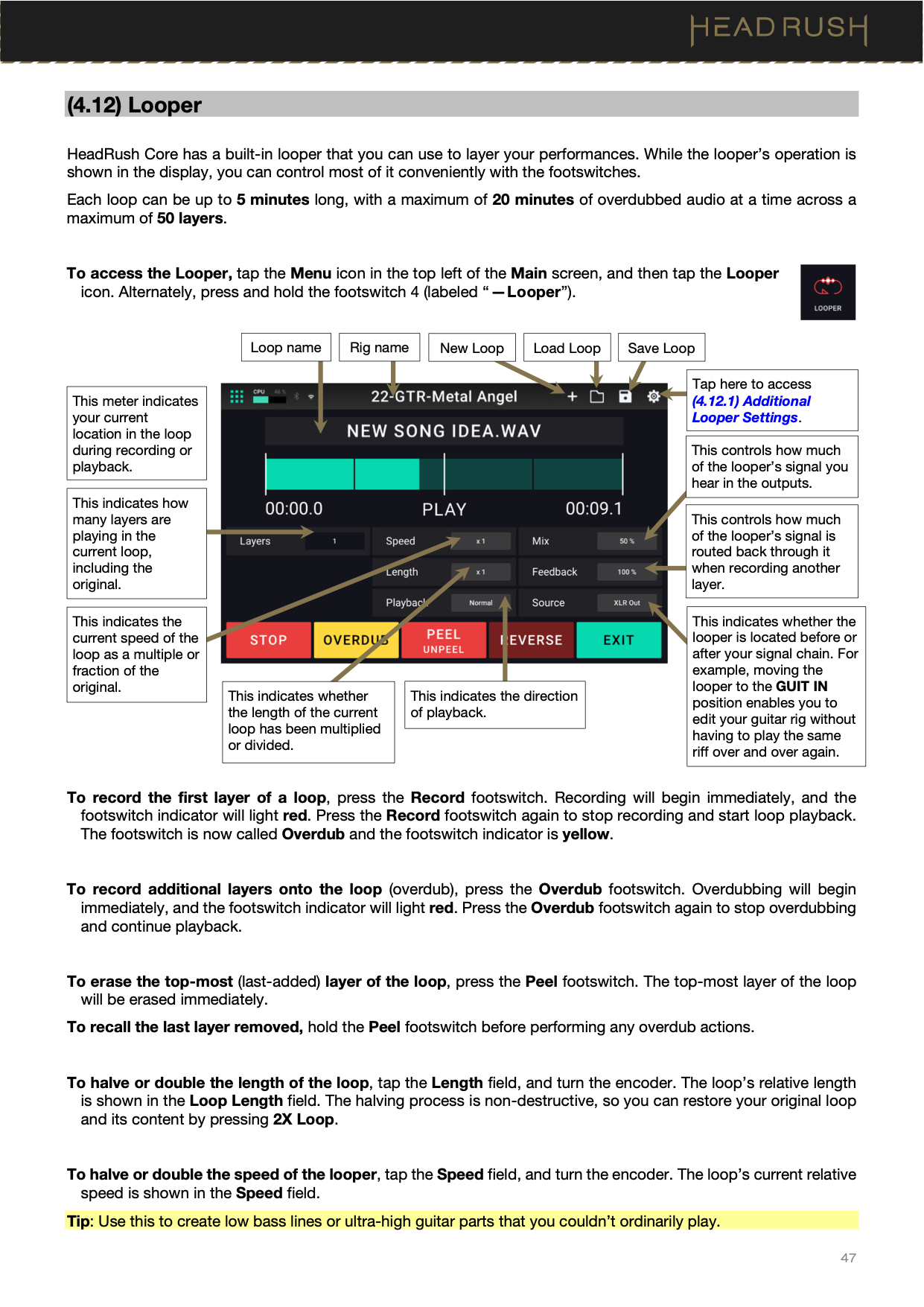
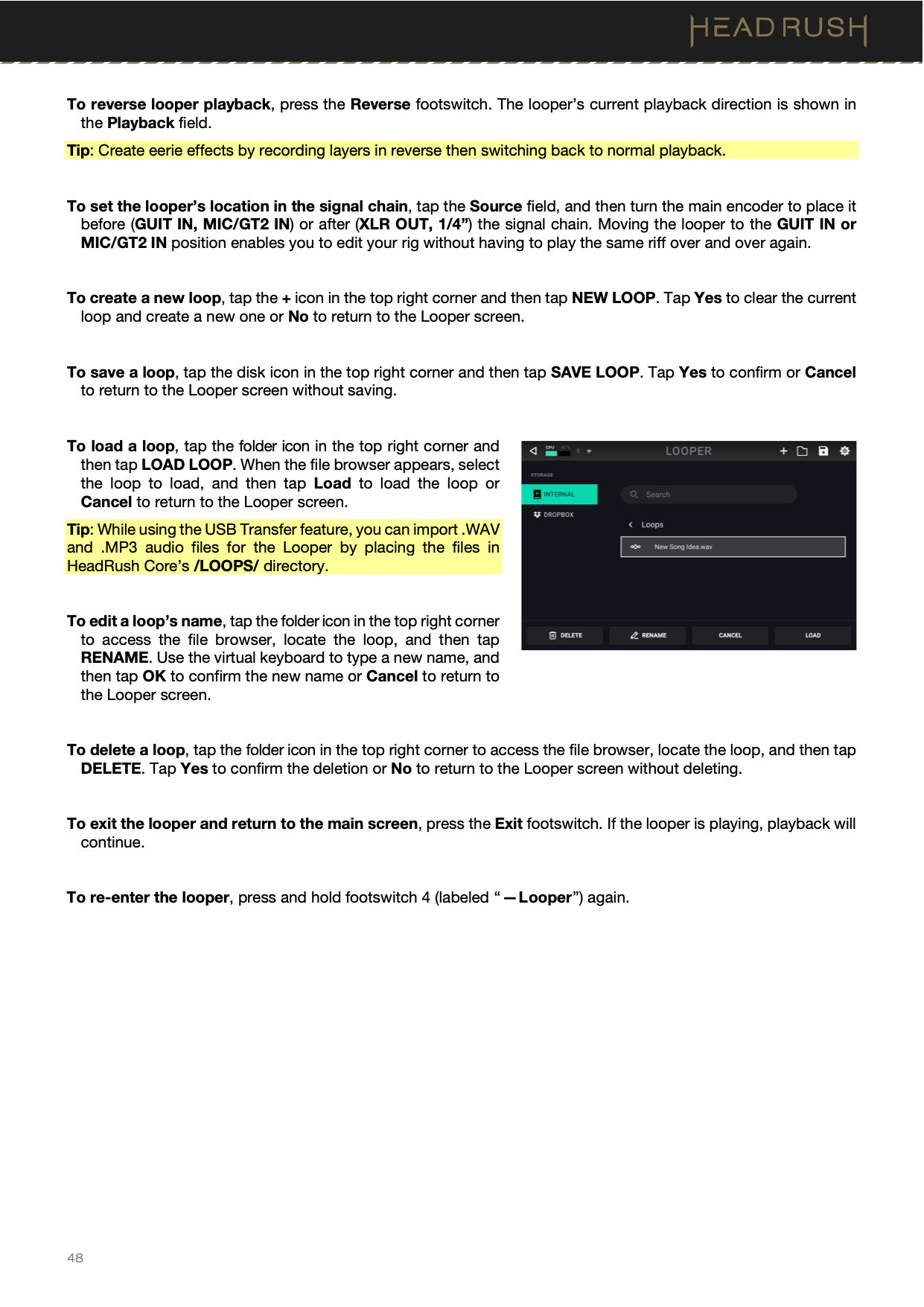
(4.12) Looper
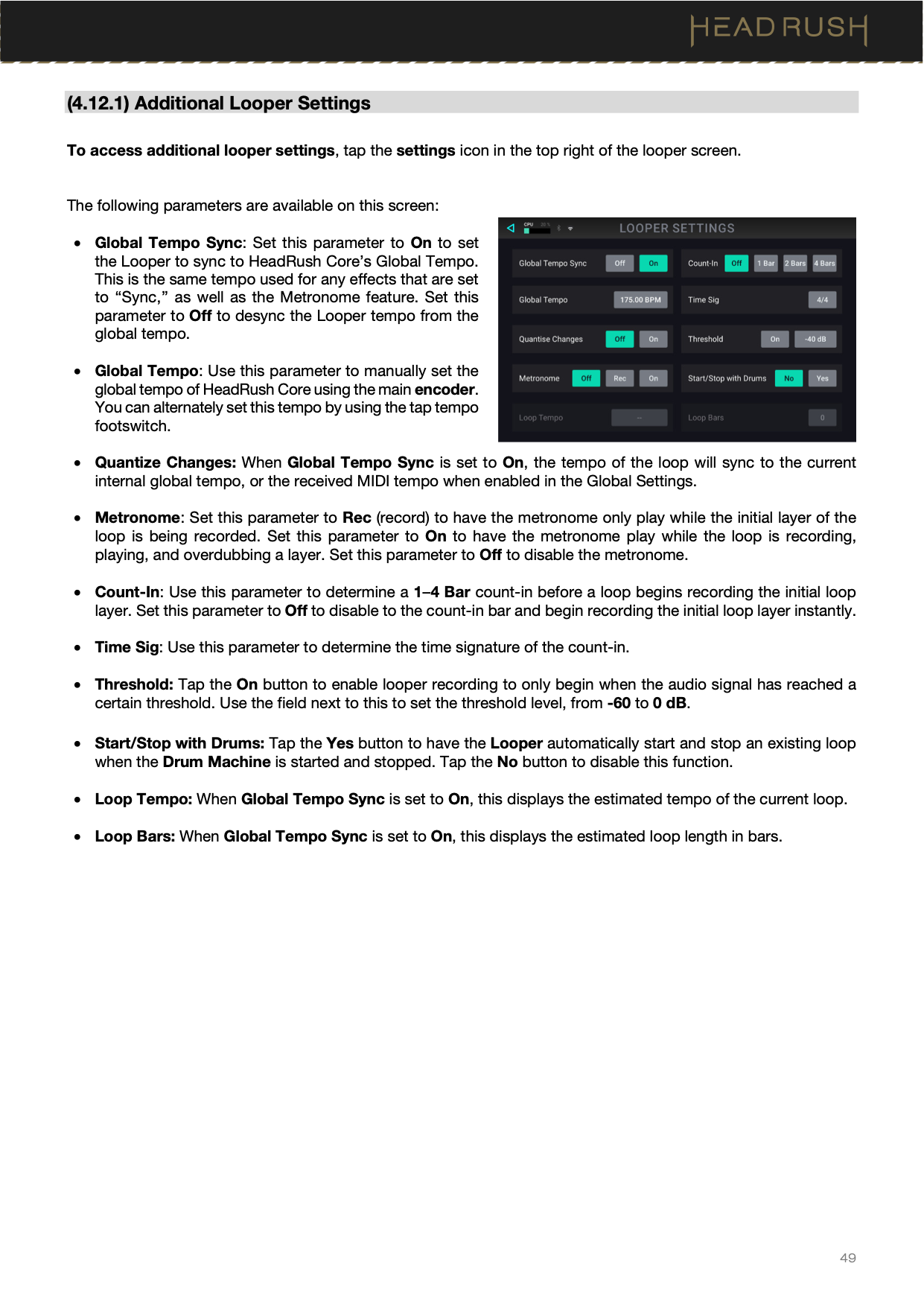
(4.12.1) Additional Looper Settings
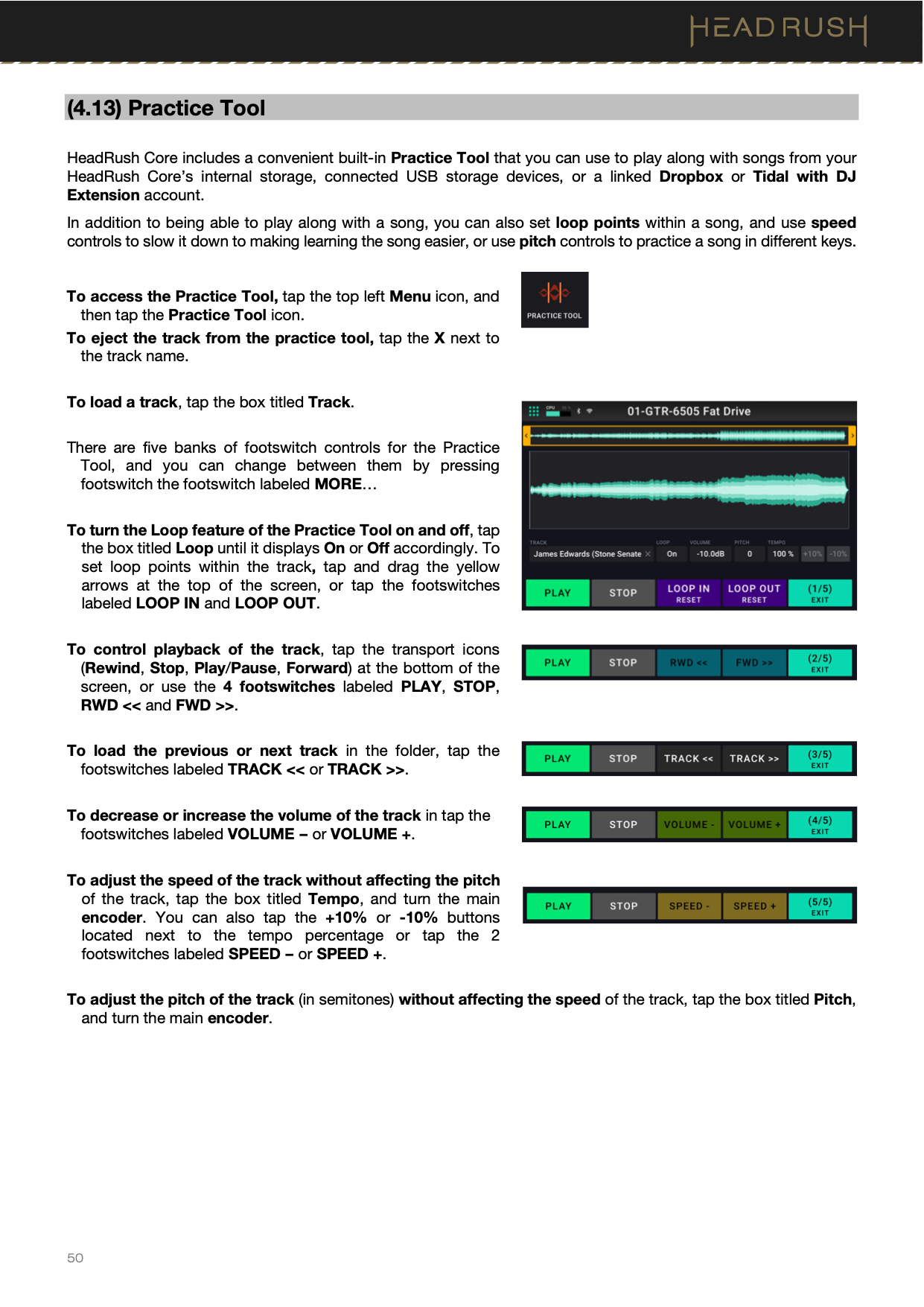
(4.13) Practice Tool
(4.14) Tuner
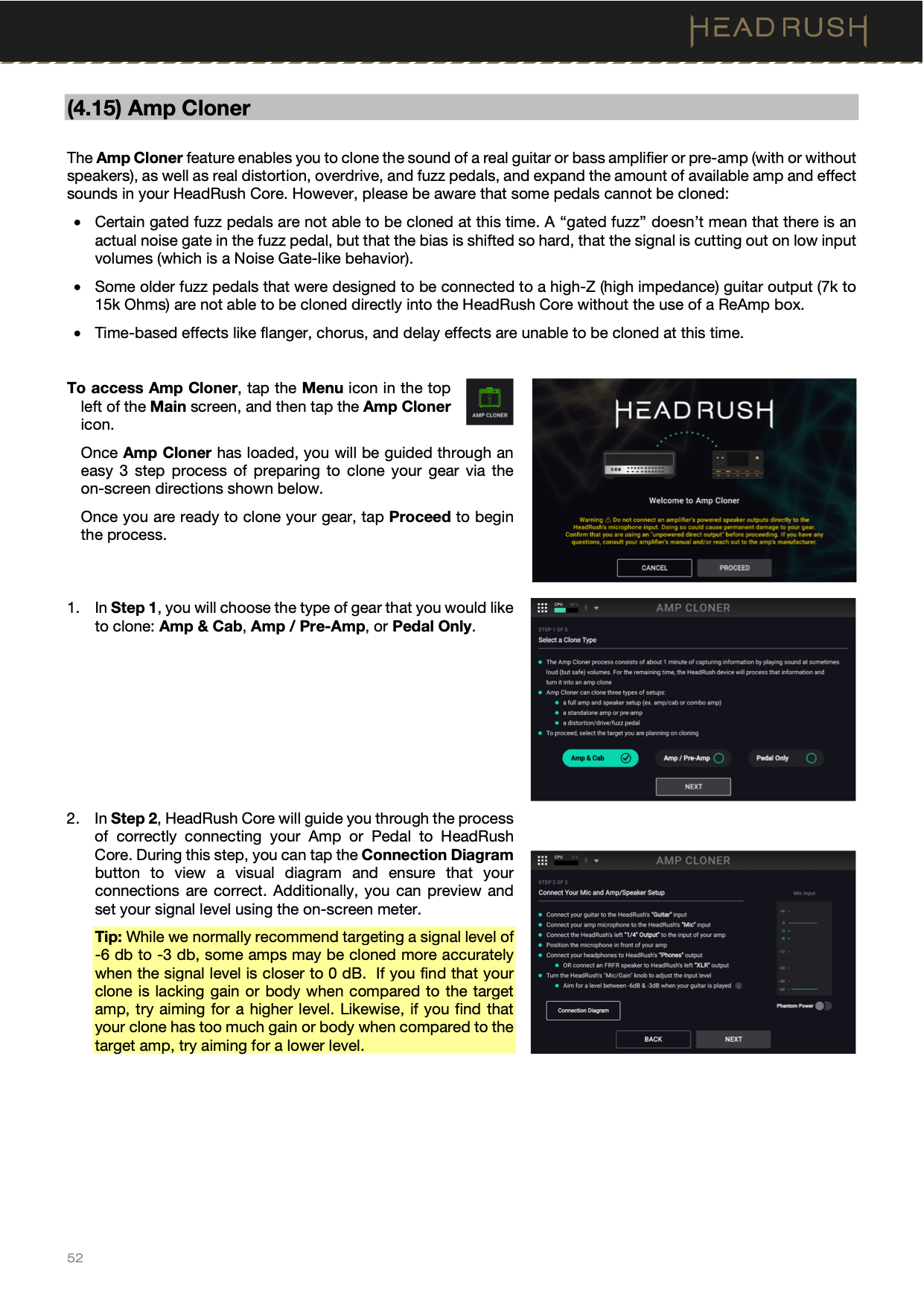
(4.15) Amp Cloner
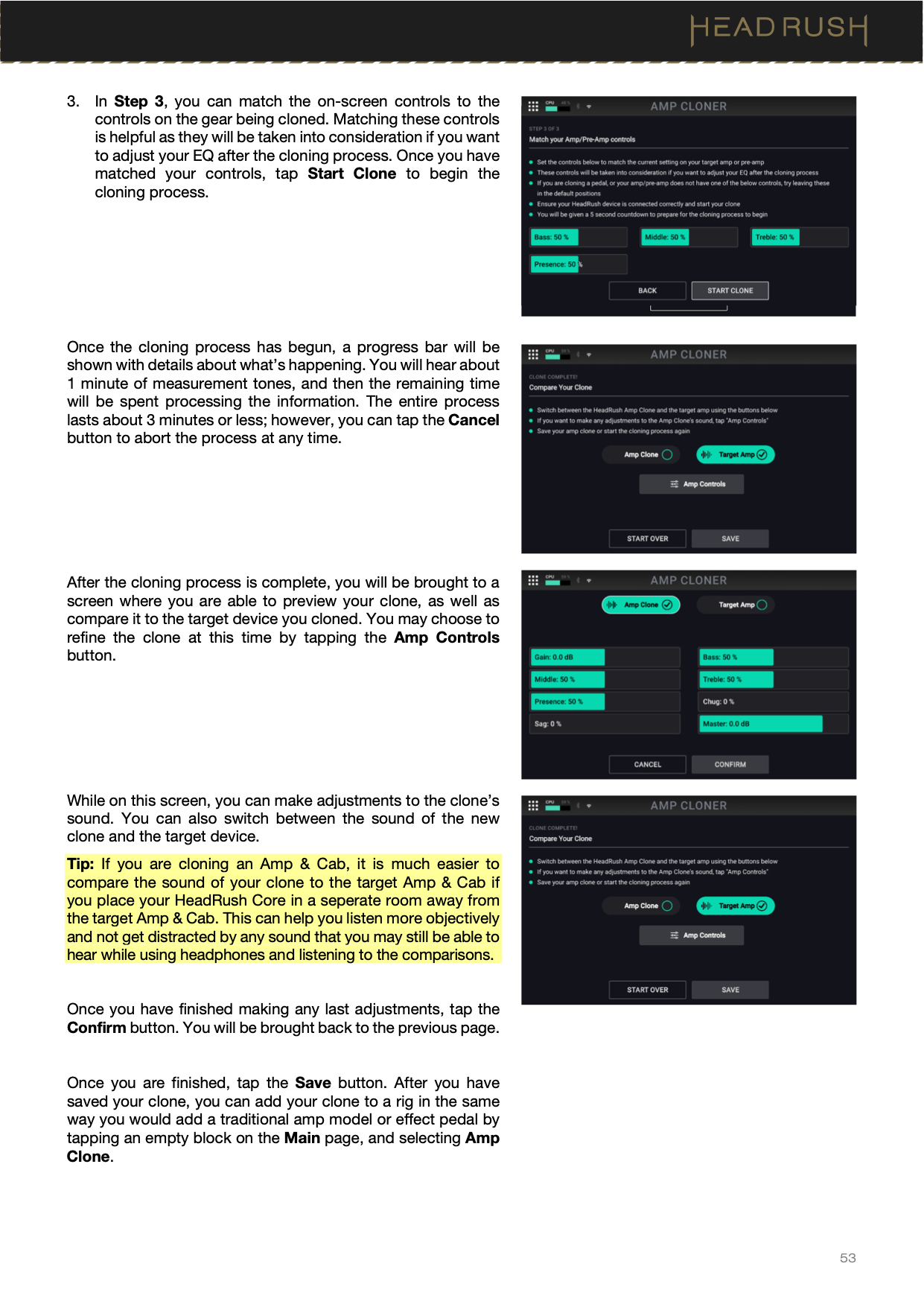
(4.16) USB
(4.16.1) Transferring Files & Settings
(4.16.2) Recording
(4.16.3) Reamping
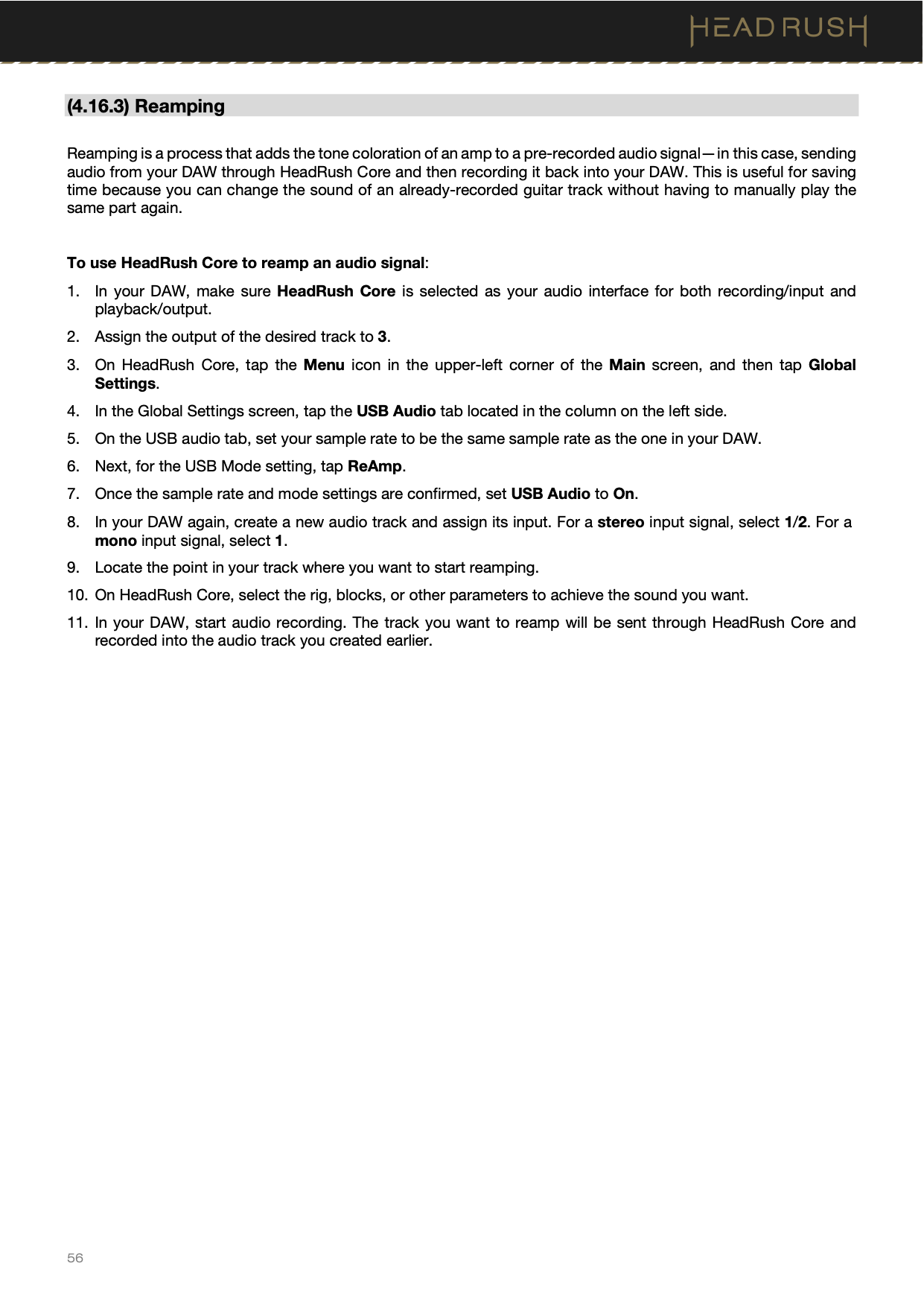
(4.17) Lock Screen
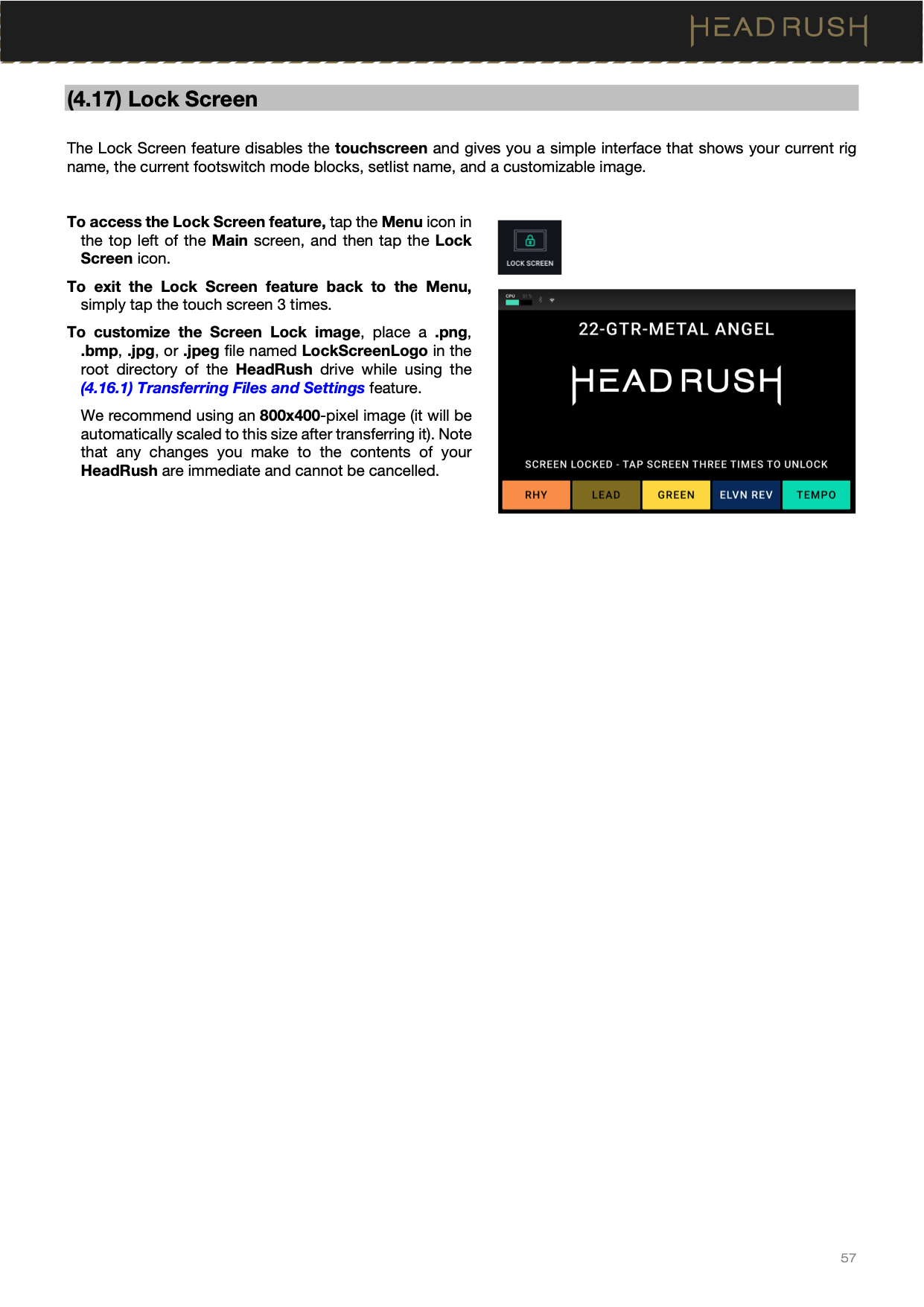
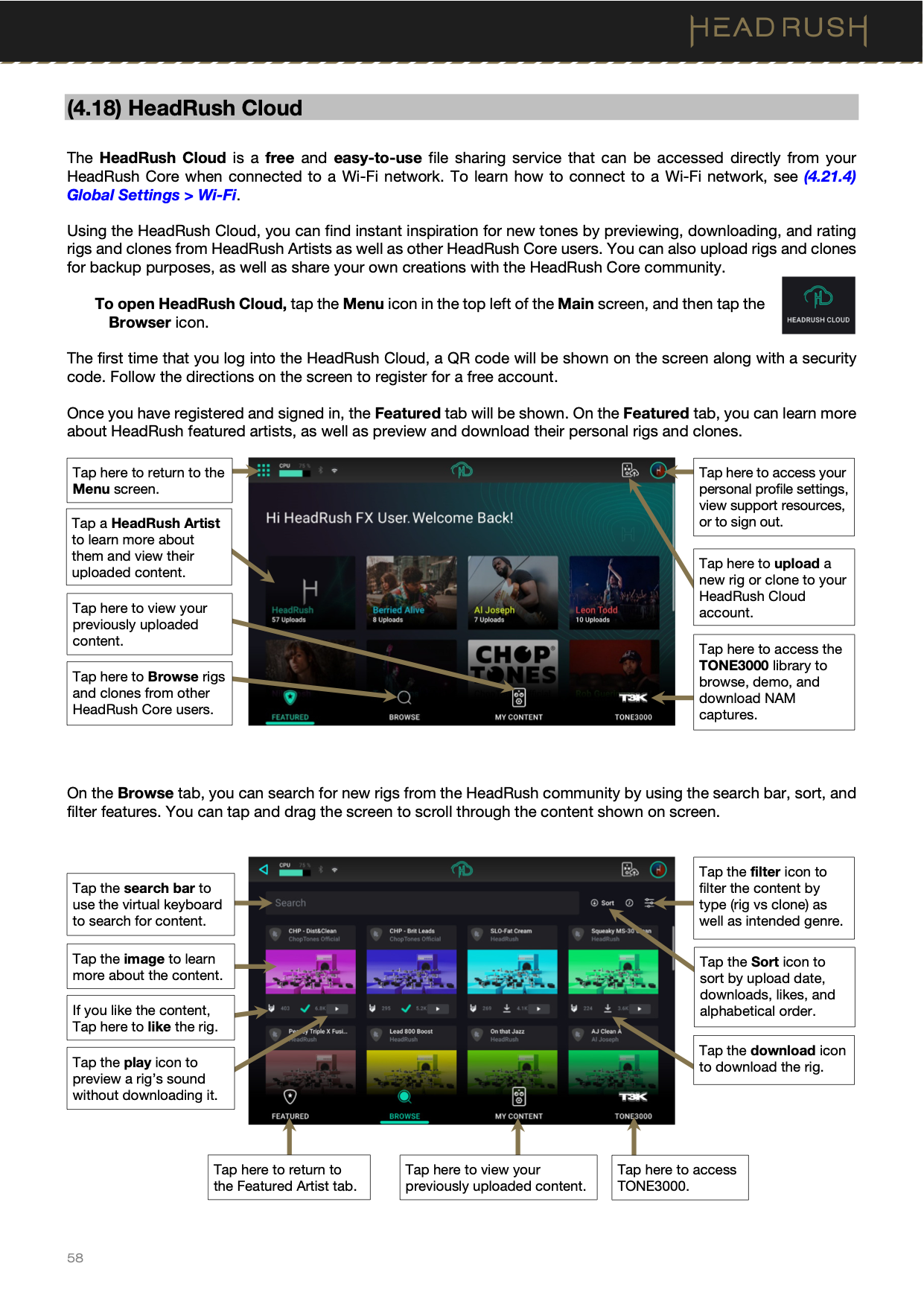
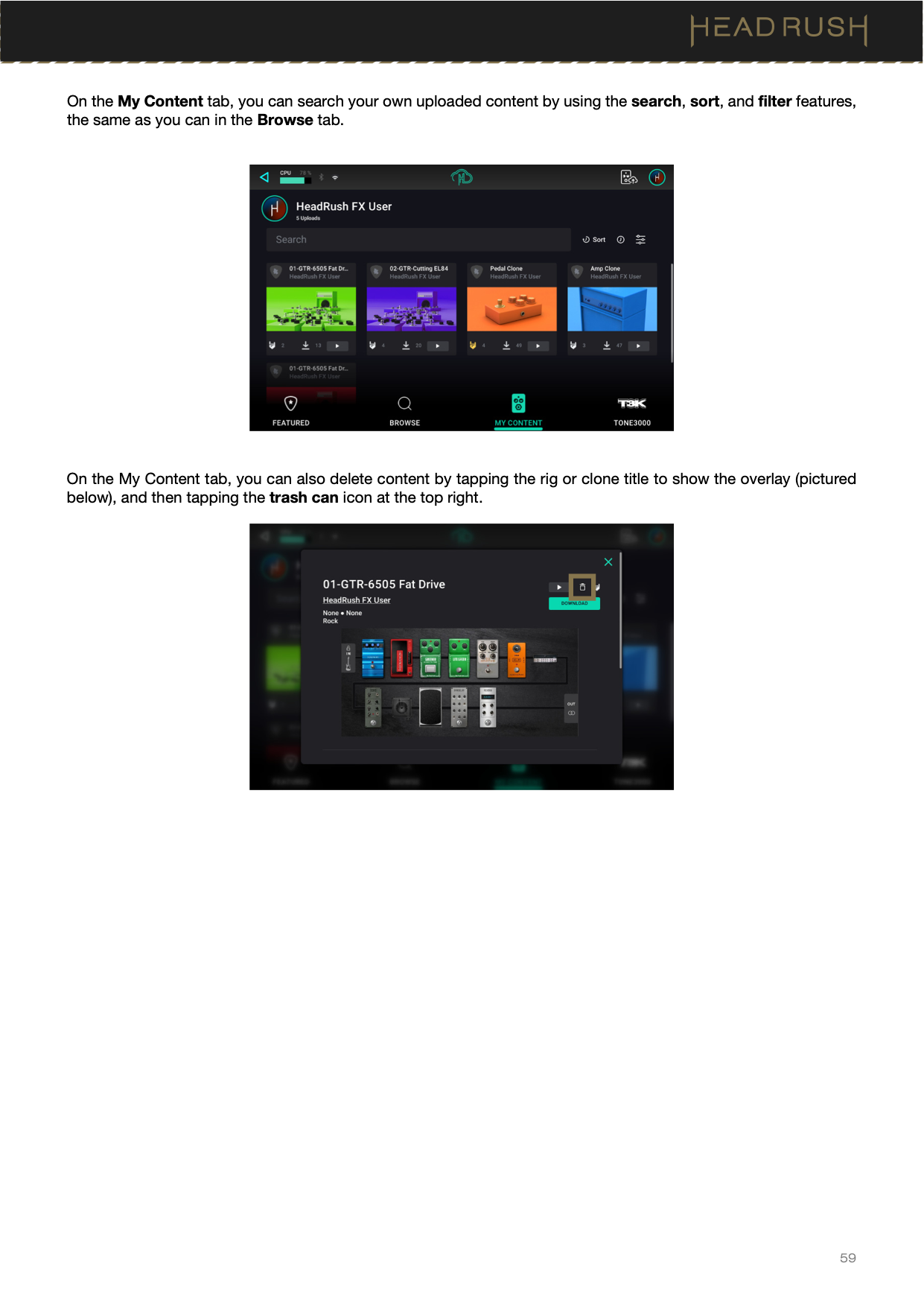
(4.18) HeadRush Cloud
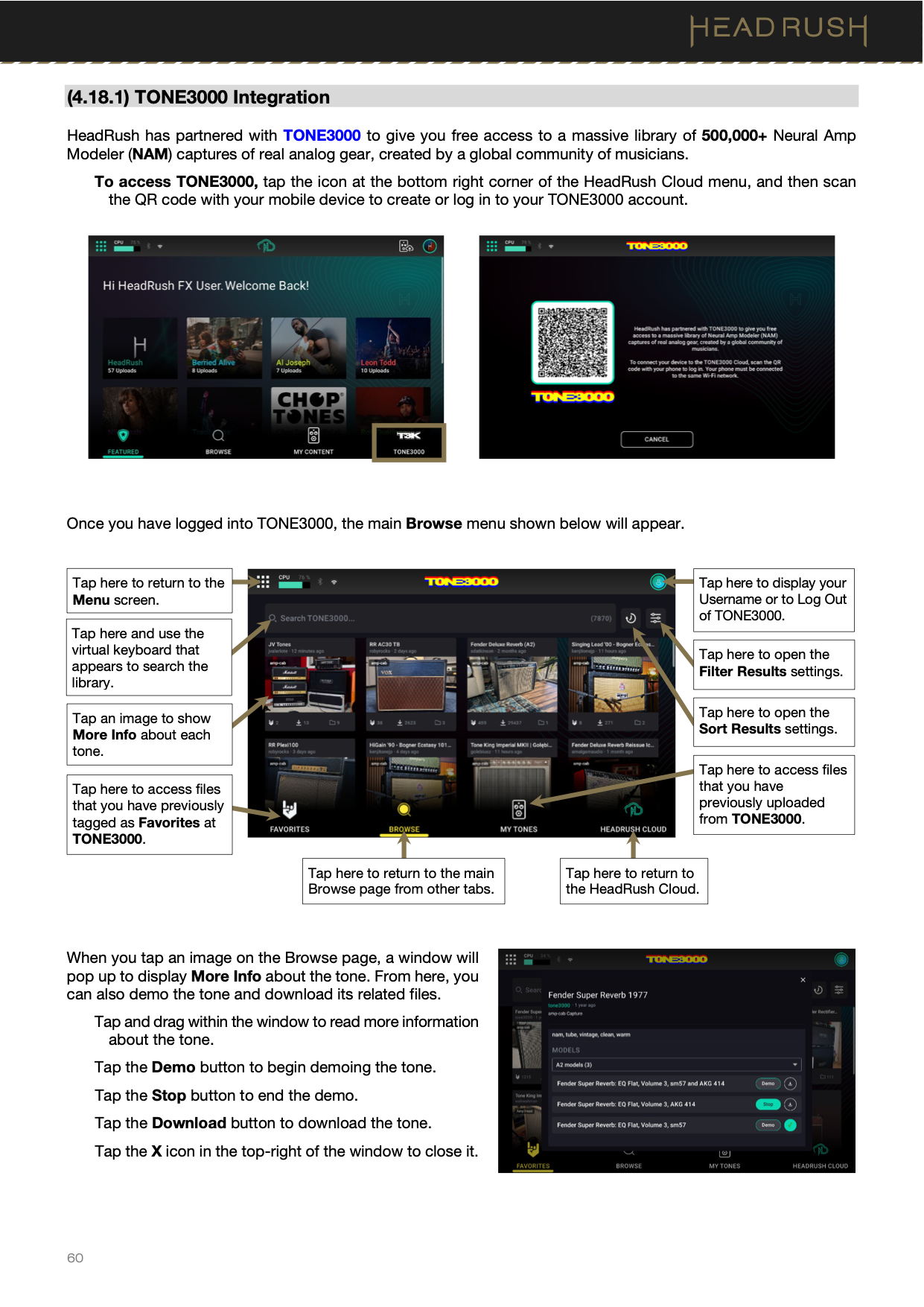
(4.18.1) TONE3000 Integration
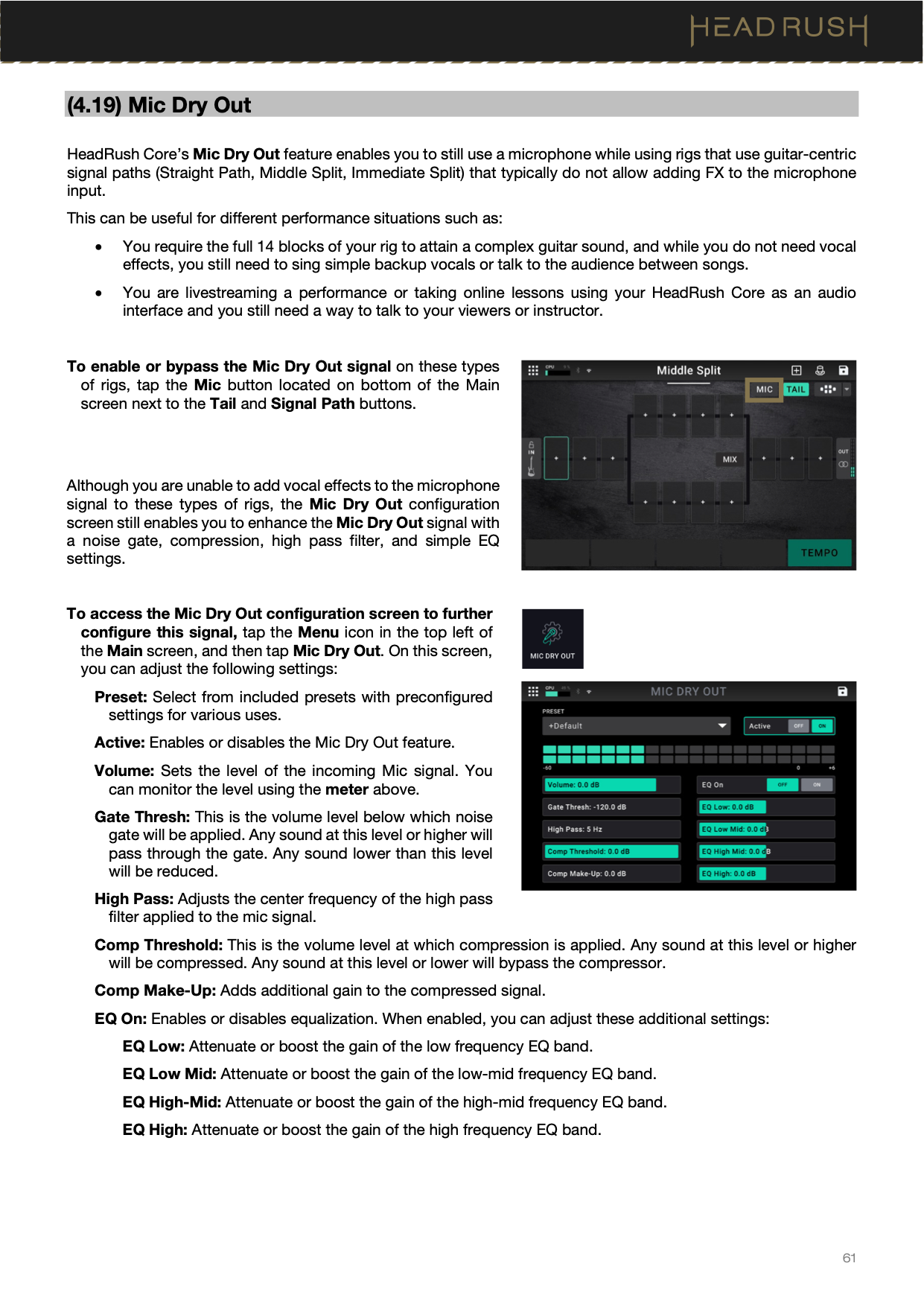
(4.19) Mic Dry Out
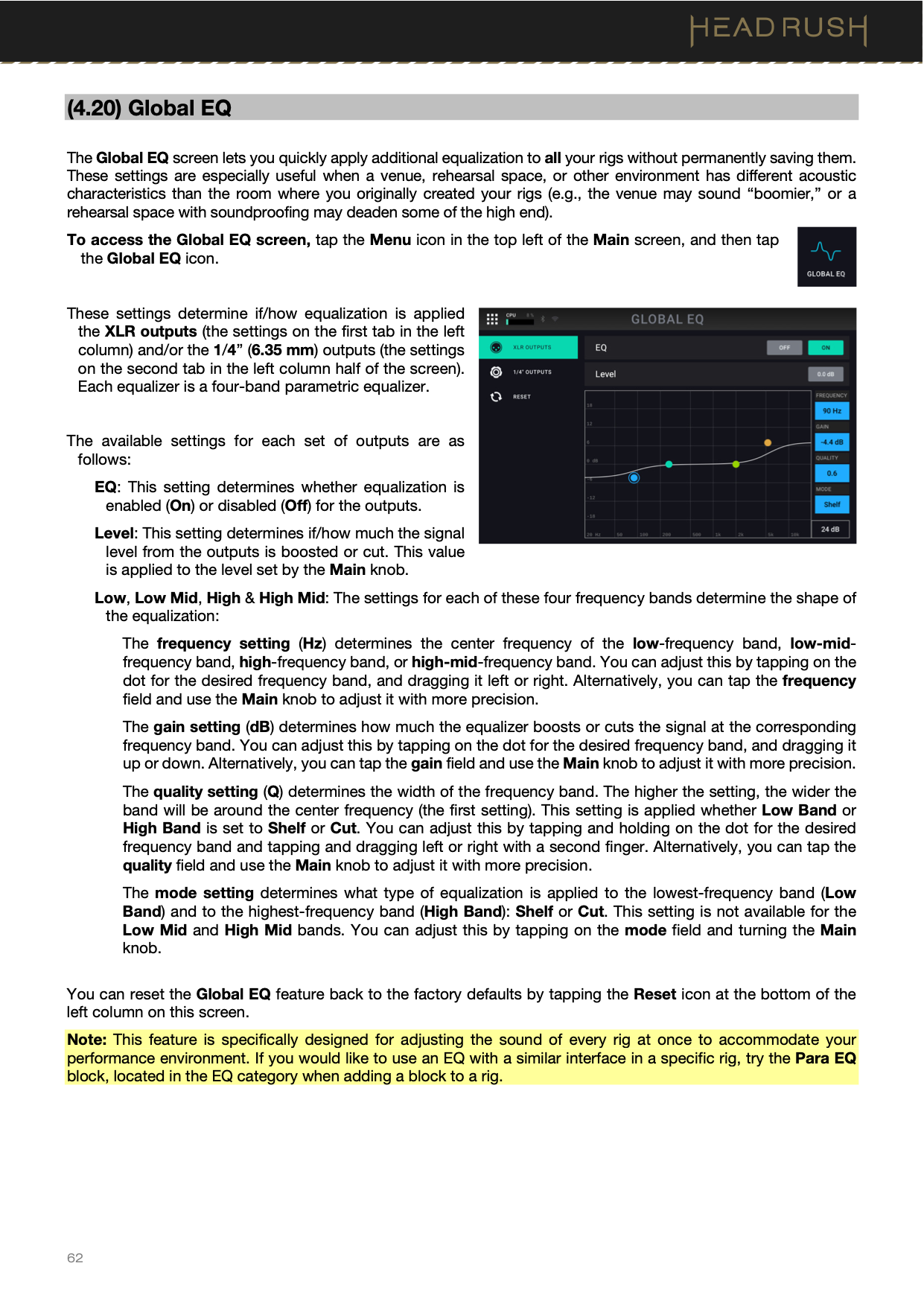
(4.20) Global EQ
(4.21) Global Settings
(4.21.1) General
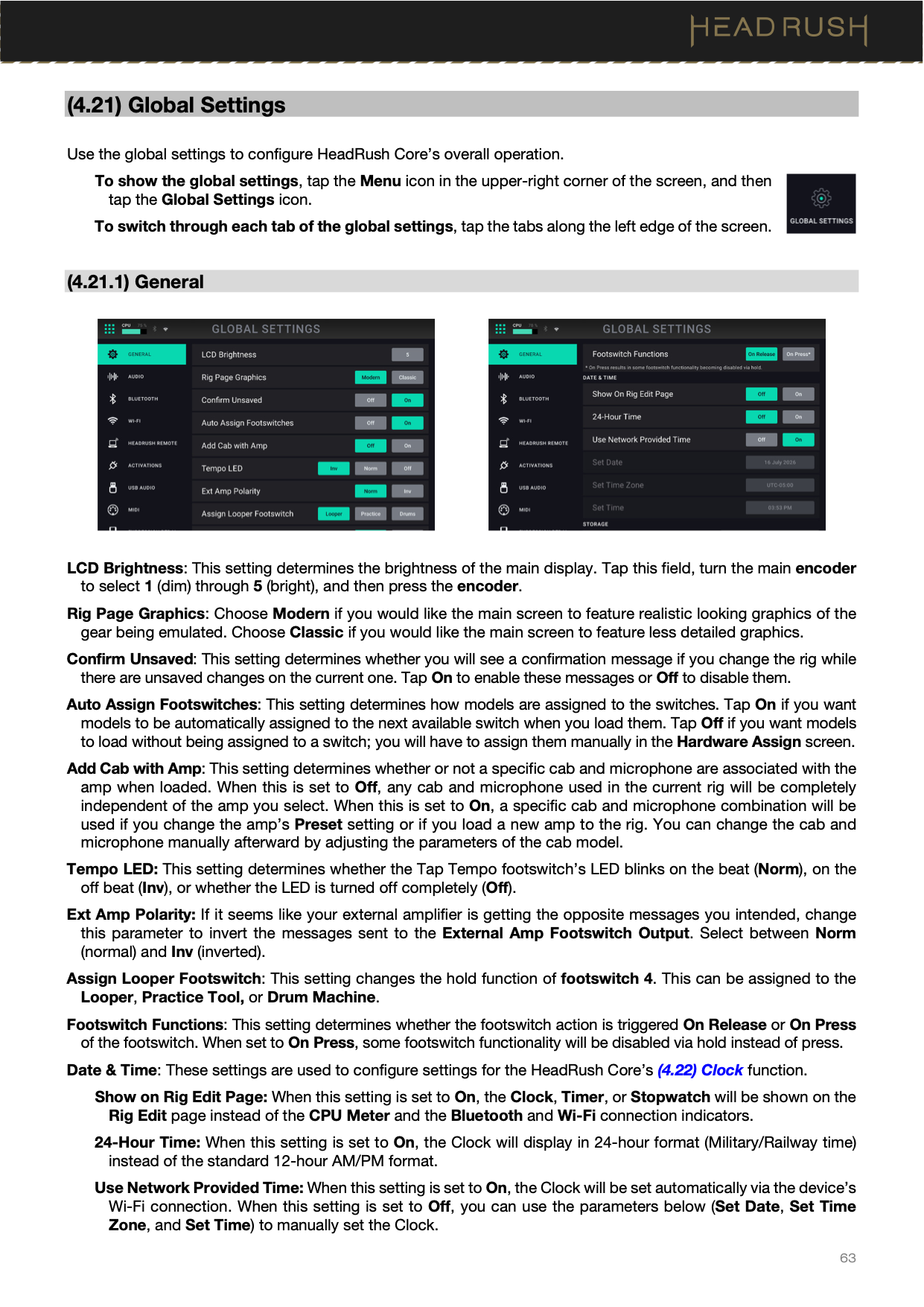
(4.21.2) Audio
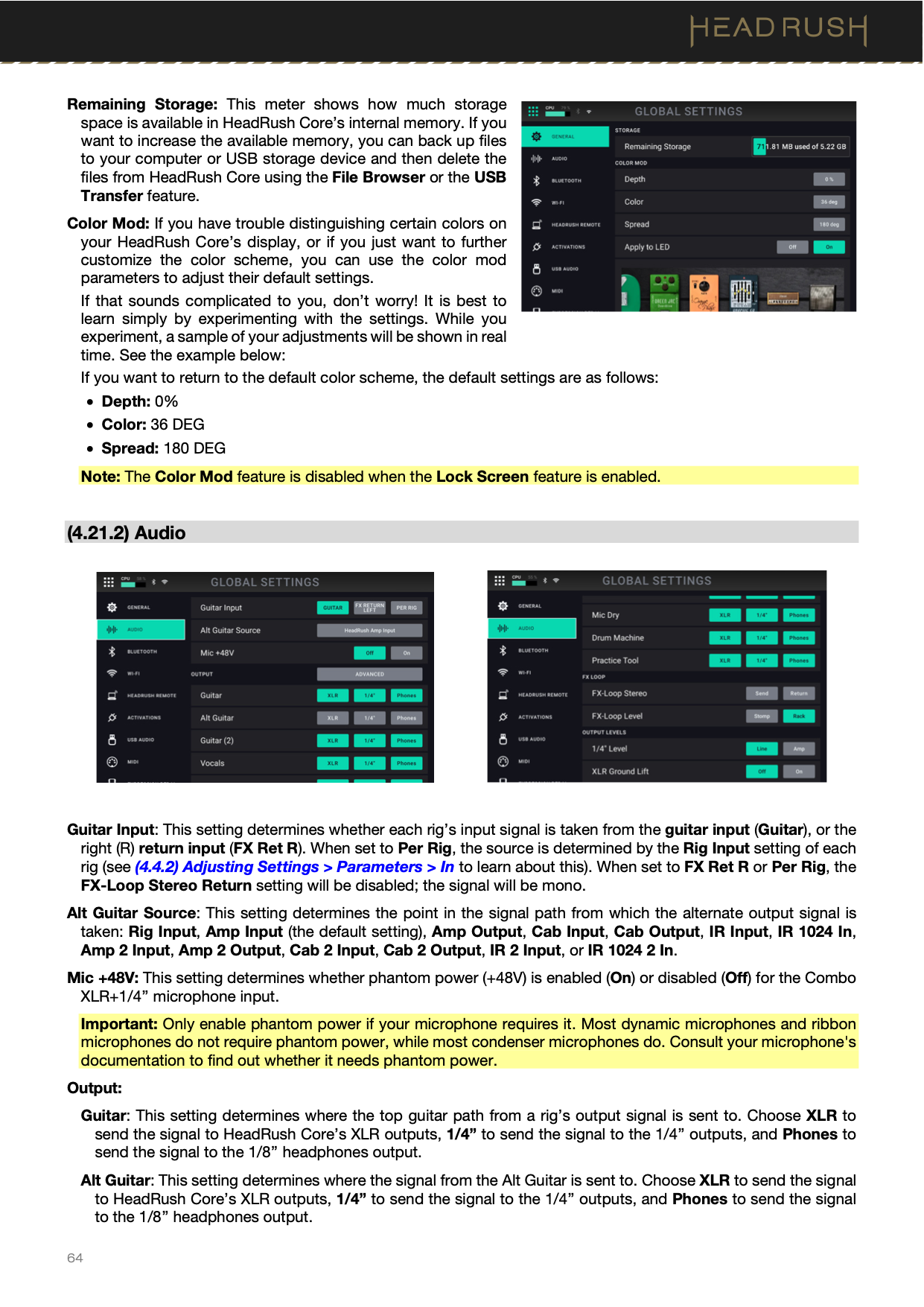
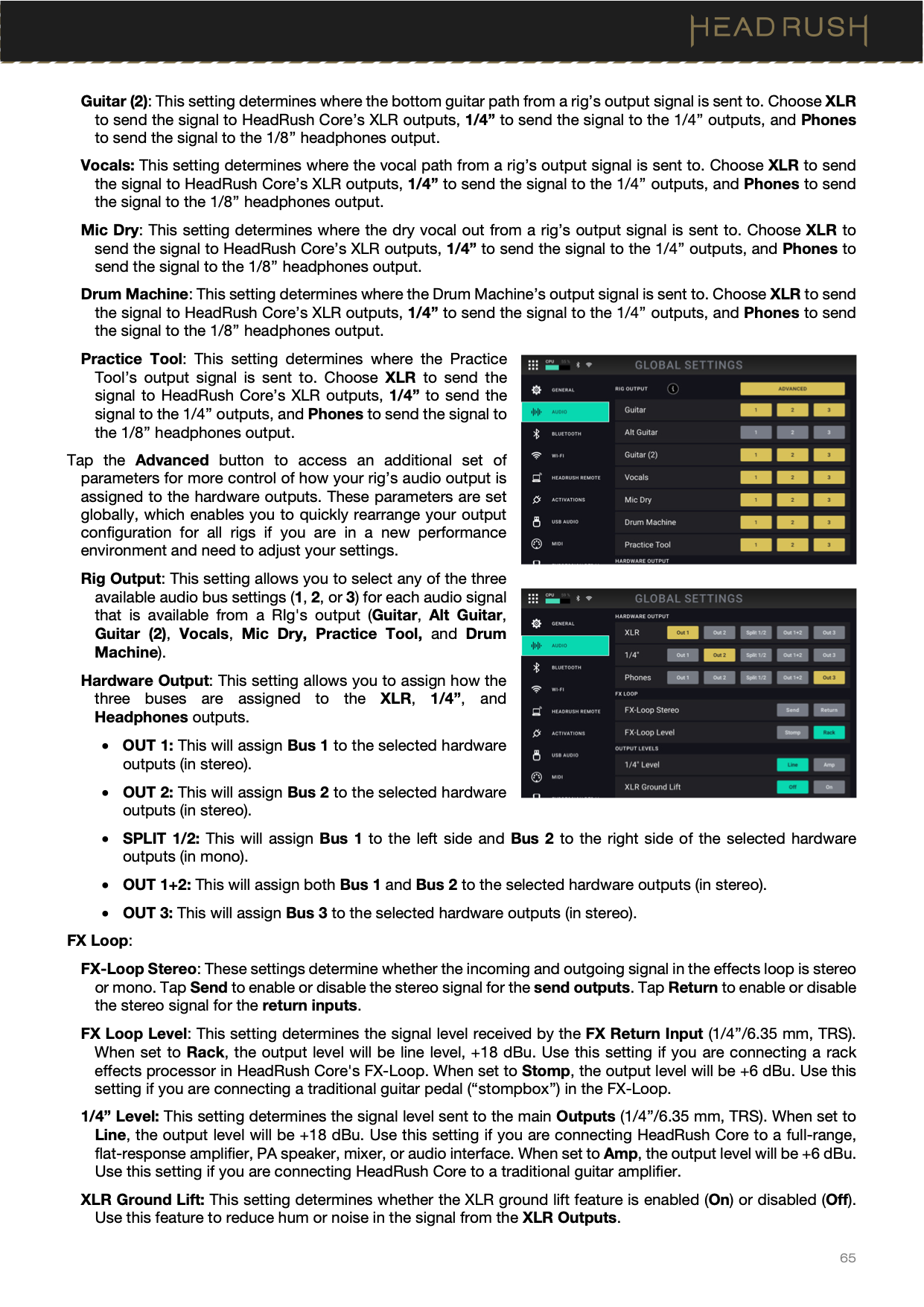
(4.21.3) Bluetooth
(4.21.4) Wi-Fi
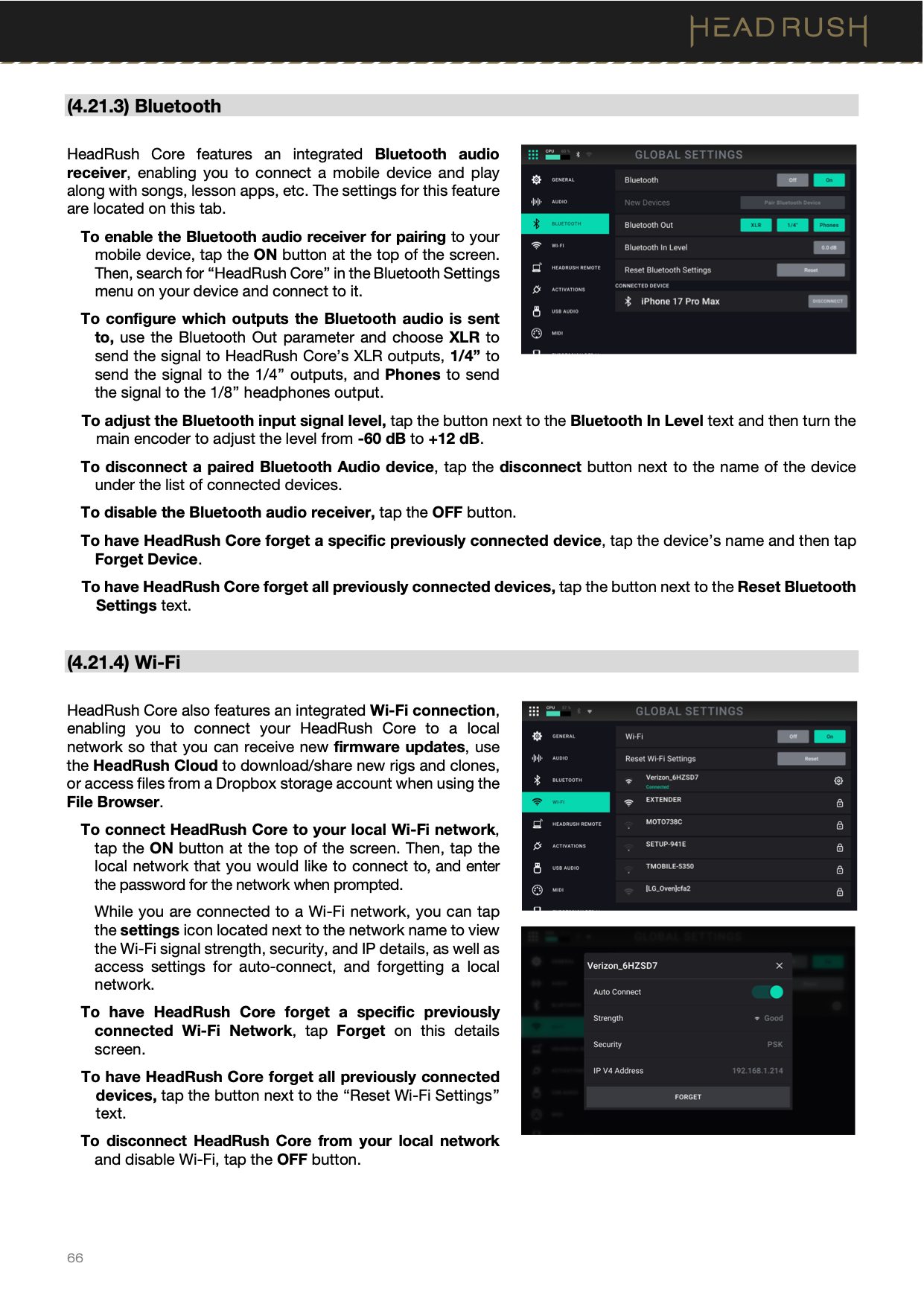
(4.21.5) HeadRush Remote
(4.21.6) Activations
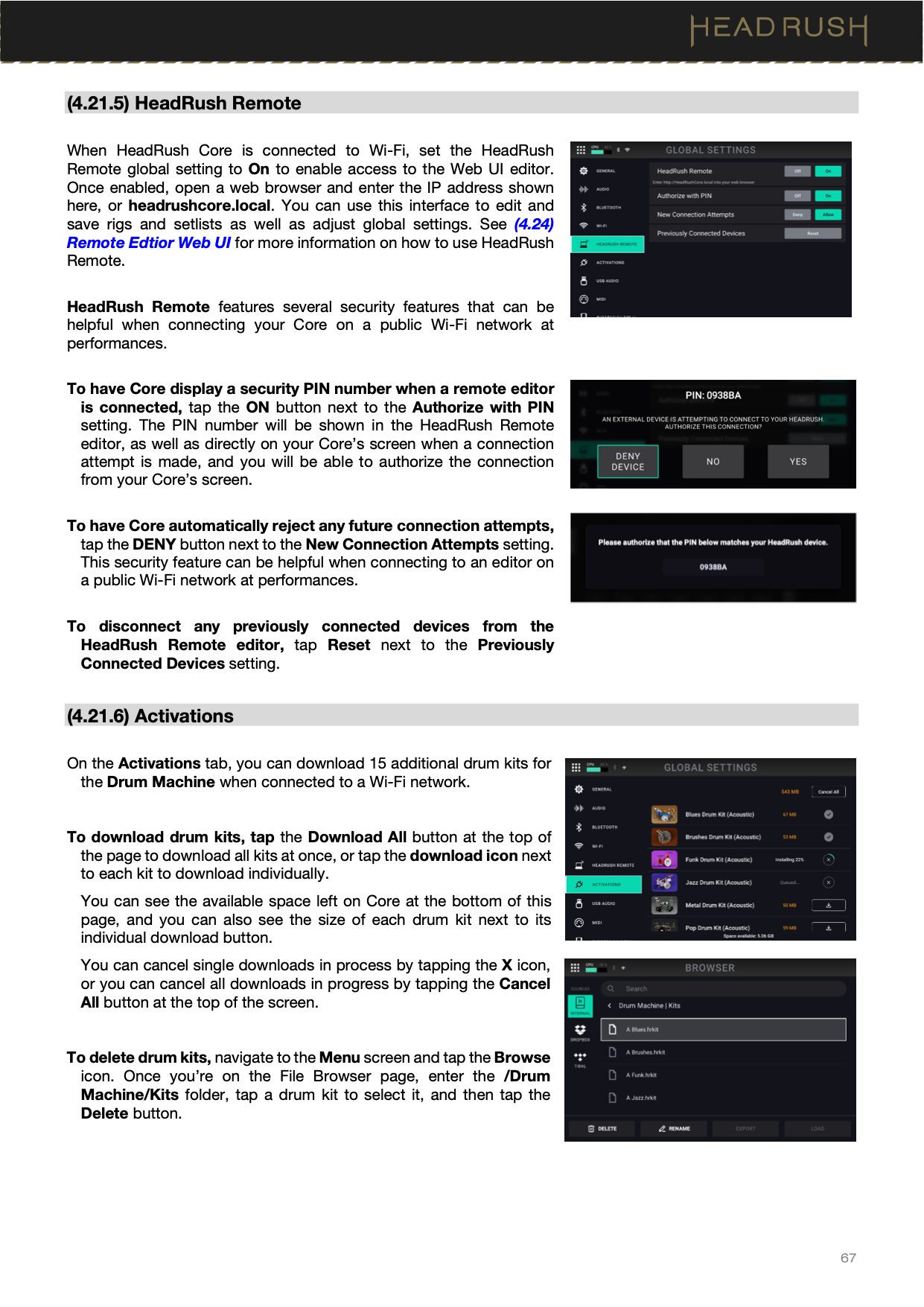
(4.21.7) USB Audio
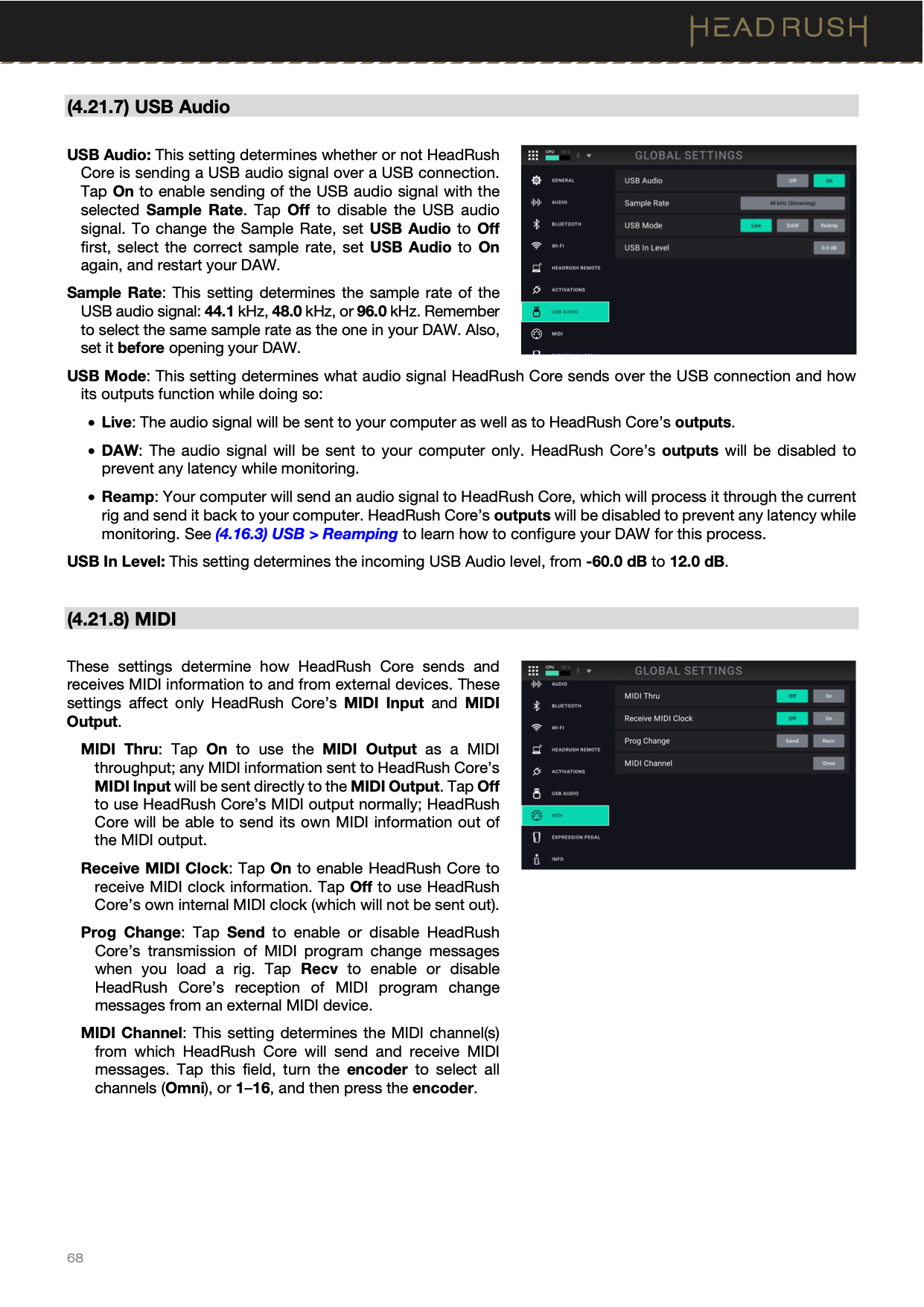
(4.21.8) MIDI
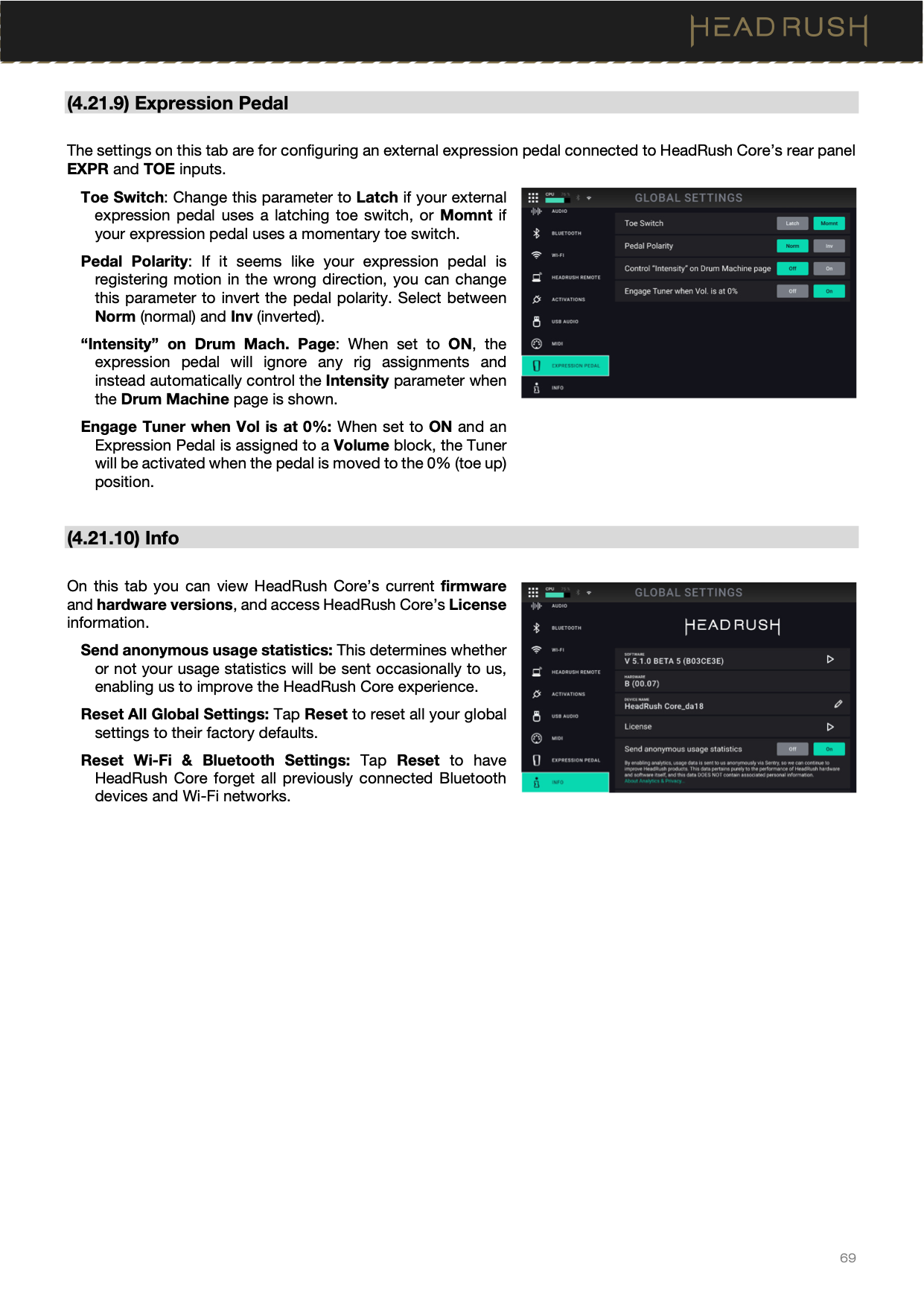
(4.21.9) Expression Pedal
(4.21.10) Info
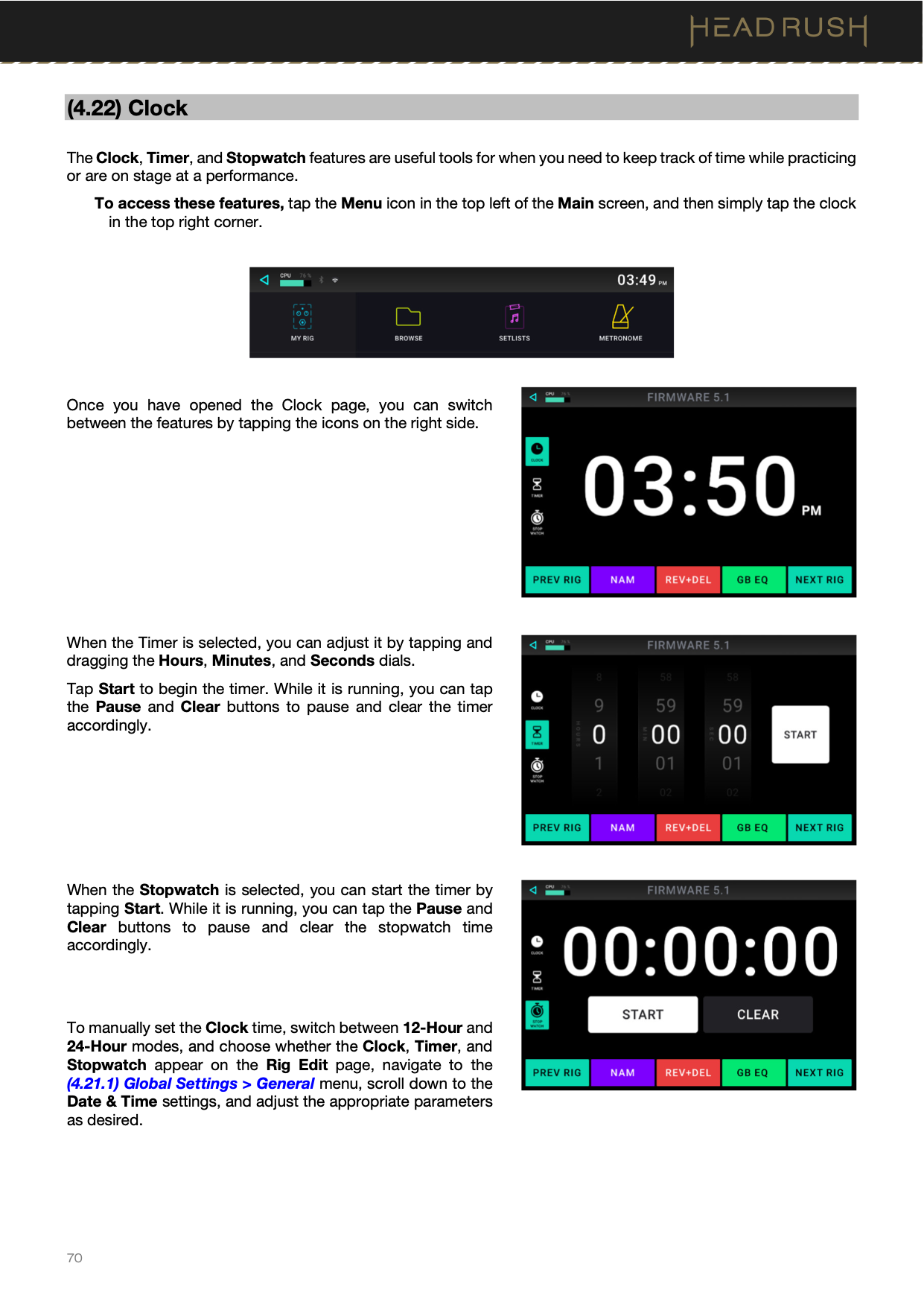
(4.22) Clock
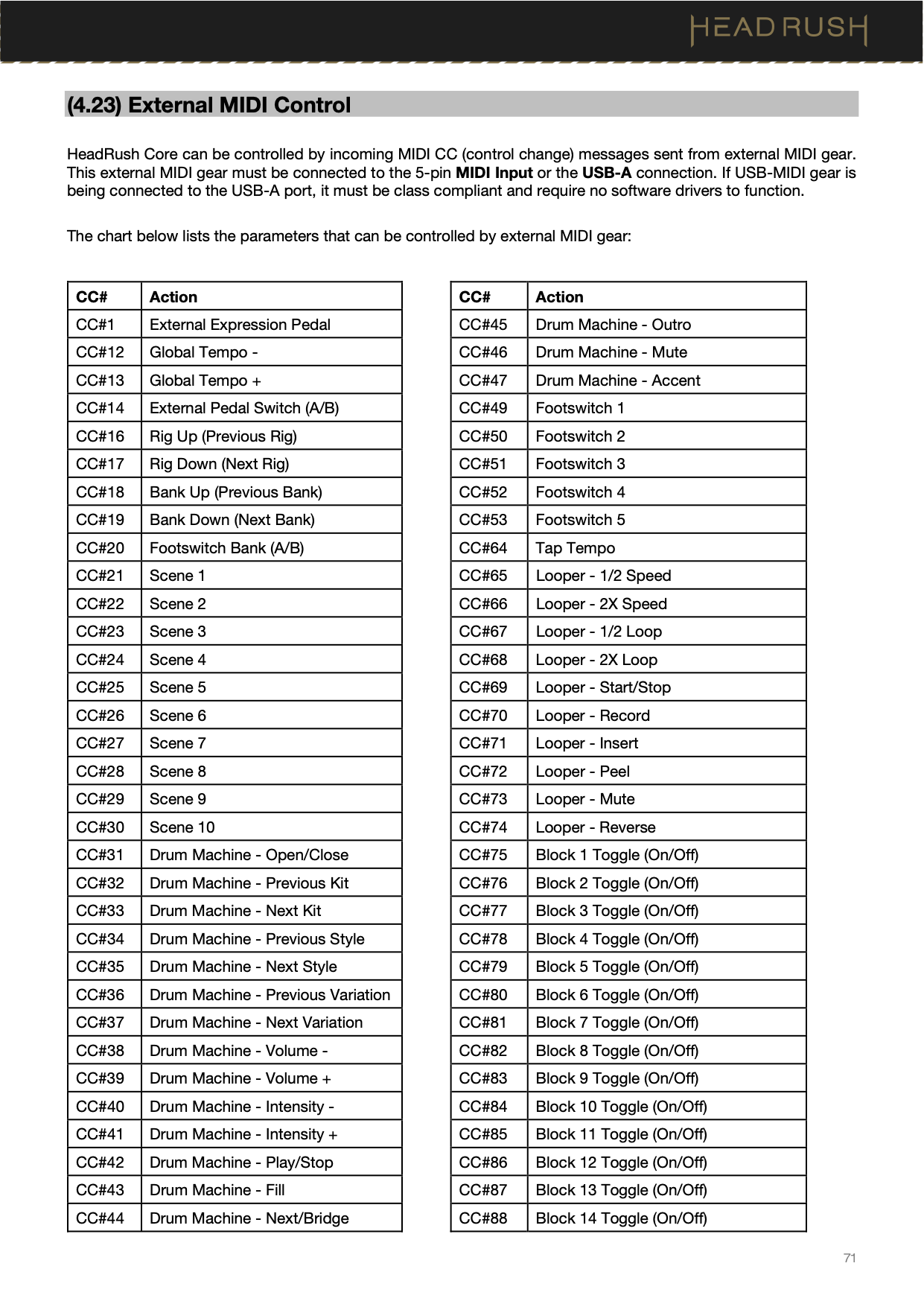
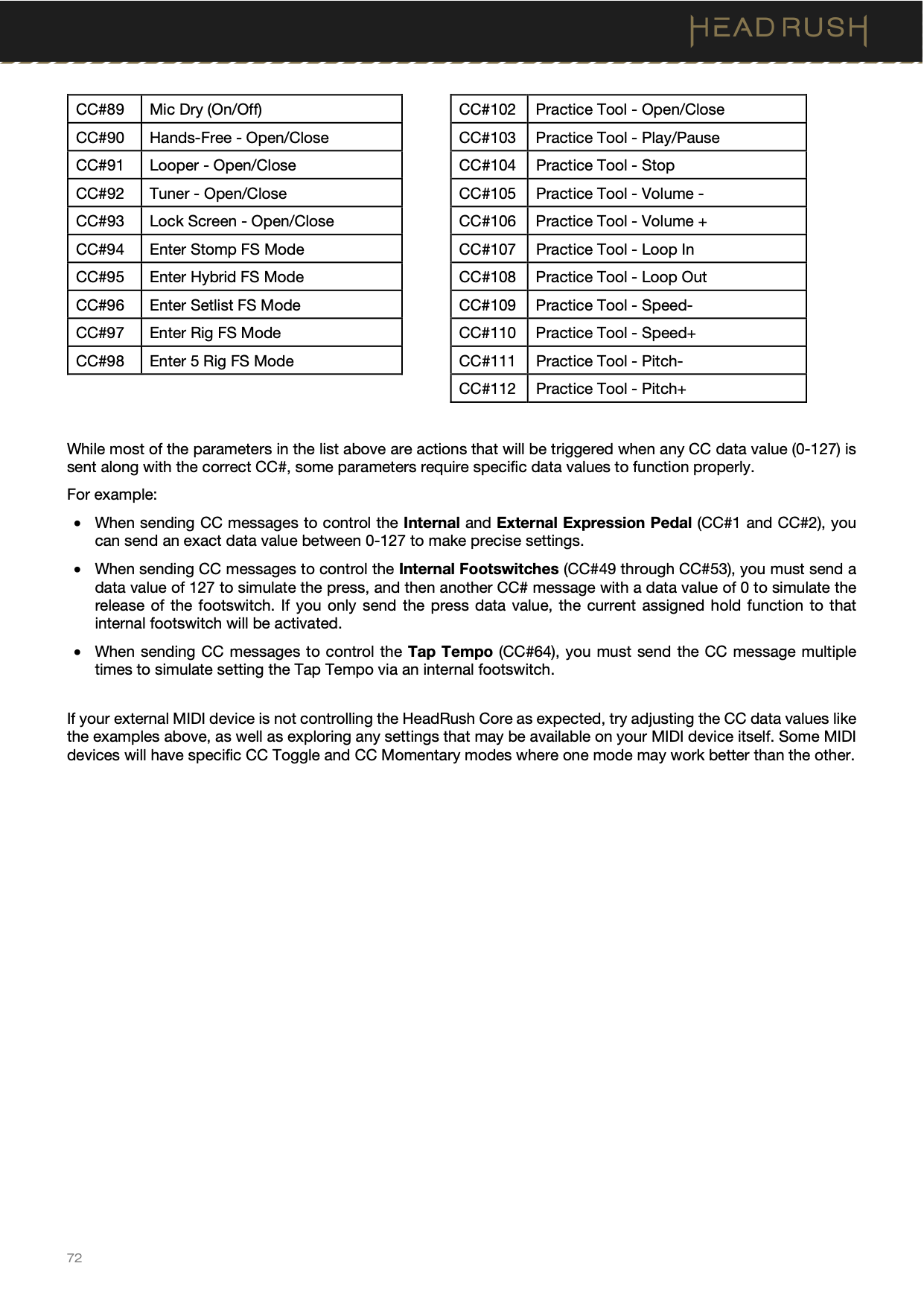
(4.23) External MIDI Control
(4.24) Remote Editor Web UI
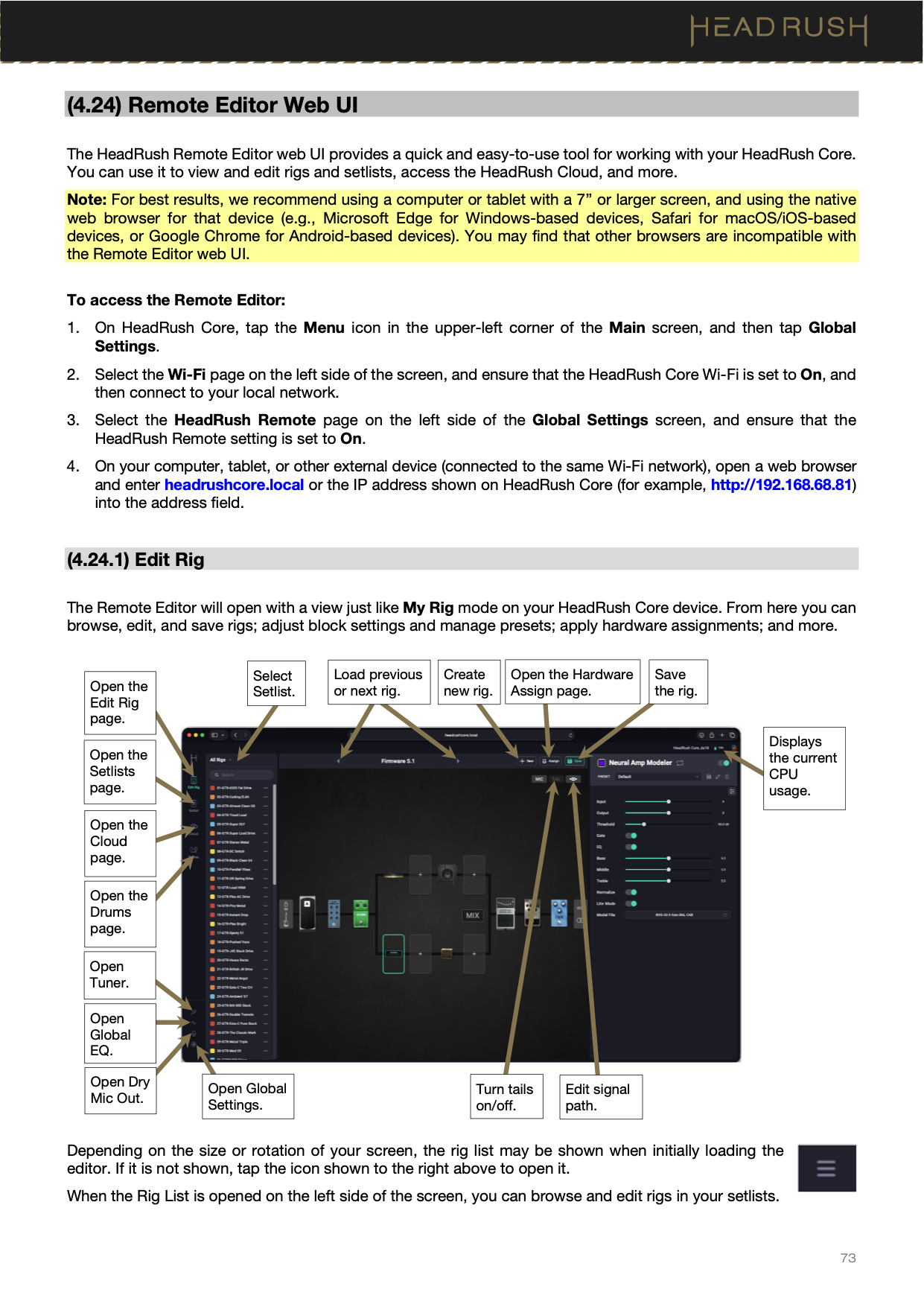
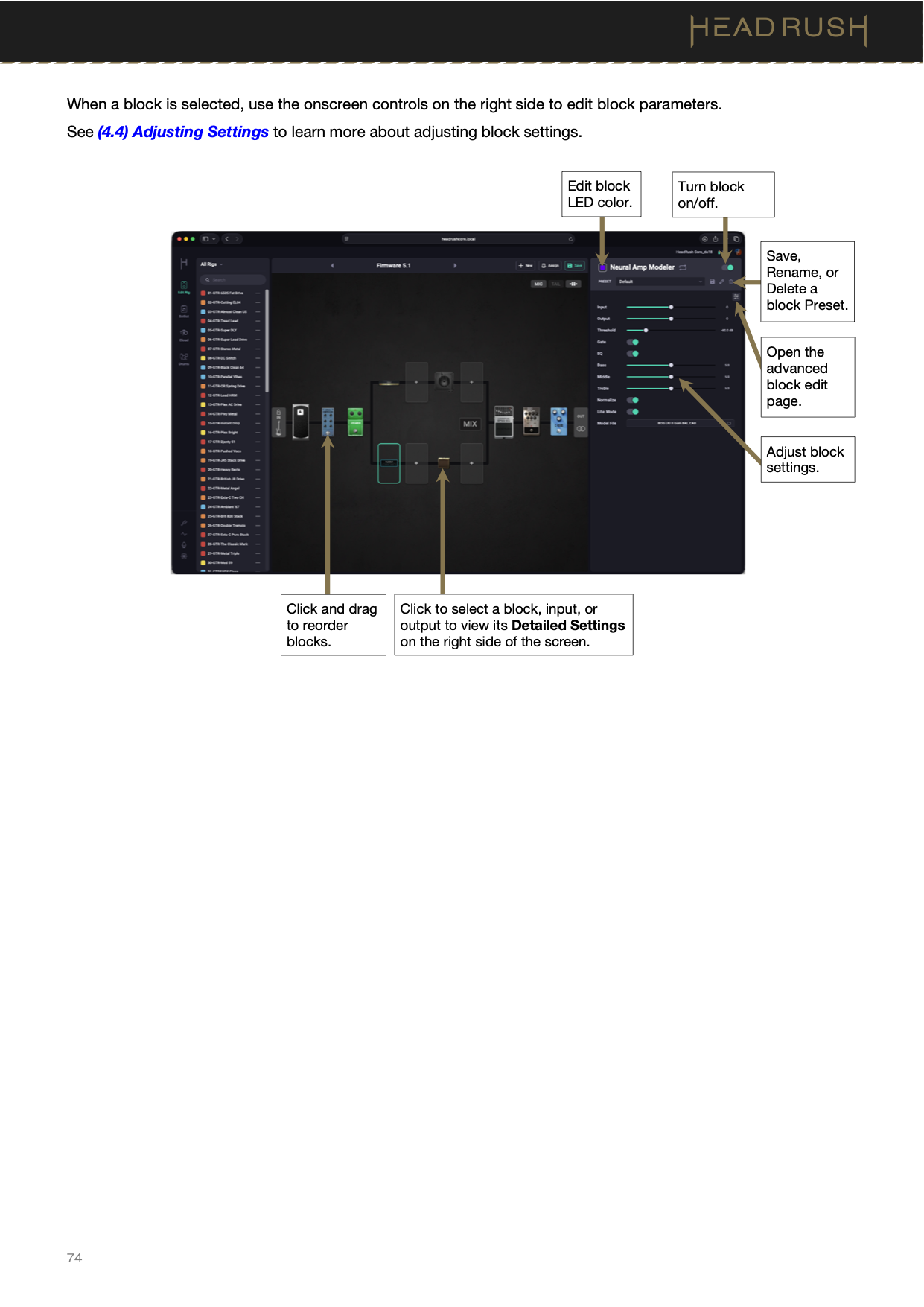
(4.24.1) Edit Rig
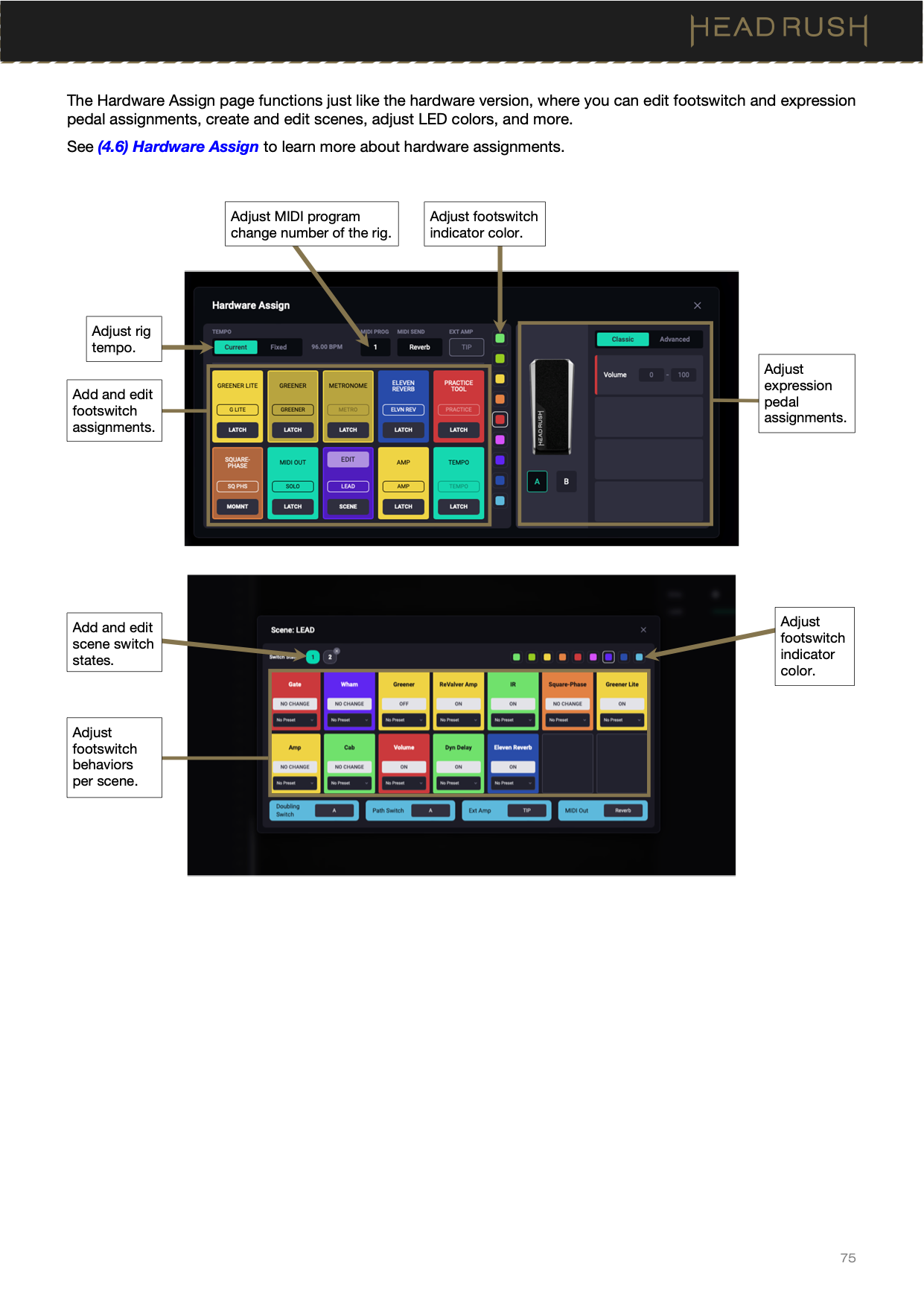
(4.24.2) Setlist
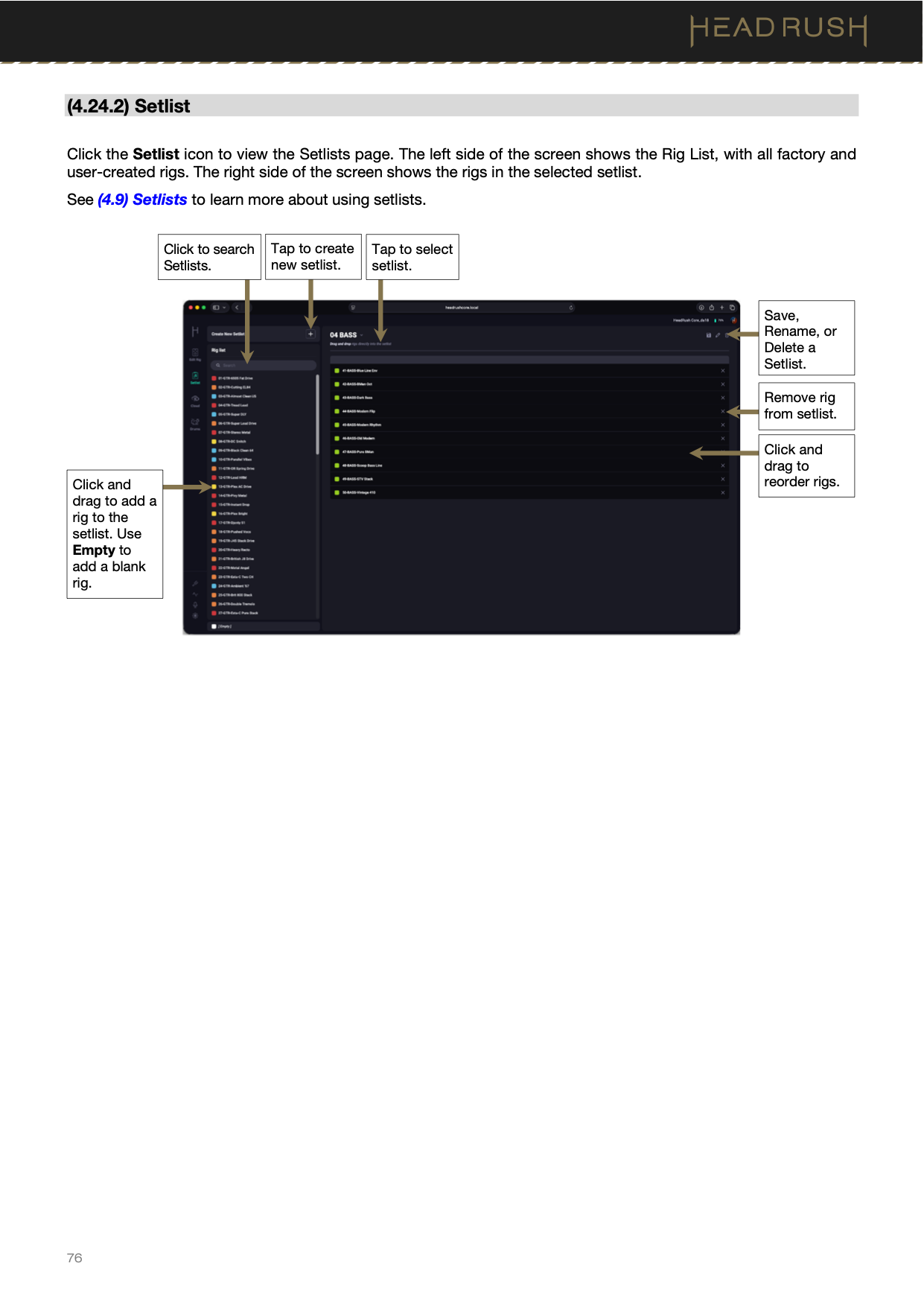
(4.24.3) HeadRush Cloud
(4.24.4) Drums
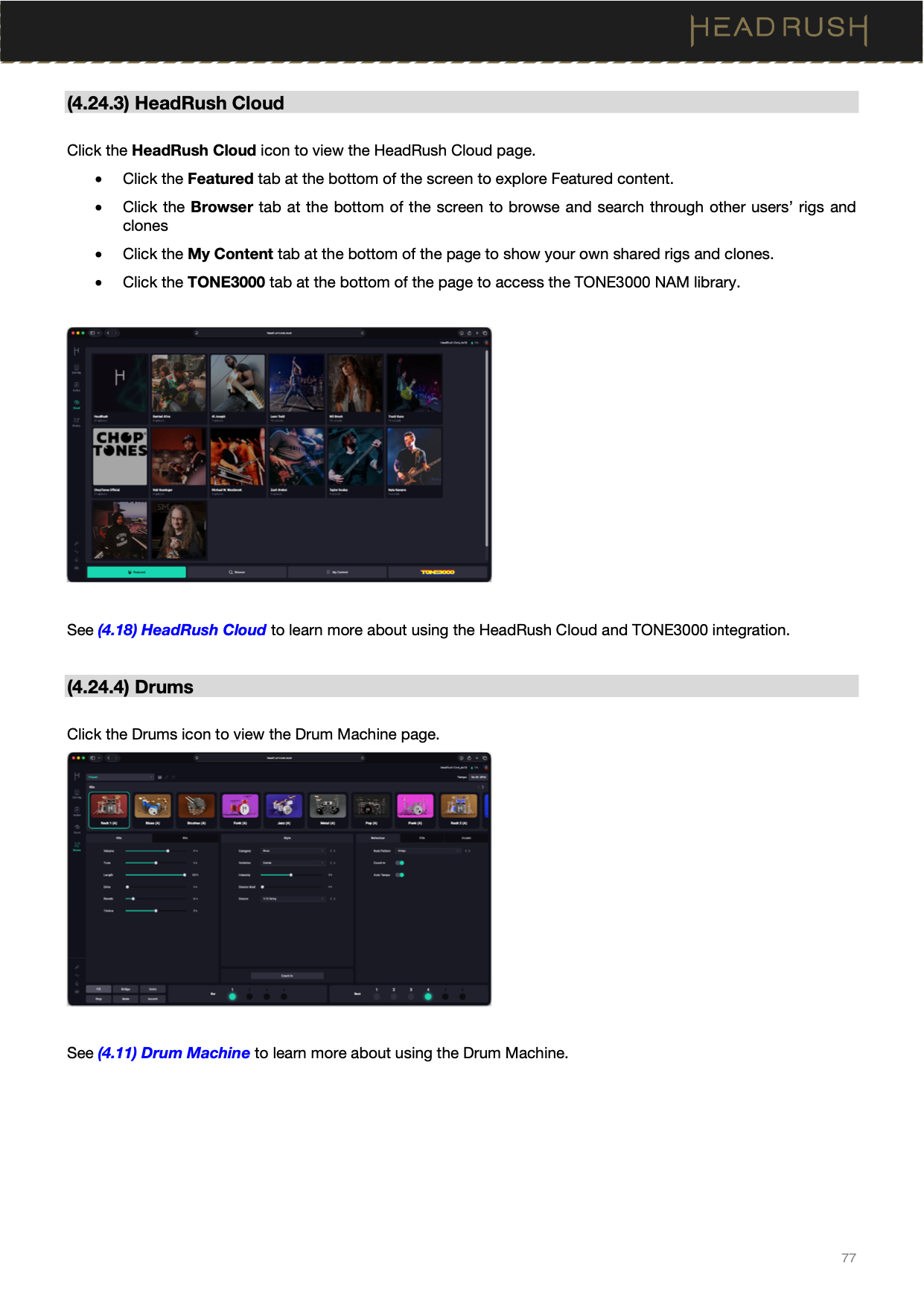
(4.24.5) Tuner
(4.24.6) Global EQ
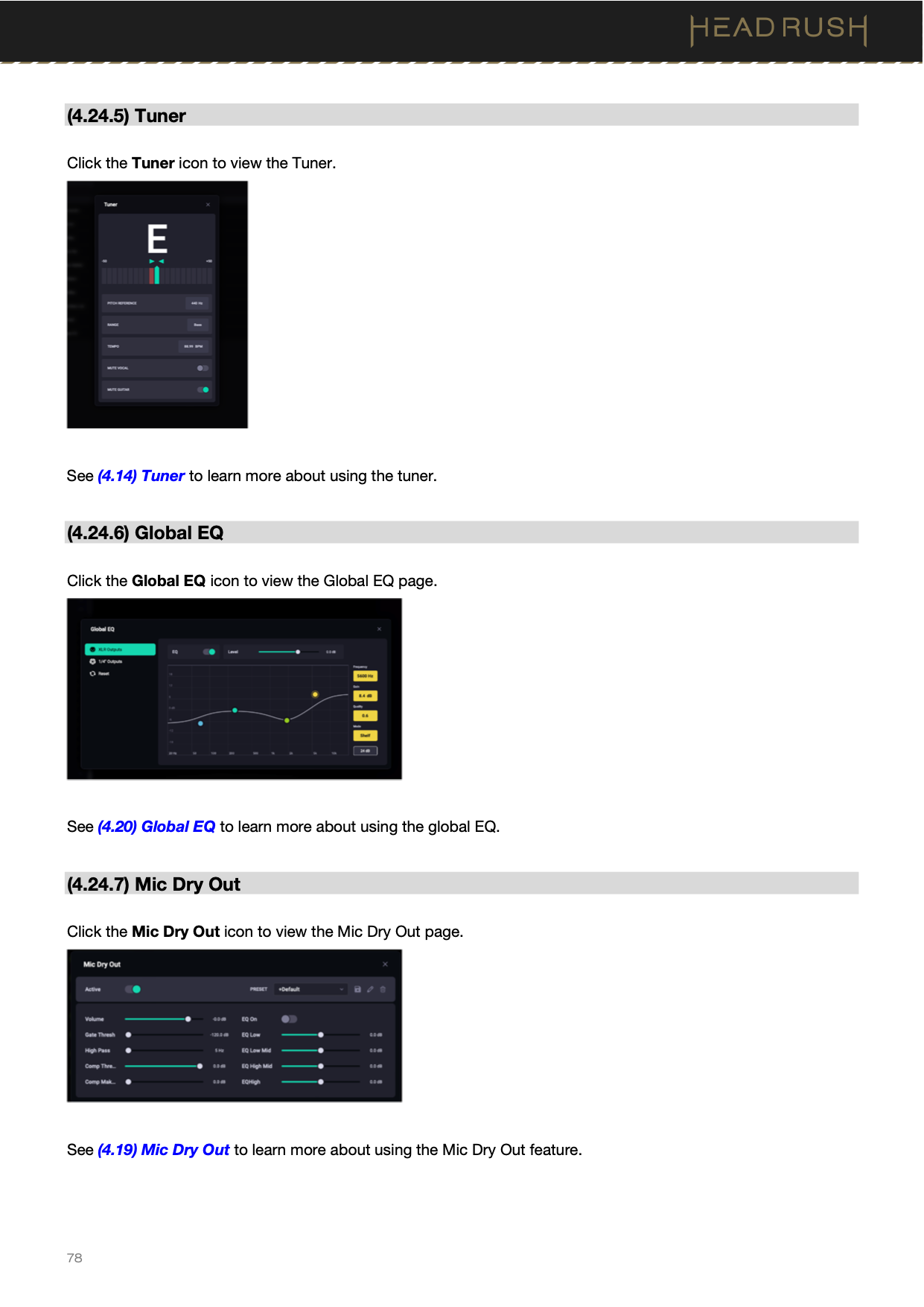
(4.24.7) Mic Dry Out
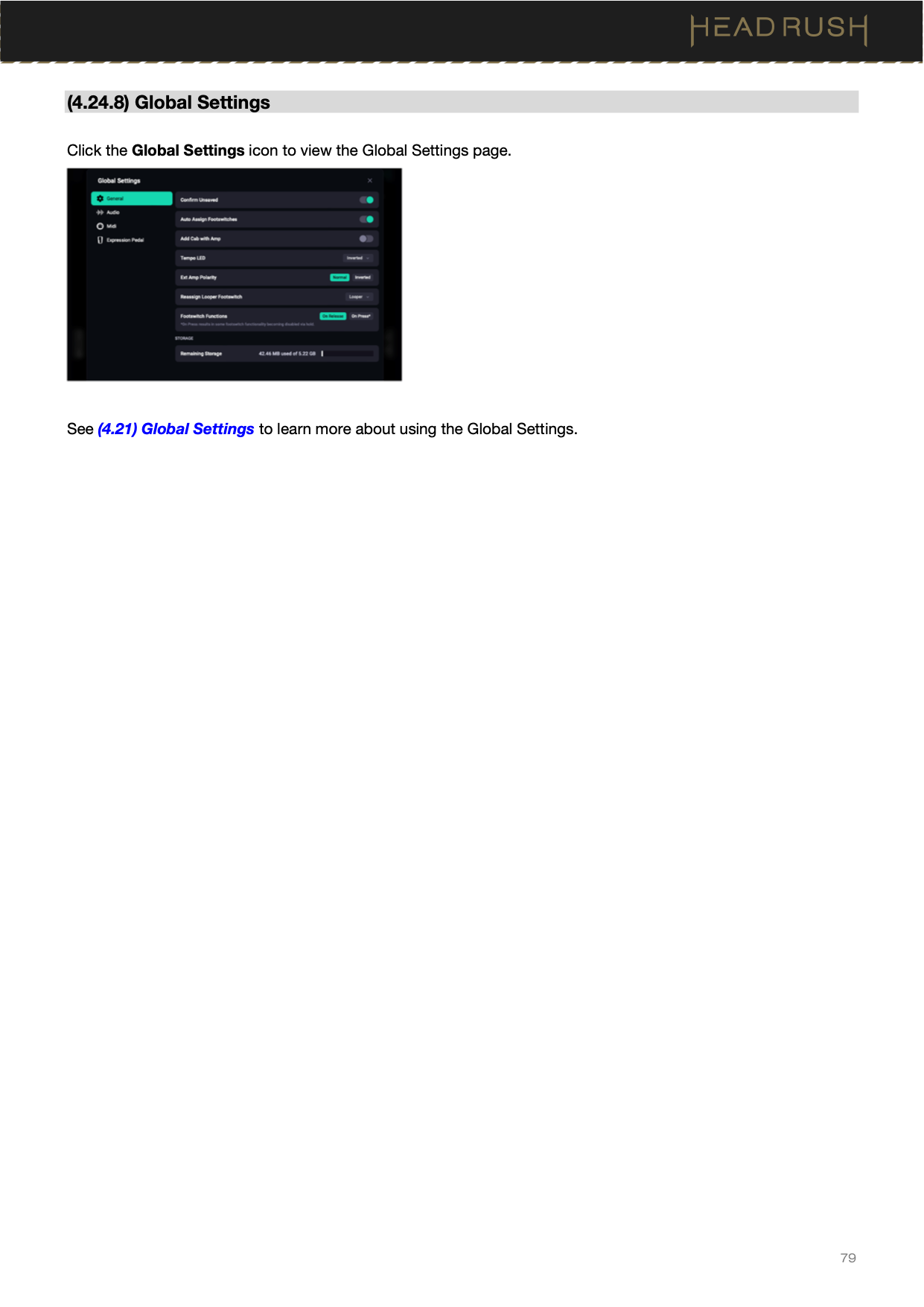
(4.24.8) Global Settings
Chapter 5 — Appendix
(5.0) Appendix
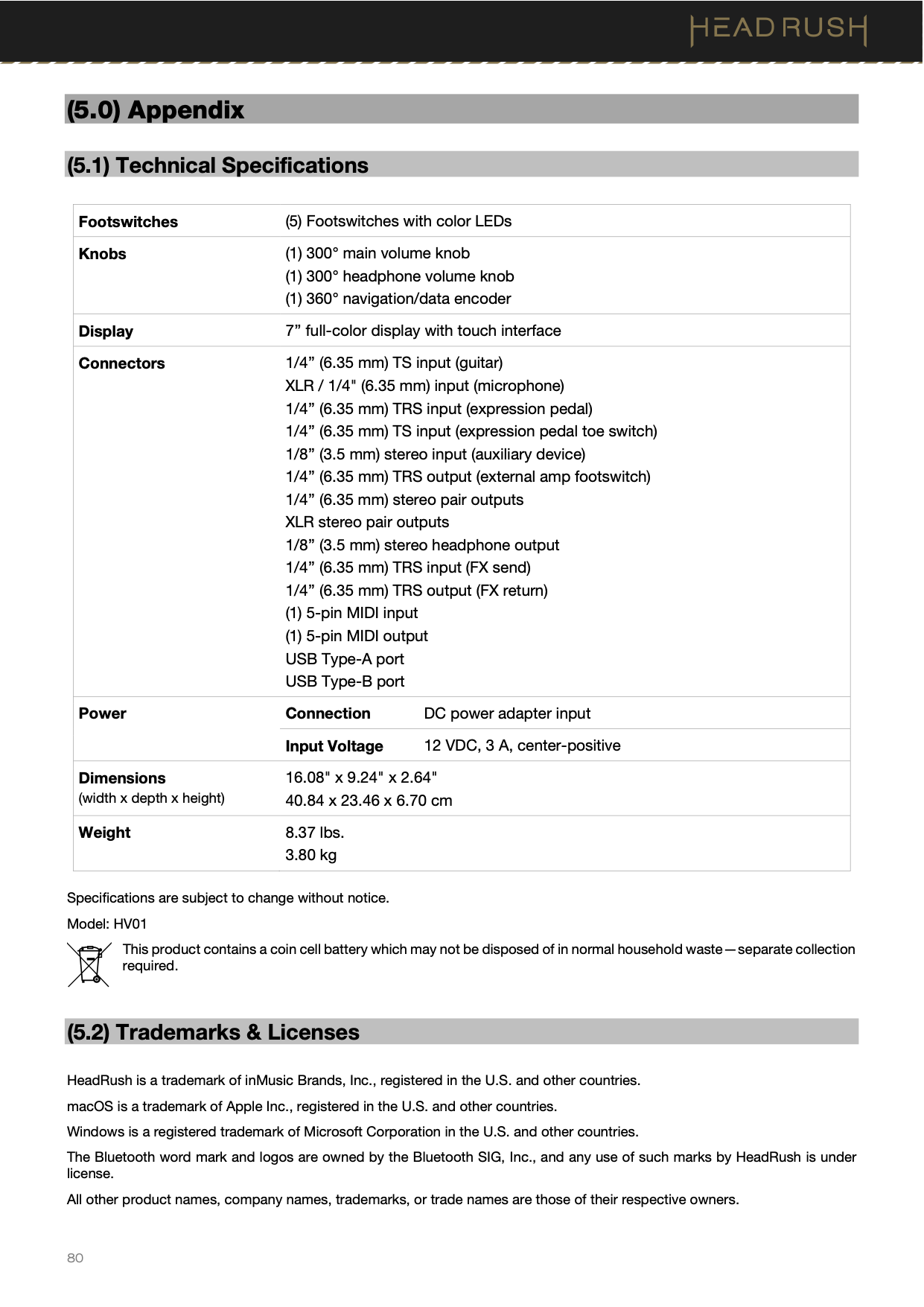
(5.1) Technical Specifications
(5.2) Trademarks & Licenses

HeadRush Flex Prime — User Guide v5.2.0
Chapter 1 — Introduction
(1.0) Introduction
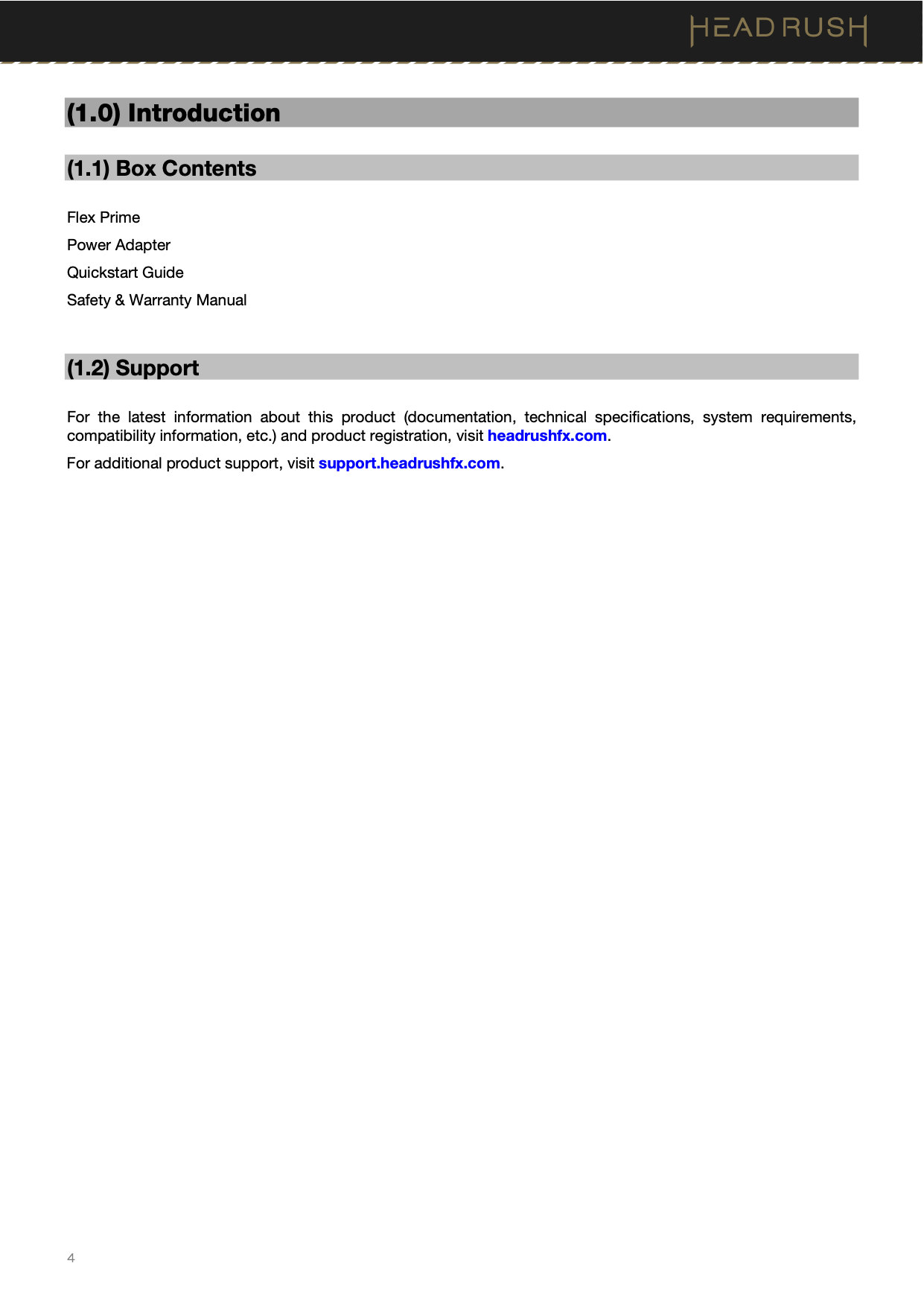
(1.1) Box Contents
(1.2) Support
Chapter 2 — Setup
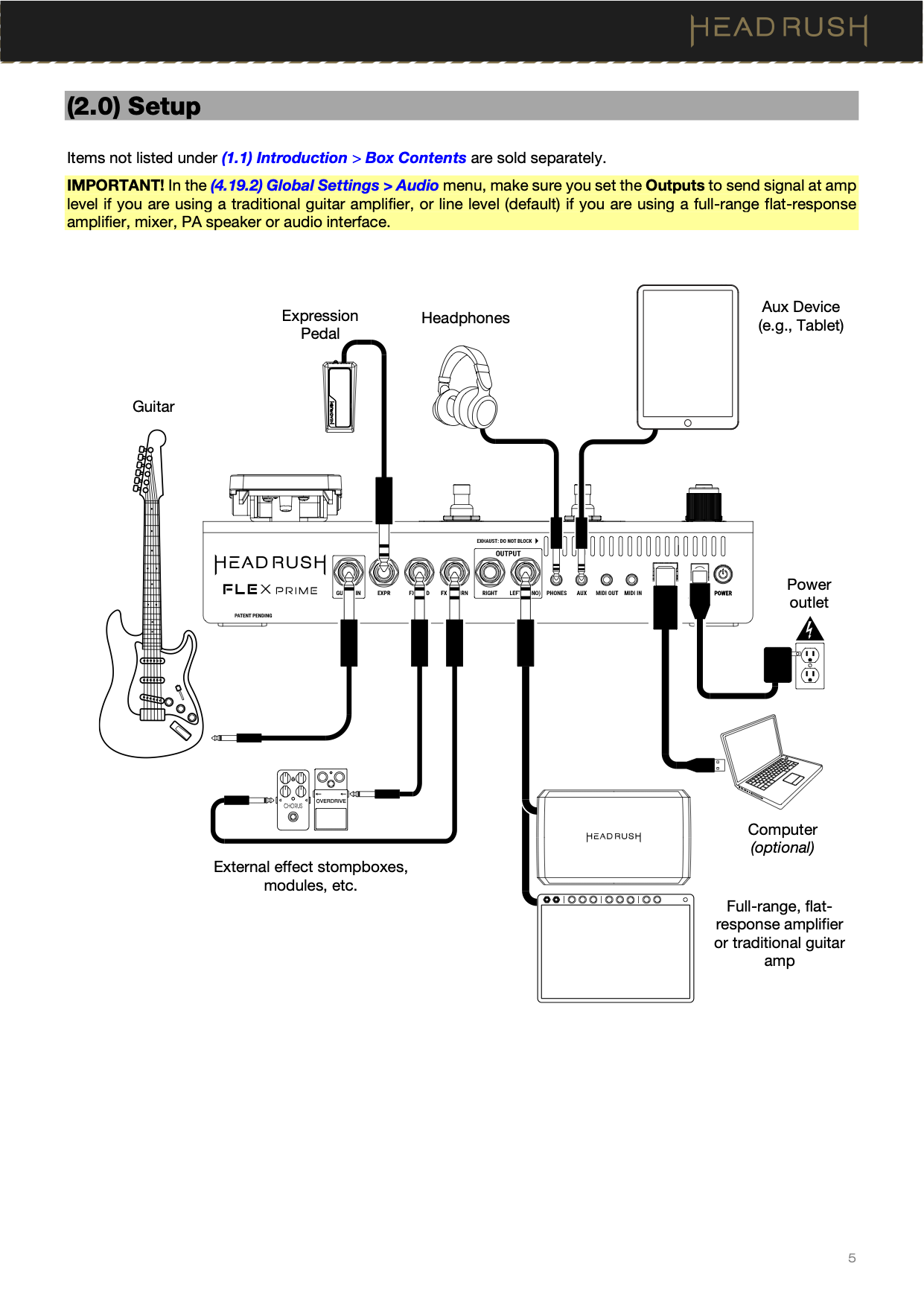
(2.0) Setup
Chapter 3 — Features
(3.0) Features
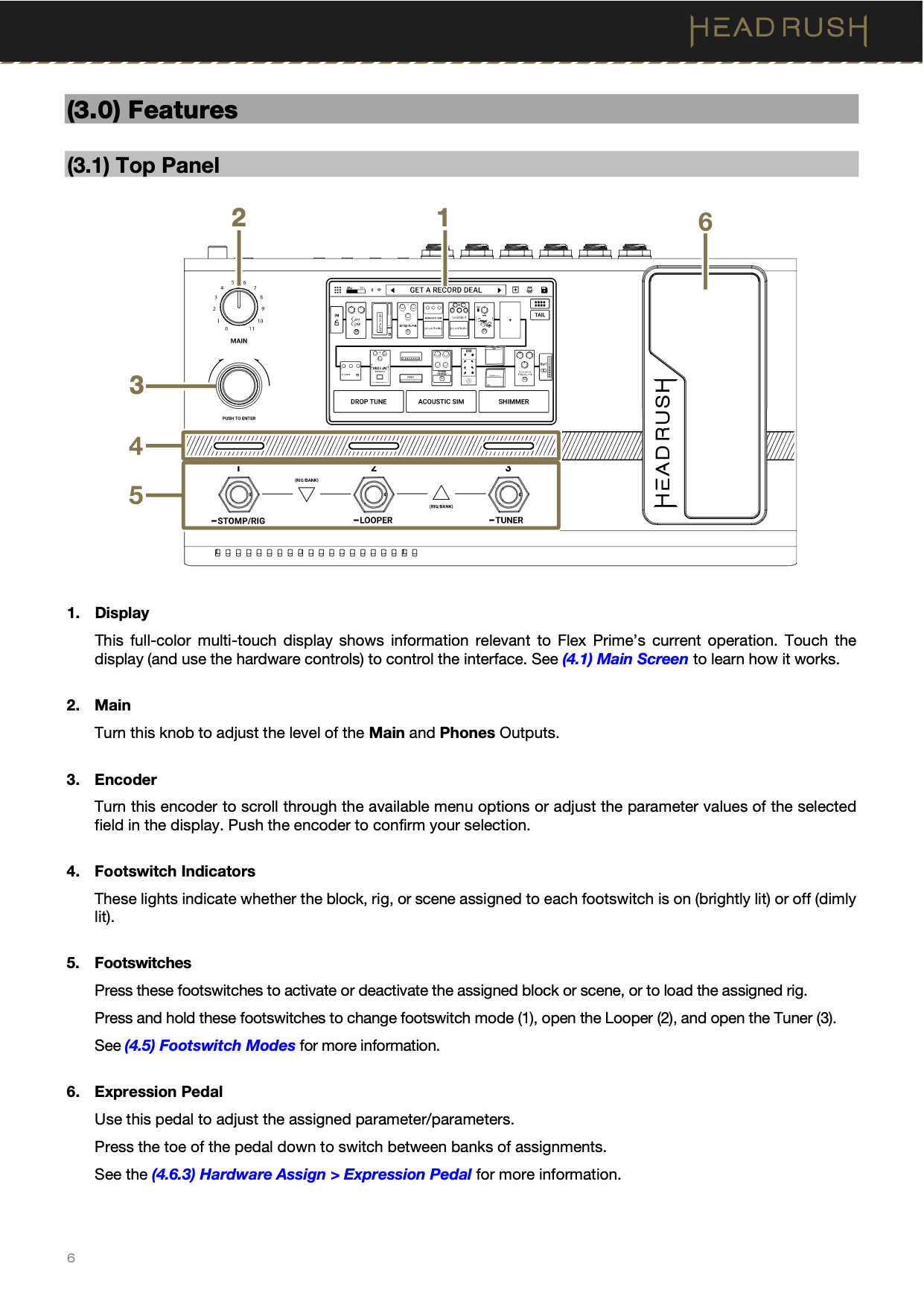
(3.1) Top Panel
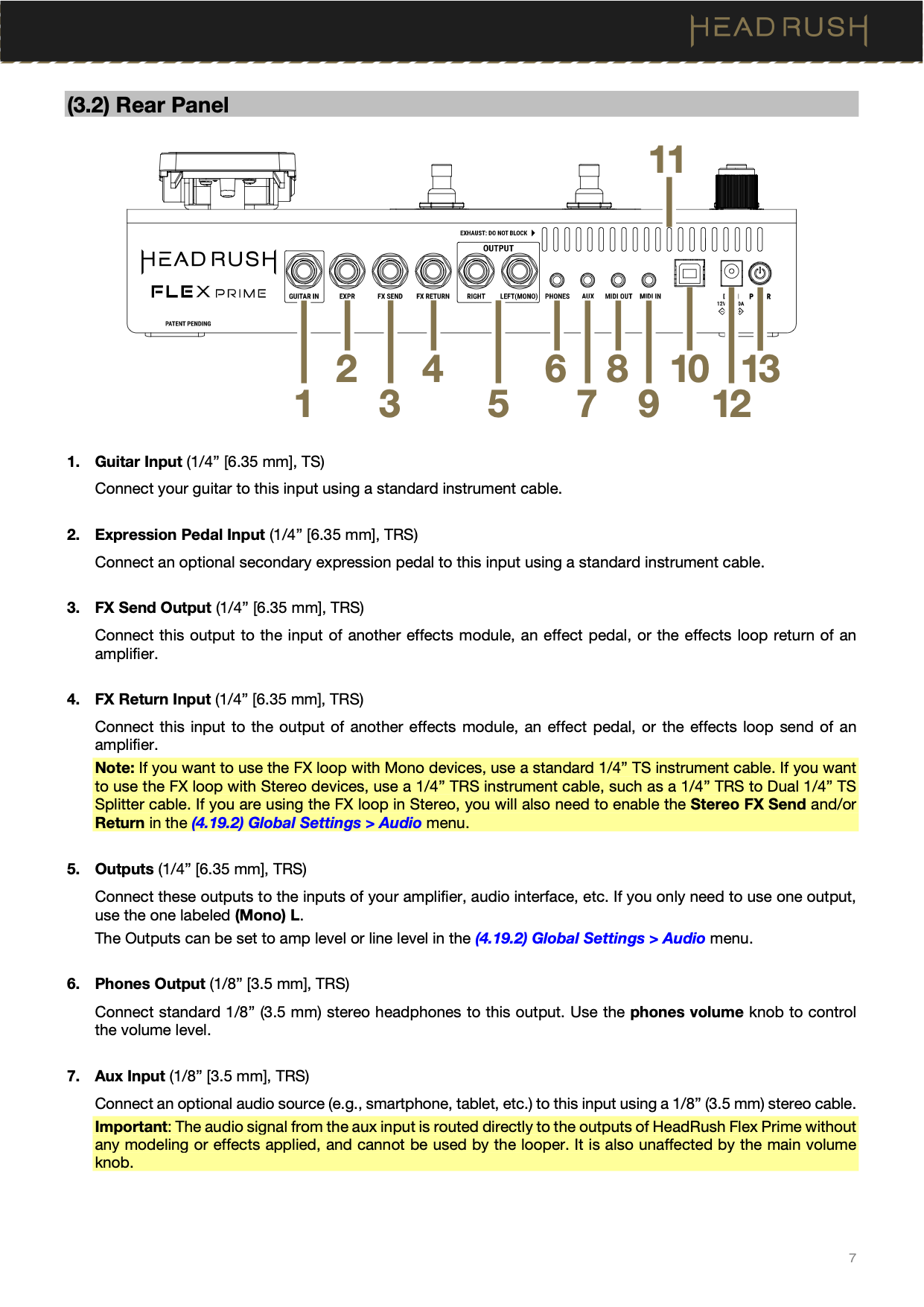
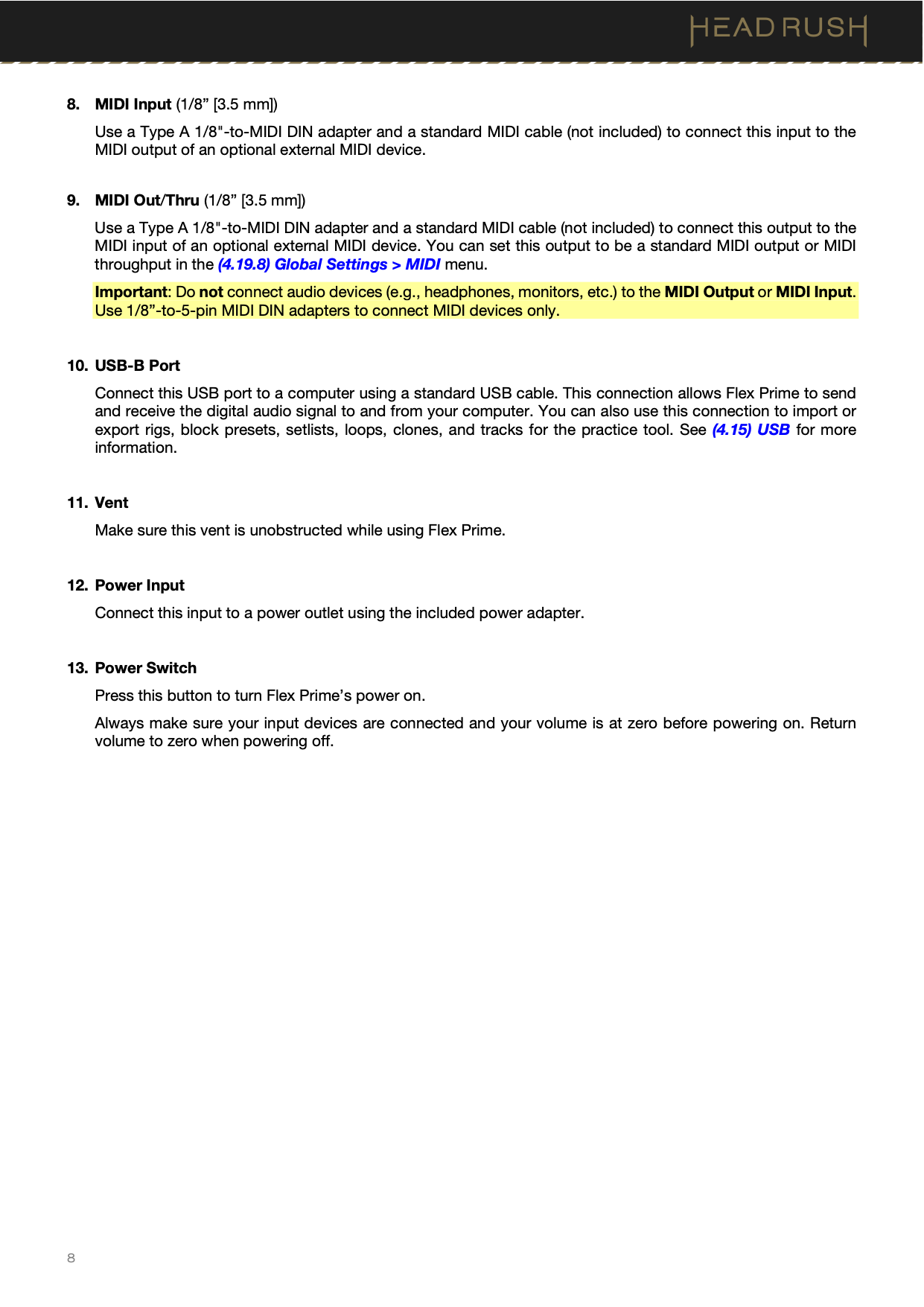
(3.2) Rear Panel
Chapter 4 — Operation
(4.0) Operation
(4.1) Main Screen
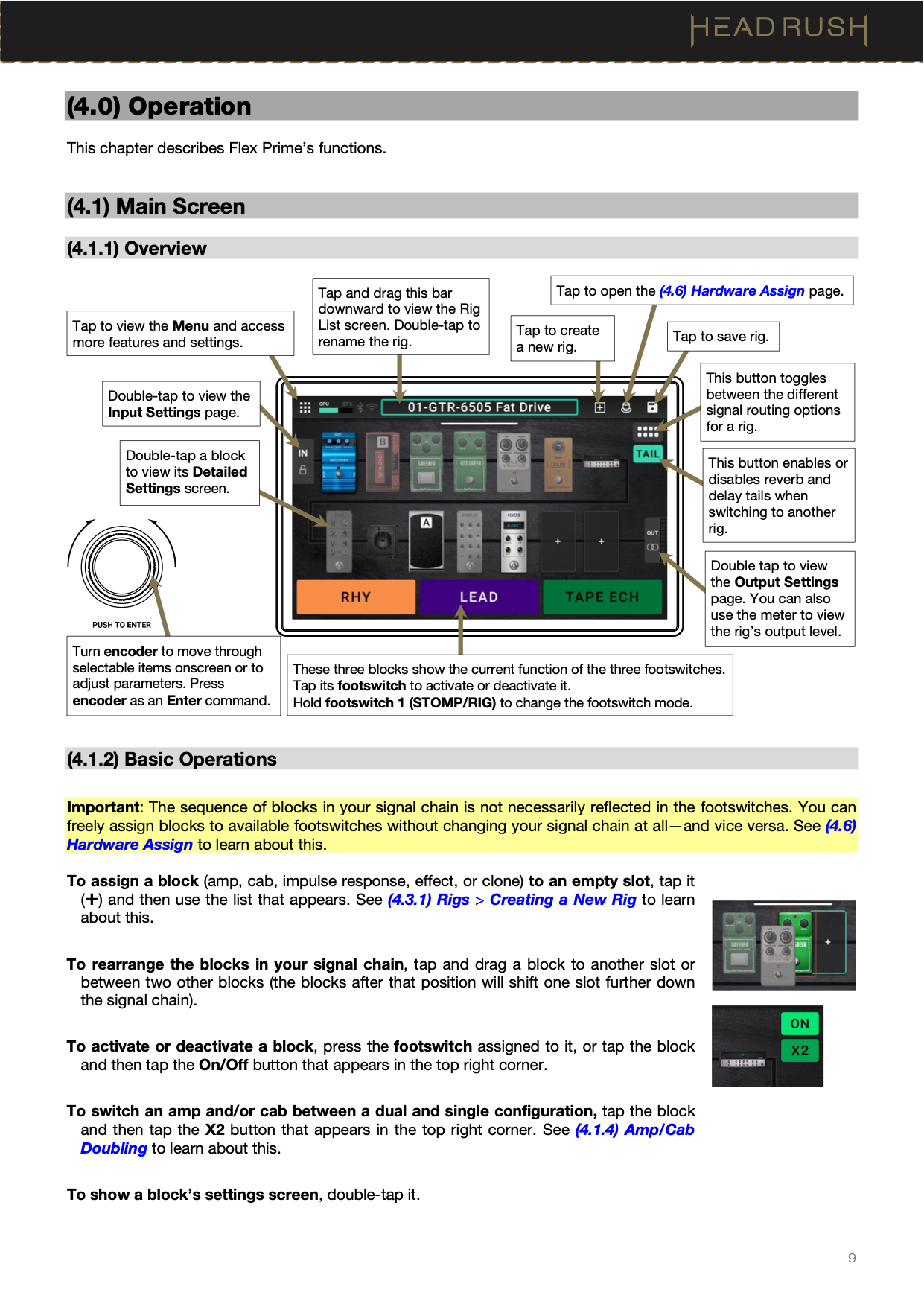
(4.1.1) Overview
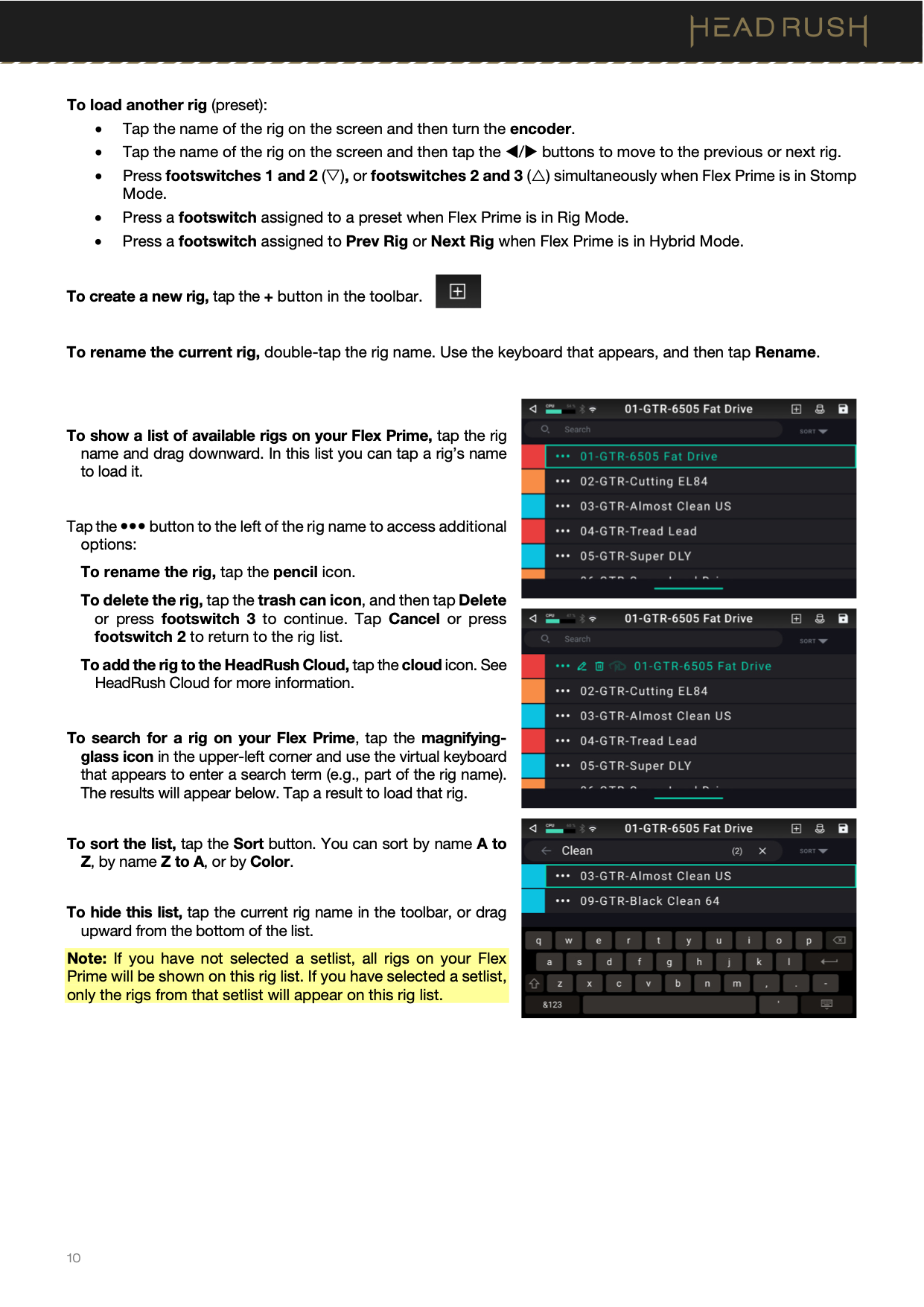
(4.1.2) Basic Operations
(4.1.3) Reverb/Delay Tail Spillover
(4.1.4) Amp/Cab Doubling
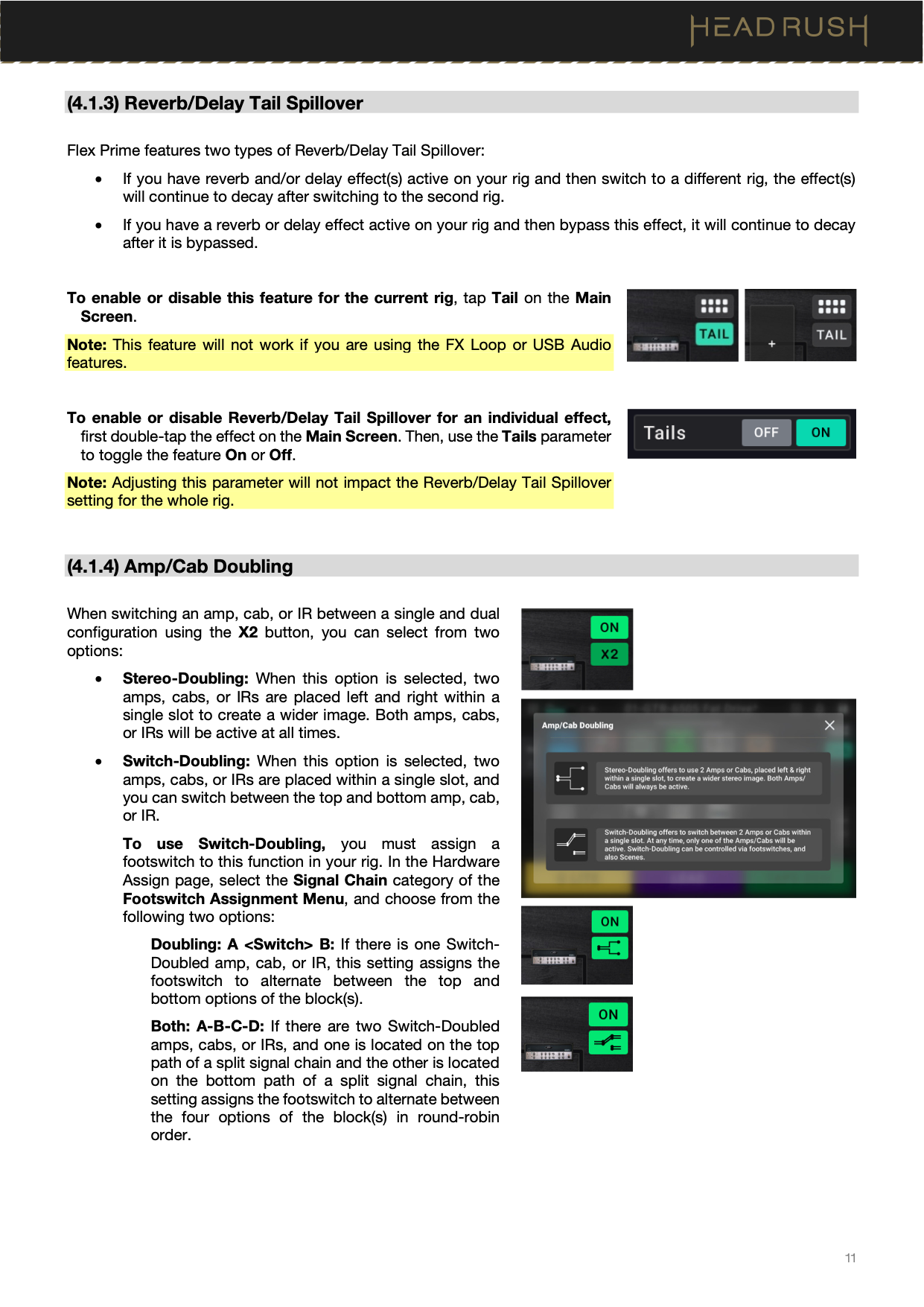
(4.2) Menu Screen
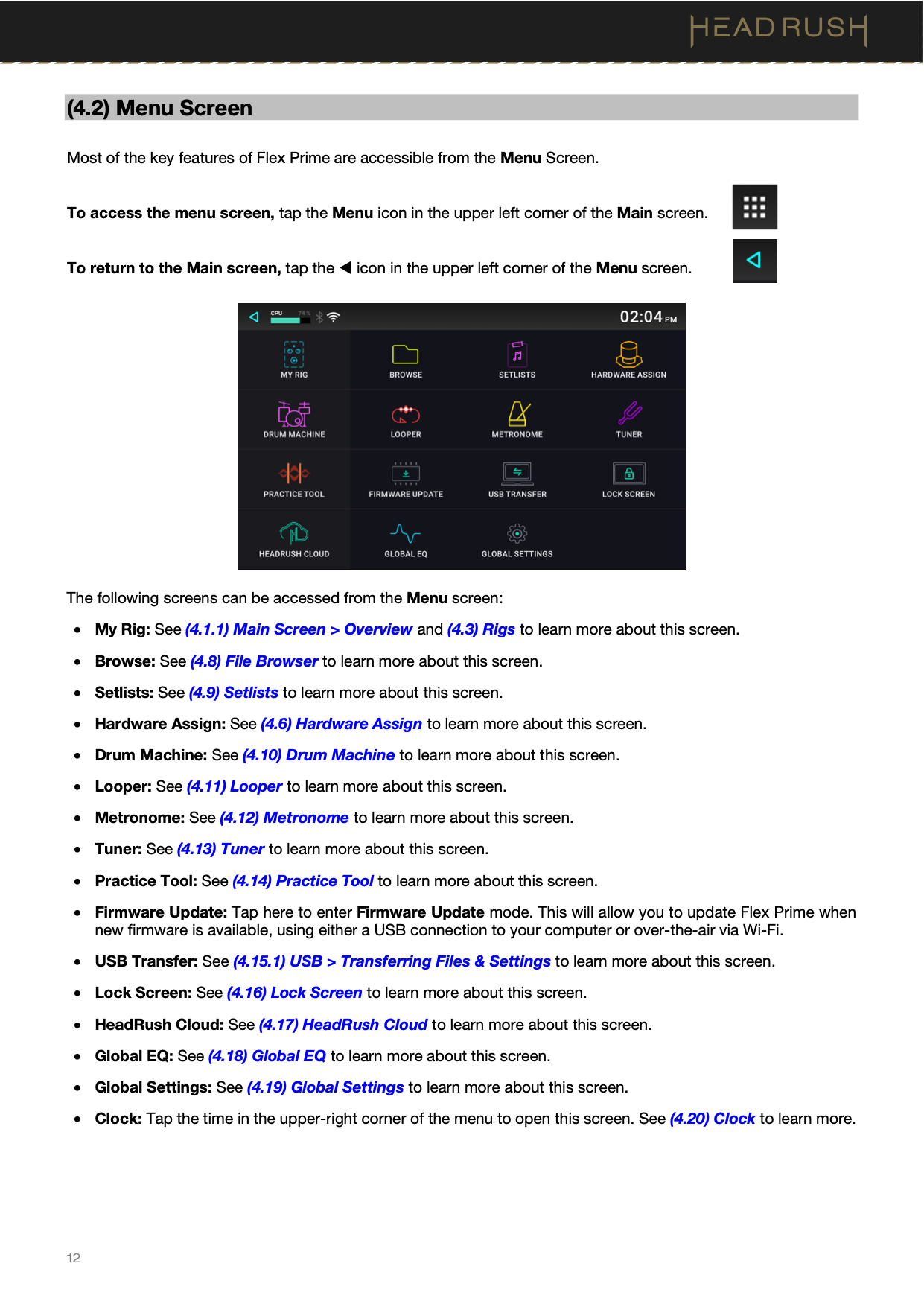
(4.3) Rigs
(4.3.1) Creating a New Rig
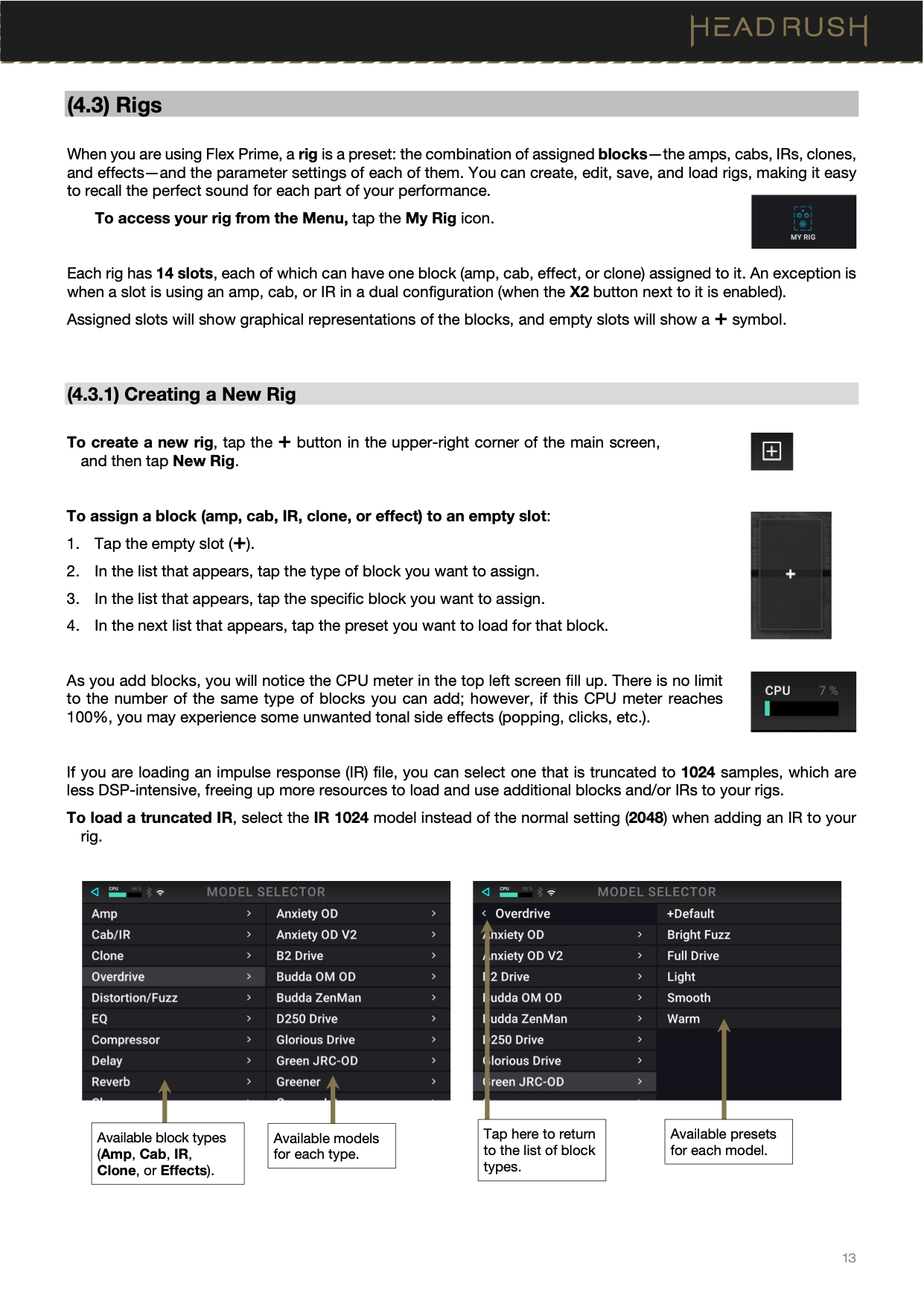
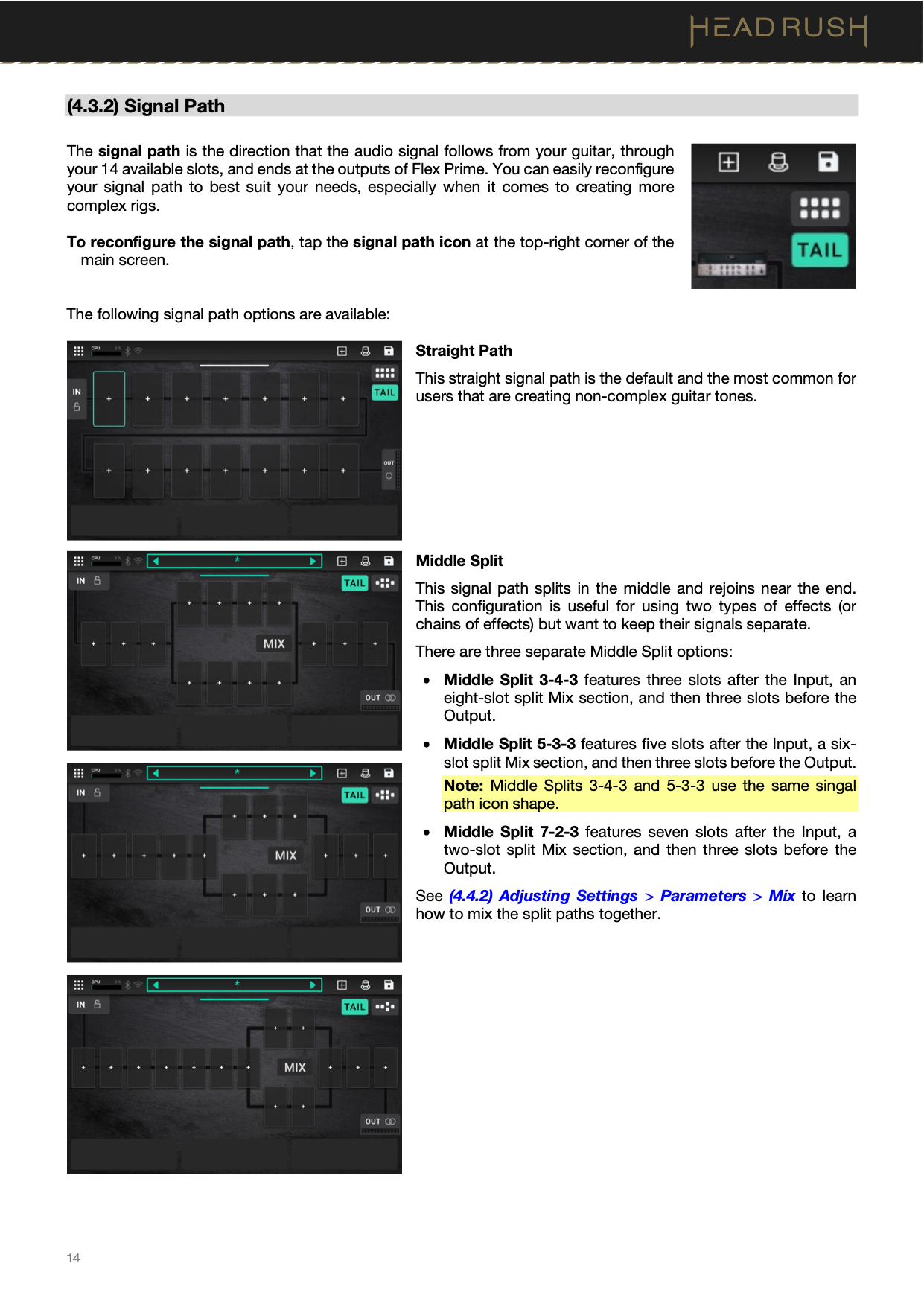
(4.3.2) Signal Path
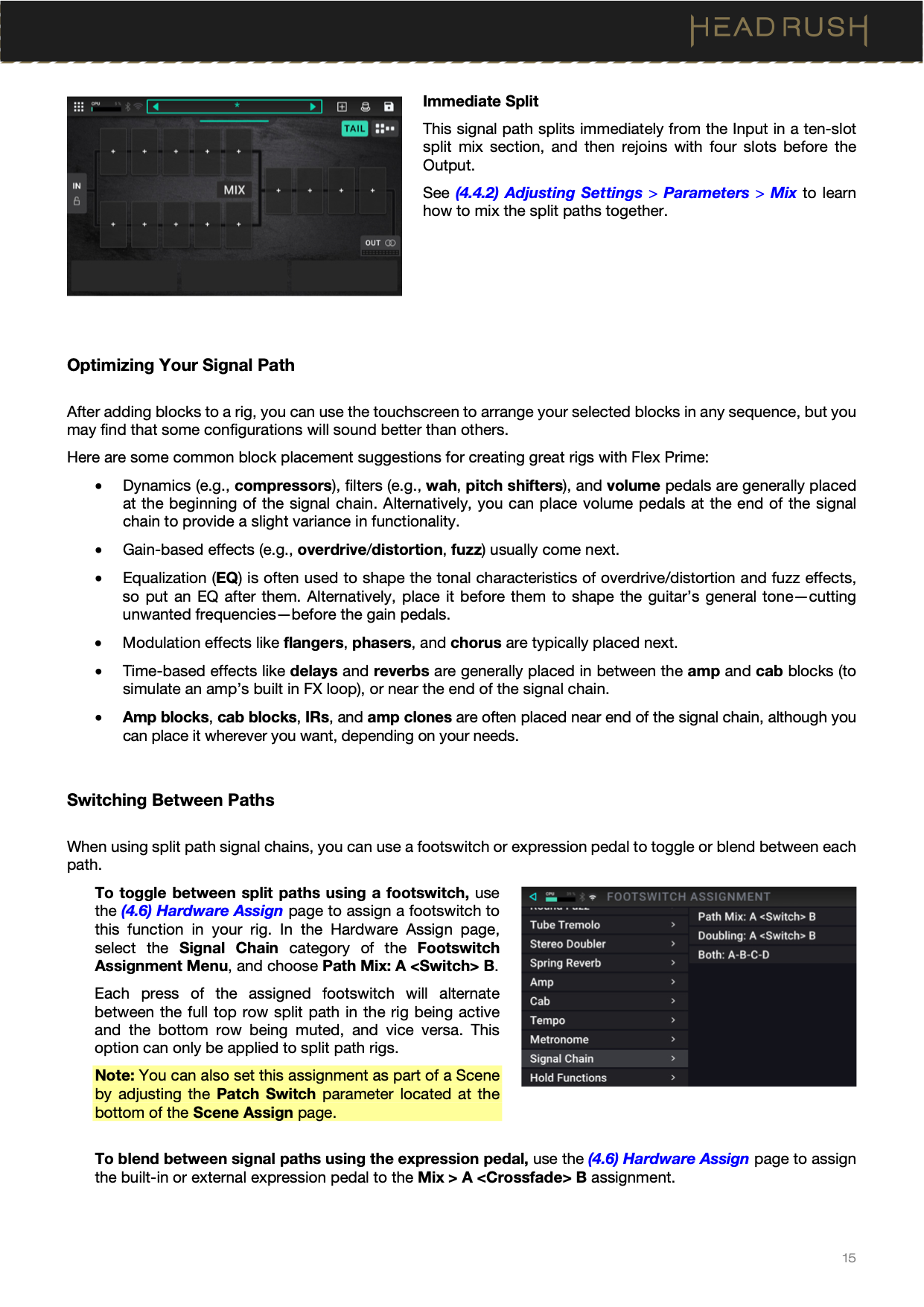
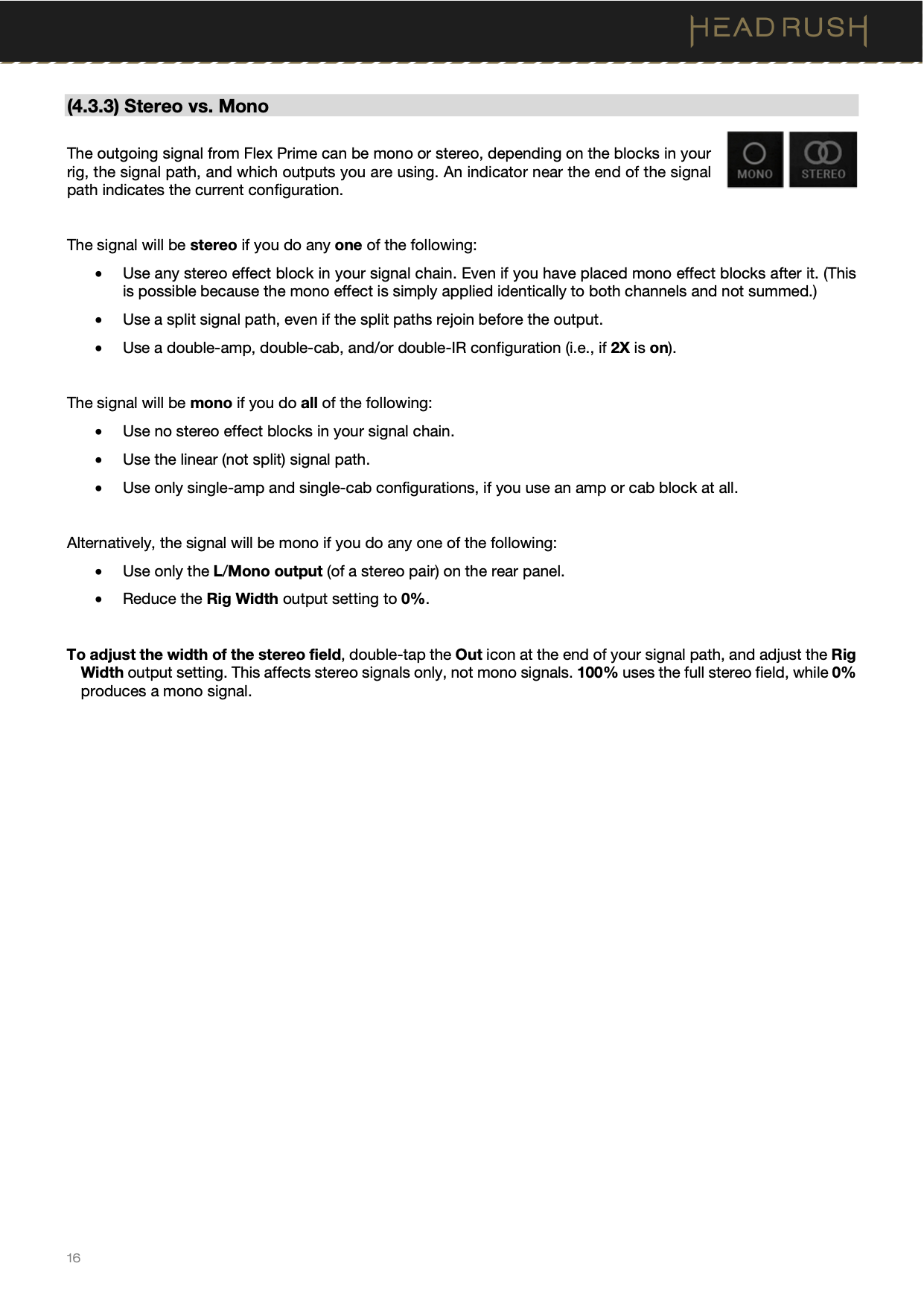
(4.3.3) Stereo vs. Mono
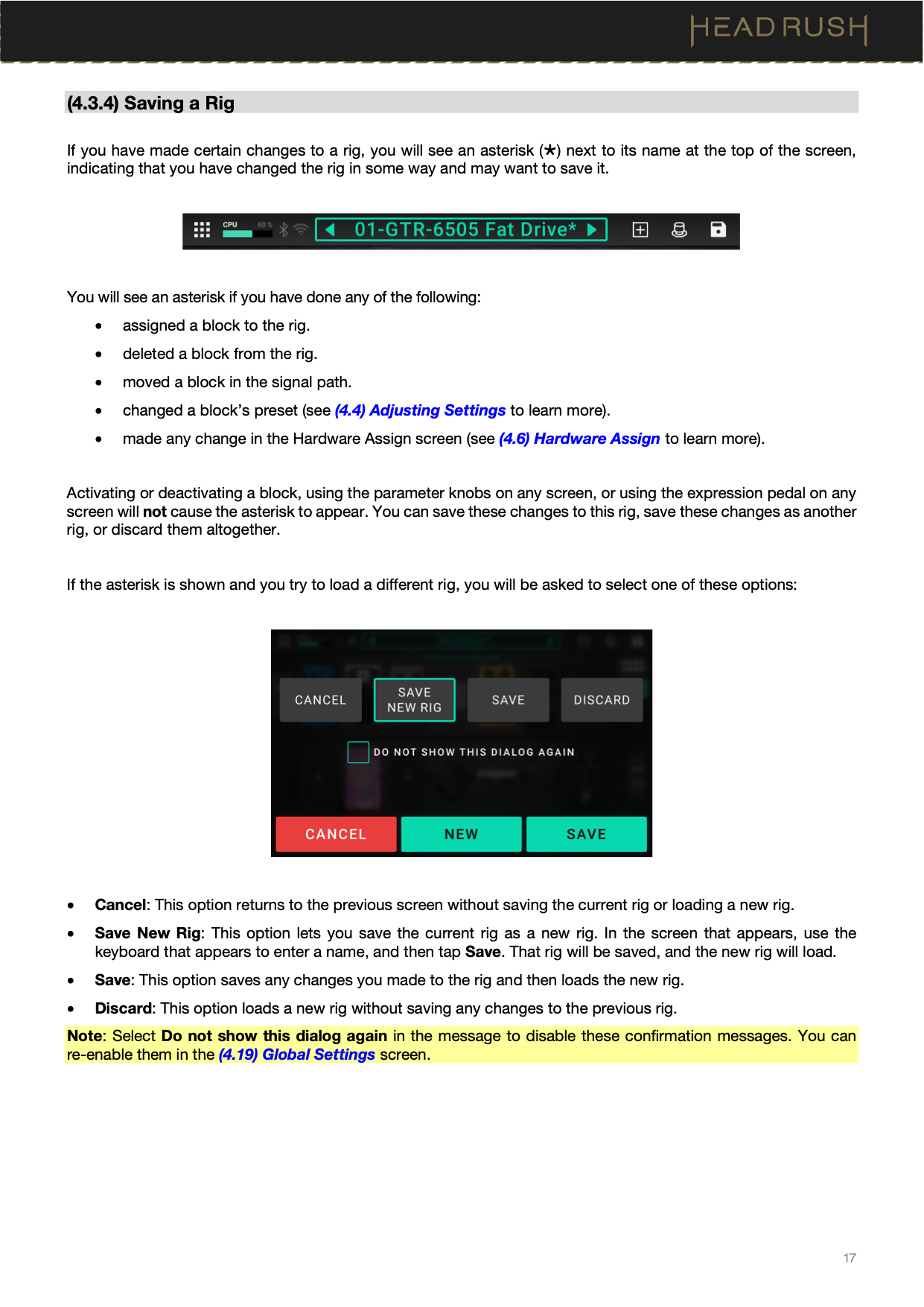
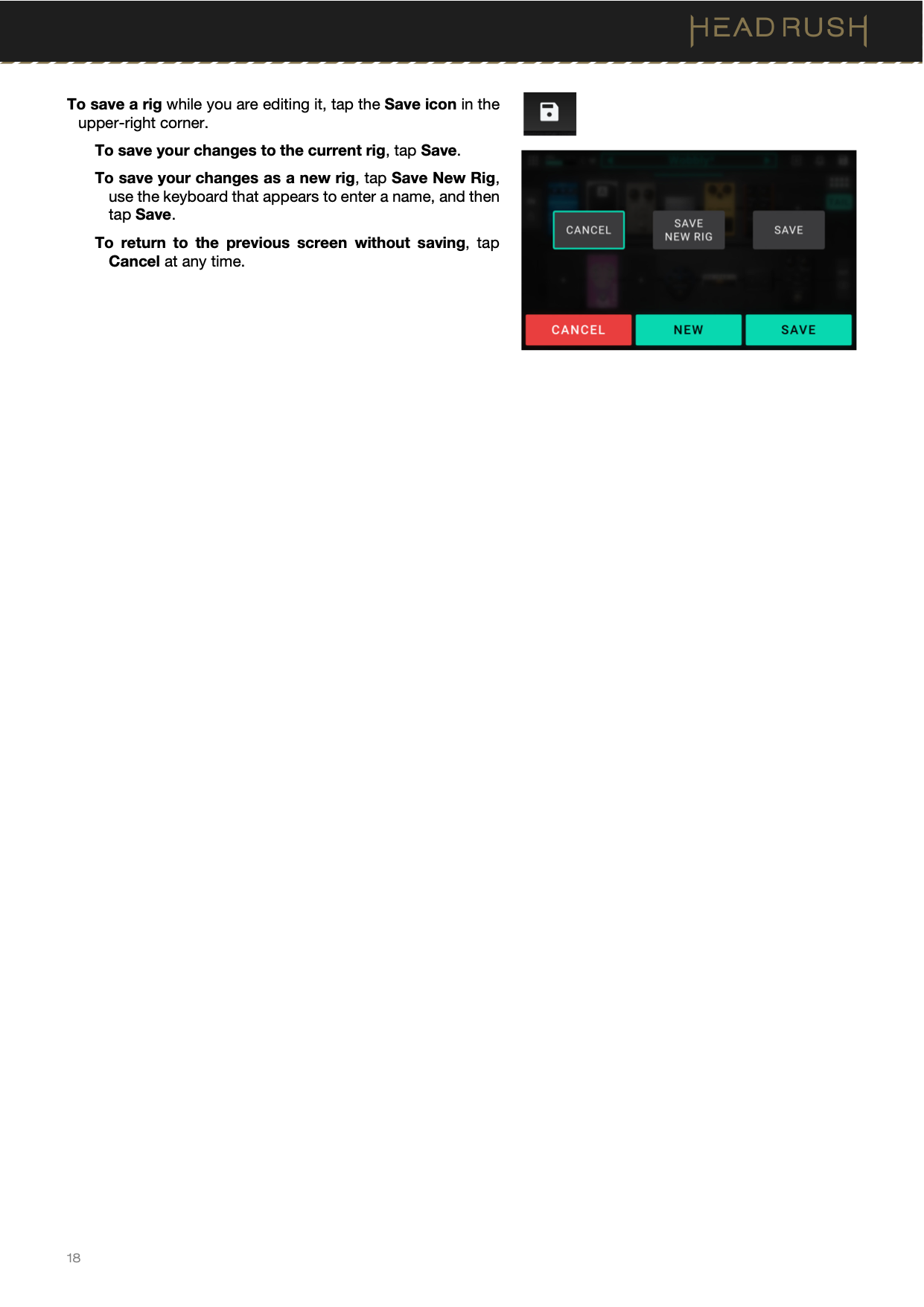
(4.3.4) Saving a Rig
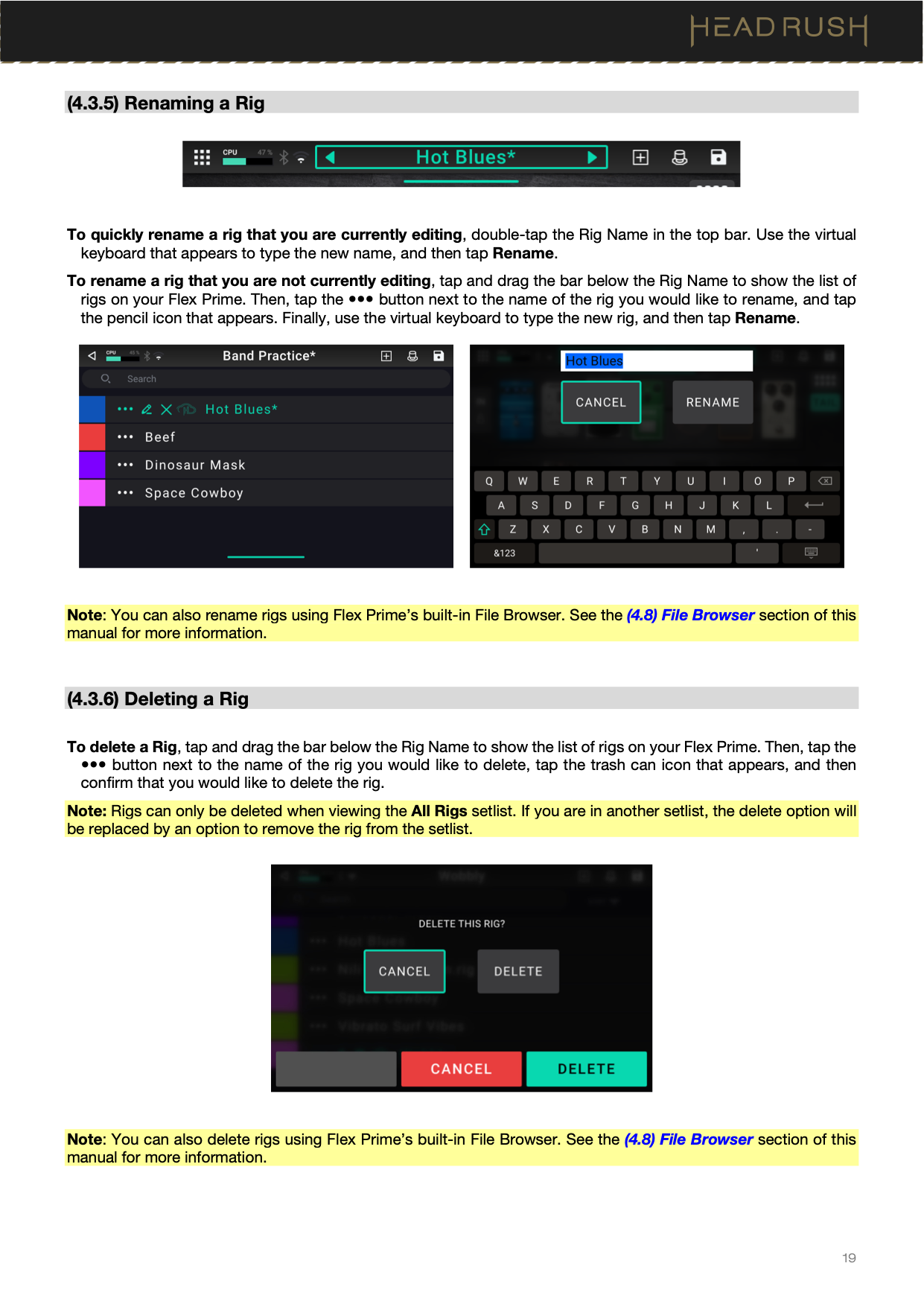
(4.3.5) Renaming a Rig
(4.3.6) Deleting a Rig
(4.4) Adjusting Settings
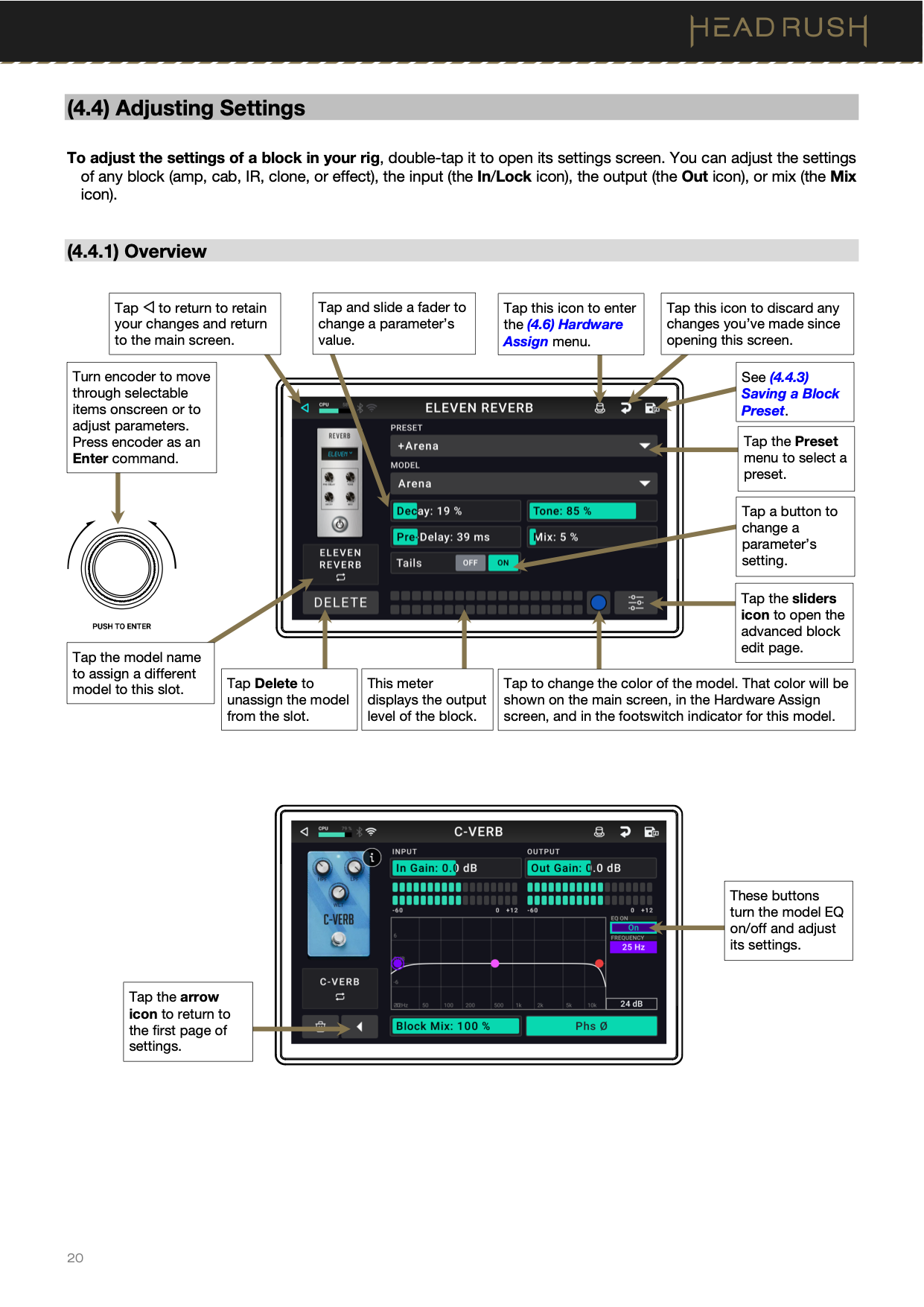
(4.4.1) Overview
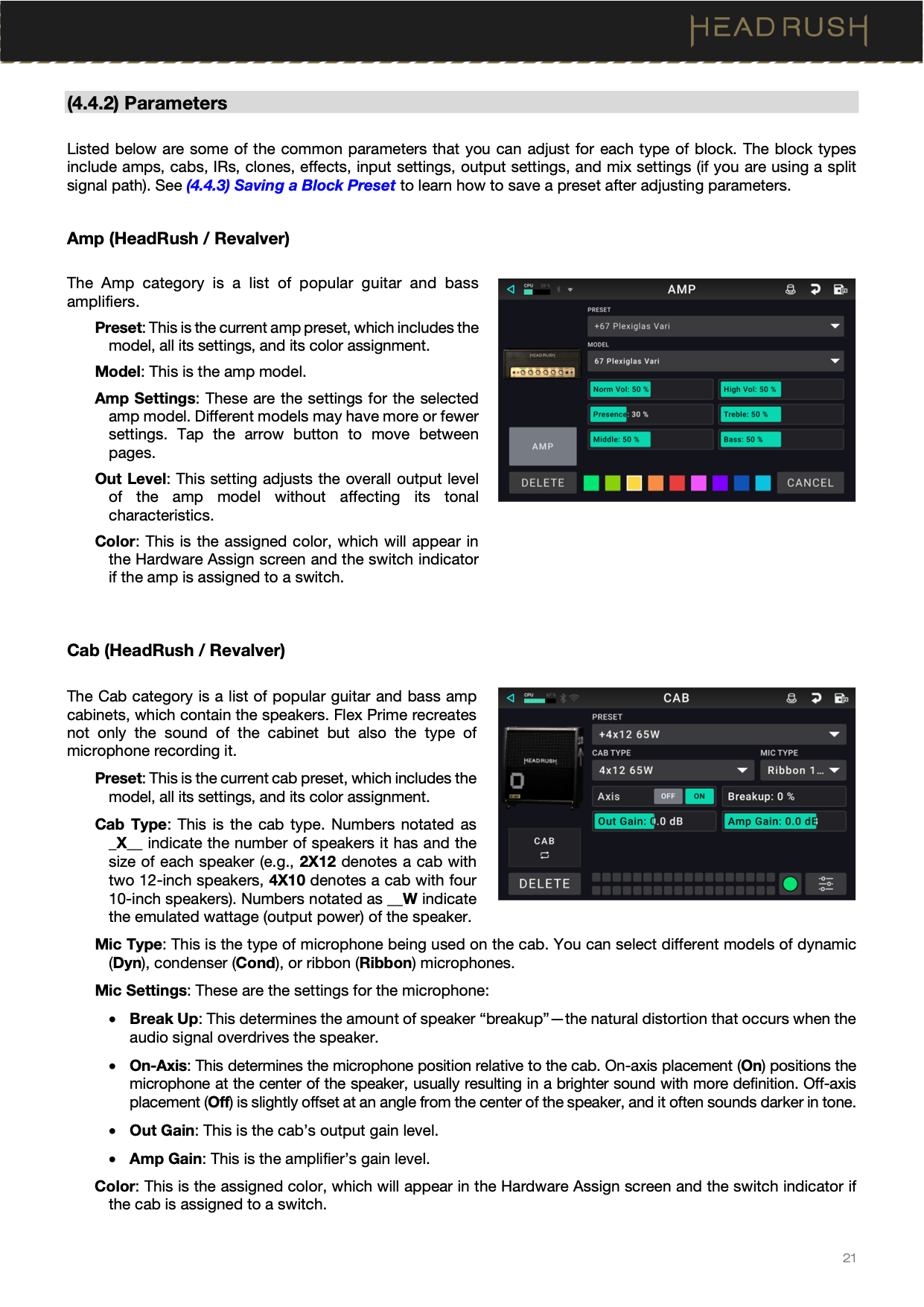
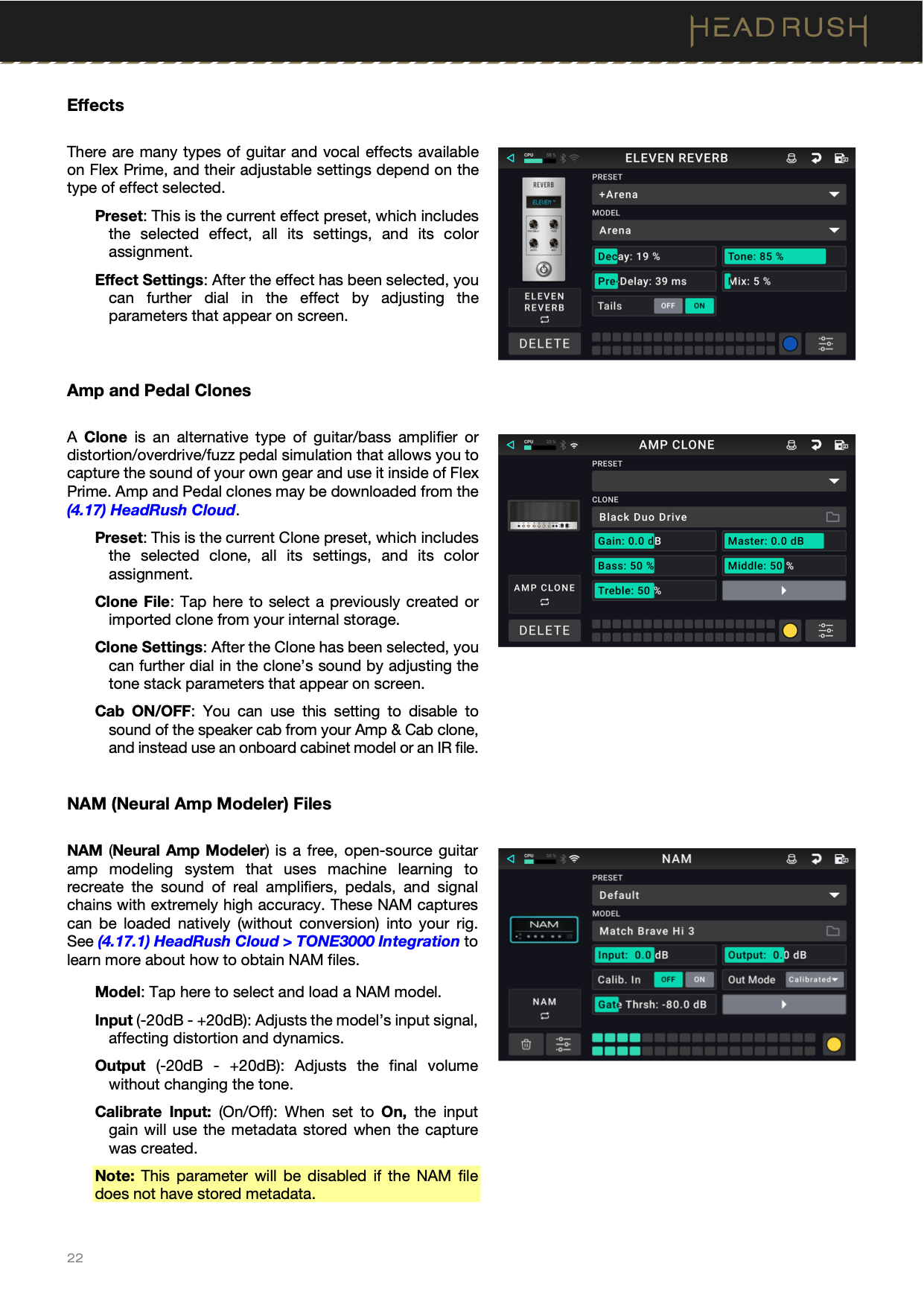
(4.4.2) Parameters
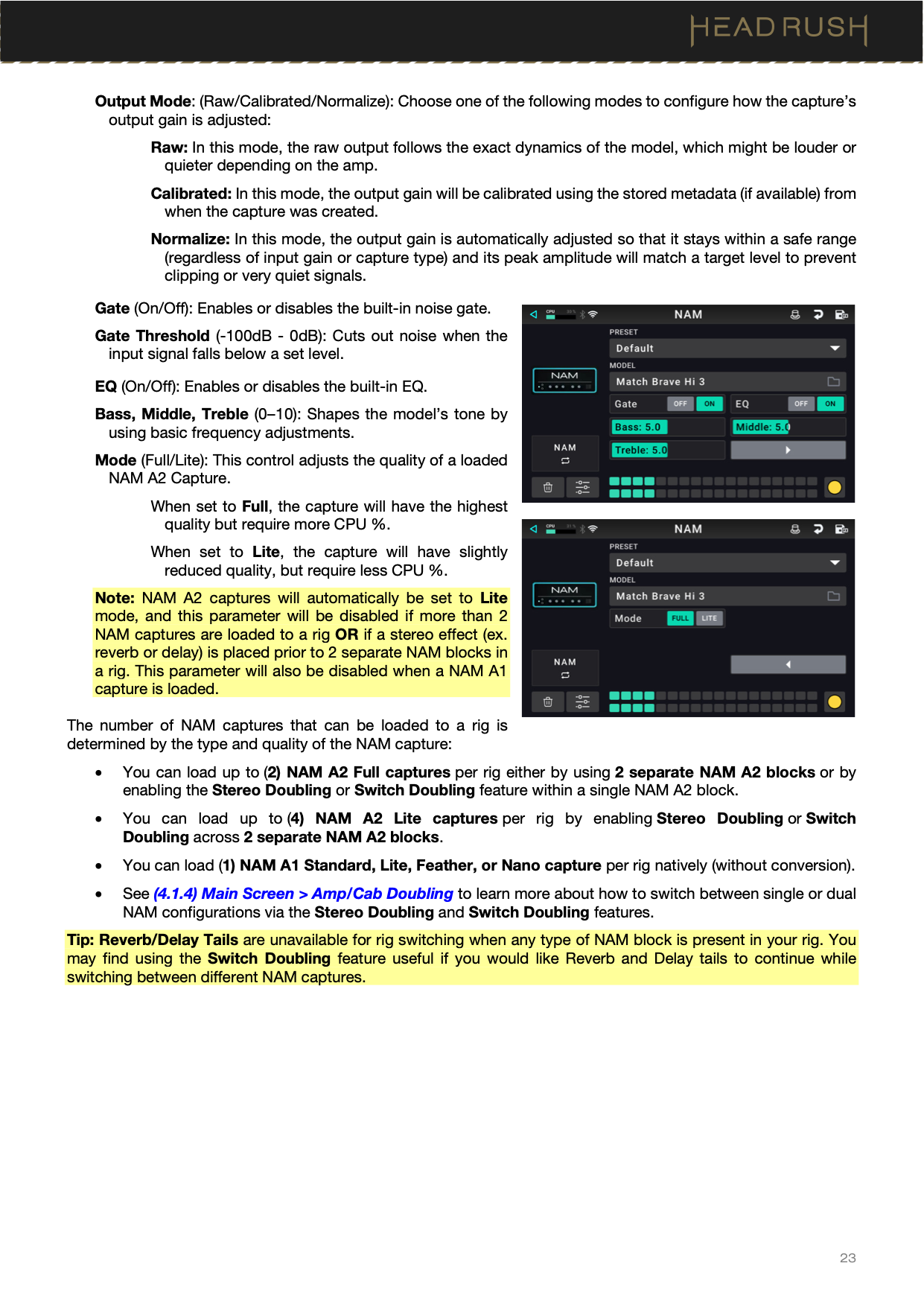
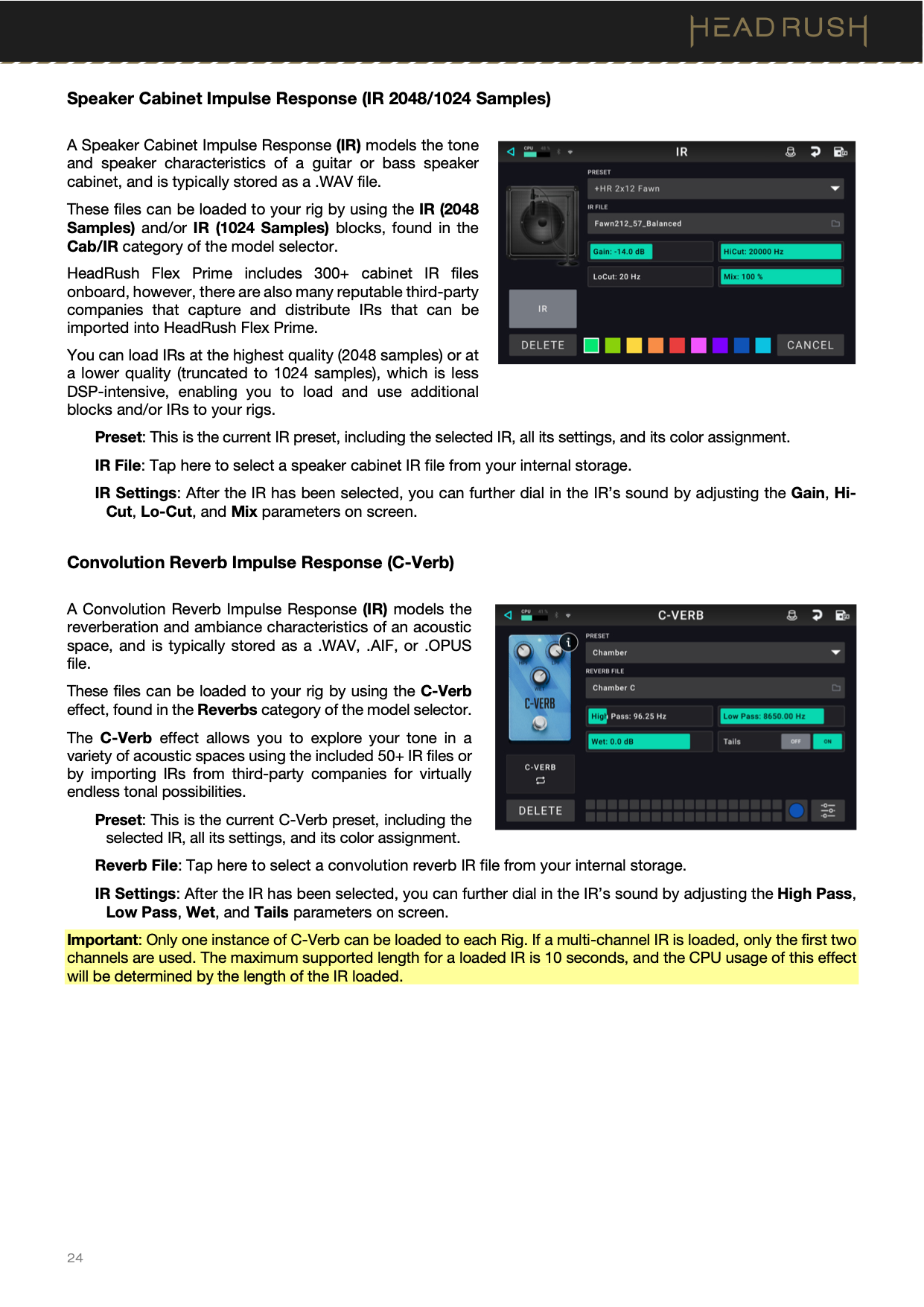
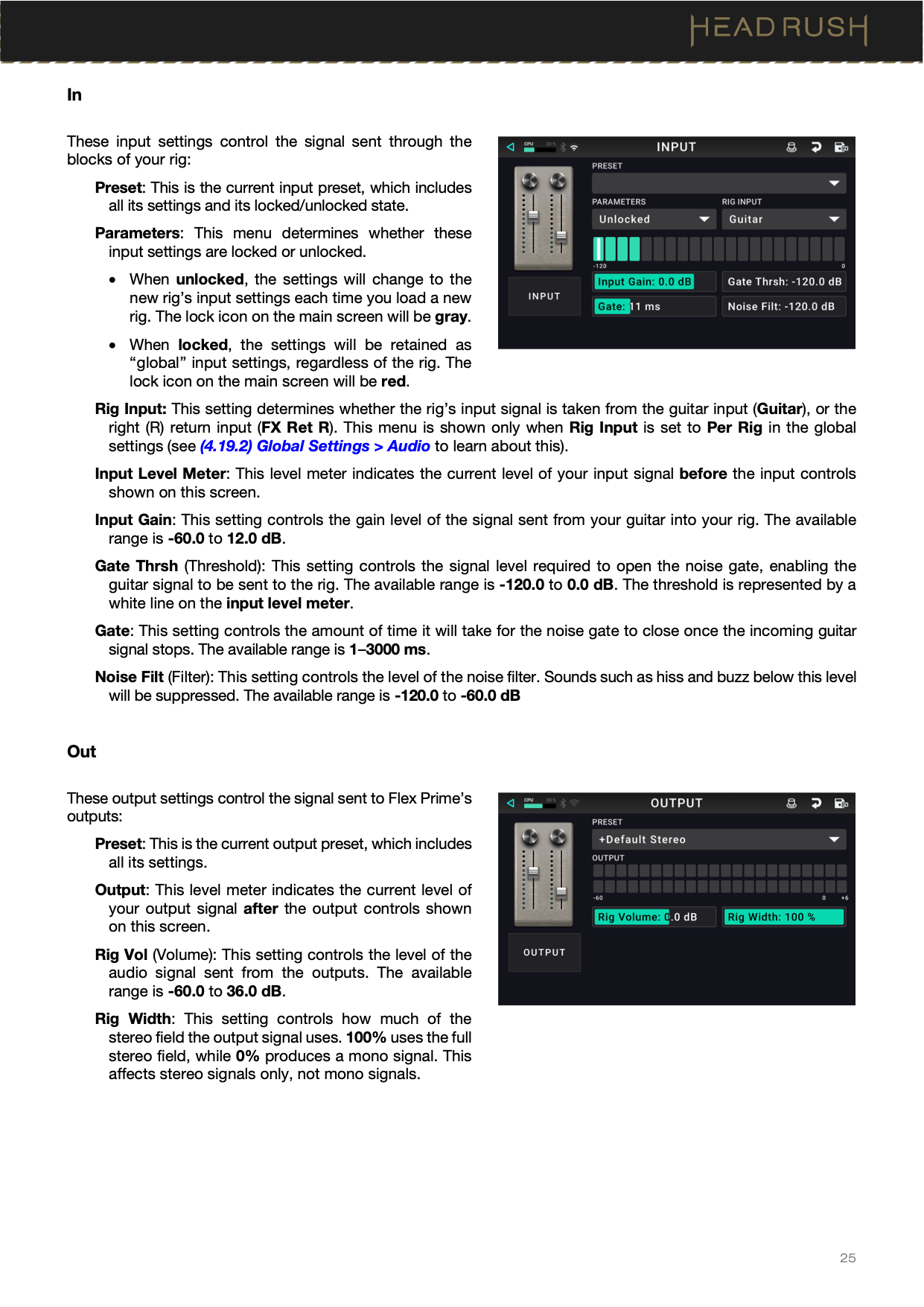
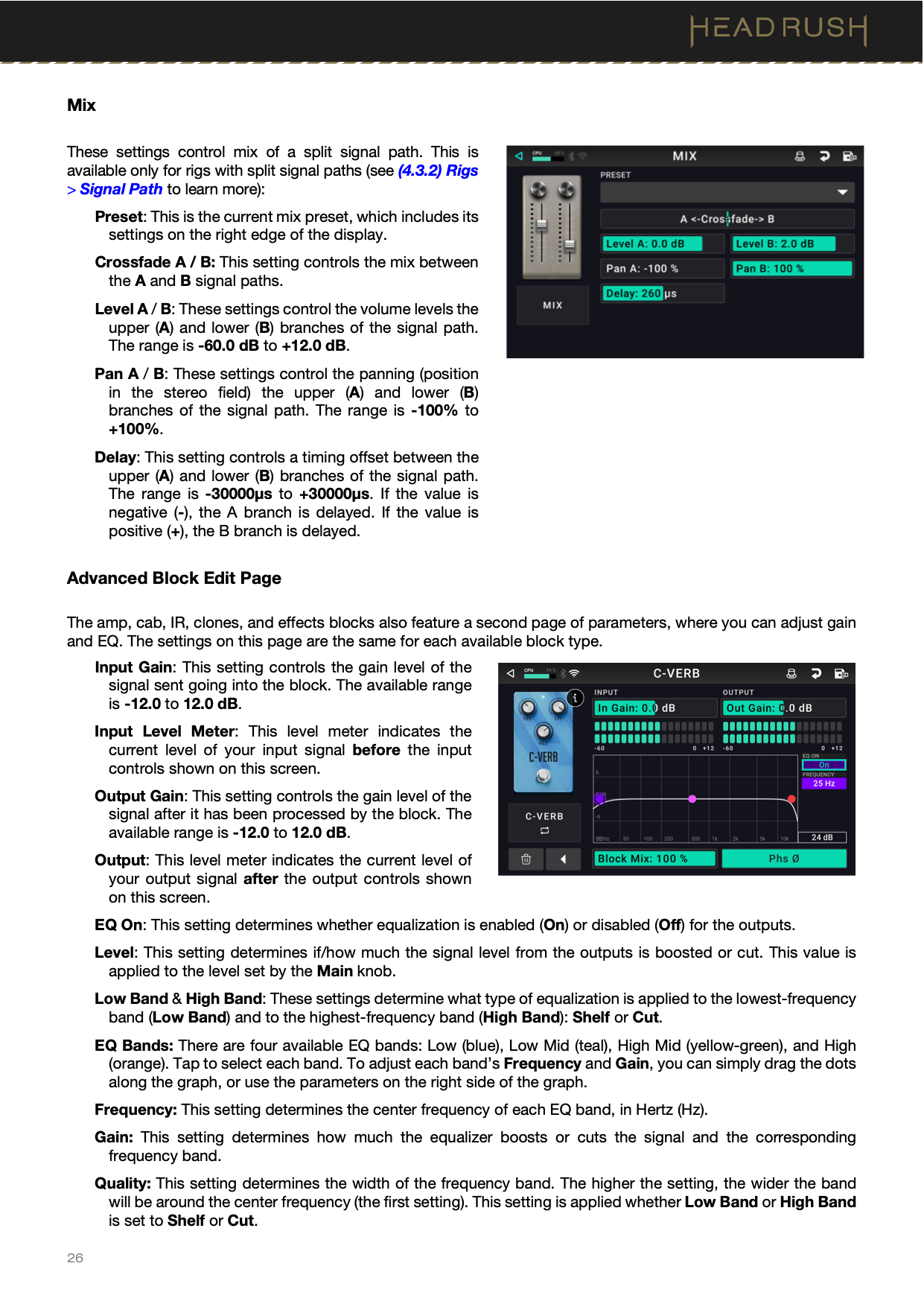
(4.4.3) Saving a Block Preset
(4.5) Footswitch Modes
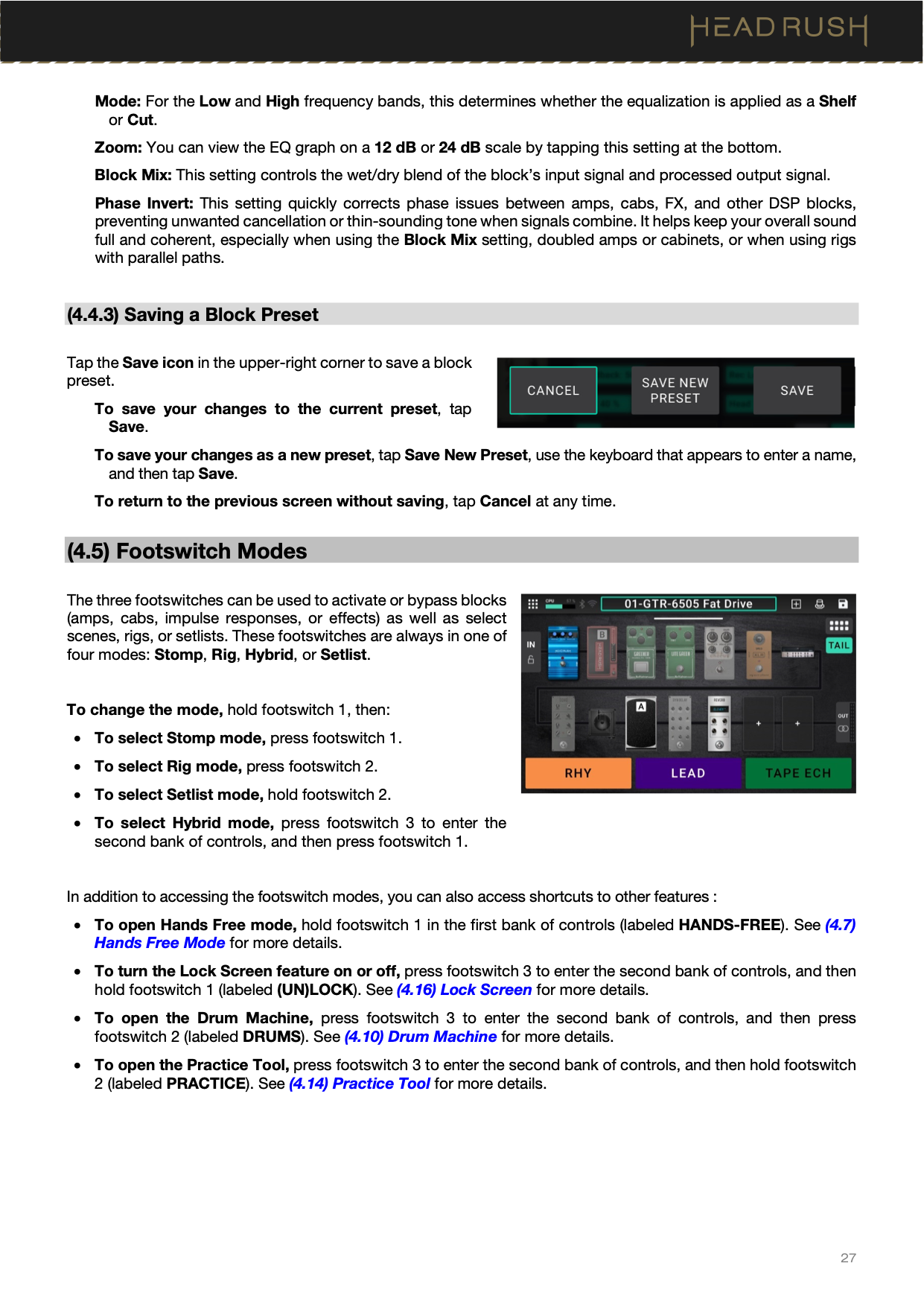
(4.5.1) Stomp Mode
(4.5.2) Rig Mode
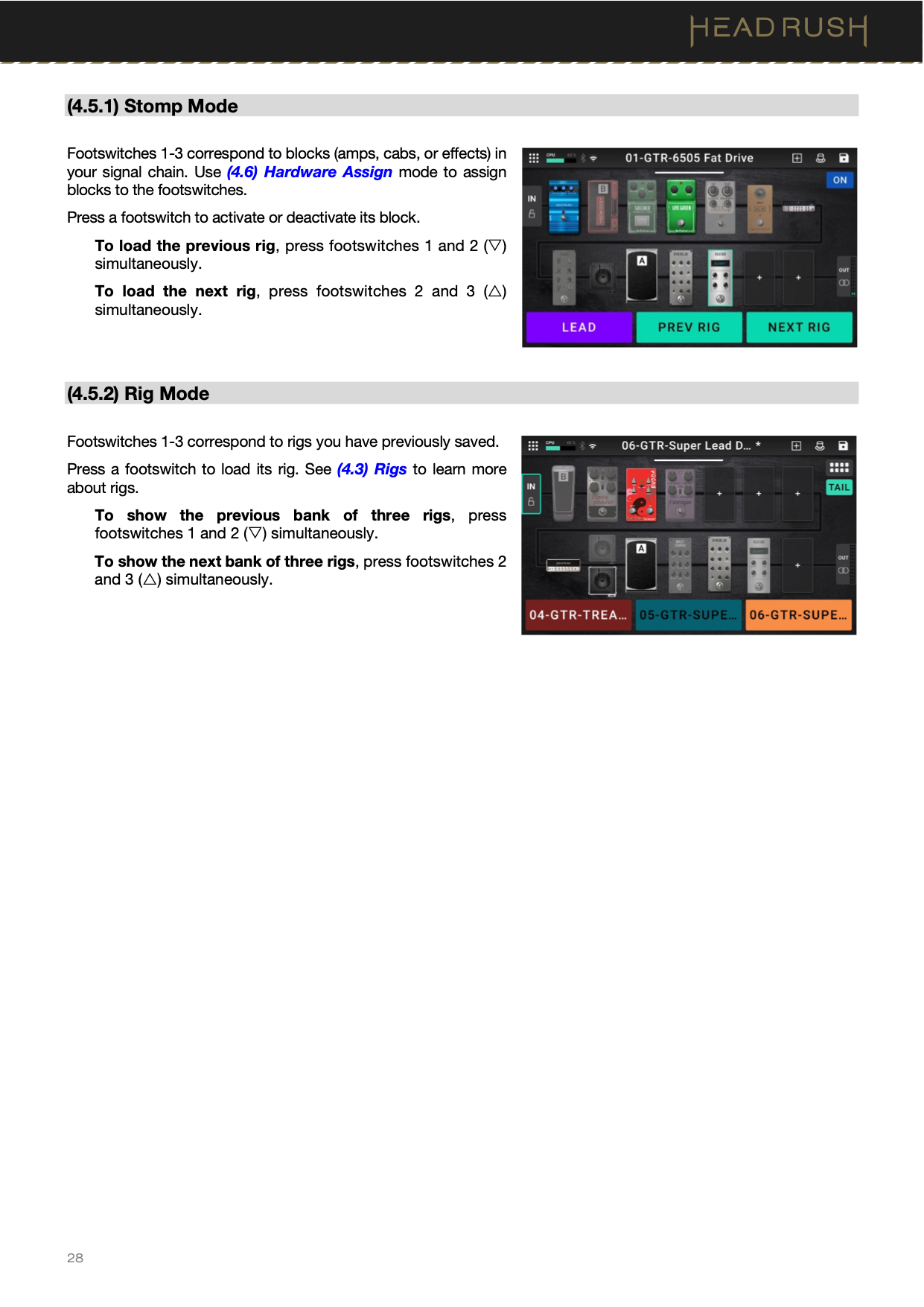
(4.5.3) Hybrid Mode
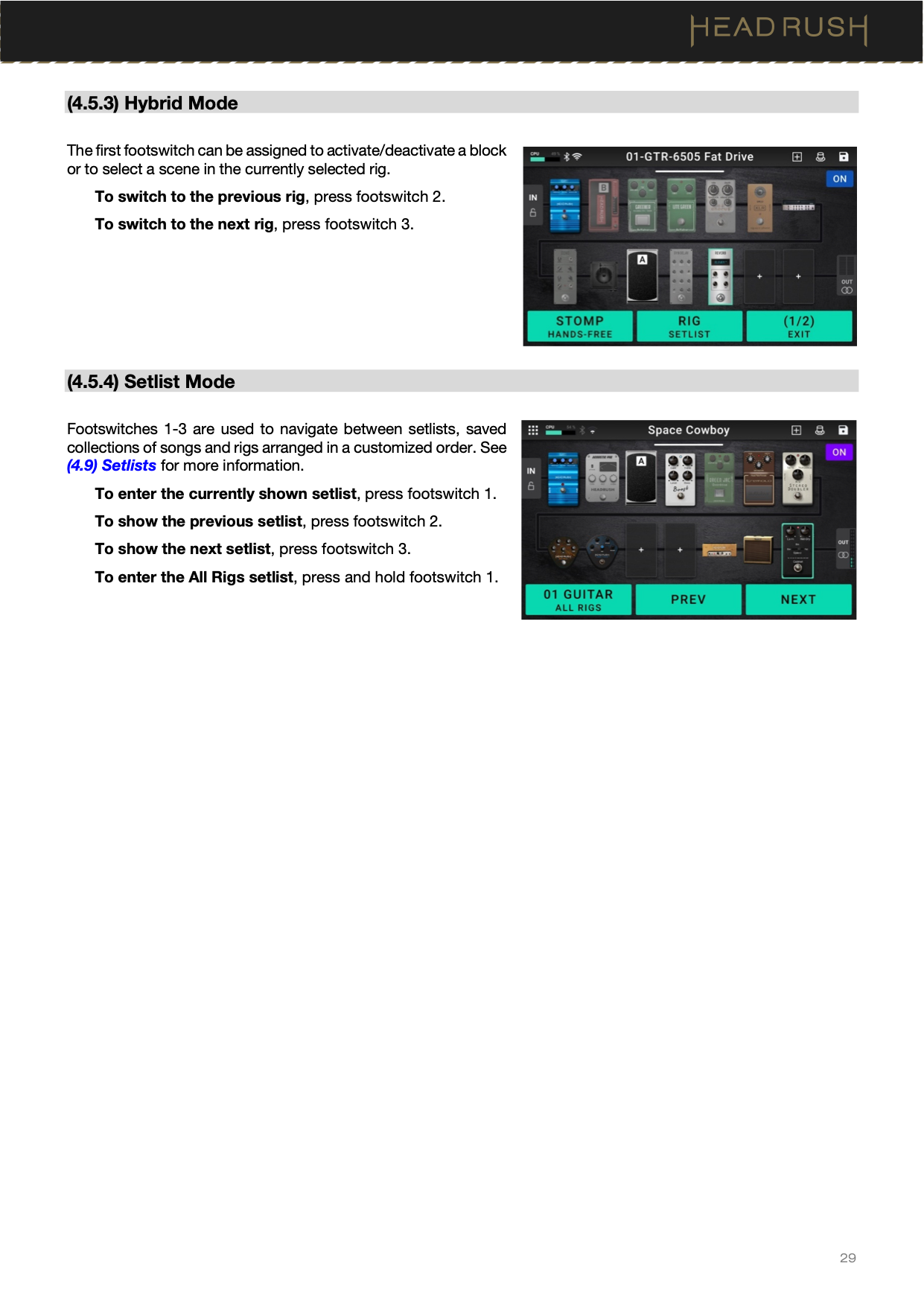
(4.5.4) Setlist Mode
(4.6) Hardware Assign
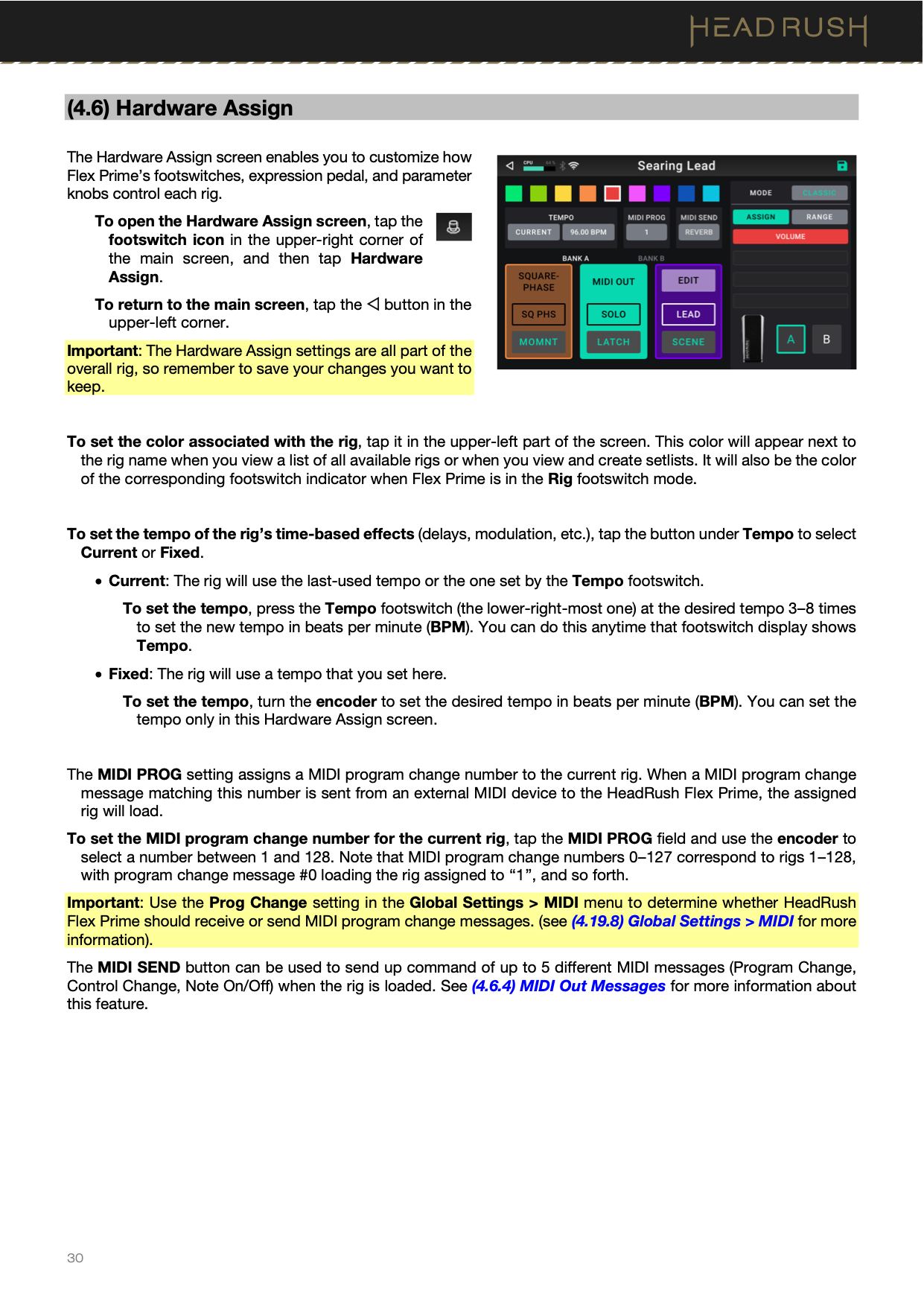
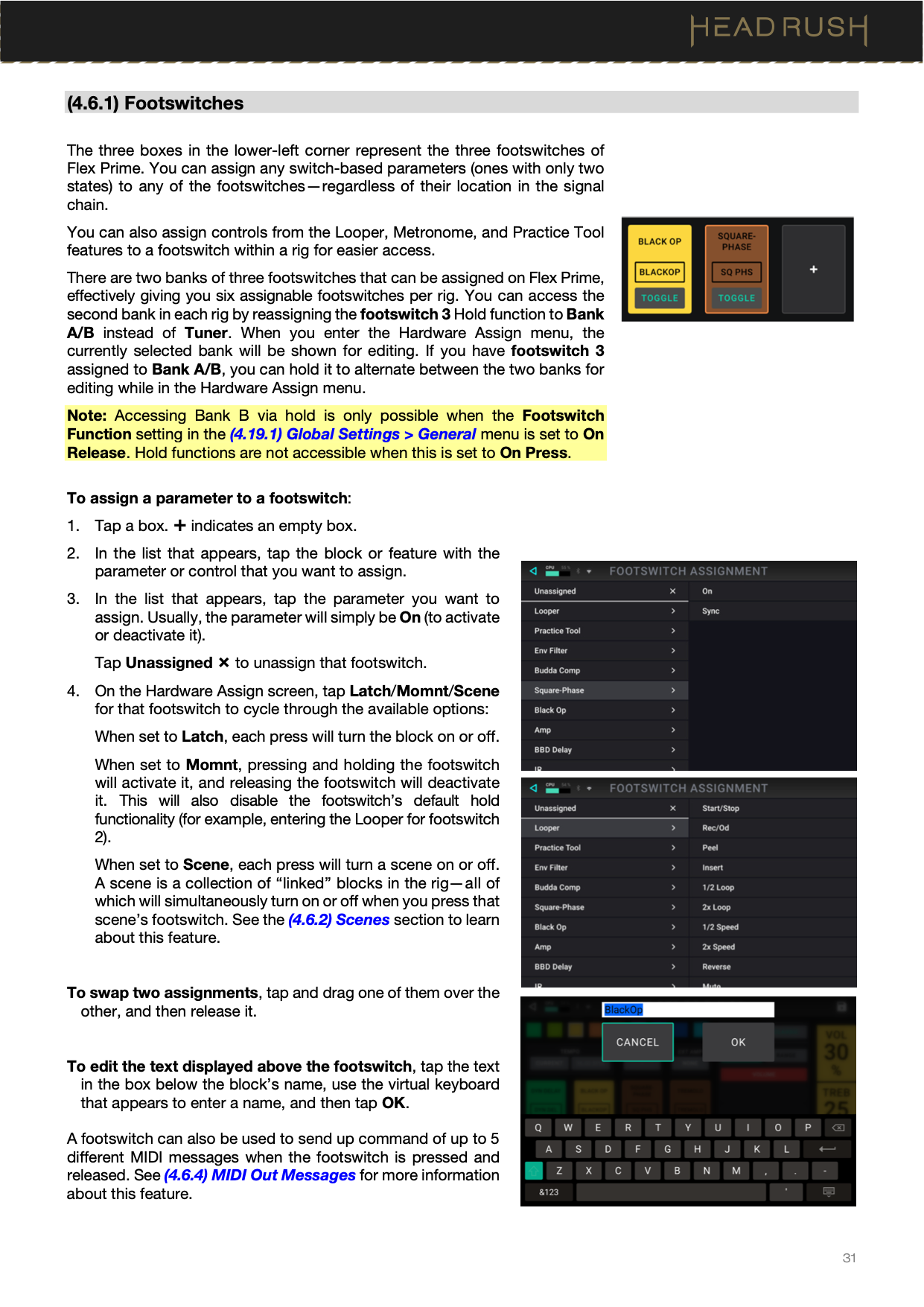
(4.6.1) Footswitches
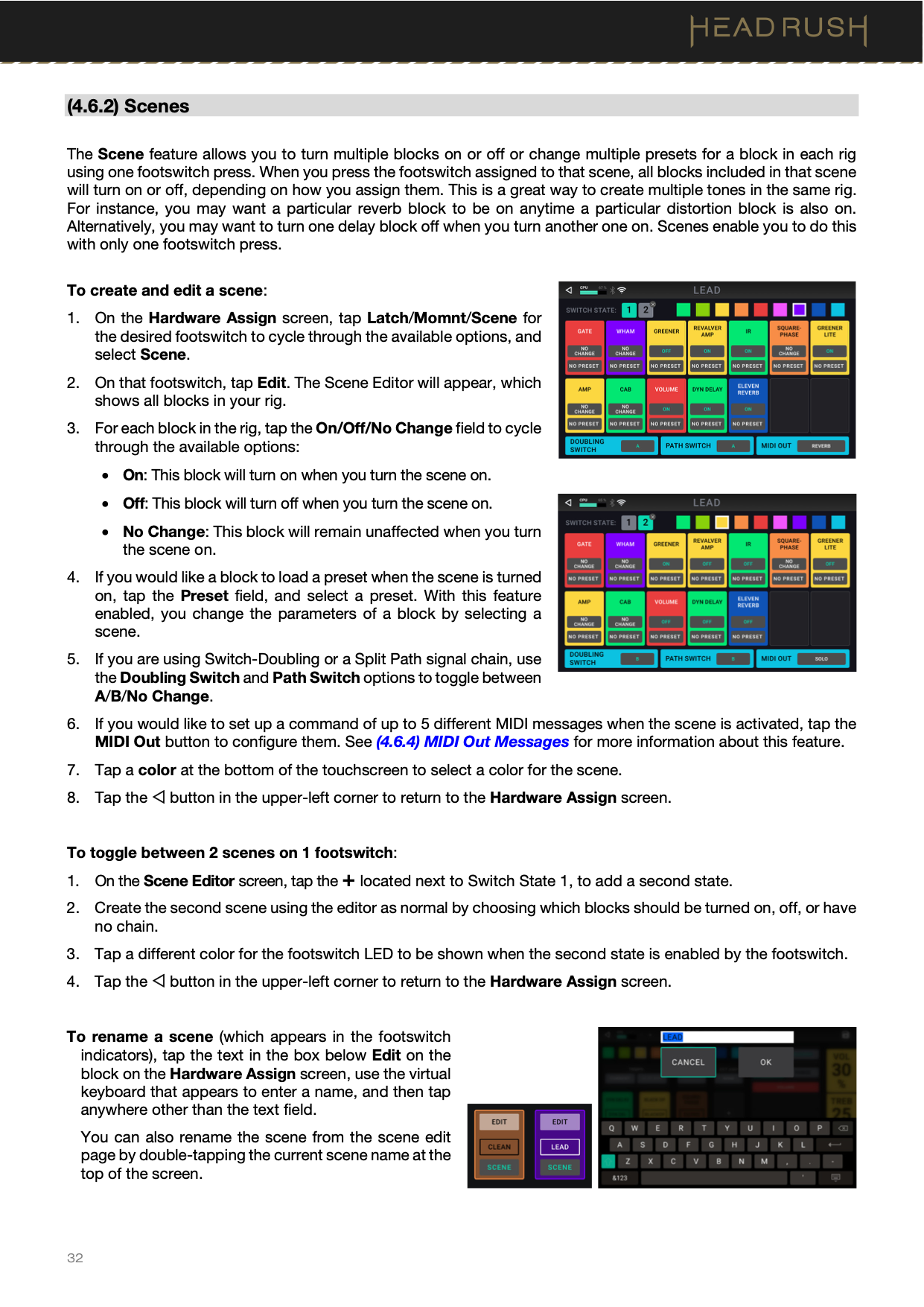
(4.6.2) Scenes
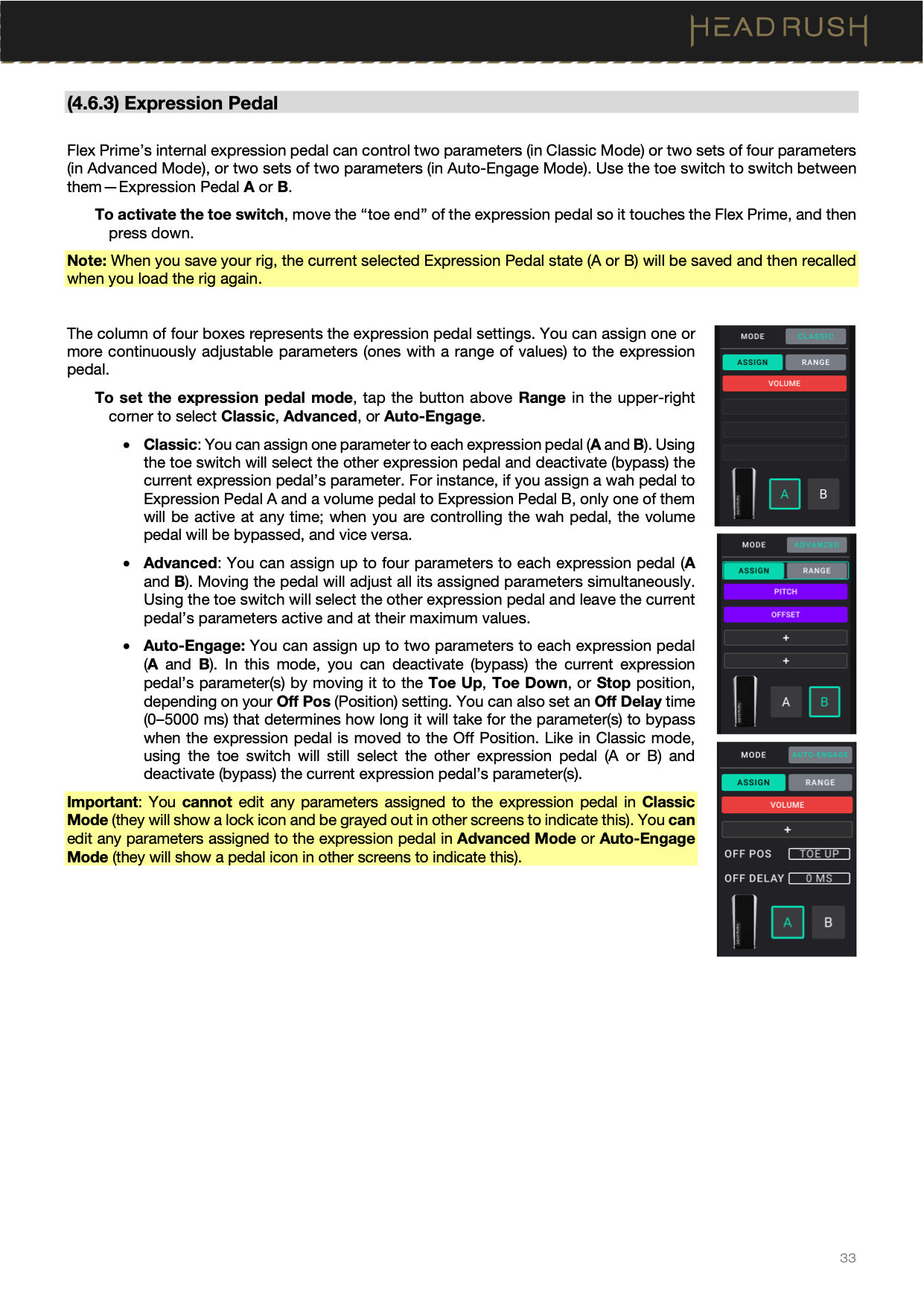
(4.6.3) Expression Pedal
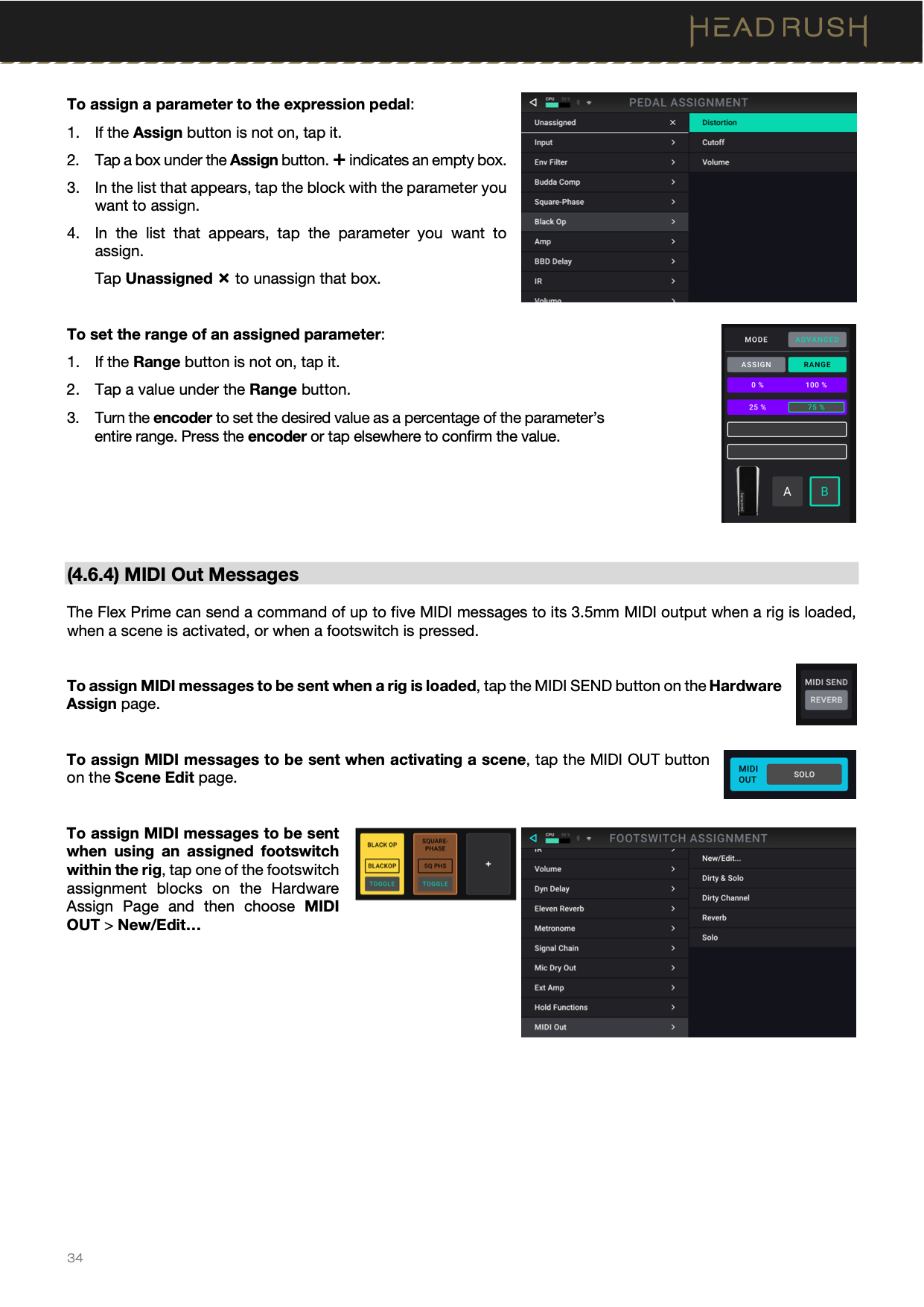
(4.6.4) MIDI Out Messages
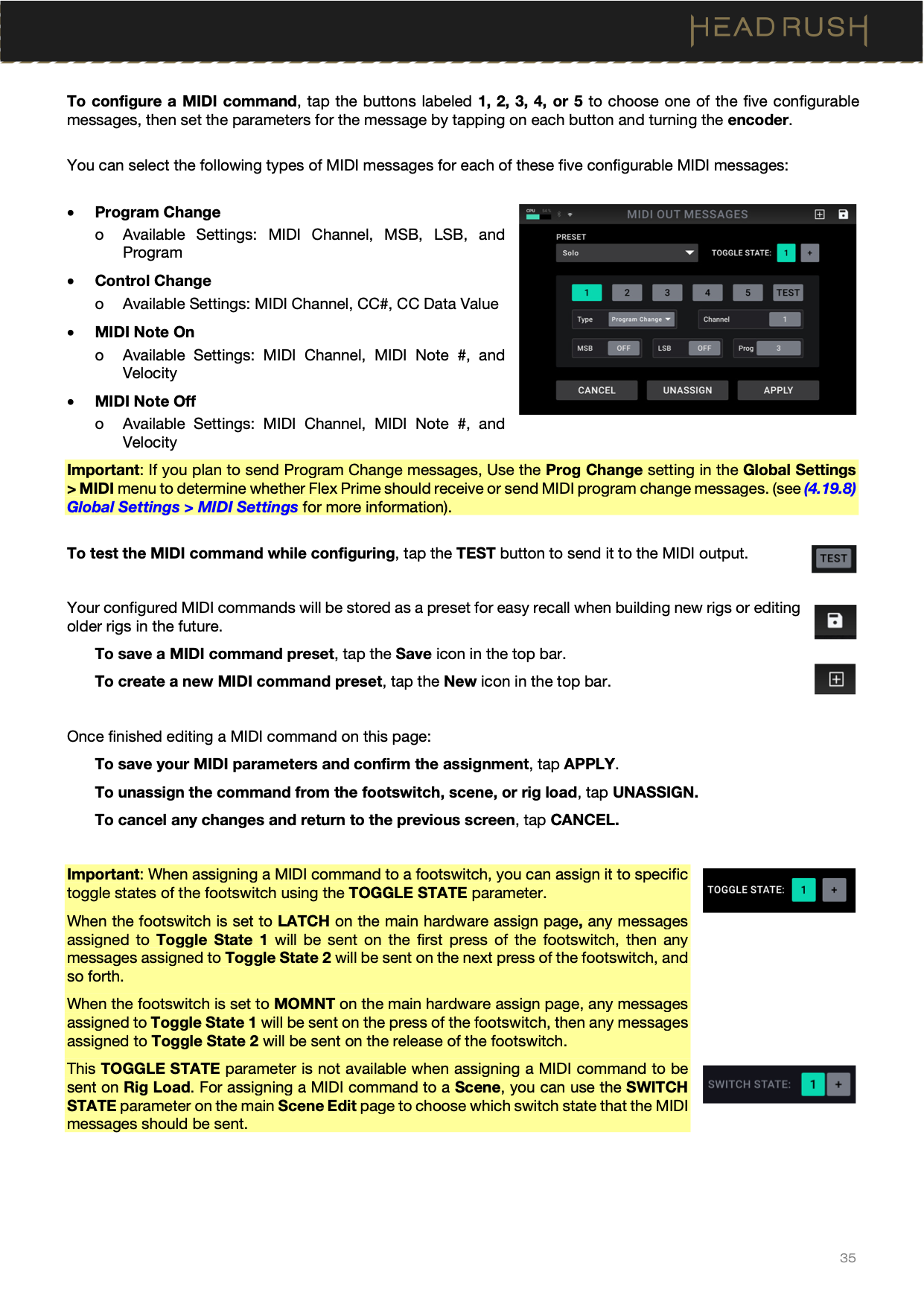
(4.7) Hands-Free Mode
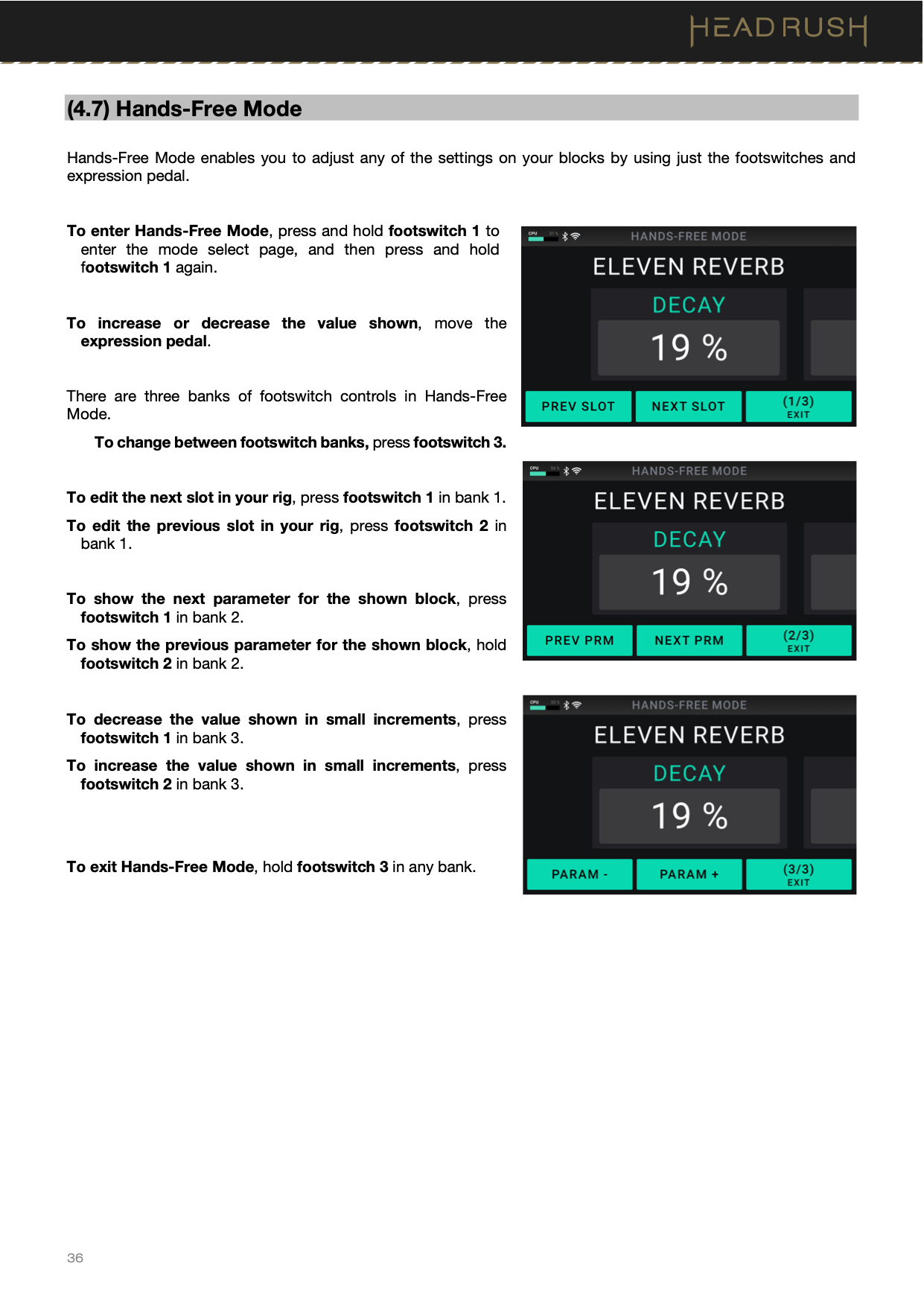
(4.8) File Browser
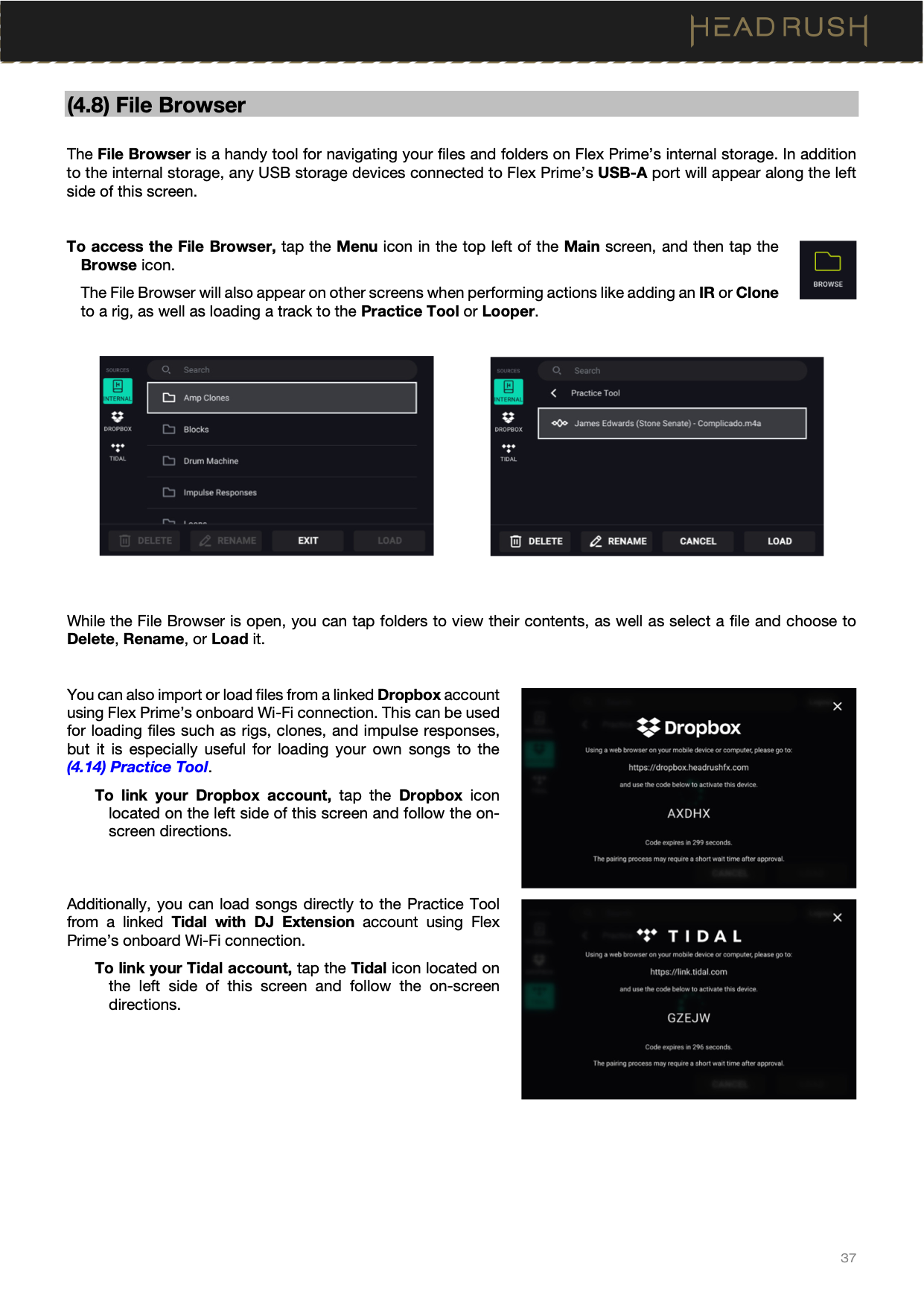
(4.9) Setlists
(4.10) Drum Machine
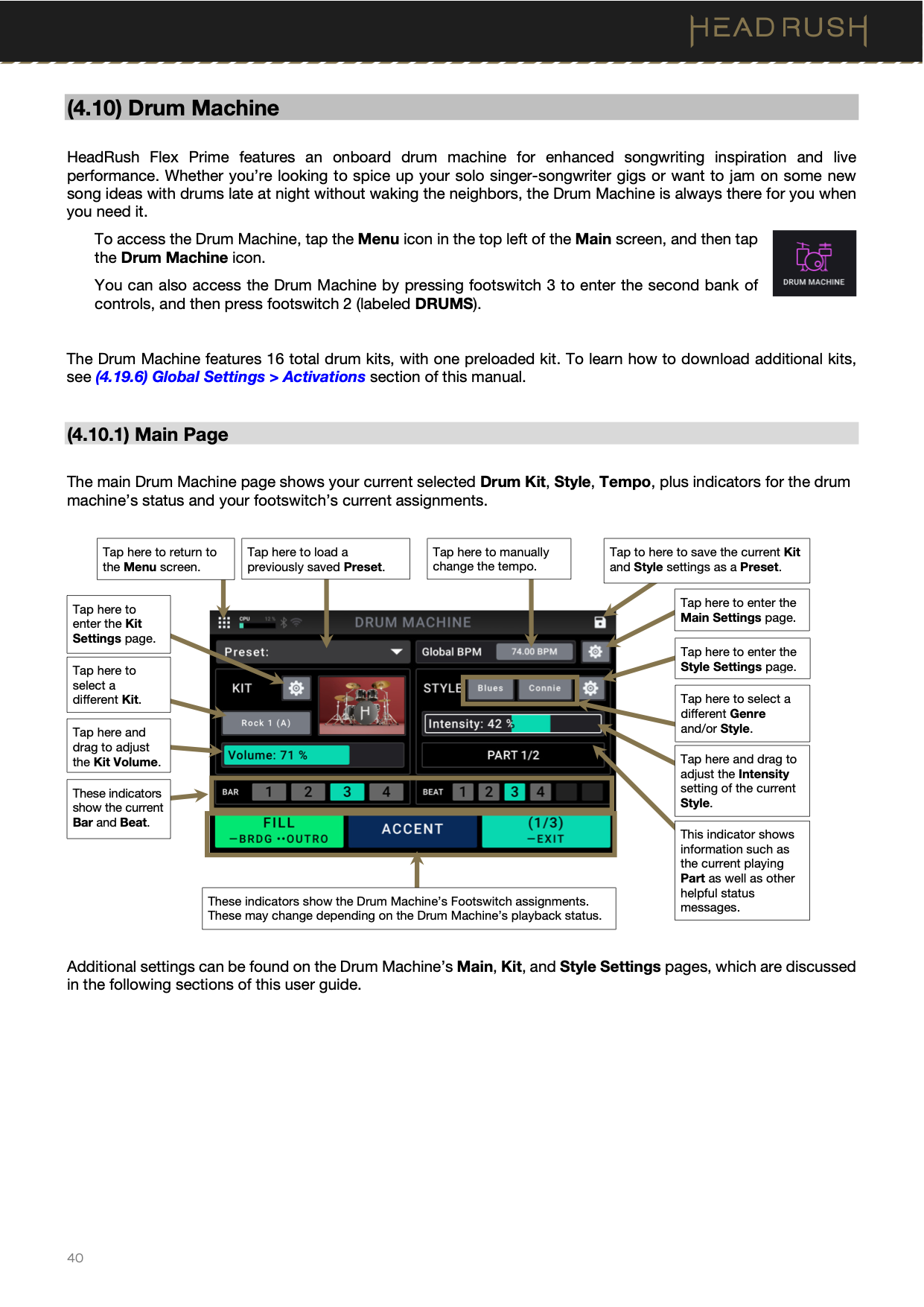
(4.10.1) Main Page
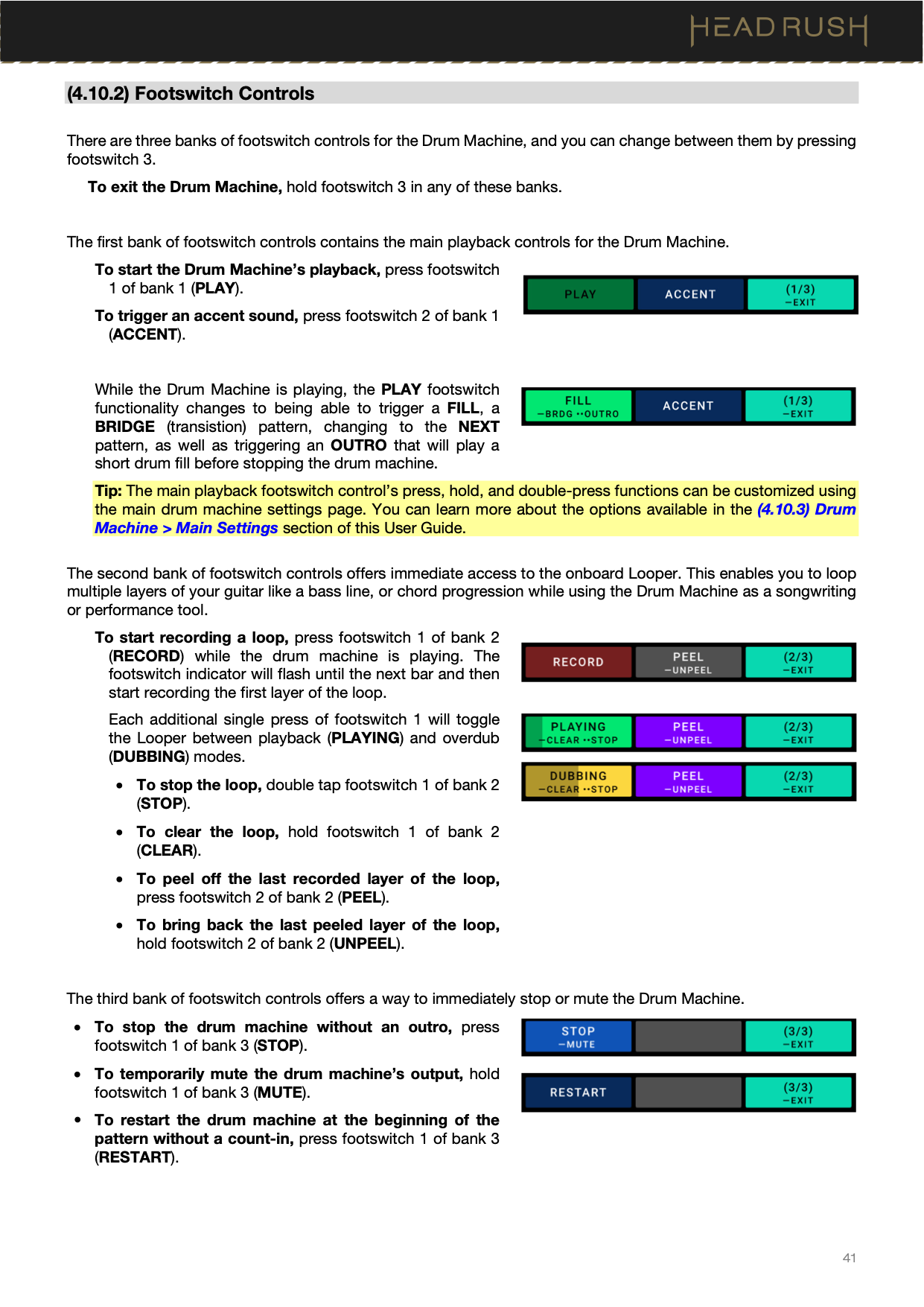
(4.10.2) Footswitch Controls
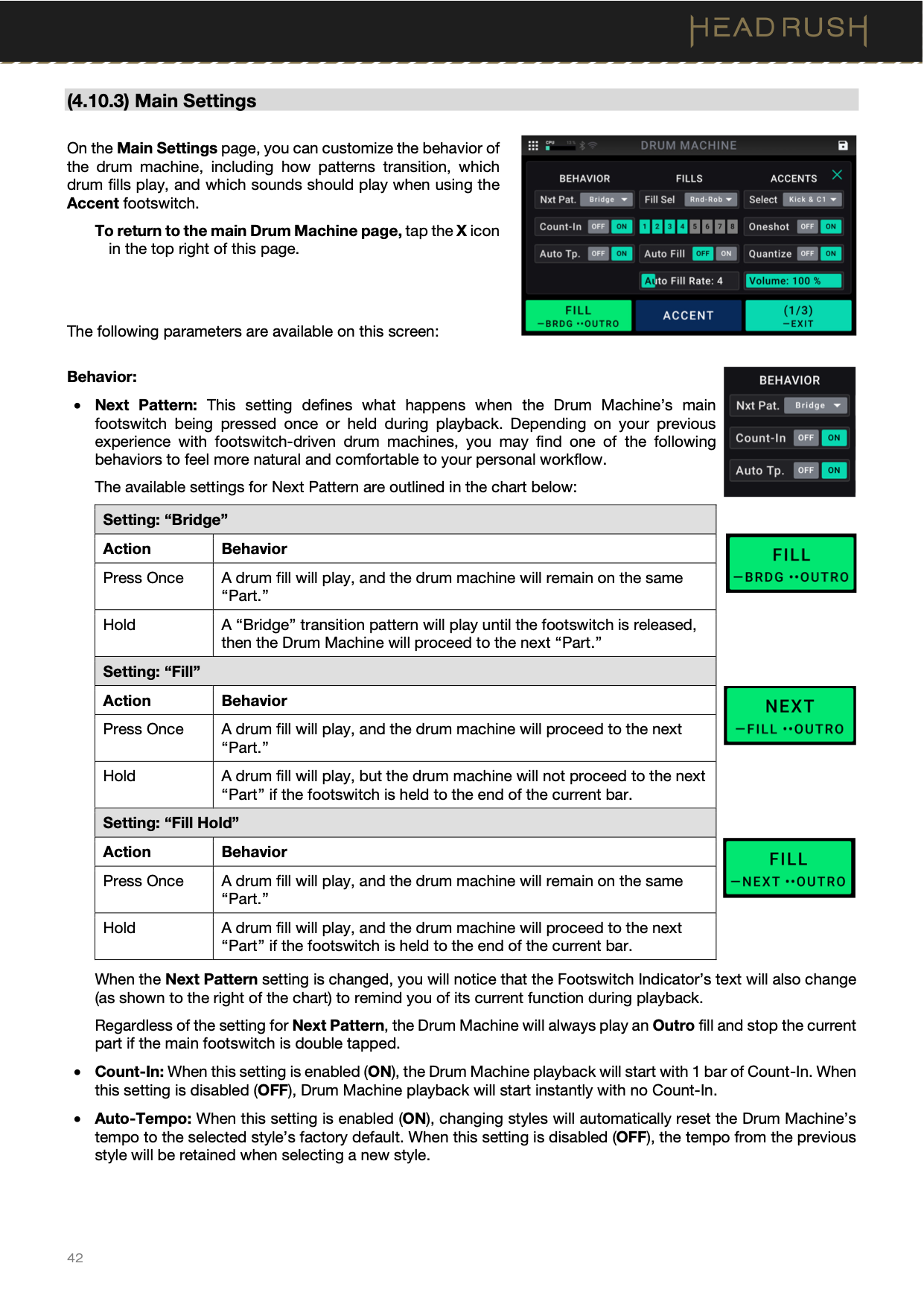
(4.10.3) Main Settings
(4.10.4) Kit Settings
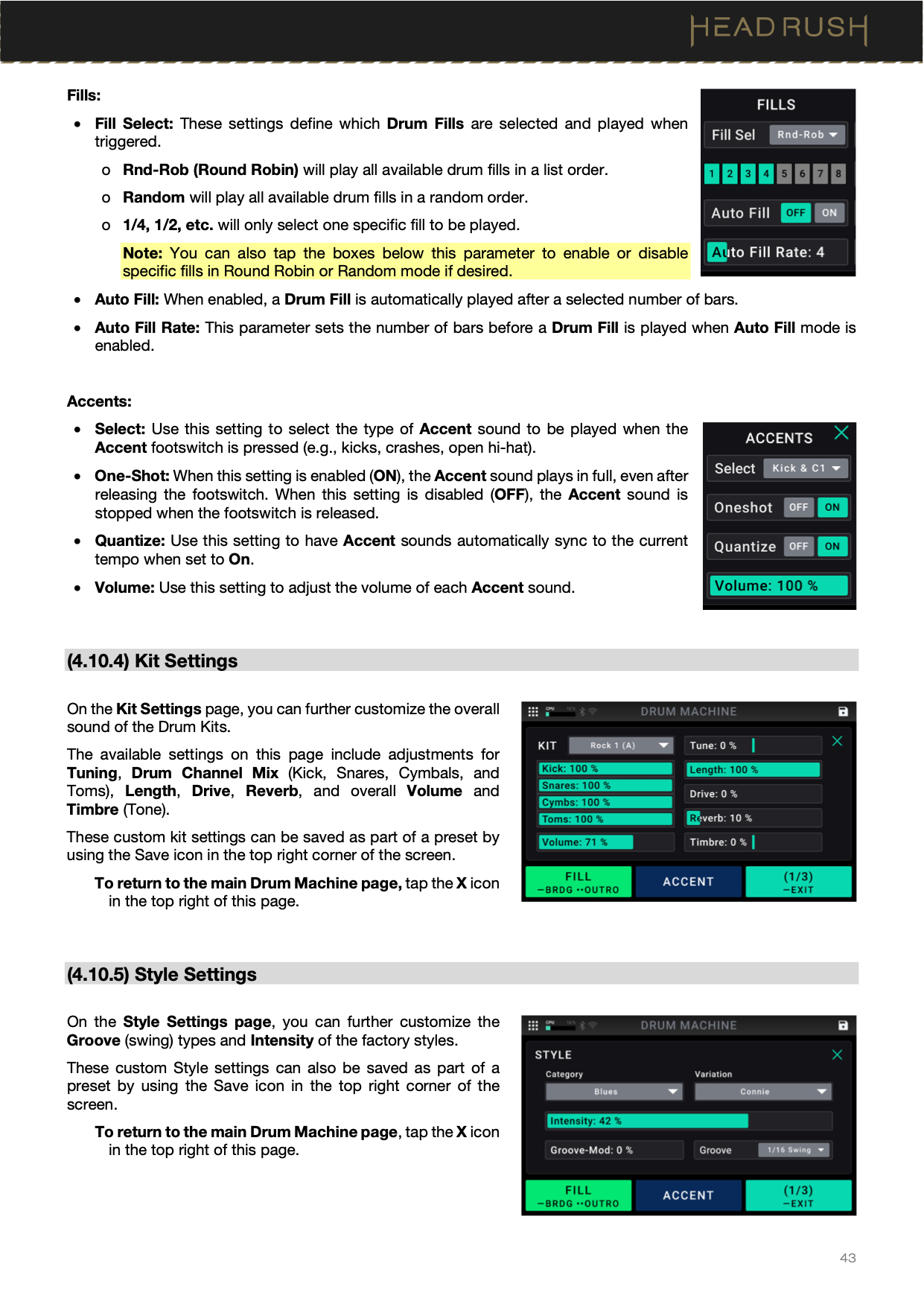
(4.10.5) Style Settings
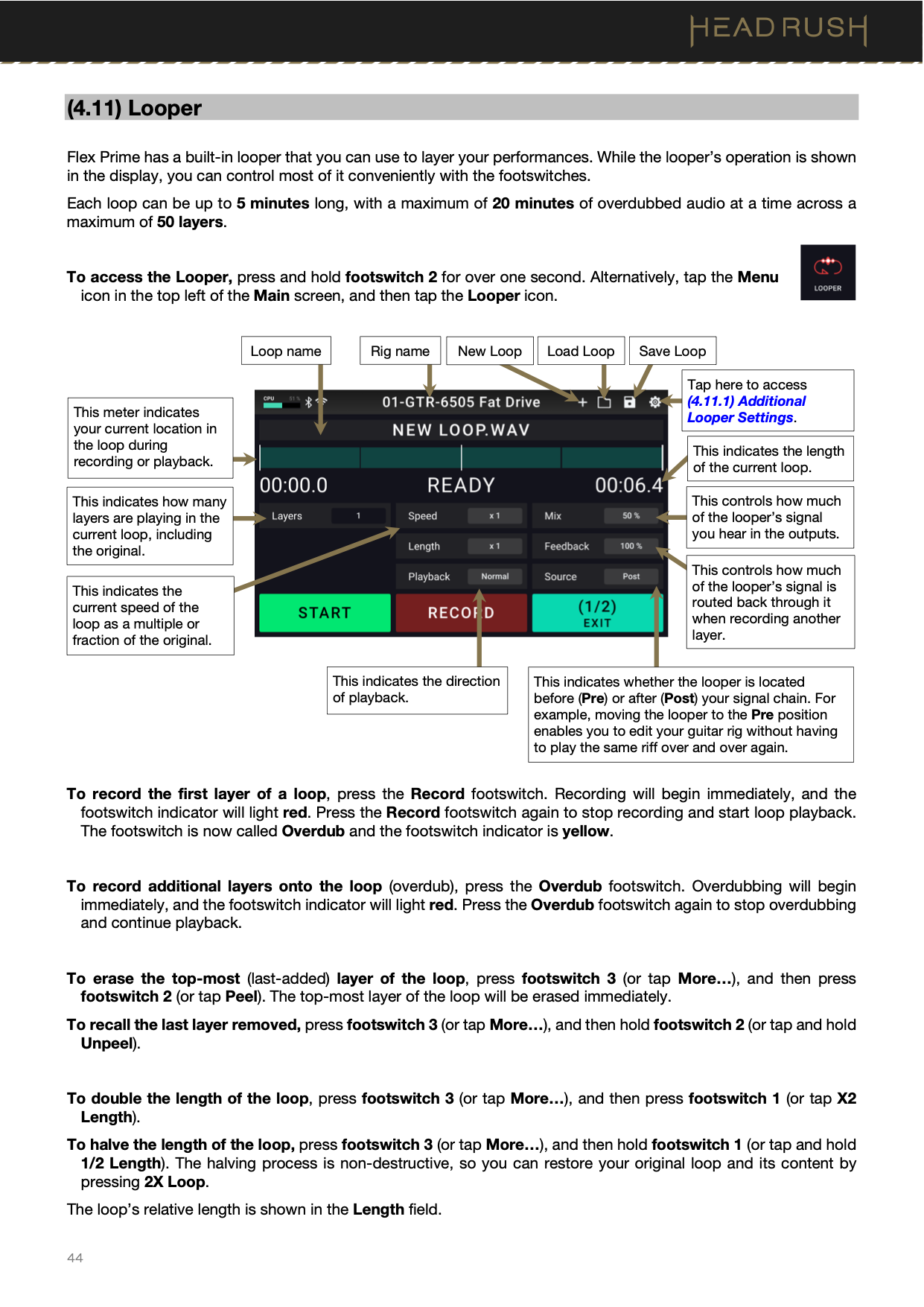
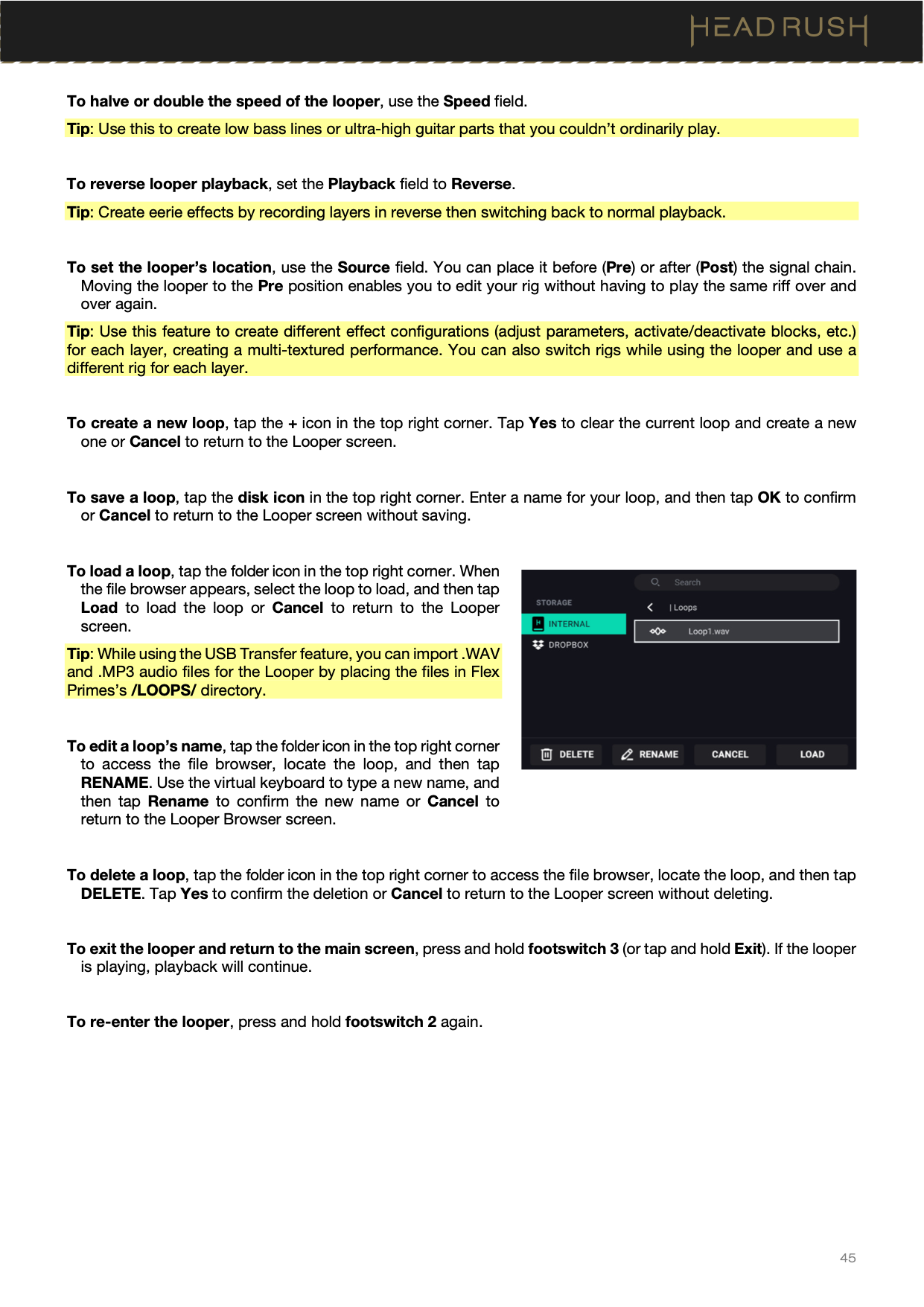
(4.11) Looper
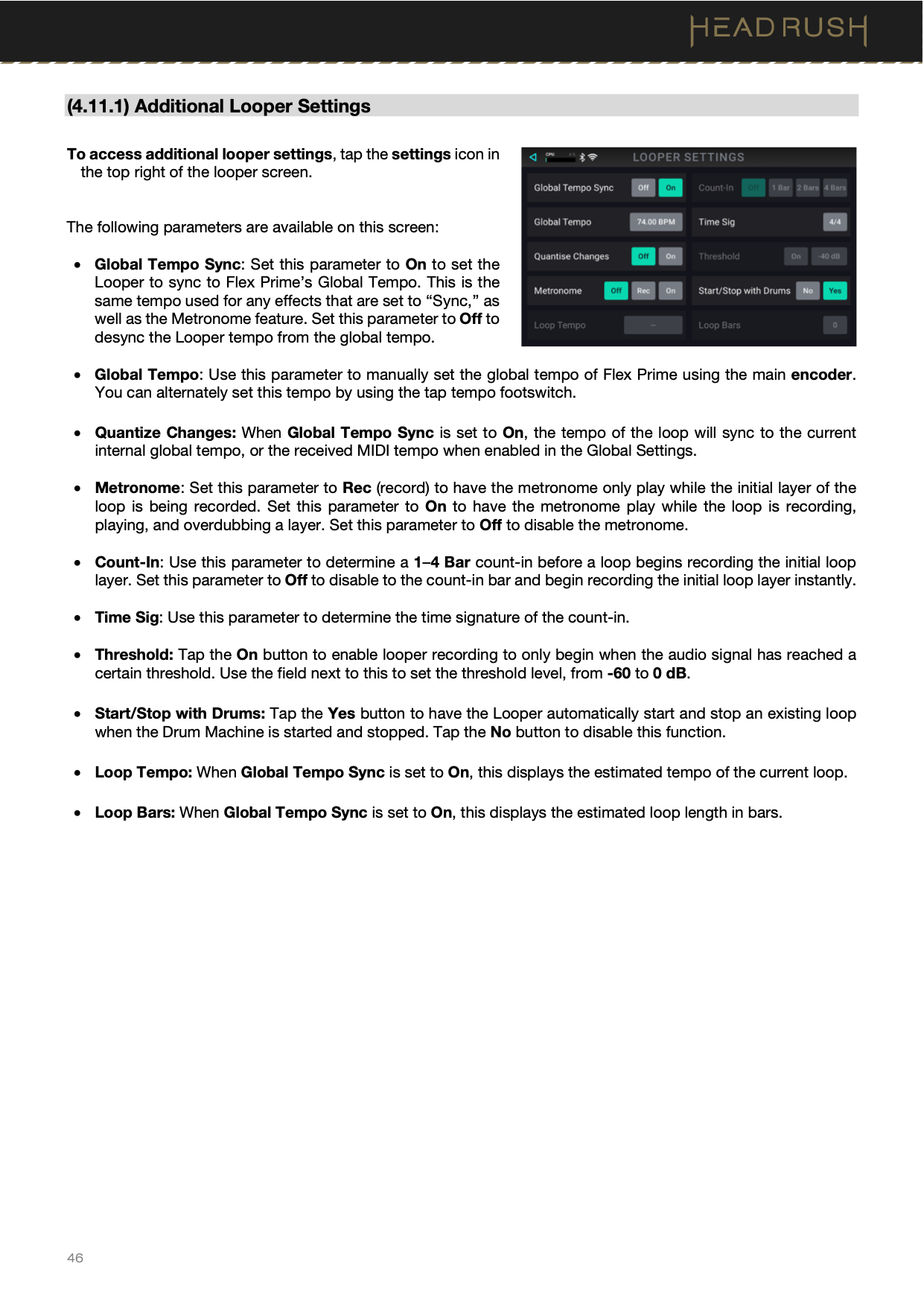
(4.11.1) Additional Looper Settings
(4.12) Metronome
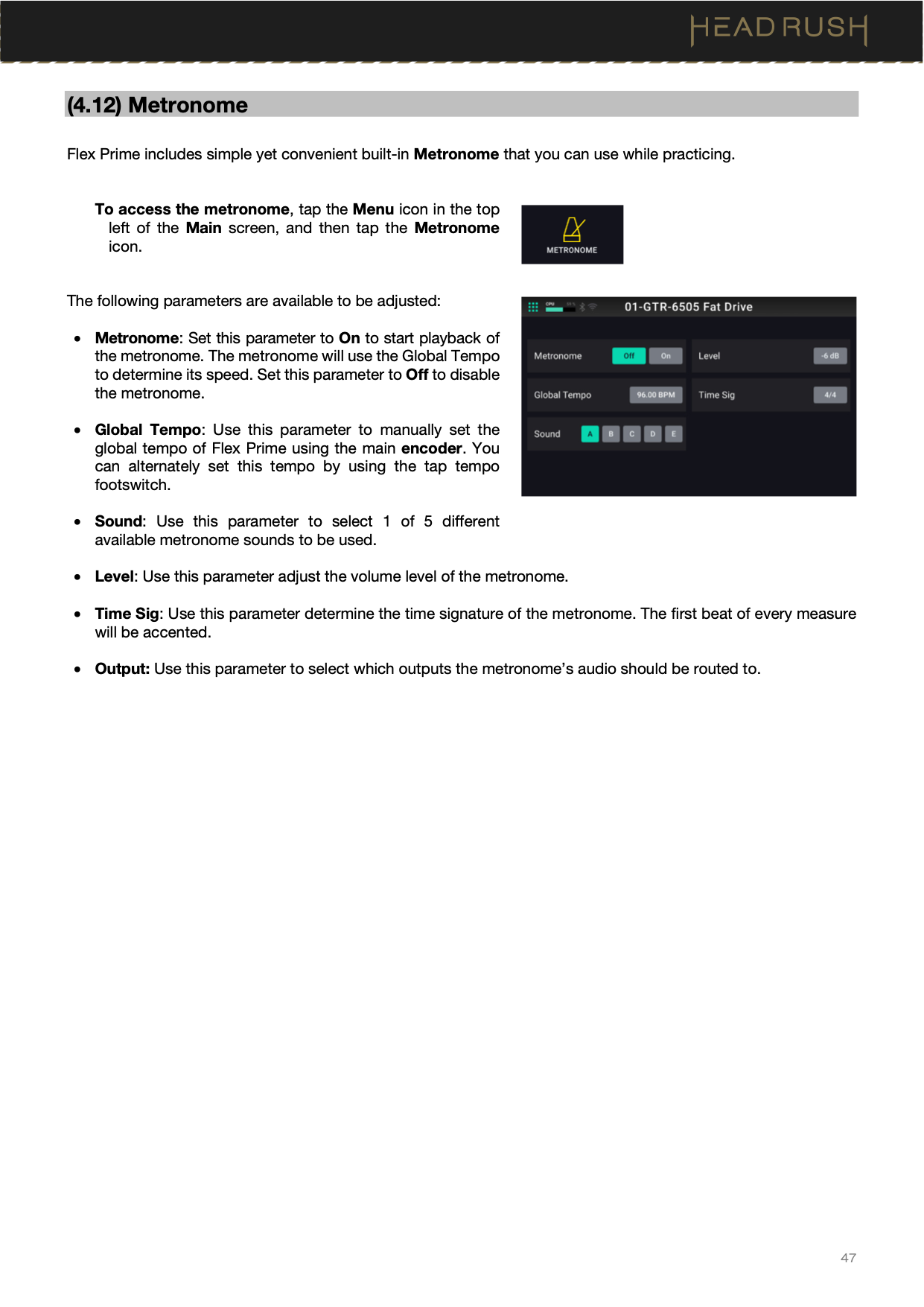
(4.13) Tuner
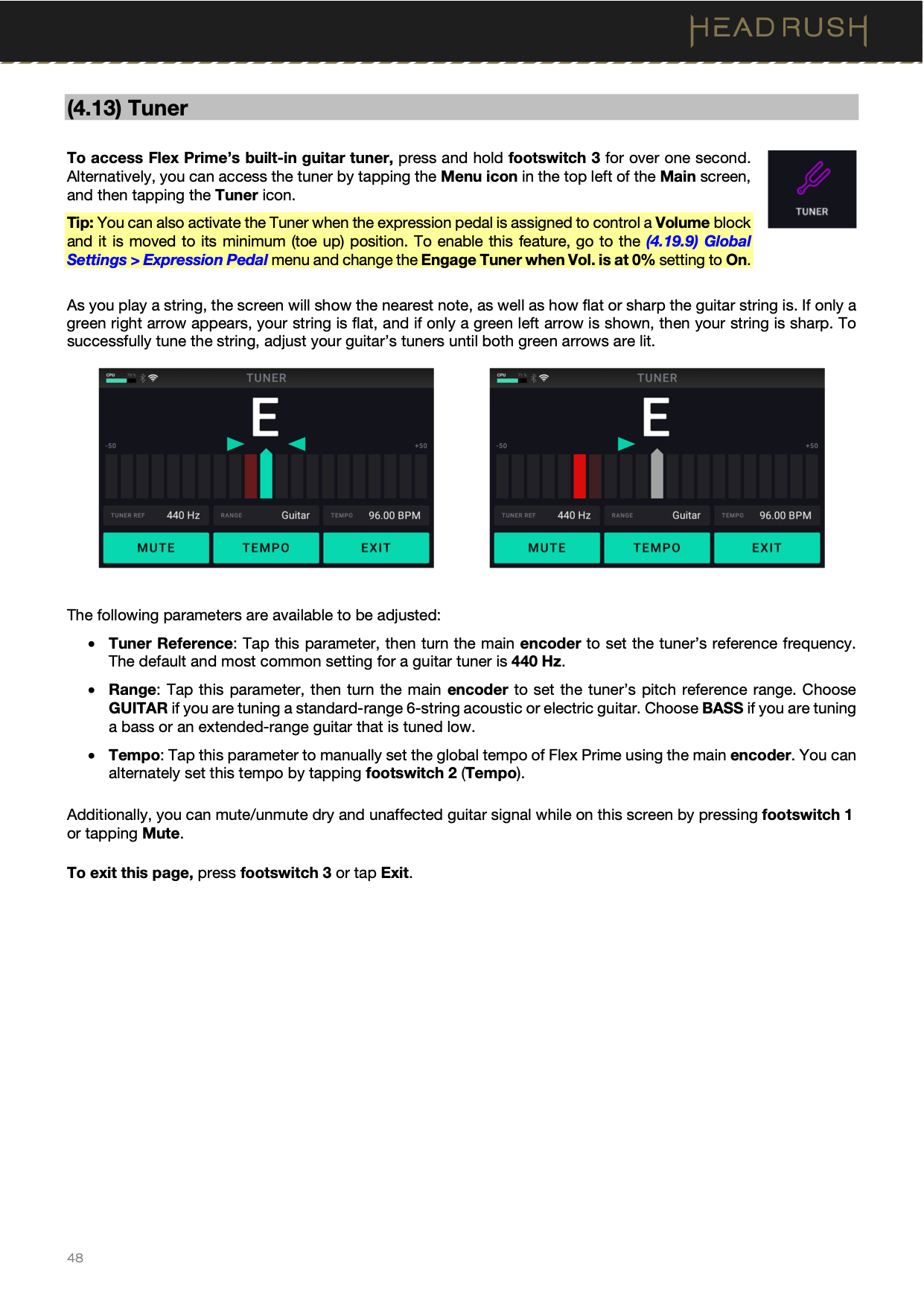
(4.14) Practice Tool
(4.15) USB
(4.15.1) Transferring Files & Settings
(4.15.2) Recording
(4.15.3) Reamping
(4.16) Lock Screen
(4.17) HeadRush Cloud
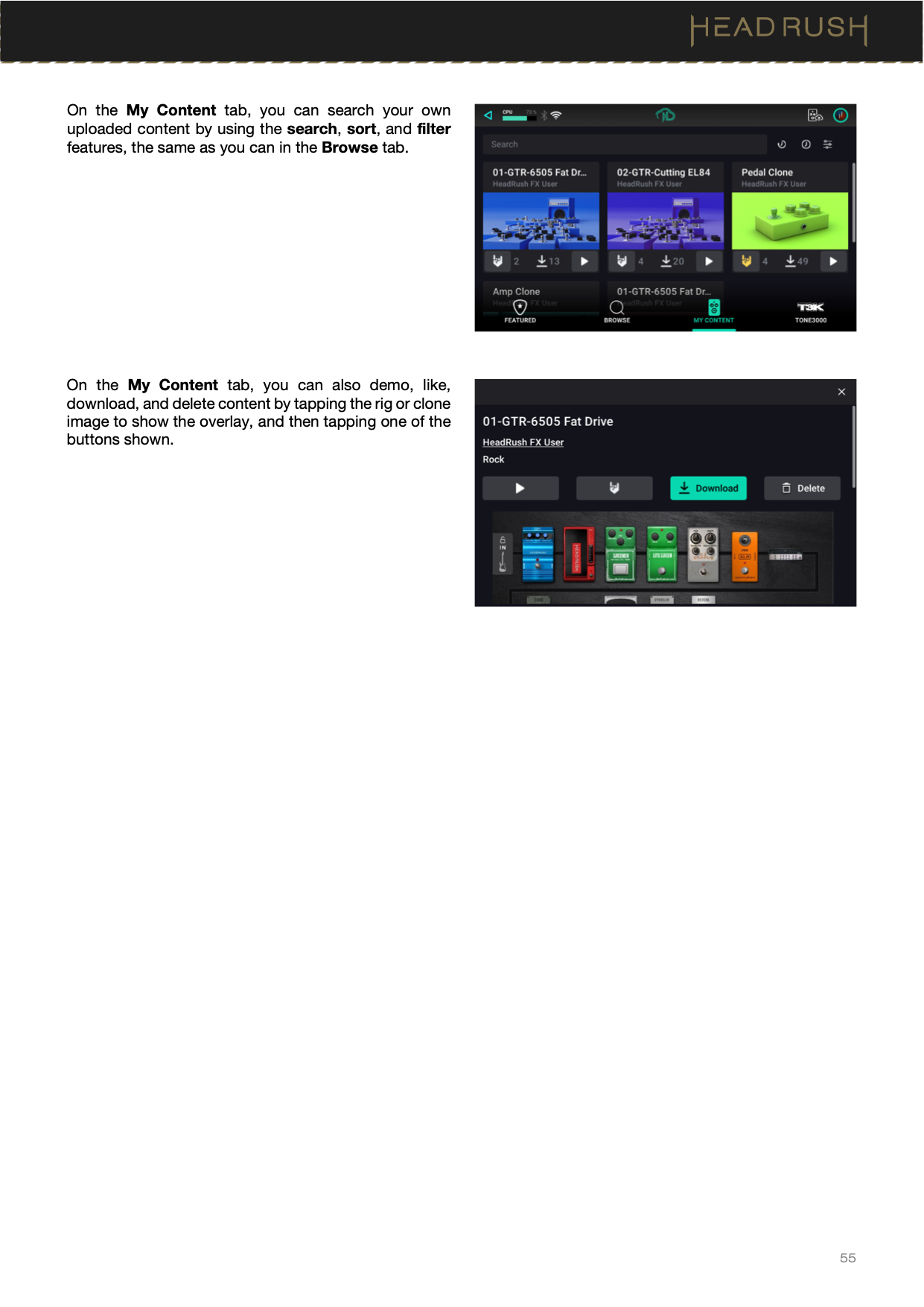
(4.17.1) TONE3000 Integration
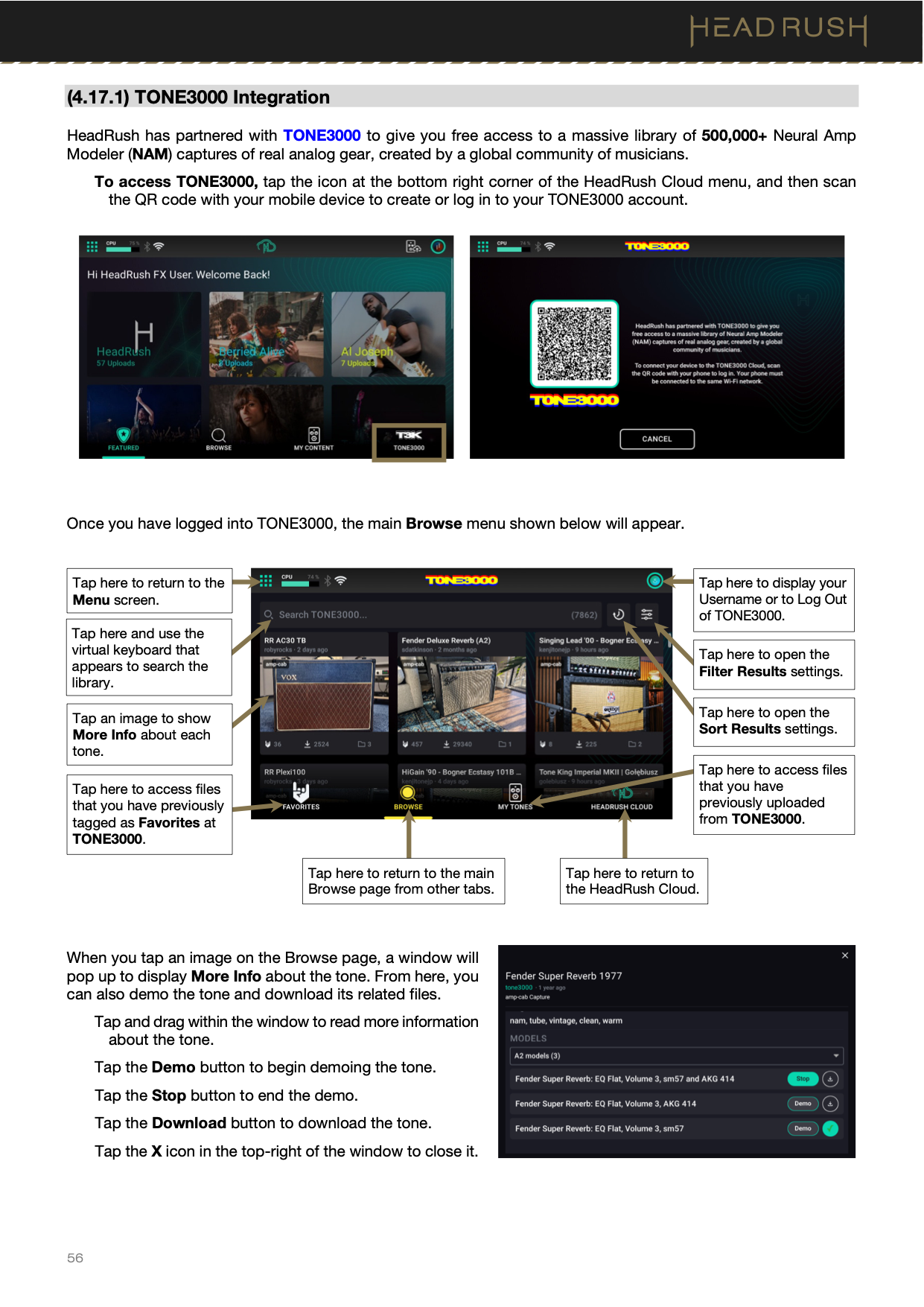
(4.18) Global EQ
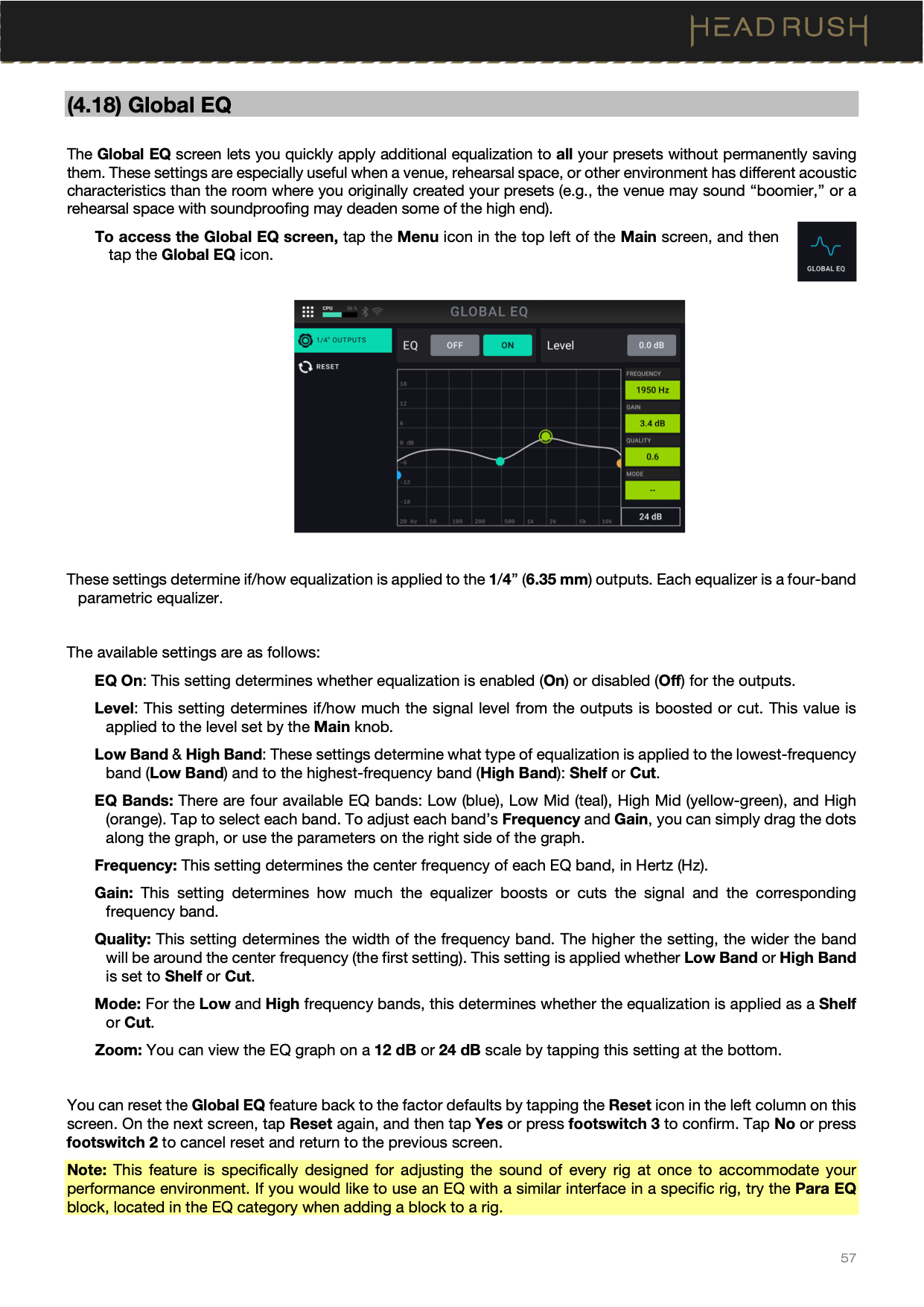
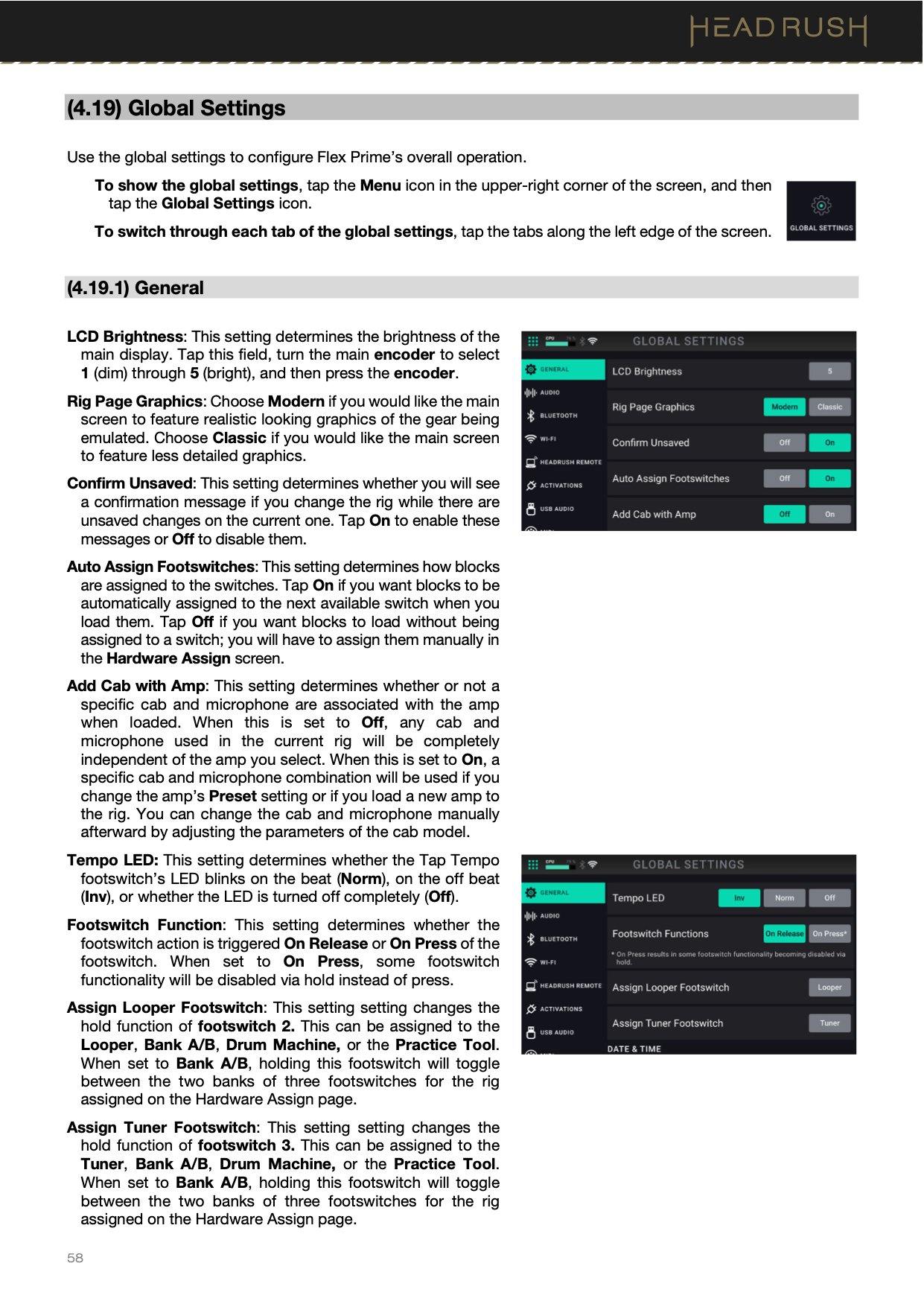
(4.19) Global Settings
(4.19.1) General
(4.19.2) Audio
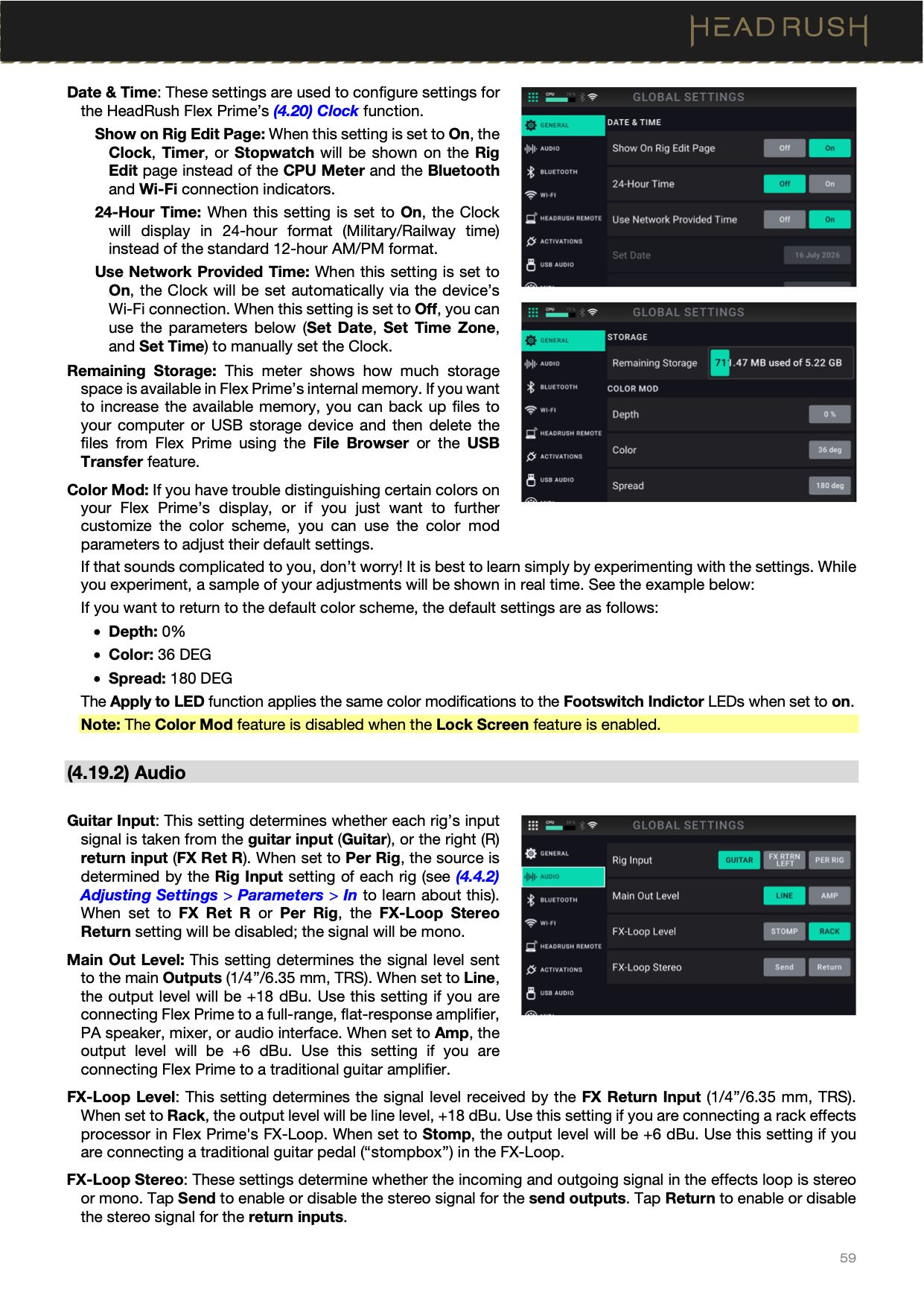
(4.19.3) Bluetooth
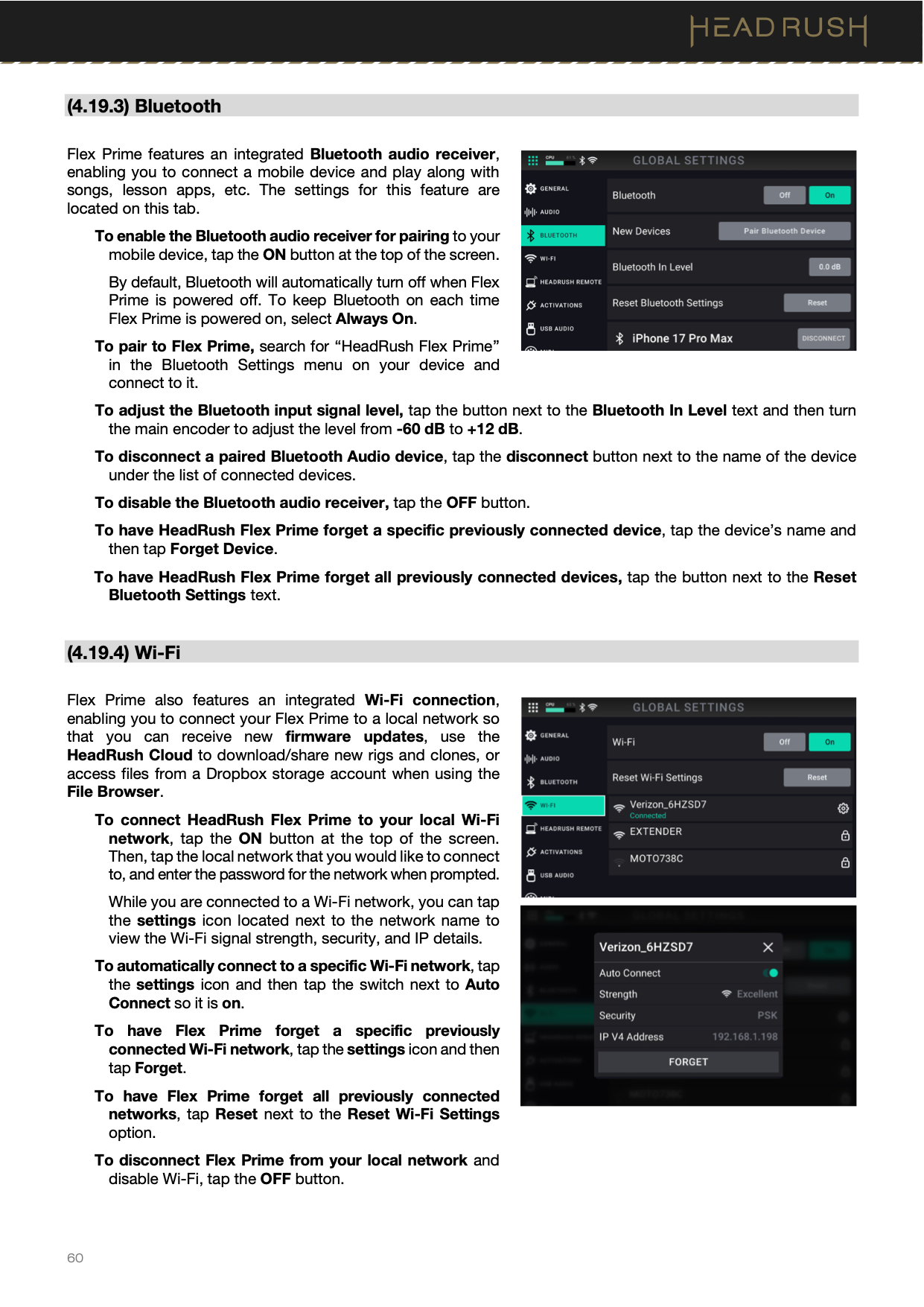
(4.19.4) Wi-Fi
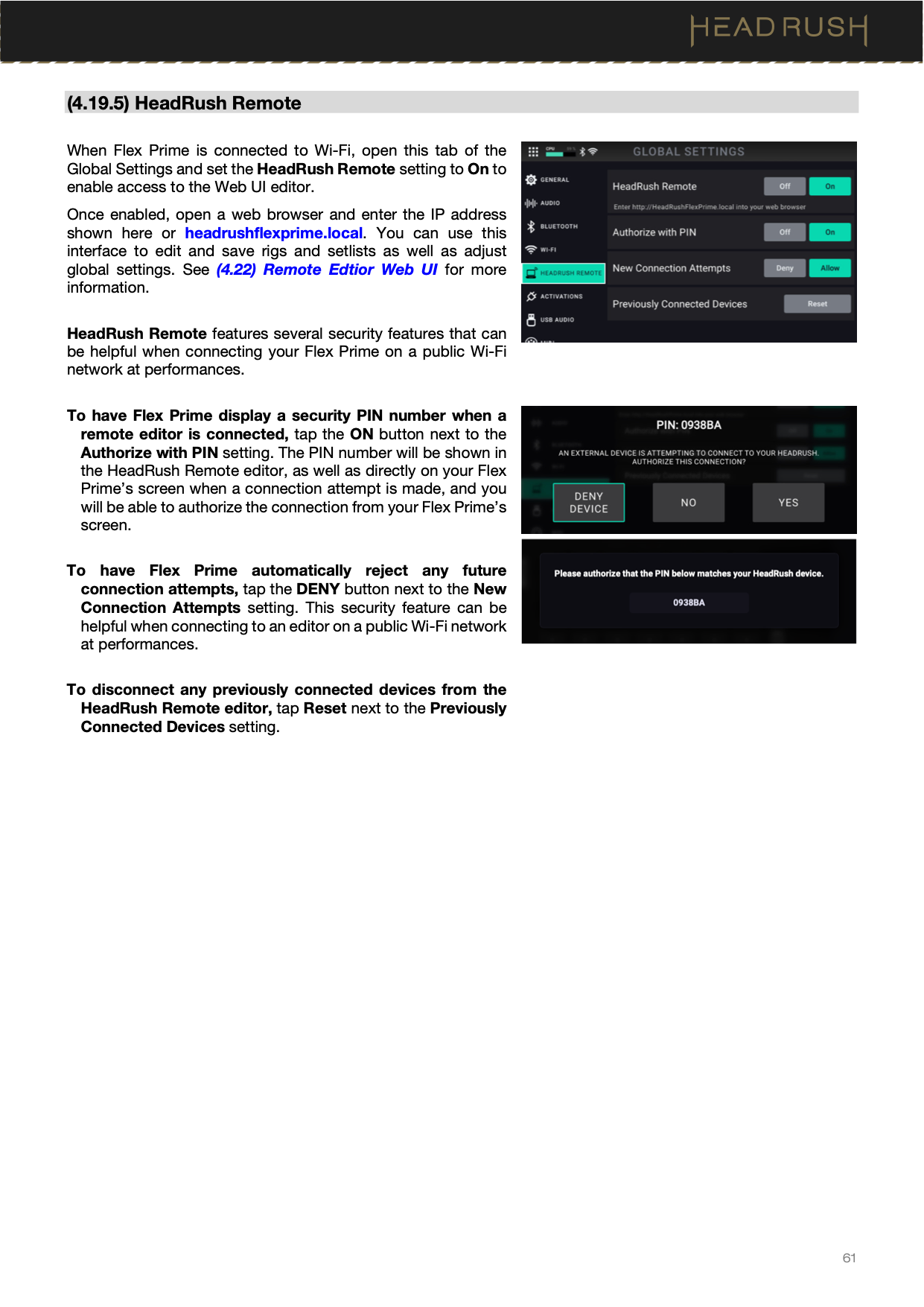
(4.19.5) HeadRush Remote
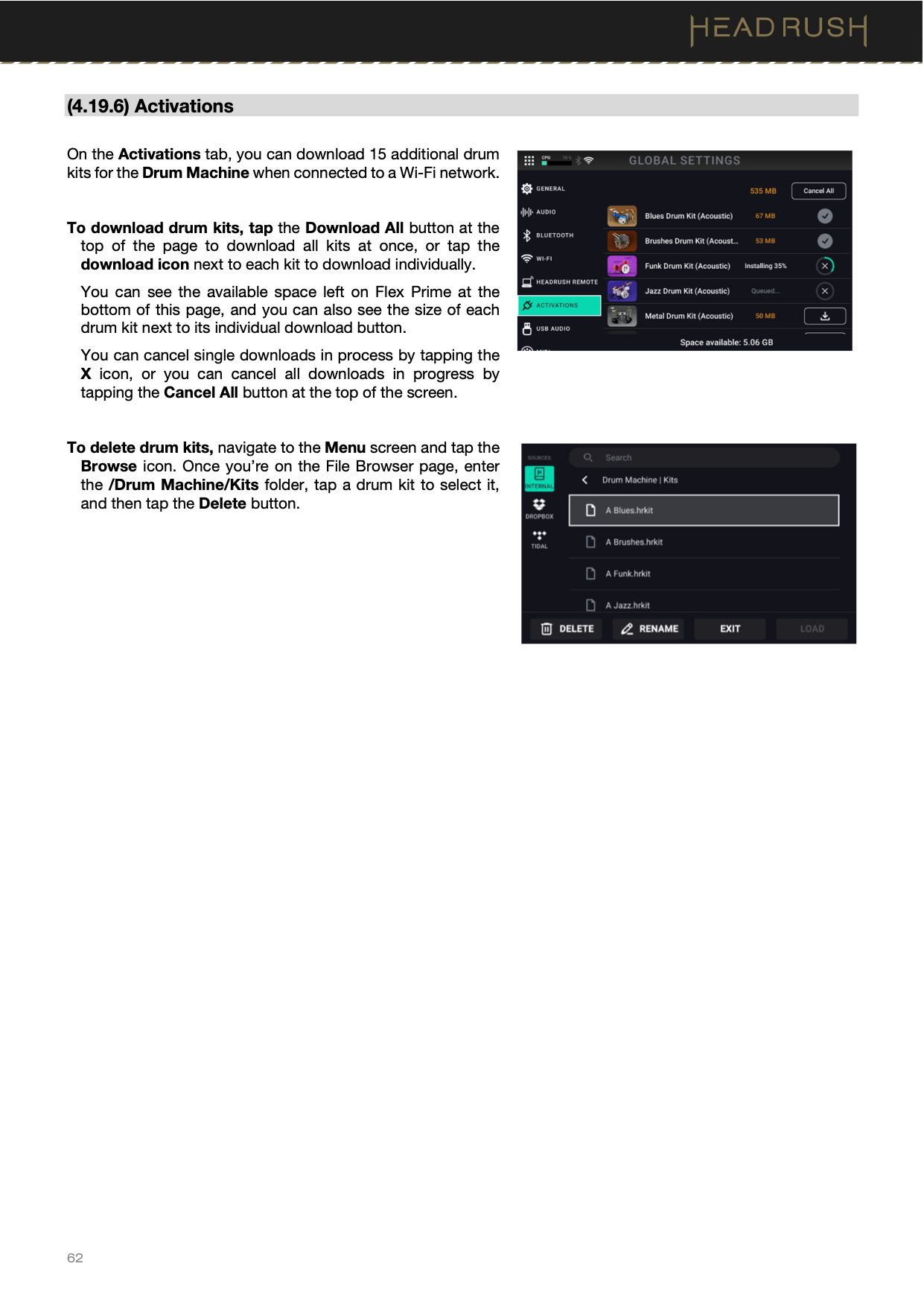
(4.19.6) Activations
(4.19.7) USB Audio
(4.19.8) MIDI
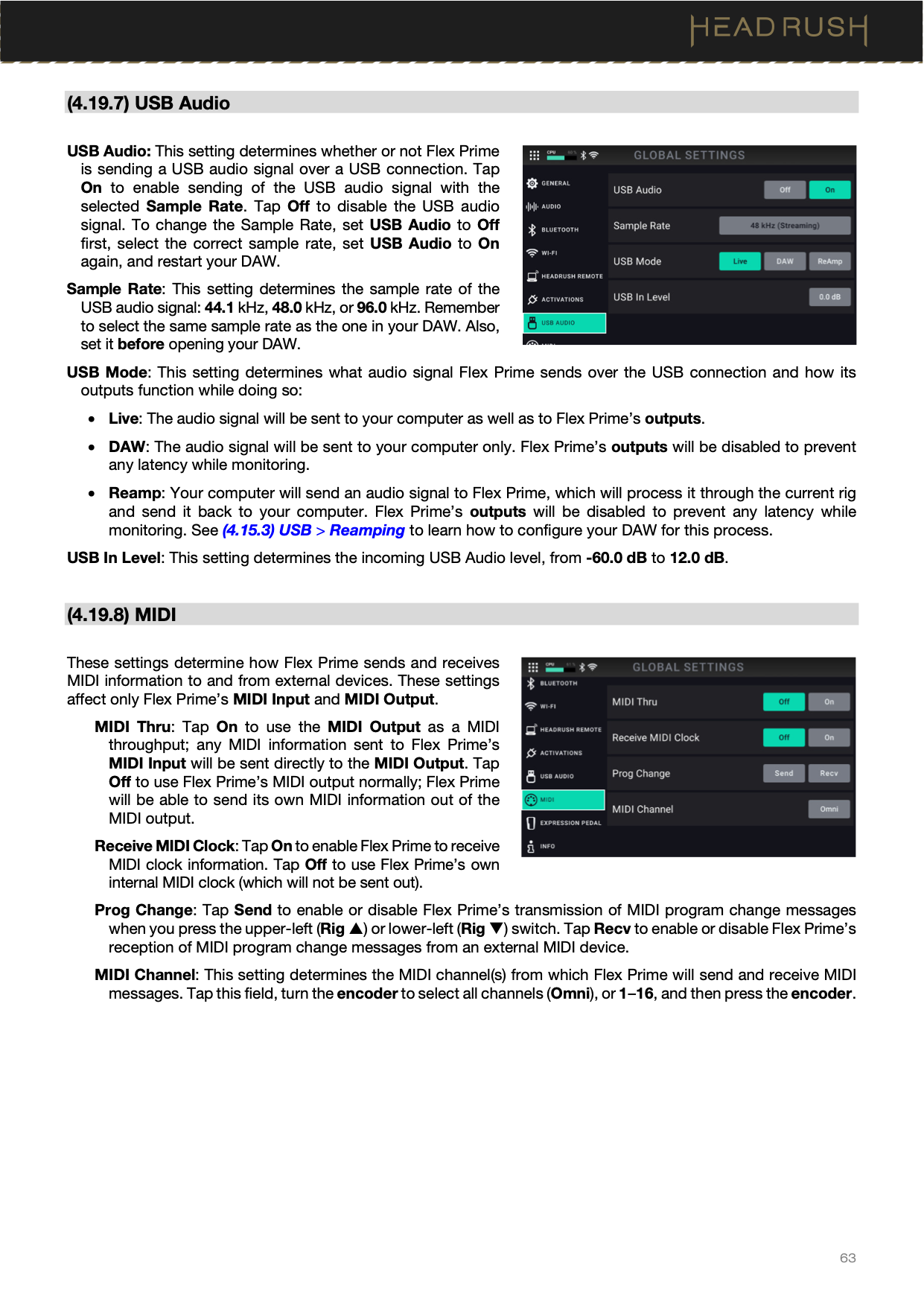
(4.19.9) Expression Pedal
(4.19.10) Info
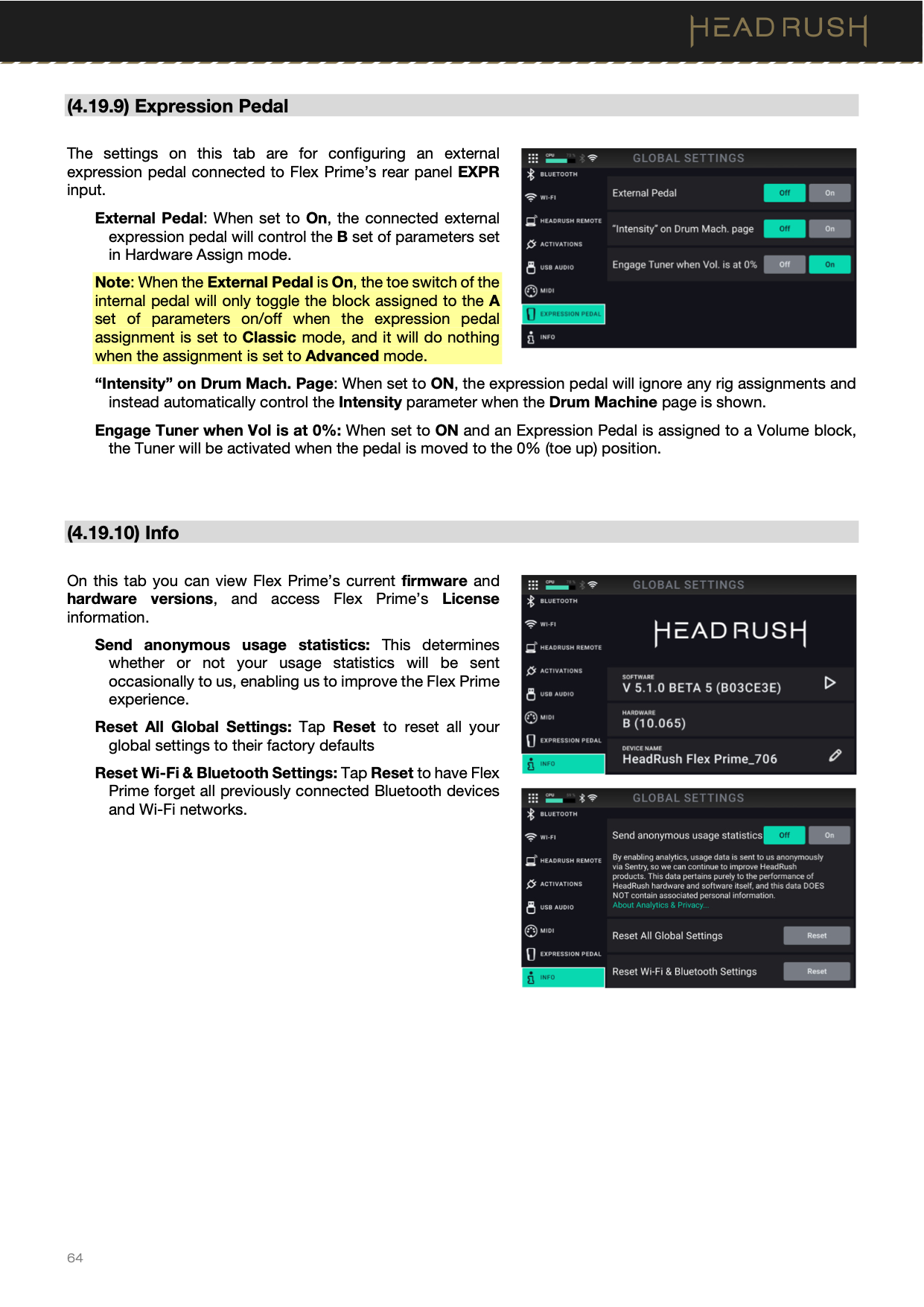
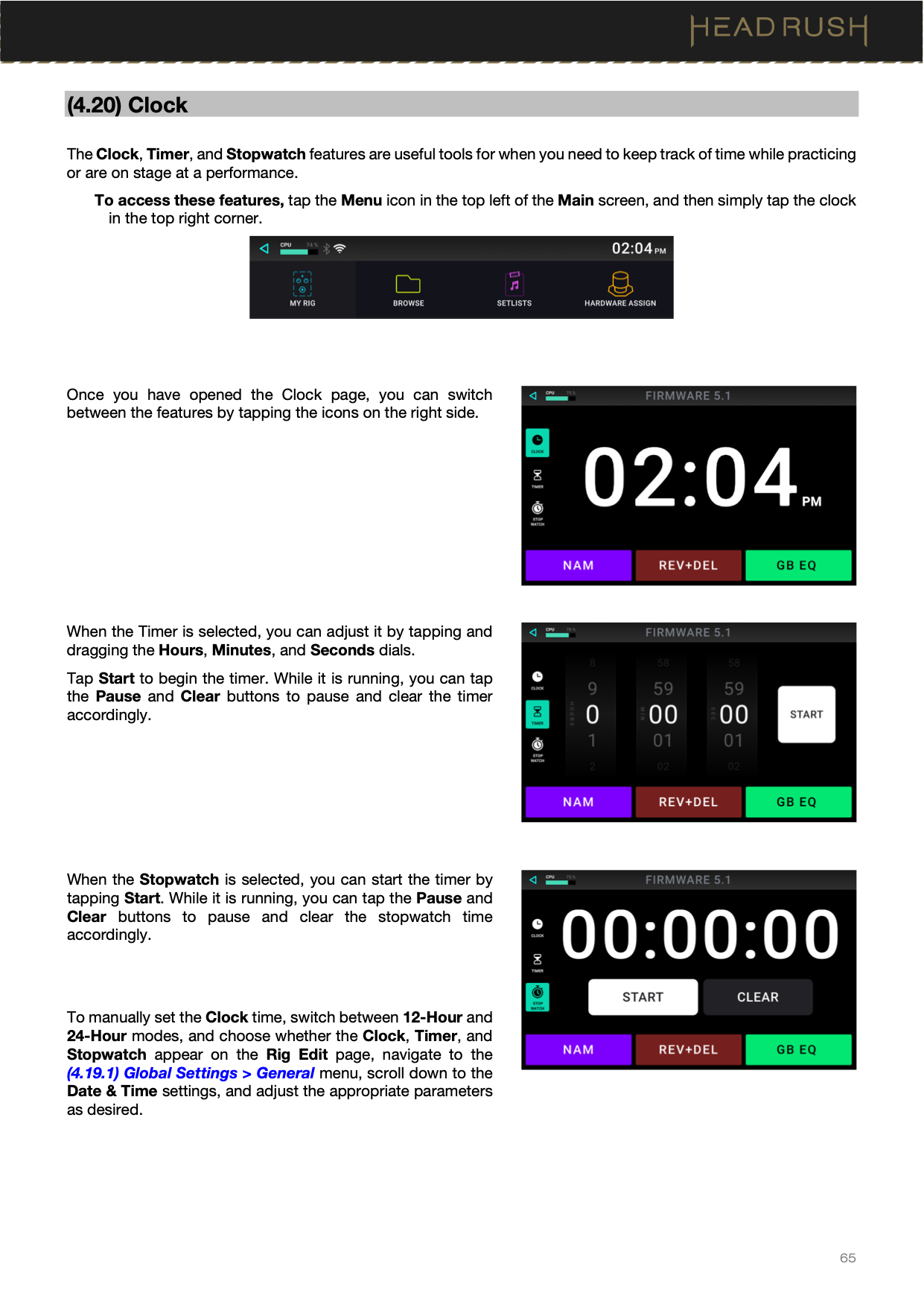
(4.20) Clock
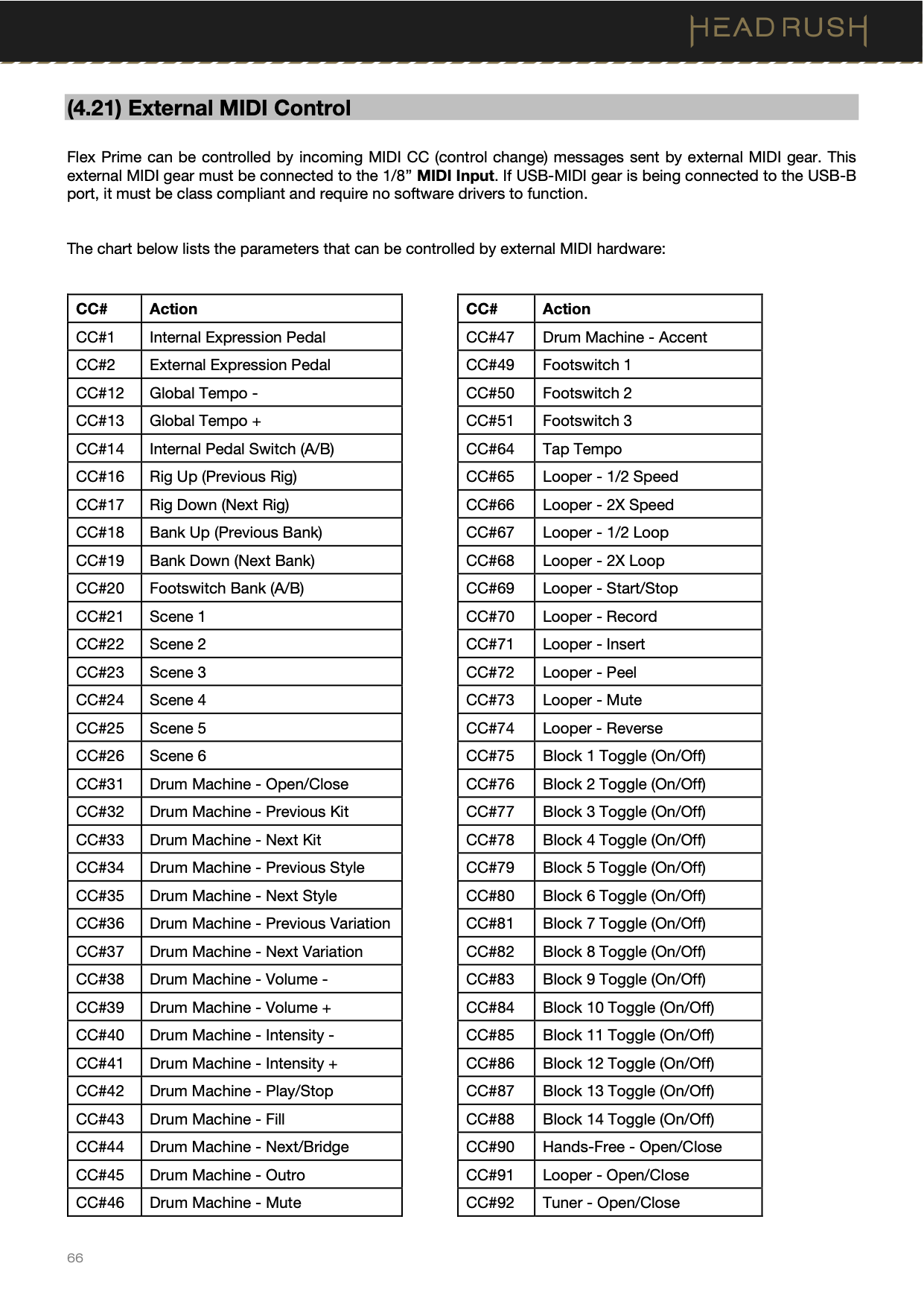
(4.21) External MIDI Control
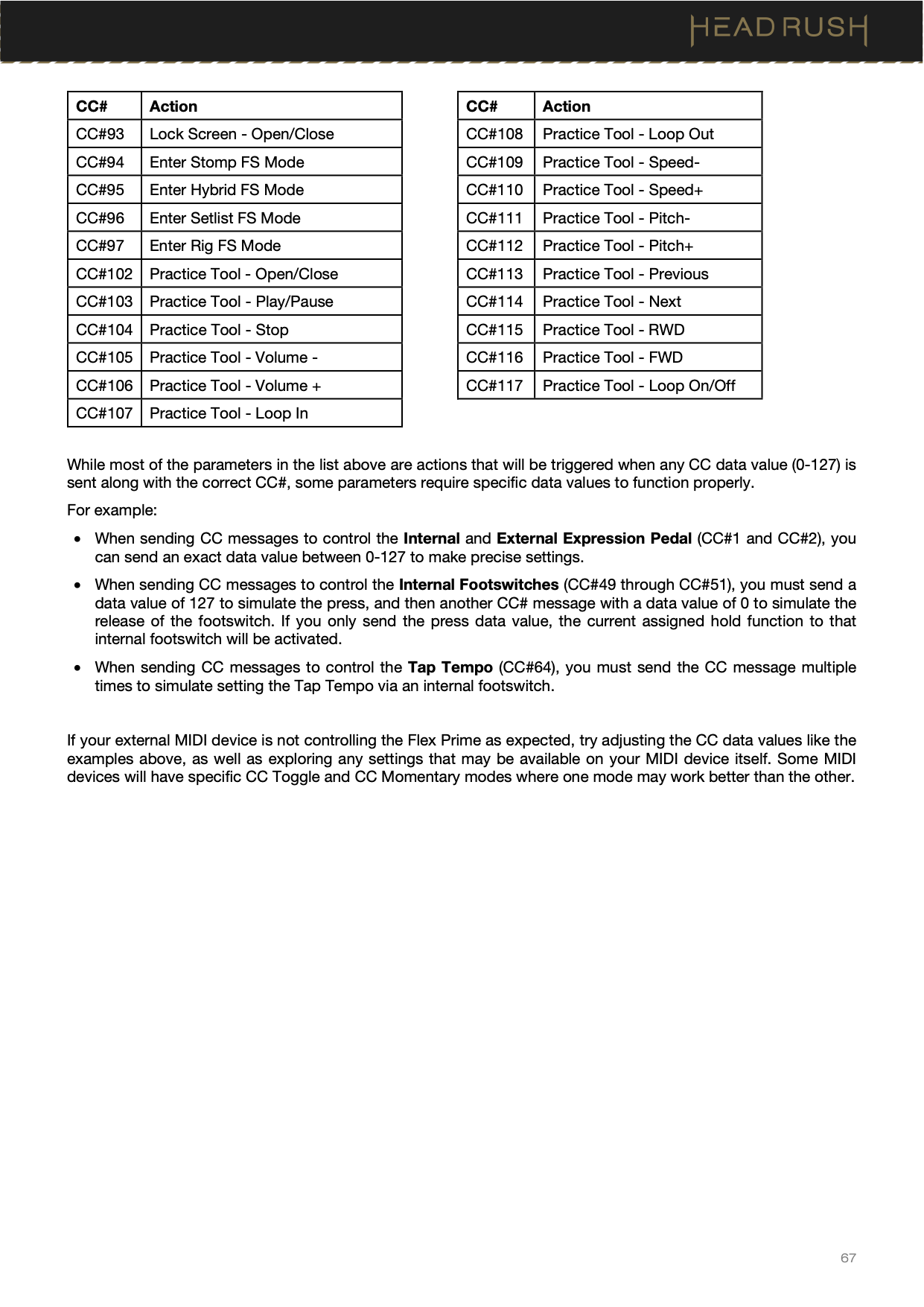
(4.22) Remote Editor Web UI
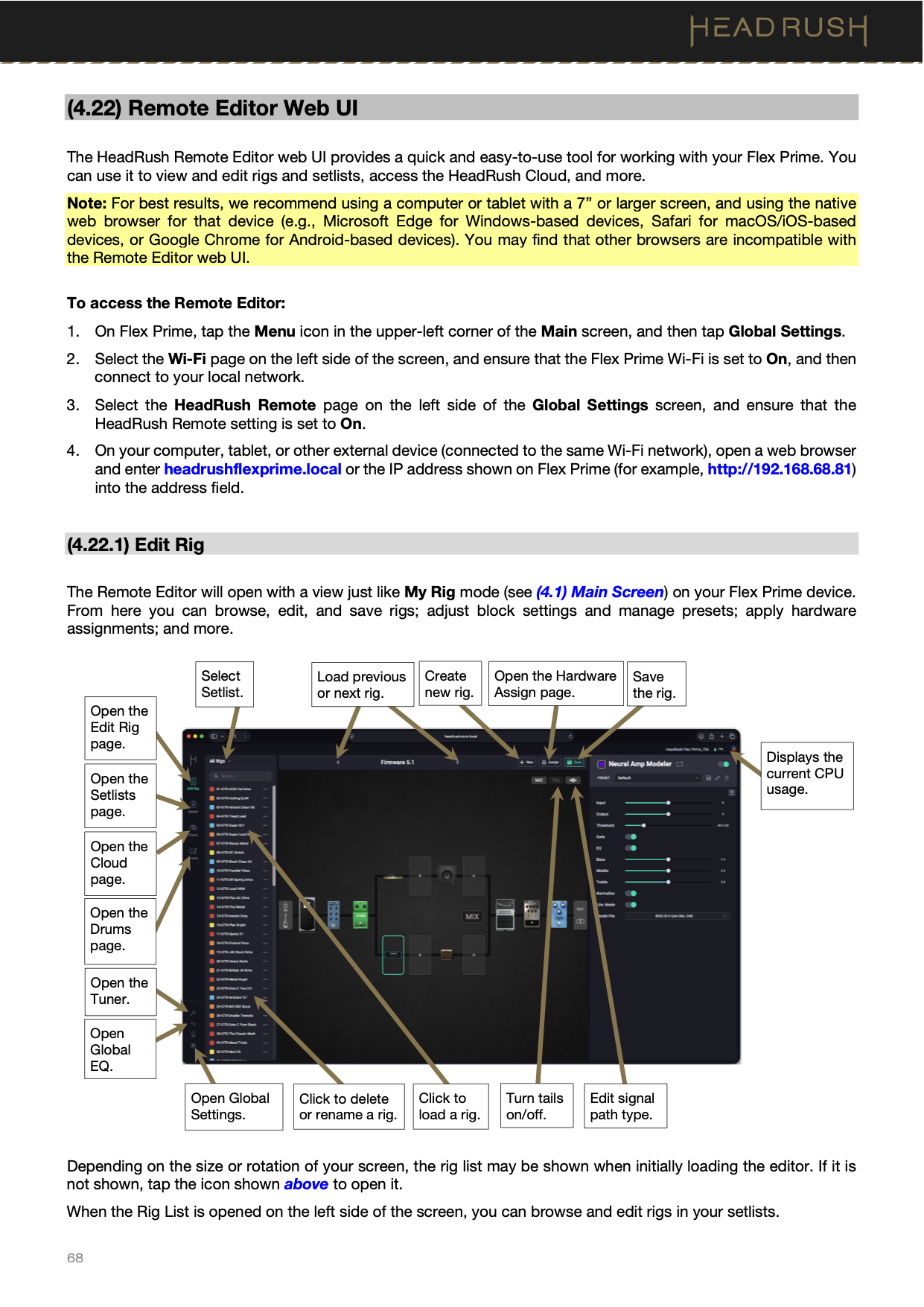
(4.22.1) Edit Rig
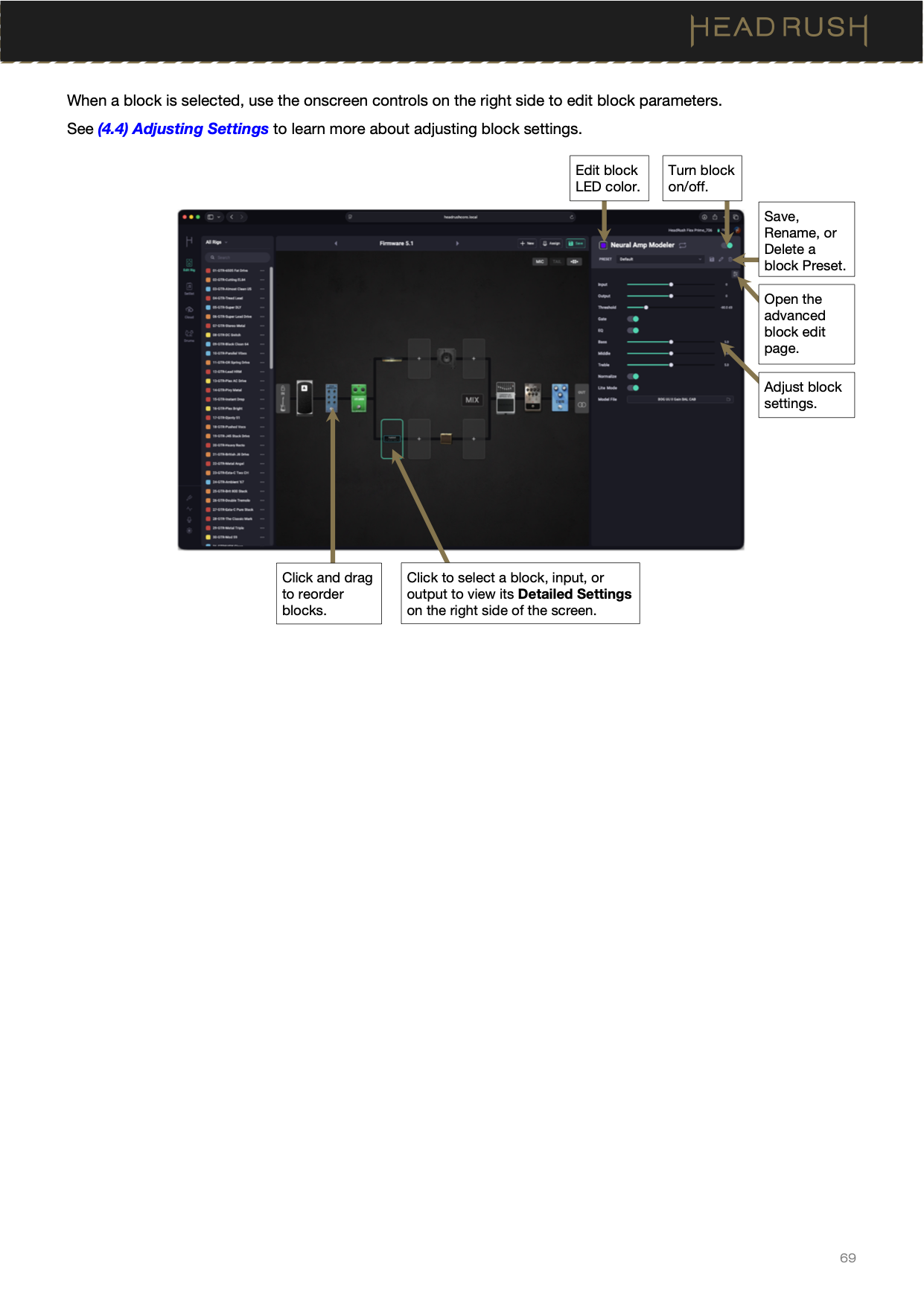
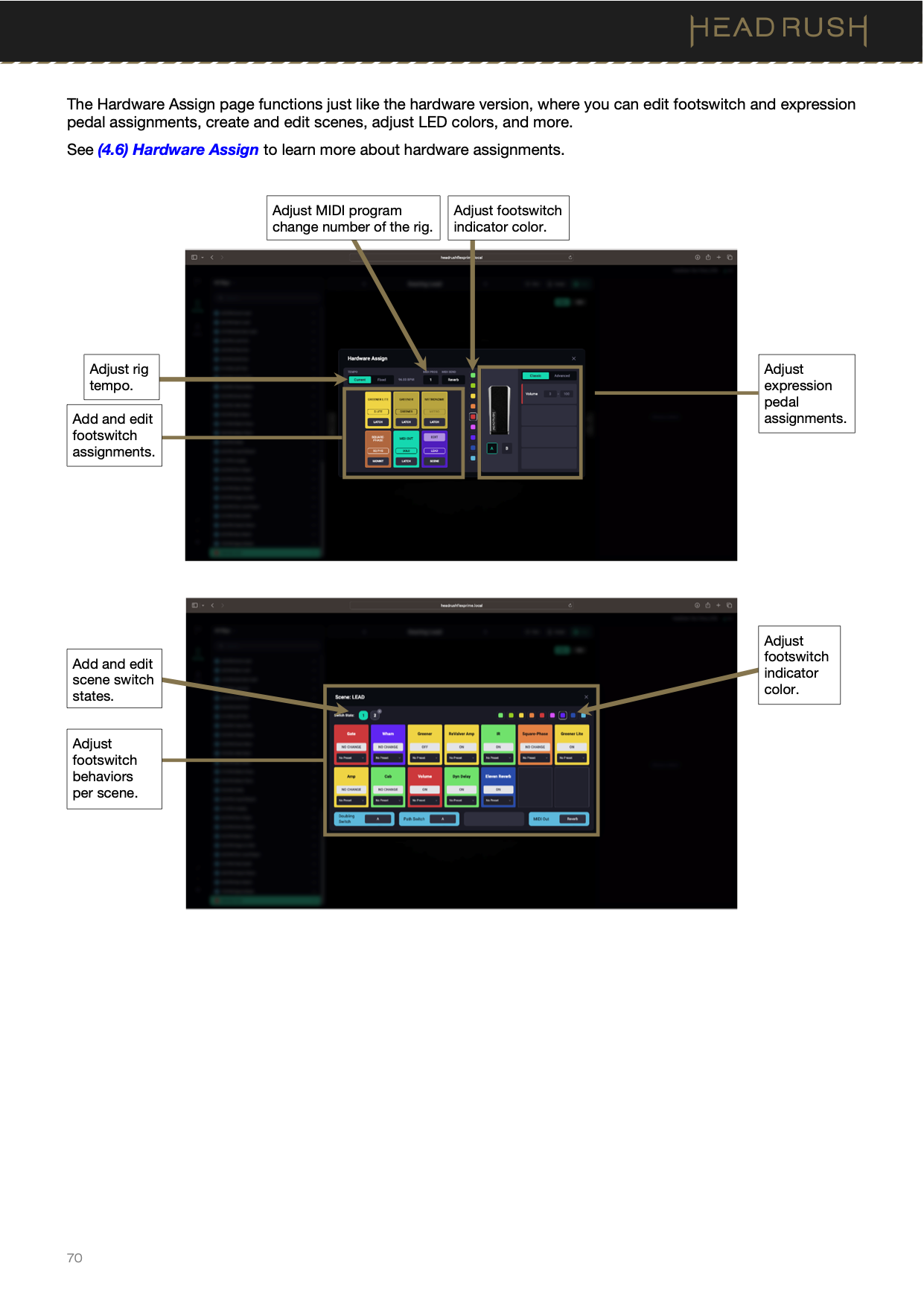
(4.22.2) Setlist
(4.22.3) HeadRush Cloud
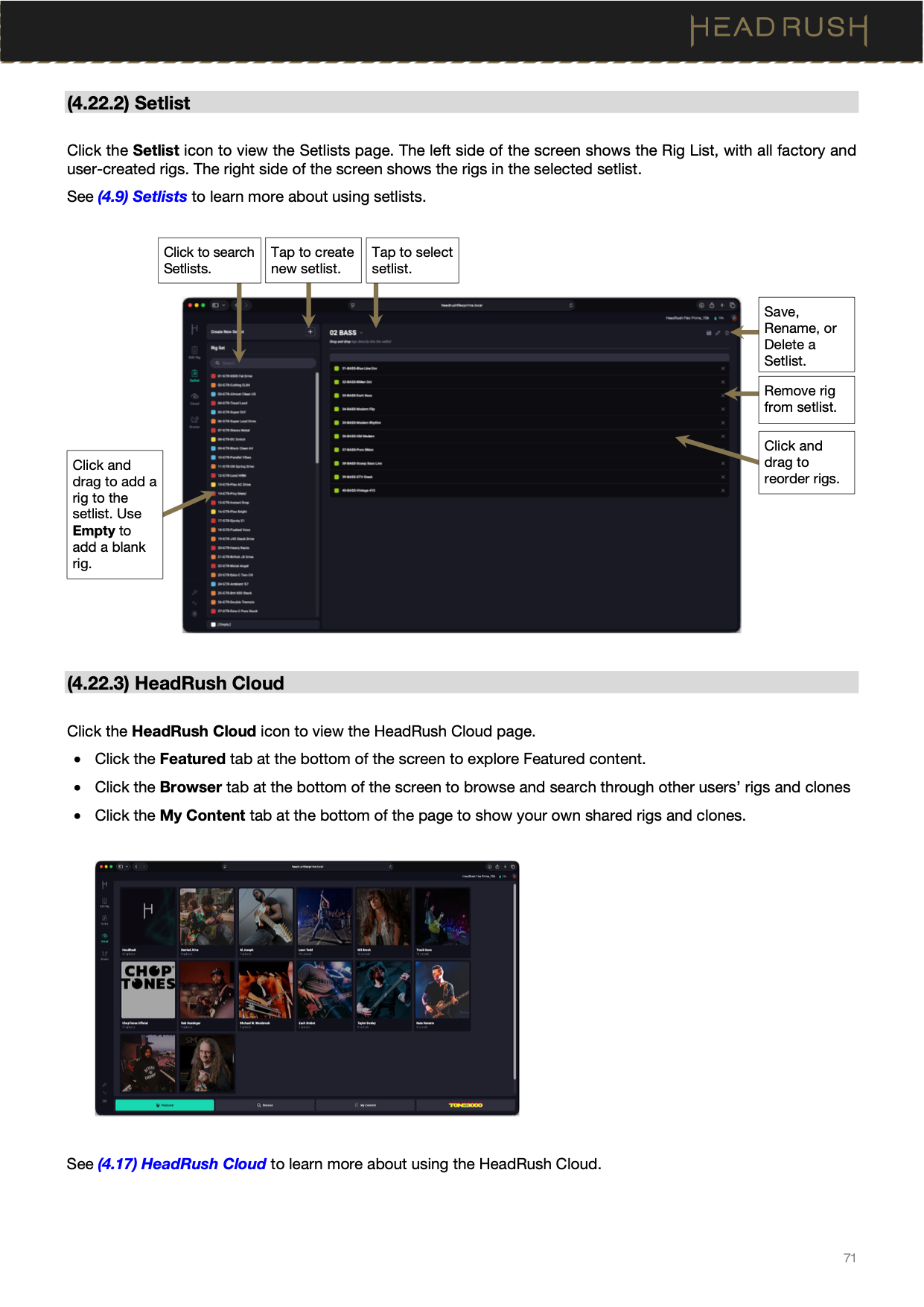
(4.22.4) Tuner
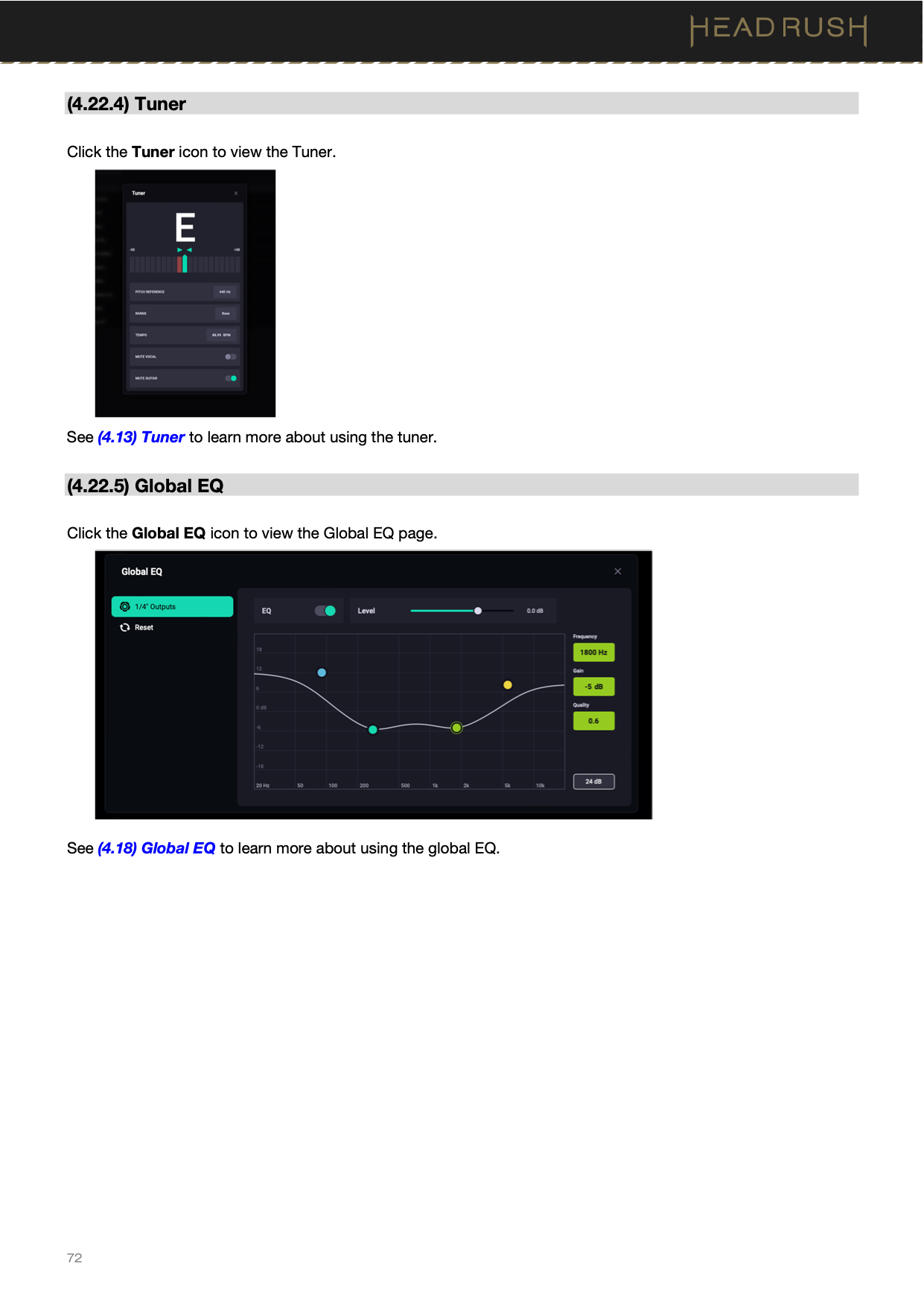
(4.22.5) Global EQ
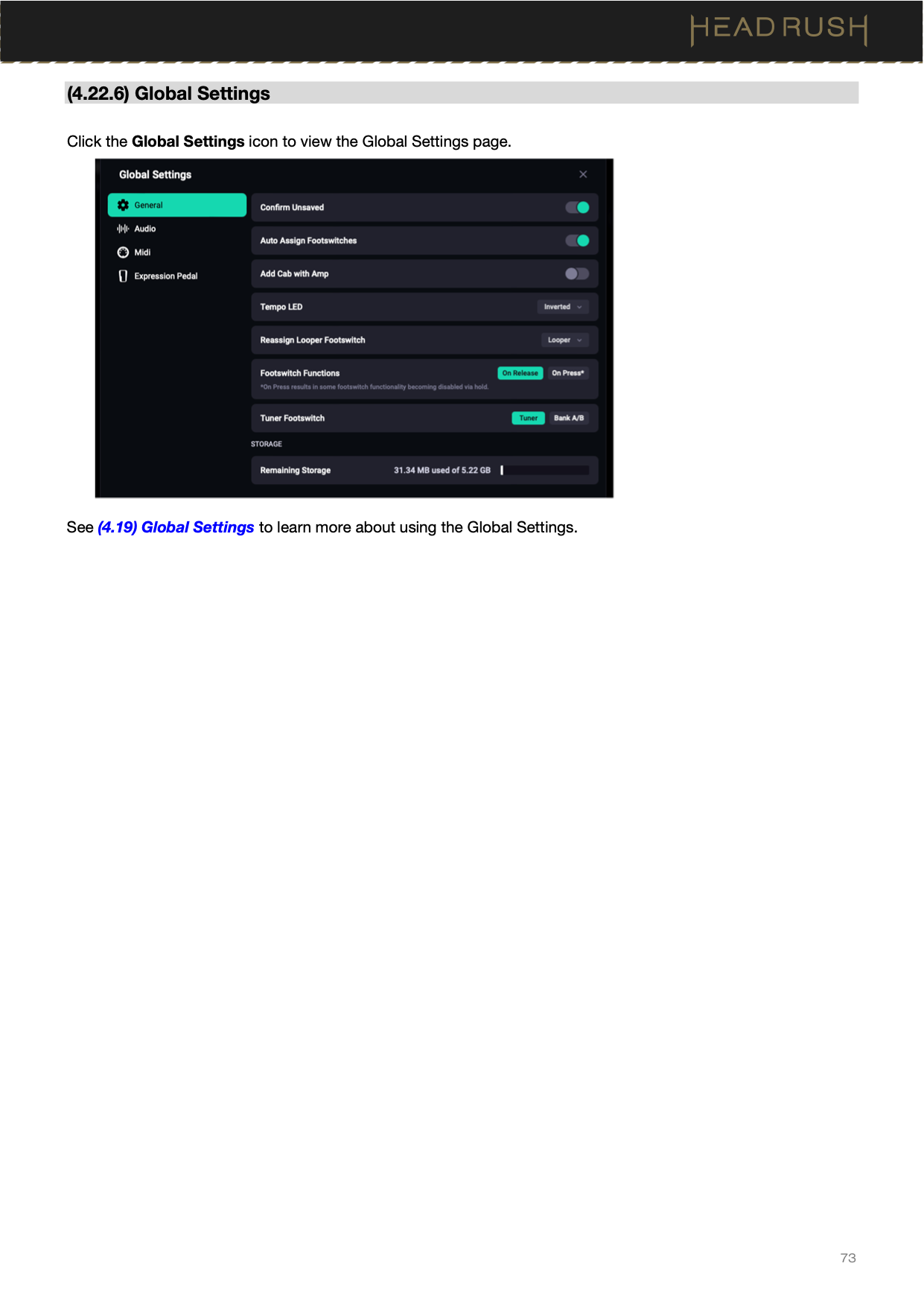
(4.22.6) Global Settings
Chapter 5 — Appendix
(5.0) Appendix
(5.1) Technical Specifications
(5.2) Trademarks & Licenses